


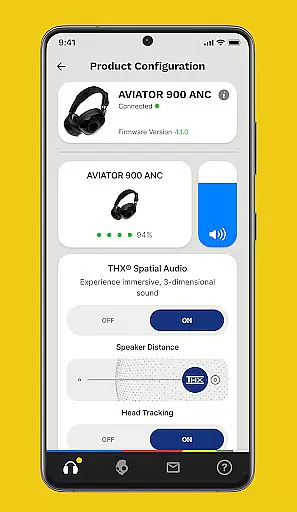


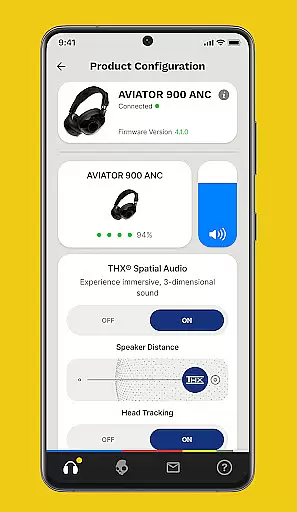


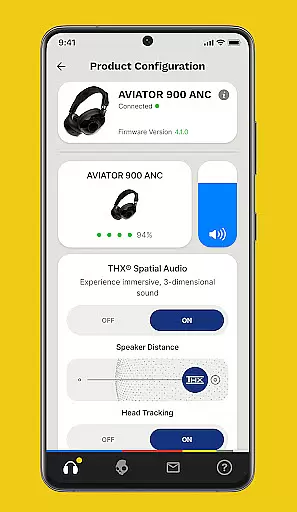
The Skullcandy App is designed to enhance and customize your audio experience. It allows users to control various product features and settings directly from their mobile devices. With options to personalize sound profiles, adjust equalizers, and access user guides, the app ensures optimal performance of Skullcandy products.
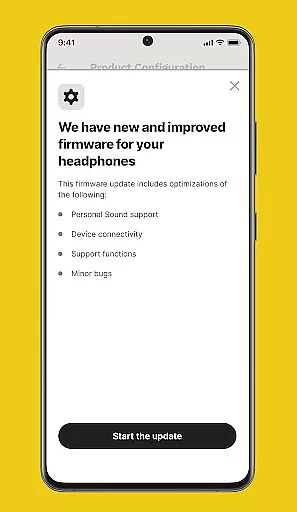
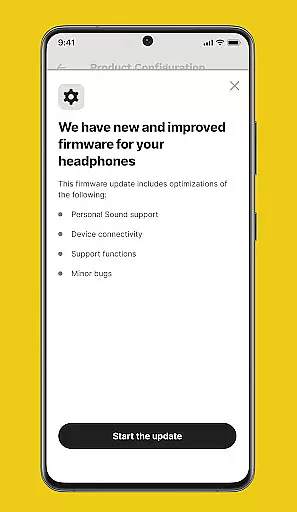
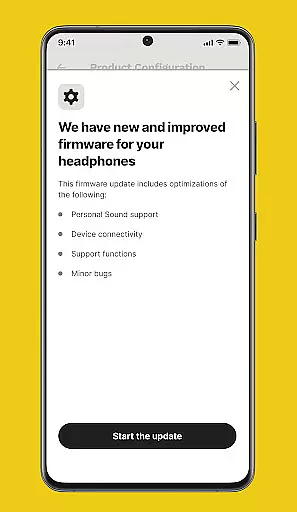
One standout feature is the Personal Sound customization, which tunes the audio output to match individual hearing capabilities. This app also supports firmware updates for select products, ensuring users always have access to the latest improvements and features. Whether you're commuting or working out, the Skullcandy App helps you get the most out of your listening experience.
The Skullcandy App offers a range of advanced features tailored to improve your audio experience. The Personal Sound feature lets users take a hearing assessment to create a personalized sound profile, enhancing music clarity and detail. This ensures that every note and beat is heard as intended.
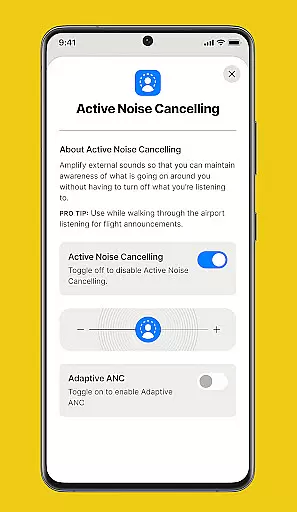
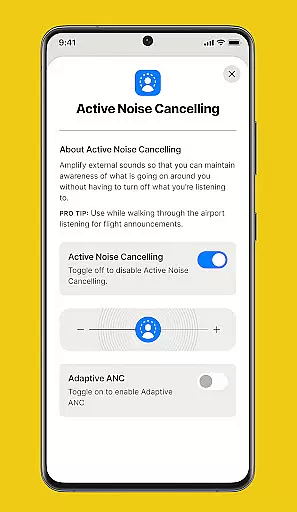
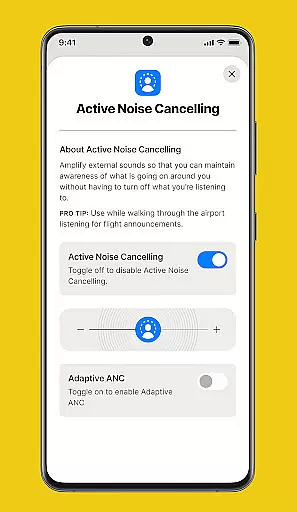
Additionally, the app includes customizable Equalizers & Hearing Modes, allowing users to adapt their audio settings based on different environments and preferences. Firmware updates are regularly released through the app, keeping your Skullcandy devices up-to-date with the latest technology. User Guides and Support provide detailed instructions and troubleshooting tips, making it easy to maximize the potential of your Skullcandy products.
Skullcandy app offers a unique audio experience by allowing users to customize their sound settings, but it doesn't manage a traditional music library. Instead, its focus is on personalizing the audio experience of the music you already own.
The app provides advanced equalizer settings and hearing modes that can be tailored to individual preferences, ensuring your music sounds the way you want it. This customization respects the copyrights of the original content while enhancing your listening experience.
Through firmware updates, Skullcandy ensures that users have access to the latest features and improvements without infringing on any copyright laws. These updates keep your device current with the best possible audio technology.
While not offering a vast music library, Skullcandy emphasizes the importance of authentic and high-quality audio experiences, respecting both content creators and listeners alike.
Skullcandy app places a strong emphasis on delivering superior audio quality options for its users. The Personal Sound feature allows for a customized audio profile based on an individual's hearing, ensuring optimal sound quality tailored to each user.
With advanced equalizers and hearing modes, users can adjust audio settings to match their environment and preferences. Whether you're in a noisy area or prefer enhanced bass, these options provide flexibility in how sound is delivered to your ears.
Firmware upgrades are regularly provided through the app, ensuring that your Skullcandy product remains up-to-date with the latest audio enhancements. This commitment to improvement guarantees sustained high-quality performance over time.
In addition to technical support, Skullcandy offers comprehensive user guides that help maximize your understanding of these audio quality options, empowering you to get the most out of your listening experience.
User-friendly interface
Personalized sound profiles
Regular firmware updates
Comprehensive user guides
Customizable equalizer settings
Limited device compatibility
Occasional connectivity issues
Firmware update delays
Basic customer support
High resource usage

SqueezePlayer turns your Android phone or tablet into a SqueezeBox on its own!
 4.60
4.60
Simply convert wav to mp3. Clear. Reliable. Safe.
4.4
Formerly known as Spotistats! View your top tracks, artists, albums and more!
4.40
A synth that really lets you shape your sounds!
4.50
Gorgeous UI, Powerful music Search and Equalizer, the great choice for you!
4.70
A High-Precision Audio Spectrum Analysis App
4.20
Bass Booster Pro takes auto-equalizing to the next level!
4.30
Learn to play the piano using falling notes!
3.80
Listen to offline music and sounds from all categories
4.70
24,000 free audio books and no ads!
4.90
Voice recorder - Audio recorder. Best recorder for recording
4.90
Your song collections with lyrics and chords on Android smartphones and tablets.
4.80
Play your hearts out on TouchTunes jukeboxes & connect with fellow music lovers.
4.80 4.70
4.70
10-Band Audio Equalizer, Sound / Bass Booster for Spotify Users & Music Players
4.40
A sleek, no-frills player designed for true music lovers.
4.20
The original SP-1200 experience on your iPad
4.20
VB-AUDIO Software / VBAN-Receptor allows listening to any VBAN Streams
4.10
Background pads for your band
3.80


User Reviews