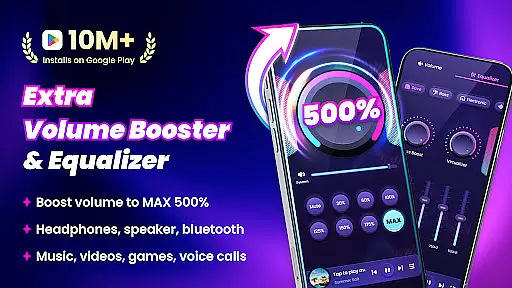
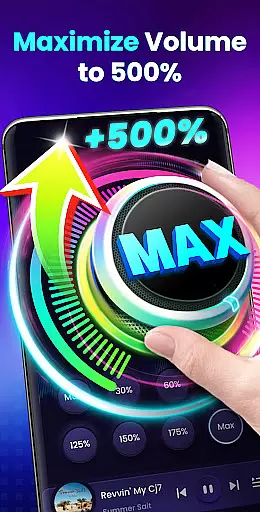
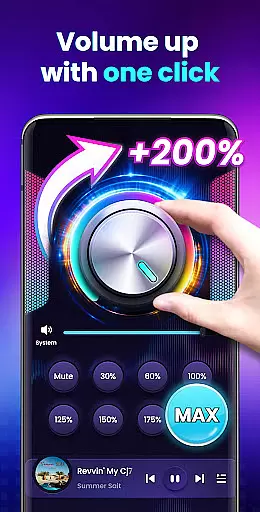

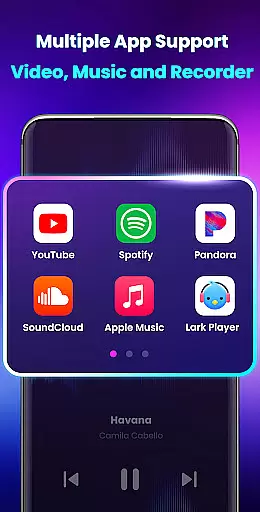
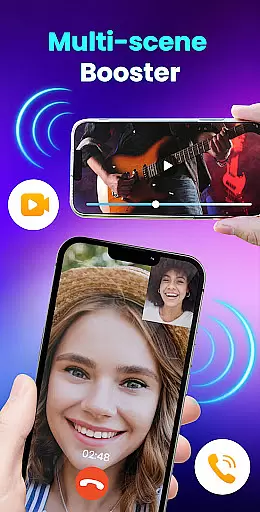
Volume Booster - Sound Booster is a powerful audio enhancement application designed specifically for Android users who seek to amplify their device's sound output. This app allows users to increase the volume of their devices up to 200%, surpassing the standard maximum system volume. Whether you're listening to music, watching videos, or playing games, EZ Booster ensures that your auditory experience is not limited by default volume constraints.
The app offers a range of features including stereo surround sound effects, music spectrum visualization, and support for background operation. It also provides widget and notification bar controls for easy access and quick adjustments. With its user-friendly interface and customizable sound modes, Volume Booster caters to both casual listeners and audiophiles alike, making it an essential tool for anyone looking to enhance their mobile audio experience.
Volume Booster - Sound Booster stands out with its comprehensive set of features tailored to maximize audio output on Android devices. One of its key functionalities is the ability to boost all types of volumes, including music, movies, audiobooks, alarms, and ringtones, without compromising sound quality. The app includes an advanced feature that enhances the volume of external speakers, headphones, and Bluetooth devices, ensuring a consistent audio experience across different playback methods.
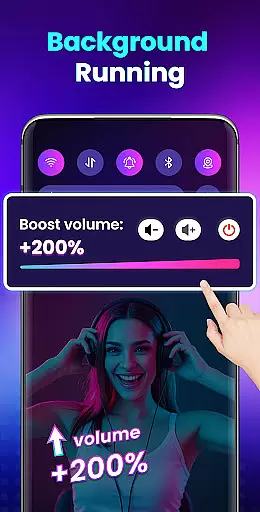
In addition to volume amplification, the app incorporates built-in music player controls that display music cover art, song titles, and artist information. Users can play, pause, and skip tracks directly from the app interface. EZ Booster also supports stereo surround sound effects and dynamic music spectrum visuals that sync with the melody, providing an immersive listening experience. Its intuitive design, coupled with home screen widgets and notification bar controls, makes adjusting settings and managing the booster effortless, even when the app is running in the background or while the screen is locked.
Volume Booster - Sound Booster offers an extensive music library that caters to a wide range of audio preferences. The app ensures that all tracks are properly licensed, providing users with peace of mind regarding copyright issues.
With thousands of songs across various genres, the app allows users to explore new music while boosting their device's volume. This vast selection is regularly updated, ensuring fresh content is always available.
The app's commitment to copyright authenticity means that every track has been vetted for proper licensing. Users can enjoy their favorite tunes without worrying about legal complications or copyright infringement.
By combining a large music library with stringent copyright checks, Volume Booster - Sound Booster creates a trustworthy environment for music enthusiasts who demand both quality and legality in their listening experience.
One of the standout features of Volume Booster - Sound Booster is its ability to enhance audio quality without distortion. The app provides multiple options for adjusting sound settings, ensuring crystal-clear playback at any volume level.
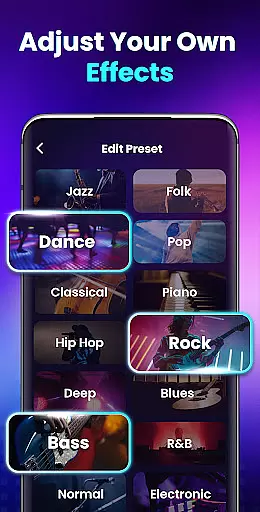
Users can choose from different sound modes tailored to specific types of audio content, such as music, movies, or audiobooks. Each mode optimizes the audio output for the best possible listening experience, whether using headphones or external speakers.
The app also includes advanced equalizer settings that allow for precise control over bass, treble, and other audio parameters. This customization capability ensures that users can fine-tune their sound to match personal preferences or accommodate different types of media.
By prioritizing audio quality alongside volume enhancement, Volume Booster - Sound Booster delivers a comprehensive solution for users seeking superior sound performance from their Android devices.
Increases volume up to 200%
Preserves sound quality at high volumes
Simple one-touch operation
Stereo surround sound effect
Supports background operation
No iOS version available
May drain battery faster
Interface could be outdated
Limited customization options
Potential risk of hearing damage

Formerly known as Spotistats! View your top tracks, artists, albums and more!
 4.40
4.40
10-Band Audio Equalizer, Sound / Bass Booster for Spotify Users & Music Players
4.40
Full-featured, High-Quality Groovebox Workstation, perfect for Live Performance!
4.80
Enhance the sound quality of your devices, listen to what you want
4.50
Visualize the guitar fretboard, master scales & play through changes like a pro!
4.50
Guzheng Master supports many playing techniques as an acoustic Guzheng
4.50
Help you quickly get started with Shokz headphones
4.40
Offline Tunes, Unlimited Vibes
3.90
Sing, record, and create music together — enhanced by smart voice tools.
4.00
Offline Music Player & MP3 Player.Powerful equalizer, Lyrics, Themes, Tag Editor
4.80
JBL PartyBox APP works with 110/310/710/120/320/520/Encore/Encore 2/Encore Ess 2
4.80
DJ Music Mixer Pro is a real DJ controllers and DJ Music Studio to remix DJ.
4.40
DJ Music Mixer - DJ Remix: remix songs, make beat music & record mix of DJ.
4.40
Master Salsa Rhythm quickly and with a lot of fun!
4.30
Time Trainer: accurate metronome w tools to help you develop your internal time!
4.20
A sleek, no-frills player designed for true music lovers.
4.20
Offline and always ad-free - stream in the highest quality available.
4.10
The official Sonos app
4.10
Simply convert wav to mp3. Clear. Reliable. Safe.
4.0


User Reviews