
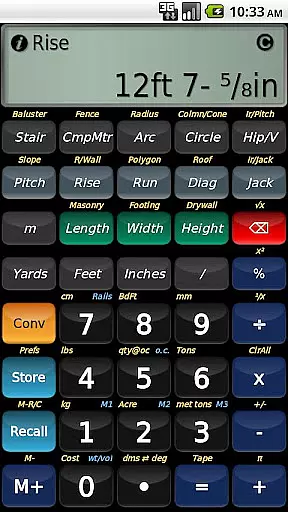
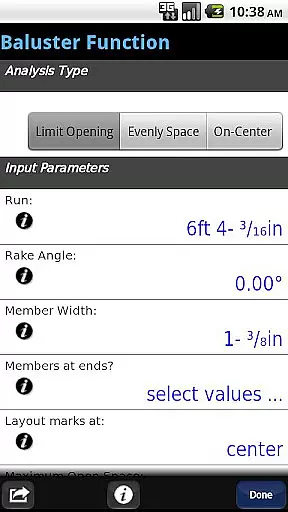
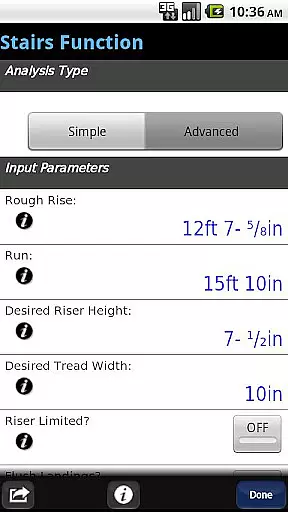
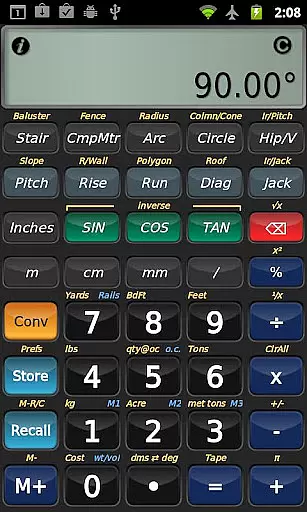
BuildCalc is a sophisticated construction calculator app designed to provide more functionality and accurate answers while reducing complexity and hassle. This app offers advanced features such as the Baluster Function for custom railing layouts, Stair function with dimensioned drawings, and Fence Function for calculating materials needed. It also includes interactive functions that update results automatically when input values change, ensuring flexibility and precision in every project.
The app stands out by offering users the ability to customize sizes for masonry, drywall, and roofing functions, which means you're not limited to predefined options. With capabilities like switching between Miter Saw and Protractor results, BuildCalc caters to both professional builders and DIY enthusiasts who demand efficiency and accuracy on their projects. Its emulation of Construction Master® Pro ensures that users familiar with traditional calculators can easily transition to this digital solution.
Whether you are working on-site or planning your next project at home, BuildCalc's full daylight visibility mode and streamlined interface make it an indispensable tool for modern construction tasks. By minimizing button presses and providing comprehensive help features, BuildCalc enhances productivity and reduces errors, making it ideal for professionals seeking reliable calculation support.
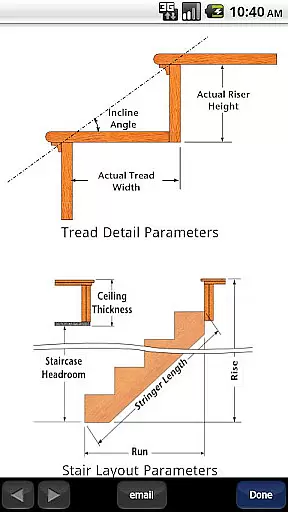
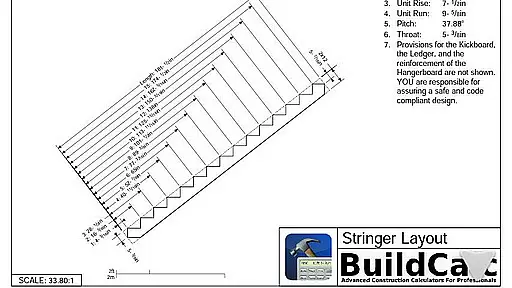
BuildCalc distinguishes itself through its array of advanced features tailored for construction professionals. The app provides an Advanced Baluster Function, allowing users to lay out railings and staircases with precision and flexibility. Additionally, the Advanced Stair function generates detailed dimensioned drawings of stringers and finished staircases, which can be shared via email as PDFs, facilitating communication and documentation.
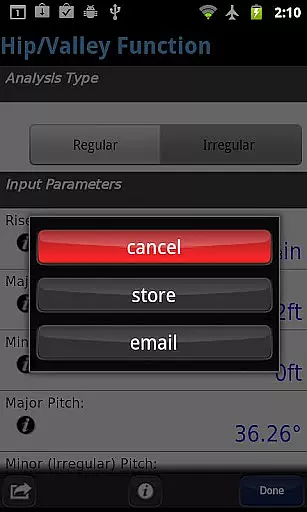
Interactive functions within BuildCalc, including Stair, Baluster, Compound Miter, Diagonal, and Hip/Valley calculations, enable real-time updates when changing input values. This dynamic responsiveness streamlines workflows and eliminates guesswork. Furthermore, the app supports multiple custom sizes for various materials, empowering users to store specific dimensions in Length x Width format, thus simplifying complex calculations.
BuildCalc addresses common frustrations with traditional calculators by significantly reducing the number of required button presses and offering a checklist of inputs alongside instant help. Its Room Mode for Drywall and Masonry calculations automates the process of determining material needs based on stored room dimensions, enhancing usability and saving time. These innovations ensure that BuildCalc delivers a seamless user experience focused on delivering precise results efficiently.
In the realm of construction, collaboration is key to successful project completion. BuildCalc understands this and offers advanced interactive functions that allow seamless teamwork. The Stair, Baluster, Compound Miter, Diagonal, and Hip/Valley functions are fully interactive, enabling users to change input values on the fly. Whether adjusting the Run or switching between Regular and Irregular Hip Roof analysis, results update automatically without the need to remember specific key presses.
Moreover, the app provides a comprehensive checklist of inputs and on-the-spot help for complex calculations like Hip Rafter or Stair calculations. This ensures that all team members, regardless of their experience level, can perform accurate calculations with ease. By streamlining keystrokes and reducing arcane sequences, BuildCalc minimizes errors and enhances productivity on-site.
BuildCalc also supports saving calculation results, allowing teams to recall complete results conveniently. This feature not only saves time but also fosters better communication among team members, as everyone has access to the same data and can verify calculations independently.
Effective task management is crucial in the construction industry, where precision and efficiency directly impact project timelines and budgets. BuildCalc addresses these needs by offering tools that simplify complex tasks. For instance, its Advanced Stair function provides professional stair layouts, including dimensioned drawings of Stringer, Stringer Installation, and Finished Staircase. Users can even email a PDF of these drawings directly from the app, facilitating easy sharing and printing.
The app's Fence Function is another example of streamlined task management. By inputting a fence row length, BuildCalc calculates the number of posts, rails, pickets, and panels required. This eliminates guesswork and ensures accurate material estimates, which is vital for budgeting and scheduling.
Additionally, BuildCalc includes a Full Daylight Visibility Mode and Drywall and Masonry 'Room Mode,' both designed to reduce complexity and hassle. These features enable quick calculations with minimal input, freeing up valuable time for other critical tasks. With BuildCalc, managing construction tasks becomes more efficient, accurate, and less stressful.
User-friendly interface
Advanced calculation tools
Customizable material sizes
Real-time interactive updates
Comprehensive help features
Requires learning curve
Premium pricing model
Limited offline functionality
No integrated tutorial
Occasional performance lags

Completed Course Lectures on how to use IBM Maximo in Maintenance issues
 4.4
4.4
Ask Accio anything about business. Alibaba-backed, built by experts, not just AI
4.60
Your employer must have UKG Ready software configured for Mobile.
4.60
Use Generative Summary to understand your rental or insurance docs in seconds.
4.70
All your team communication in one place
4.70
Shop, deliver, and earn with the Spark Driver™ App
4.10
ADP Mobile Solutions is an employee self service app
4.50
We help people get jobs
4.70
Make money as a delivery driver with DoorDash and work when you want as a Dasher
4.30
Job search app that finds jobs for you! Takes the work out of looking for a job!
4.90
Find the right fit, faster.
4.70
Earn free swag, G-Cards & food • Enter sweepstakes • Find stores • So much more.
4.70
AI-powered document scanner with auto enhance for perfect PDFs.
4.60
Master crypto trading with real-time simulations and exciting challenges!
4.50
The Penny Puss app with DG penny finder
4.10
VSD Viewer - Visio Drawings Viewer for Android Preview VSD, VDX, VSDX drawings
4.10
Find flexible, hourly jobs hiring near you in restaurant, retail & hospitality!
4.00
Windows App allows you to connect to remote PCs and virtual apps.
3.70
Find part-time earning opportunities near you that pay within days.
3.20


User Reviews