
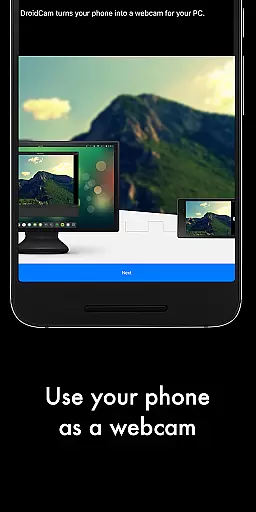
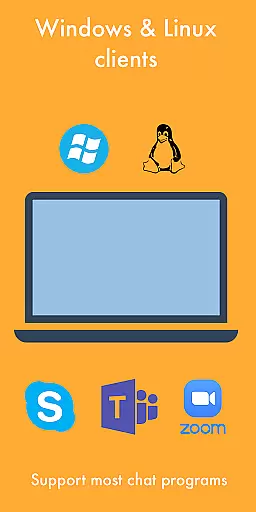
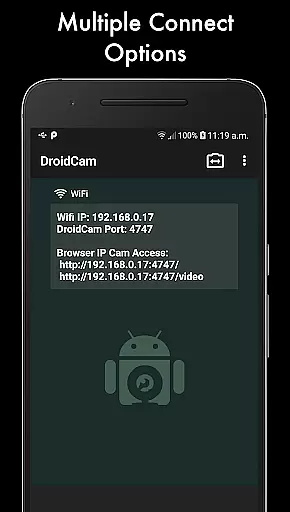
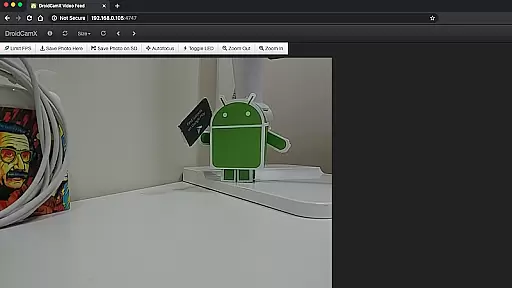
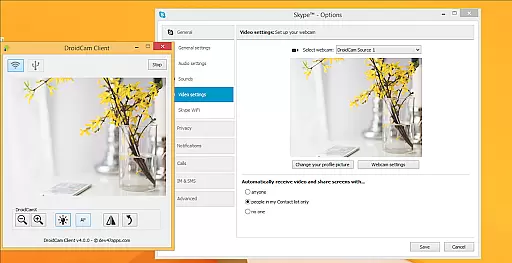
DroidCamX HD (Classic) is a versatile tool that transforms your Android device into a high-quality webcam for your computer. This app allows users to chat using the 'DroidCam Webcam' feature, providing both sound and picture. It supports connections over Wifi or USB, making it adaptable to various user needs.
With HD Mode, DroidCamX supports 720p/1080p video quality, ensuring clear and sharp images during video chats. The 'Smooth FPS' option in settings enhances video stability, offering a seamless experience. Additionally, the app allows the use of other applications while running in the background, maintaining functionality even when the screen is off to save battery life.
This application is ideal for remote workers, content creators, or anyone needing a reliable webcam solution. By turning a smartphone into a webcam, DroidCamX offers an economical and efficient alternative to traditional webcams, maximizing the utility of existing devices.
DroidCamX HD (Classic) boasts a range of features designed to enhance the webcam experience on your computer. One notable feature is the ability to connect over Wifi or USB, providing flexibility in how you establish a connection between your Android device and computer. This versatility ensures that users can select the most convenient and reliable method for their setup.
The app's support for 720p/1080p video with HD Mode delivers exceptional image quality, crucial for professional video conferencing. The 'Smooth FPS' option further refines this experience by stabilizing video transmission. Moreover, DroidCamX allows operation in the background, enabling multitasking without interrupting the video feed.
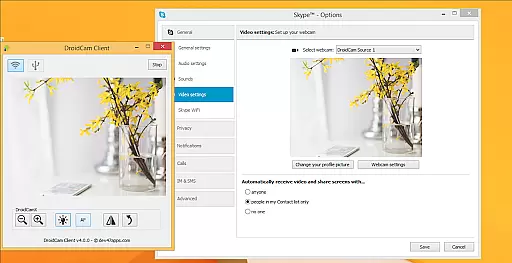
Additional features include camera controls such as auto-focus, zoom, and flash, allowing users to adjust settings to suit their environment. The Windows Client offers advanced controls like Mirror, Flip, Brightness, and Contrast adjustments, giving users comprehensive command over their video output. These features collectively ensure a customizable and high-quality webcam experience.
DroidCamX HD (Classic) excels in delivering accurate and effective core functionality by transforming your Android device into a high-quality webcam. This app ensures that both audio and video streams are transmitted seamlessly to your computer, providing a reliable communication tool for various scenarios.
The application supports multiple connection methods including Wi-Fi and USB, ensuring flexibility and convenience. With the added support for 720p/1080p video through HD Mode, users can expect clear and detailed video quality, making it suitable for professional video conferencing and content creation.
Additional features such as the 'Smooth FPS' option enhance video stability, while background operation allows users to multitask without interrupting the video feed. These functionalities collectively ensure that DroidCamX meets the diverse needs of its users with precision and reliability.
The interface design of DroidCamX HD (Classic) emphasizes simplicity and intuitiveness, allowing users to easily navigate and utilize its features without a steep learning curve. Upon launching the app, users are greeted with a straightforward layout that highlights essential controls and settings.
Key functionalities such as camera controlsu2014auto-focus, zoom, and flashu2014are readily accessible, ensuring that users can quickly adjust settings to suit their environment. The ability to capture still images directly from the app further enhances user convenience, providing a comprehensive toolset within a few taps.
Moreover, advanced controls available on the Windows client, such as mirror, flip, brightness, and contrast adjustments, offer users enhanced customization options without complicating the interface. This balance between powerful features and ease of use makes DroidCamX an intuitive solution for turning your smartphone into a versatile webcam.
High-quality video streaming
Flexible connectivity options
Background app operation
Comprehensive camera controls
Battery conservation features
Requires separate PC client
USB setup can be complex
Limited to Android devices
No native iOS support
Dependent on network stability

Learn the vast amount of system information about device and monitor it's state
 4.70
4.70
card-reader app
2.20
An open-source APK explorer for Android!
4.10
Mirror your screen to Fire TV - Super fast and simple
4.40
Play your X-Box games remotely in 1080p with any controller and zero latency
4.60
Screen Mirroring with sound for Samsung TV, LG TV, Sony TV, Smart TV and Browser
4.20
Clean up large files and similar photos, fast and easy to use
4.40
Mobile Security with Scam Protection | Malware & Virus Cleaner | Safe Browser
4.70
Clean up your phone, find files, play media, and share files offline
4.50
Connect wirelessly to your computer to watch movies, browse the web, play games
5.00
Unit and currency converter with easy and simple UI.
4.80
Optimize your WiFi network, turn your phone into Wifi Analyzer
4.70
The Ultimate Bluetooth Keyboard & Mouse. Securely control your PC, Mac, and more
4.50
Universal TV remote control all TVs, Roku, LG, Samsung, Fire, Vizio, Sony, TCL.
4.40
Making emulation easy for everyone!
4.30
pdf merge, word to pdf, jpg to pdf, edit pdf, convert to pdf and much more!
4.20
Unleash gamepad precision for ultimate mobile gaming dominance.
3.90
This app unlocks the Pro features of the Central for DayZ app
3.60
Unlock your Essential Key. Create custom shortcuts to your favorite apps!
4.3


User Reviews