
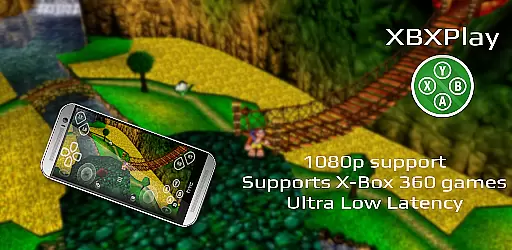
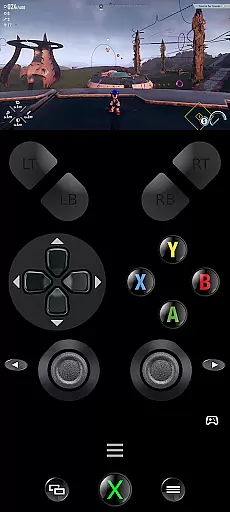
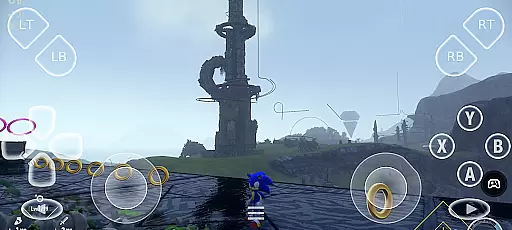
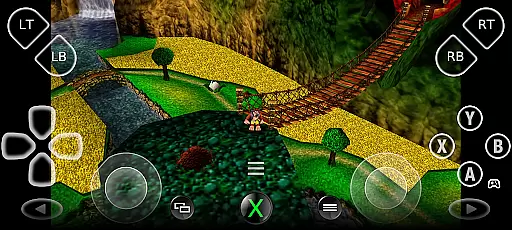
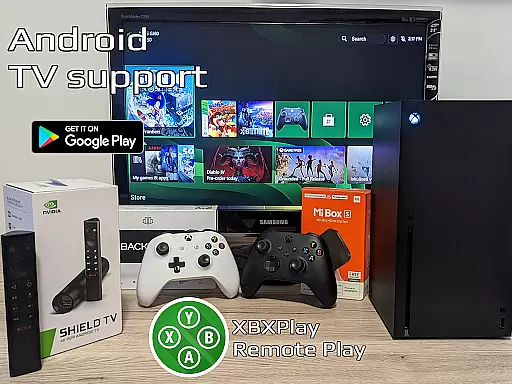

XBXPlay is a powerful remote control application designed specifically for X-Box Series X/S, X-Box One (X/S), and even X-Box 360 consoles. The app allows users to stream their favorite games in full 1080p resolution directly to their mobile devices, providing an exceptional remote gaming experience. With advanced features like customizable onscreen gamepad layouts, manual bitrate adjustments, and support for third-party controllers, XBXPlay ensures optimal performance and flexibility.
One of the standout capabilities of XBXPlay is its ability to function as a virtual gamepad for your console, enabling gameplay without the need for a physical controller. Additionally, the app supports innovative functionalities such as Picture-In-Picture mode and Multi-Window support, making it highly versatile for different user needs. Whether you're looking to play remotely over the internet or simply want to enhance your console gaming setup, XBXPlay offers a comprehensive solution that caters to both casual and hardcore gamers alike.
XBXPlay distinguishes itself through a range of advanced features tailored for an optimal streaming experience. First and foremost, the app supports full 1080p streaming, ensuring high-quality visuals that bring your games to life. Unlike the official X-Box Remote Play app, XBXPlay also enables users to play X-Box 360 games, expanding the library of titles available for remote play. The inclusion of manual bitrate adjustments allows users to fine-tune their streaming quality based on their internet connection, minimizing latency and maximizing performance.
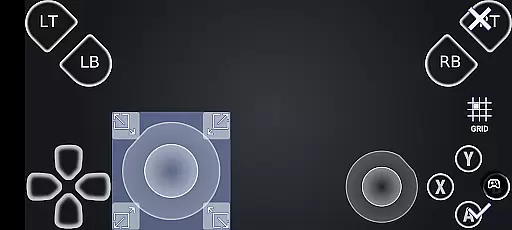
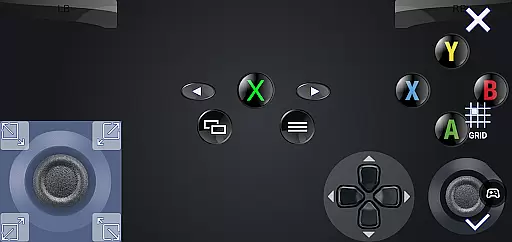
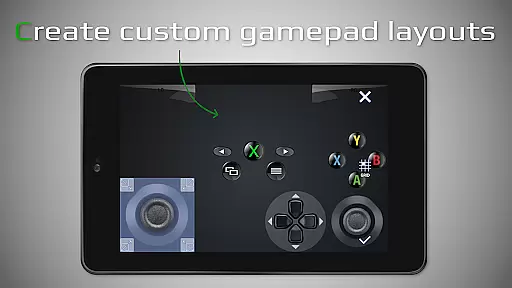
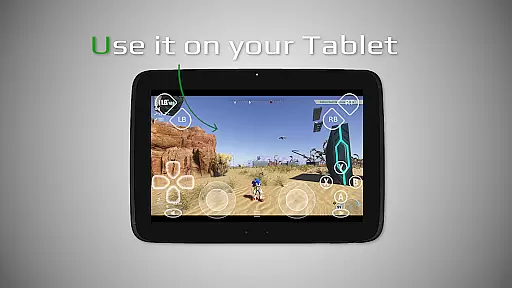
Another key feature is the customizable onscreen gamepad layout, which lets users create personalized control schemes that suit their gaming preferences. This flexibility extends to hardware support as well, with native USB-OTG compatibility and optimized low-latency streaming. Additional conveniences include Fullscreen support without black bars, Picture-In-Picture mode for multitasking, and Multi-Window functionality for enhanced productivity. These robust features collectively ensure that XBXPlay delivers a seamless and immersive remote gaming experience.
XBXPlay delivers exceptional core functionality by enabling seamless remote control of X-Box consoles, including the X-Box Series X/S and X-Box One. The app supports 1080p streaming, ensuring high-quality visuals while playing remotely. This level of precision in streaming provides users with an immersive experience that mirrors playing directly on their console.
The app's effectiveness is further enhanced through advanced features such as manual bitrate adjustments and optimized low-latency streaming. These capabilities ensure that gameplay remains smooth and responsive, even when using third-party controllers or mobile data connections. Users can expect a consistently reliable performance, making it possible to enjoy their favorite games without limitations.
Additionally, XBXPlay offers unique functionalities like virtual gamepad support and customizable onscreen gamepad layouts. These features allow gamers to tailor their controls to match specific game requirements, providing a personalized and intuitive gaming experience. Such attention to detail highlights the app's commitment to delivering both accuracy and effectiveness in its primary functions.
XBXPlay excels in providing an interface that balances simplicity with powerful functionality. The app's design ensures that even novice users can easily navigate its features, from basic remote play to advanced customization options. Its straightforward layout allows users to quickly access essential functions without feeling overwhelmed by complex settings.
One of the standout aspects of XBXPlay's interface is its support for intuitive touchscreen controls. The customizable onscreen gamepad layout enables players to create control schemes that perfectly match their preferred playstyle. This flexibility, combined with features like fullscreen support and picture-in-picture mode, demonstrates how the app maintains simplicity while offering sophisticated capabilities.
Furthermore, XBXPlay includes practical usability enhancements such as multi-window support and native USB-OTG functionality. These features contribute to an overall user-friendly experience that doesn't compromise on advanced options. By focusing on both simplicity and intuitiveness, XBXPlay ensures that users of all skill levels can enjoy a seamless and enjoyable remote gaming experience.
Full 1080p support
X-Box 360 game compatibility
Customizable onscreen controls
Low latency optimization
Third-party controller support
No microphone support
Requires stable internet
High hardware demands
Complex setup process
Limited official support

Easily install aab(Android App Bundle) files on your Android device with our app
 4.80
4.80
Connect instantly to a fast, encrypted VPN with one tap
4.60
A recovery soft,it features photo recovery, video recovery, file recovery.
3.40
An open-source APK explorer for Android!
4.10
Smart and comfortable browsing experience.
3.80
PC precision for mobile gaming: dominate with keyboard and mouse!
4.30
Monitor car performance in real time and troubleshoot malfunctions.
4.80
With videos, electrical calculators, and built-in ebook, Ugly’s has your answer.
4.50
Support Fossify apps with a warm thank you!
5.00
Navigate with Ease and Style
4.90
WiFi Signal Strength Meter help you detect WiFi Signal Strength in real time.
4.80
ADB support Android 4.X-Android 13(Support wireless pair mode).No root required!
4.70
The Ultimate Flex Drivers Utility App - Convenient Tapping & Block Filters
4.70
Quickly switch to an encrypted DNS server on Android TV
4.50
Forza Tuning Calculator App for Forza Horizon 5, Motorsport and Earlier Titles
4.40
Clean up large files and similar photos, fast and easy to use
4.40
Quickly check the frequency of the Earth
4.30
Carry a FTP server in your pocket and avoid USB cables for file transfer
4.20
Unleash gamepad precision for ultimate mobile gaming dominance.
3.90


User Reviews