
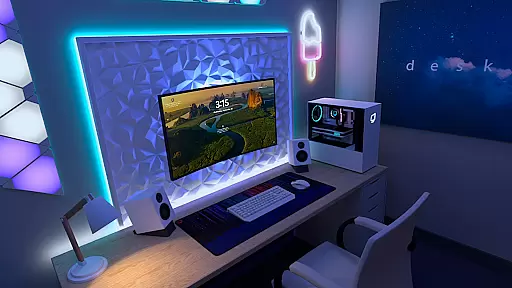
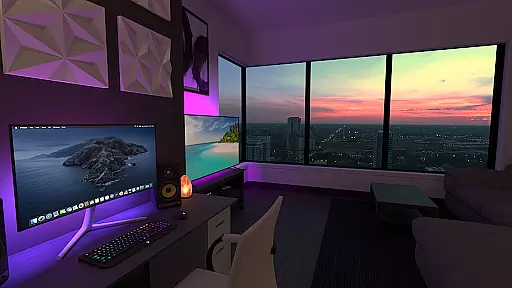
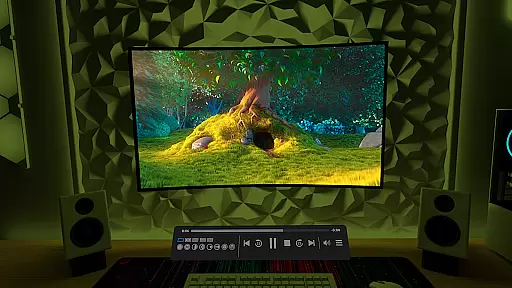
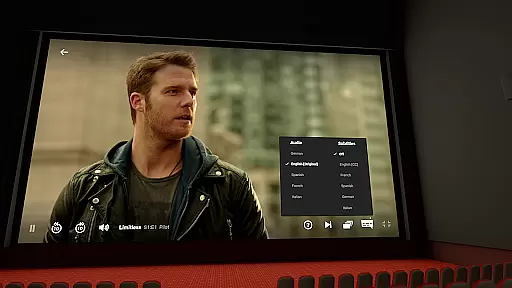
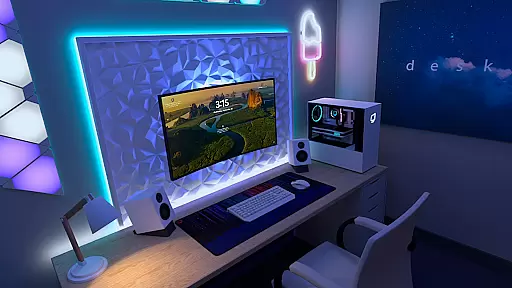
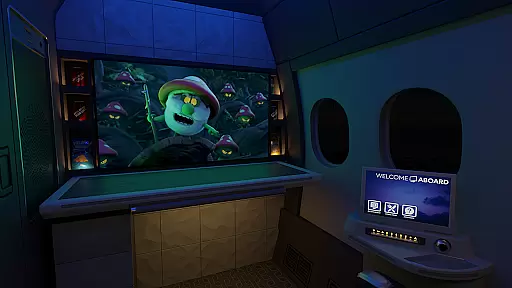
Virtual Desktop is a powerful tool that allows users to connect wirelessly to their computers for an immersive experience. Watch movies, browse the web, and play games on a large virtual screen or stream PCVR games with ease. Designed for low latency and high-quality streaming, this native application is optimized for performance.
The app supports Windows 10/11, macOS Catalina or later, and VR Ready PCs. It offers features like video streaming, multi-monitor support, Bluetooth device compatibility, and remote connections over the internet. Whether you're working or gaming, Virtual Desktop provides a seamless and versatile computing environment.
Virtual Desktop boasts several advanced features tailored for productivity and entertainment. The app streams content at low latency, ensuring smooth performance even during demanding tasks like gaming or video playback. Its support for Gigabit Ethernet ensures stable connections, while compatibility with Windows, macOS, and VR systems makes it highly versatile.
Additional features include a Videos tab for downloading or streaming various video formats directly from your computer, support for Bluetooth peripherals, and options for 3D content viewing. With multi-monitor support and microphone passthrough functionality, Virtual Desktop caters to both professional workflows and recreational use cases.
Virtual Desktop excels in delivering a seamless and high-quality streaming experience. The application is meticulously optimized for low latency, ensuring that users can enjoy their content without frustrating delays. This native app supports both local and remote connections, allowing you to wirelessly connect to your computer(s) and engage in activities such as watching movies, browsing the web, or even playing games on a giant virtual screen.
The app's compatibility with various devices, including PCs and laptops running Windows 10 or 11, as well as macOS Catalina or later, showcases its versatility. For gamers, Virtual Desktop offers the ability to stream PCVR games, provided the host computer meets the VR Ready requirements. With support for multi-monitors and different types of content, including 3D Side-by-Side and Over-Under formats, this tool ensures an immersive and flexible user experience.
Moreover, the inclusion of features like Bluetooth support for mice, keyboards, and gamepads, along with a Microphone passthrough option, enhances the overall functionality. These elements collectively contribute to the app's core function accuracy and effectiveness, making it a reliable choice for both work and entertainment purposes.
One of Virtual Desktop's standout features is its intuitive and user-friendly interface. Designed with simplicity in mind, the app allows users to effortlessly navigate through its various functions. Whether you're looking to stream videos directly from your computer or manage multiple monitors, the interface provides clear and accessible options that cater to both novice and experienced users.
The app's layout is thoughtfully organized, presenting features such as the Videos tab and support for remote connections over the internet in an easily digestible manner. Enabling UPnP on your router for remote access is straightforward, thanks to clear instructions and a logical setup process. This ensures that users can quickly get their environment up and running without unnecessary complications.
Furthermore, the app's support for different types of content, including regular, 180, and 360 videos, is integrated smoothly into the interface. Users can download or stream these videos directly, enhancing the overall usability. By prioritizing interface simplicity and intuitiveness, Virtual Desktop ensures that users can fully leverage its capabilities without a steep learning curve.
Low-latency streaming
Multi-platform support
High-quality display
Remote connection capability
Wide peripheral compatibility
Requires wired Ethernet
Limited mobile OS support
Dependent on router setup
Premium pricing model
Complex initial configuration

A convenient photo, video, and file recovery tool.
 4.00
4.00
Remote for Roku, Fire TV, Samsung TV, LG TV, Android TV, Chromecast and VIZIO TV
4.20
Family Locator, Share location, StayConnect with your family in real time
3.90
Safely recover deleted photos, videos, and files with a single easy tap.
3.70
Carry a FTP server in your pocket and avoid USB cables for file transfer
4.20
Quickly & easily calculate the spacing of handrail balusters
4.20
Keep track of your Palia friendships, tasks, and inventory with Palia Notebook
4.60
Amateur Radio app for APRS: Track friends, exchange messages, get tactical info.
3.90
VESC Tool can monitor and configure VESC-compatible devices over BLE and Wifi
4.20
The Ultimate Flex Drivers Utility App - Convenient Tapping & Block Filters
4.70 4.50
4.50
Button mapper, mouse toggle, sleep timer and a lot of another features
4.50
An easy-to-use calculator designed to save time calculating and bending conduit
4.30 4.10
4.10
MS-DOS in your pocket. Play old DOS games anywhere you are ;)
4.10
View detailed information about your Nissan Leaf the dealer never shows you.
4.10
Introducing Smart Printer, your ultimate destination for printing solutions!
4.00
Create your own custom widget with endless possibilities
3.90
This app unlocks the Pro features of the Central for DayZ app
3.60


User Reviews