
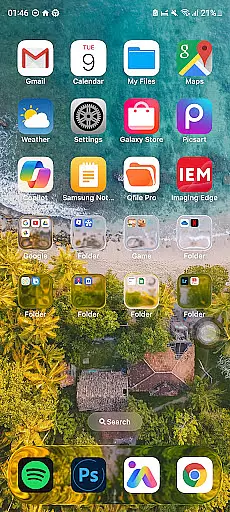
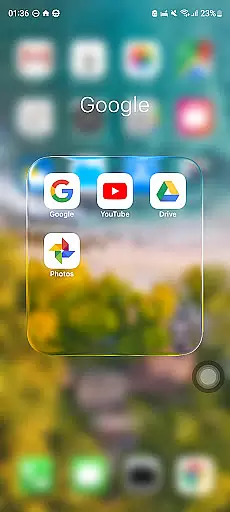
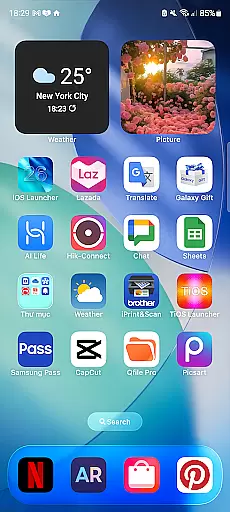
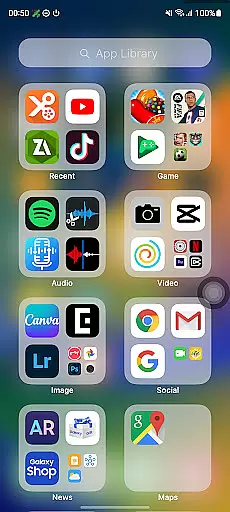
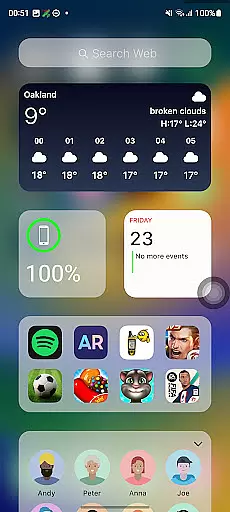
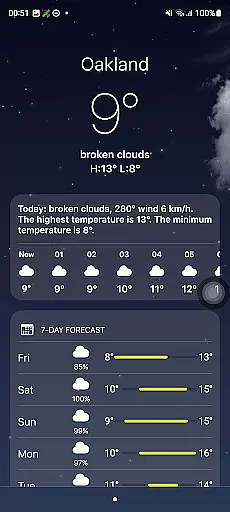
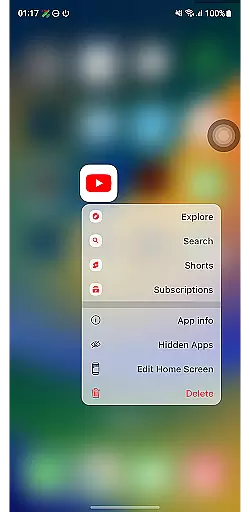
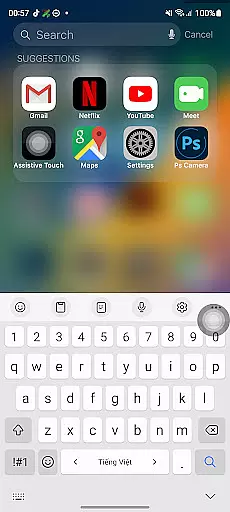
Launcher iOS 26 is a personalization app designed to bring the familiar iPhone experience to Android devices. This launcher transforms your phone's interface with a sleek and intuitive design inspired by iOS, offering users an authentic iPhone look and feel while maintaining Android functionality.
Beyond its aesthetic appeal, Launcher iOS 26 provides enhanced functionality through features like a convenient Control Center for quick access to essential functions, customizable wallpapers, and easy navigation to favorite apps. These features simplify and personalize the Android experience, making it more user-friendly and efficient.
Ideal for those who appreciate iOS design but prefer using Android devices, this app bridges the gap between operating systems. Users can enjoy the best of both worlds, experiencing the polished design of iOS while leveraging the flexibility and customization options of Android.
Launcher iOS 26 stands out with its comprehensive feature set that mimics the iPhone experience on Android. The app offers an authentic iOS look and feel, immersing users in a familiar and polished design environment. This attention to detail extends beyond mere aesthetics, providing a seamless transition for iPhone users switching to Android.
The app includes a Control Center that allows users to access essential functions with a simple swipe, similar to the iPhone's functionality. Additionally, Launcher iOS 26 supports quick access to favorite apps and actions, inspired by iPhone's AssistiveTouch. Users can also customize their home screen with wallpapers, replicating the personalized experience found on iPhones.
These features collectively enhance the user experience by combining the simplicity and elegance of iOS with the powerful customization capabilities of Android. Launcher iOS 26 empowers users to tailor their device's appearance and functionality according to their preferences, creating a truly unique and enjoyable mobile experience.
Launcher iOS 26 offers a rich array of customization options that allow users to tailor their Android devices to closely resemble the iPhone experience. This includes not only aesthetic elements but also functional features inspired by the iPhone's user-friendly design.
The launcher provides an authentic iOS look and feel, enabling users to immerse themselves in a familiar interface. It supports customizable wallpapers, allowing individuals to personalize their home screens just as they would on an actual iPhone.
Beyond visual customization, Launcher iOS 26 enhances functionality with features like the Control Center, which can be accessed with a simple swipe, mirroring the convenience found on iPhones. Quick Access is another feature that streamlines interaction by providing easy access to favorite apps and actions.
By delivering these diverse customization options, Launcher iOS 26 empowers users to create a personalized and intuitive mobile environment that combines the best of both Android flexibility and iPhone-inspired design.
Theme compatibility is at the heart of Launcher iOS 26's appeal, ensuring that users can enjoy a seamless integration of iOS-style themes within their Android ecosystem. The launcher has been meticulously designed to support various thematic elements reminiscent of the iPhoneu2019s signature style.
With this application, you are not limited to static visuals; instead, it brings dynamic theming capabilities where transitions and animations echo those found on an iPhone. This attention to detail extends across all facets of the user interface, from icons to system menus.
Moreover, Launcher iOS 26 guarantees consistency in theme application throughout the device usage experience. Whether itu2019s through setting your preferred wallpaper or engaging with app shortcuts, every aspect remains visually coherent and true to the iOS theme.
This dedication to theme compatibility ensures that whether for aesthetics or usability, Launcher iOS 26 delivers a cohesive and engaging user experience that stays faithful to its inspiration while respecting the underlying Android architecture.
User-friendly interface
Authentic iOS aesthetics
Customizable features
Enhanced functionality
Seamless navigation
Limited to Android
May lack some iOS features
Potential performance issues
Not a full OS replacement
Dependent on third-party support

Customizable Glass widgets. Over 360+ stunning widgets and more!
 4.70
4.70
Ninja Turtles Cowabunga SE watch face for Wear OS
4.50
3D, live, and moving wallpapers & themes in 4K and HD for your device.
4.50
AI-powered Copilot. Personalized keyboard with gifs, stickers & themes
4.40
Unleash Your Creativity and Connect with Loved Ones with Lockscreen Drawing!
4.20
Transform your device in a game console
4.40
Enjoy a variety of amazing live wallpapers and colorful EDGE lighting borders!
4.80
Transform your phone with stunning video wallpapers and a unique, personal touch
3.80
set a new experience for the Android mobile phone
4.20
Make your phone look simple & luxury, like iDevice
4.60
Add cute Shimeji pets to screen, interact with them and relax with cute motions
4.60
Zip lock screen with magic wallpaper to decorate your phone with fun zipper lock
4.60
App Icon Changer & Shortcut Creator. Customize your icons without any watermarks
4.30
Organize and manage your photos and videos effortlessly with Photo Gallery
4.20
Run multiple accounts of the same app on a single device
4.10
Customizable flower power digital watch face for Wear OS watches.
4.00
Adaptive Dot Style IconPack with Light & Dark Theme.
3.70
Interactive Miniature Painting Catalogue
3.30
Capture moments that pass like a storm, second by second.
4.1


User Reviews