
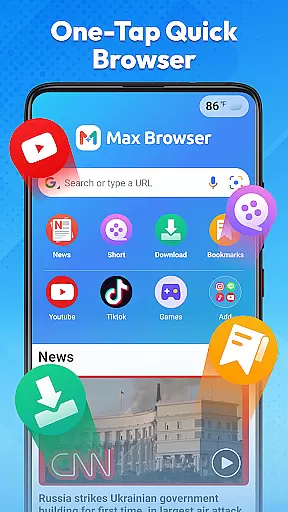
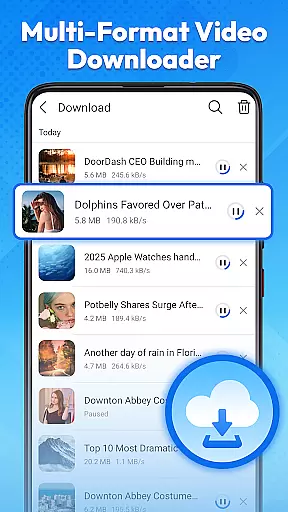
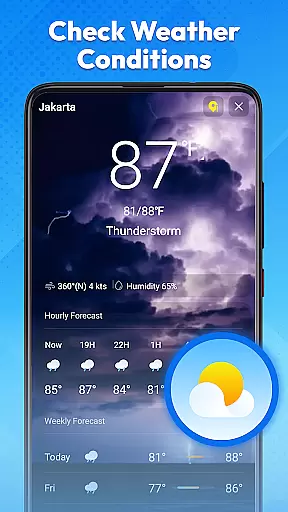

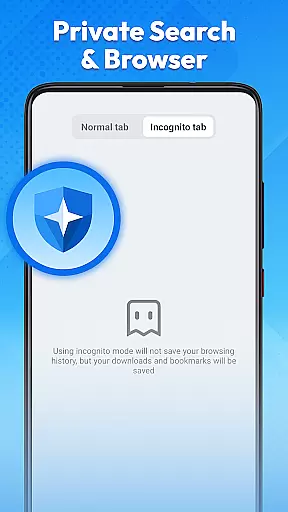
Max Browser is a versatile mobile browsing tool that combines web browsing, private search, video playback and downloading, real-time news updates, file management, and weather information. Designed for efficiency and convenience, it caters to various user needs from daily study and work to entertainment. Its lightweight design ensures smooth page loading while the intuitive interface allows easy navigation. The browser also features privacy protection through its private mode, which prevents recording of browsing history and cached data, making it ideal for use on shared devices or public networks.
In addition to its core browsing capabilities, Max Browser offers integrated tools such as multi-format video downloading and playback, real-time news channels covering multiple categories, and a built-in weather feature that provides current weather conditions. These functionalities eliminate the need for additional apps, streamlining the user experience. Whether you're looking to browse securely, download videos, stay updated with the latest news, or manage files efficiently, Max Browser delivers a comprehensive solution within a single app.
Max Browser stands out with its array of innovative features designed to enhance user experience. One of its key highlights is the private browsing mode, which ensures complete anonymity by not saving any access history, cookies, or cached data. This makes it an excellent choice for users who prioritize security, especially when using public Wi-Fi or shared devices. Additionally, the browser's optimized loading technology guarantees fast and reliable performance, even on slower internet connections, ensuring that web pages load quickly without interruptions.
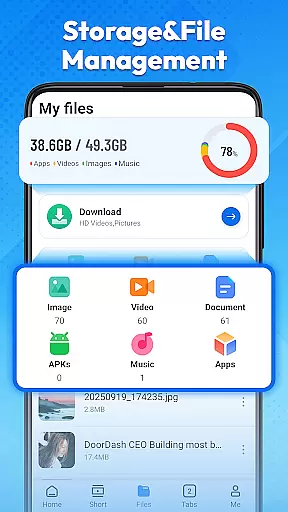
Another standout feature is the built-in video downloader and player, supporting multiple formats. Users can seamlessly watch or save videos directly from their favorite platforms without needing third-party tools. Furthermore, Max Browser includes a real-time news feed covering diverse topics like technology, entertainment, and global affairs, allowing users to stay informed without switching apps. The integrated file management system adds another layer of convenience, enabling users to organize and access downloaded content easily. With these robust features, Max Browser redefines what a modern mobile browser should offer.
Max Browser excels in delivering core functionalities with precision and effectiveness, ensuring users experience seamless web interactions. The browser's lightweight design and optimized loading technology significantly enhance page load times, making information retrieval swift and reliable.
Private browsing stands as a testament to its commitment to user security. By not recording access history, cookies, or cached data, it provides a secure environment for sensitive searches, particularly useful on shared or public devices.
The incorporation of multi-format video playback and downloading showcases its versatility. Users can enjoy or save videos directly within the app, eliminating the need for external tools and streamlining the entertainment experience.
Real-time news updates further augment its utility, offering concise and regularly refreshed content across various categories. This ensures users stay informed without needing additional applications, consolidating their digital activities into one efficient platform.
Max Browser boasts an interface designed for simplicity and intuitive navigation, enhancing user engagement through clear layouts and straightforward controls. Its minimalist design removes unnecessary clutter, allowing users to focus on content rather than complex settings.
Navigating between different features such as file management, weather updates, and news channels is effortless due to well-organized menus and easily accessible options. This logical arrangement reduces the learning curve for new users while maintaining efficiency for seasoned ones.
Private mode activation and management are straightforward, reinforcing user confidence in their privacy protections. Such ease of use extends to video downloads and playback, where common formats are supported without additional software requirements.
Overall, Max Browseru2019s dedication to an uncluttered yet powerful interface makes daily online tasks more manageable and enjoyable, appealing to users who prioritize both functionality and usability in their browsing experience.
Fast page loading
Private browsing mode
Video download support
Real-time news updates
Integrated file manager
Limited desktop sync
No cloud backup
Occasional bugs
Ads in free version
Heavy on RAM

A recovery soft,it features photo recovery, video recovery, file recovery.
 3.40
3.40
Optimize your WiFi network, turn your phone into Wifi Analyzer
4.70
App to pay for FUTO Keyboard
4.60
Unleash gamepad precision for ultimate mobile gaming dominance.
3.90
Navigate with Ease and Style
4.90
Monitor car performance in real time and troubleshoot malfunctions.
4.80
The one-and-only remote control for PC, Mac, and Linux
4.70
Powerful collection of electronics tools and reference.A must for any enthusiast
4.90
Fast VPN USA for any country. Super secure VPN for calls, streaming, games, TV.
4.40
FV File Manager Pro, Fast and powerful file manager for Android
4.60
With videos, electrical calculators, and built-in ebook, Ugly’s has your answer.
4.50
Forza Tuning Calculator App for Forza Horizon 5, Motorsport and Earlier Titles
4.40
App that Recover your pictures, videos or files after you delete them.
4.20
Detect hidden spy camera with advanced scanning {{ Premium version }}
4.00
Introducing Smart Printer, your ultimate destination for printing solutions!
4.00
1-Click close all background apps on Android TV
3.90
Smart and comfortable browsing experience.
3.80
Unlock your Essential Key. Create custom shortcuts to your favorite apps!
4.3
Save any video in HD - paste the link, download fast and watch offline.
4.4


User Reviews