
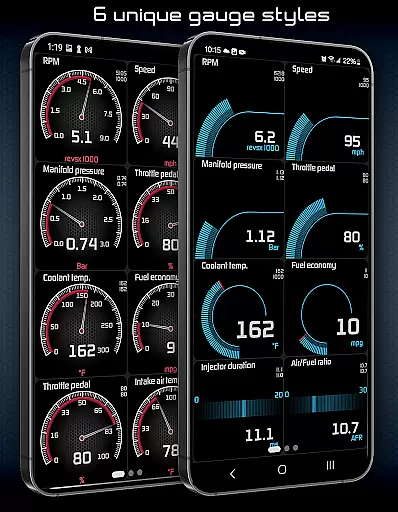
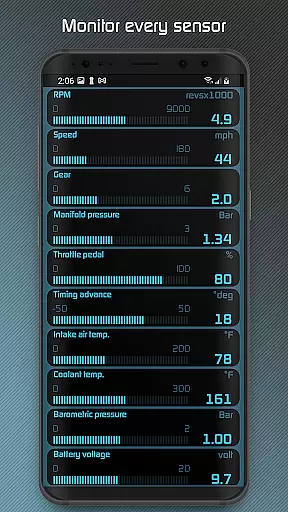
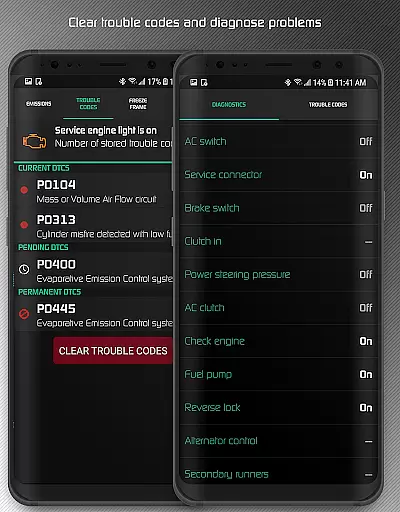
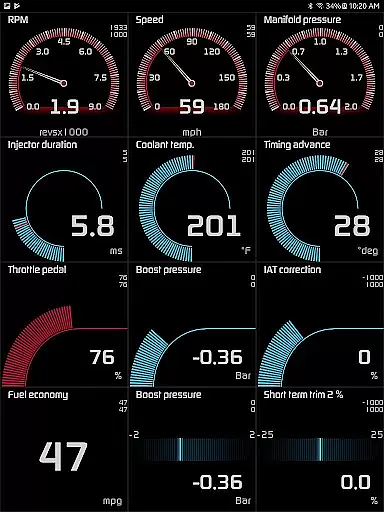
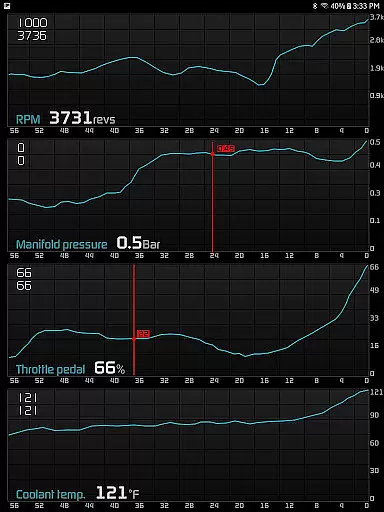
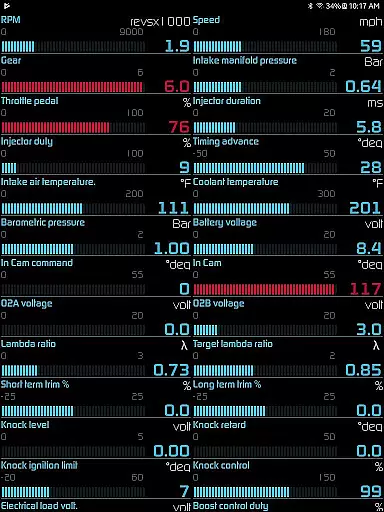
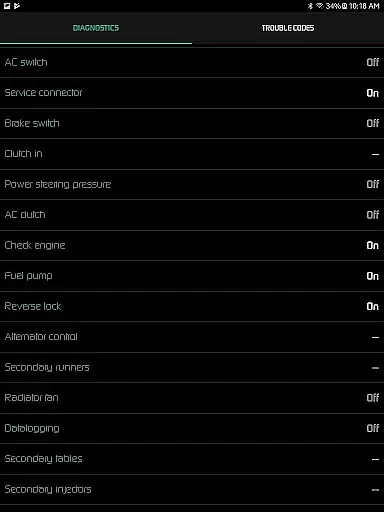
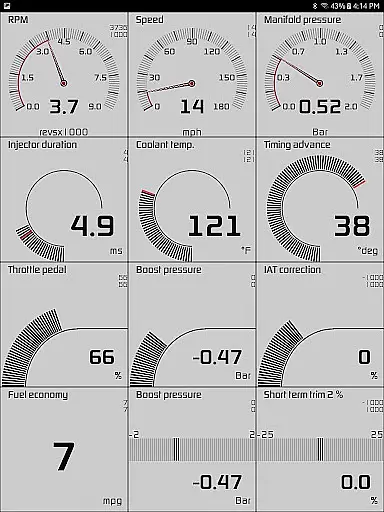
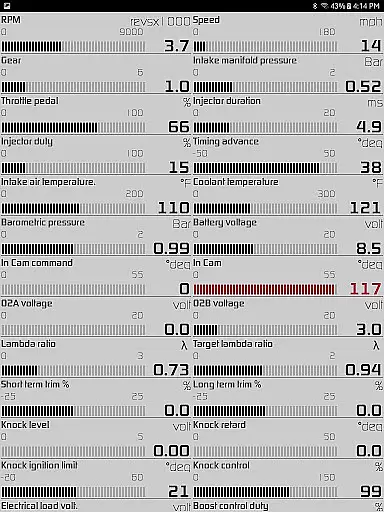
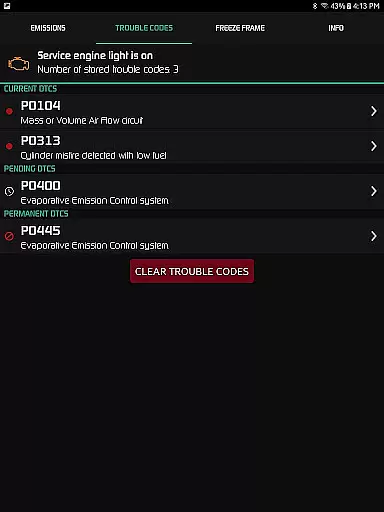
Hondata app transforms your Android device into a comprehensive performance tracking and troubleshooting tool for Honda vehicles. It allows real-time monitoring of up to 80 sensors through customizable gauges, providing critical data such as fuel economy, boost pressure, and battery voltage. The app also supports advanced diagnostics by reading and clearing vehicle trouble codes, offering detailed insights into engine parameters like knock count and VTEC pressure.
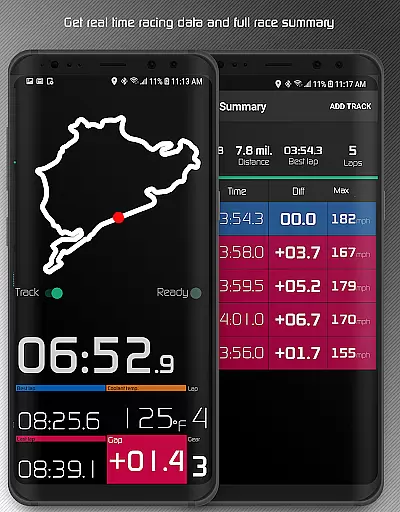
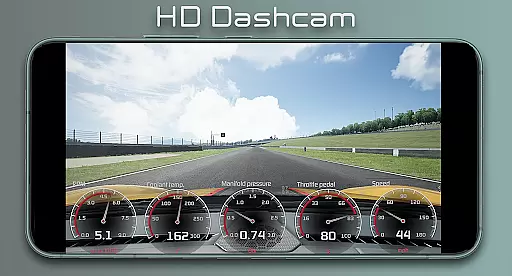
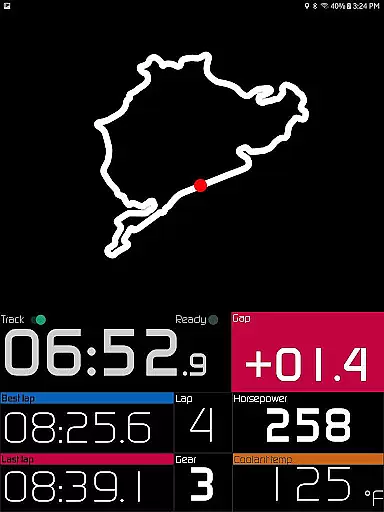
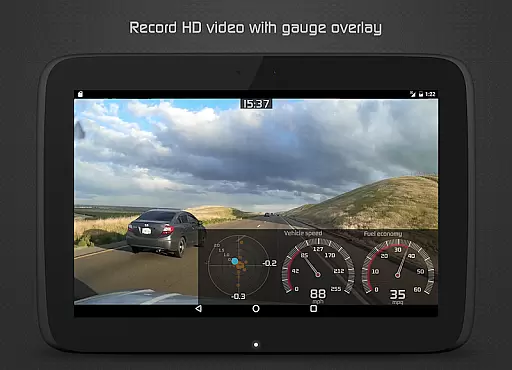
One standout feature is its racetrack functionality, which provides drag race times, lap times, and GPS-based track positioning. Additionally, users can record sensor data, export it in CSV format, and even superimpose gauges on HD videos. With support for both metric and imperial units, Hondata ensures global usability while delivering precise vehicle analytics.
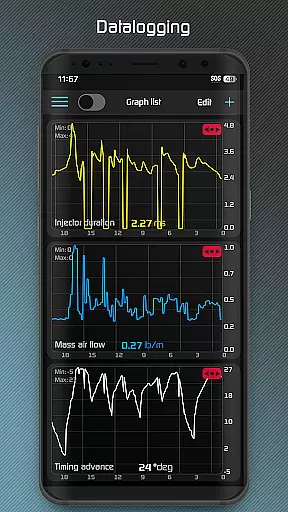
The Hondata app offers an extensive suite of features designed for automotive enthusiasts. Its customizable gauge system tracks up to 80 real-time sensors, including G-force, turbo boost pressure, and instantaneous fuel economy. Users can plot this data onto interactive graphs, recording multiple sensor streams simultaneously and exporting them as CSV files for deeper analysis.
For performance tracking, the app includes a dedicated racetrack mode that calculates 0-60 mph times, quarter-mile stats, and lap details using GPS. Diagnostic capabilities are equally robust, allowing users to read from over 40 diagnostic parameters, clear trouble codes, and reset service lights. Notifications for user-defined limits, speed warnings, and overheating alerts further enhance safety and convenience.
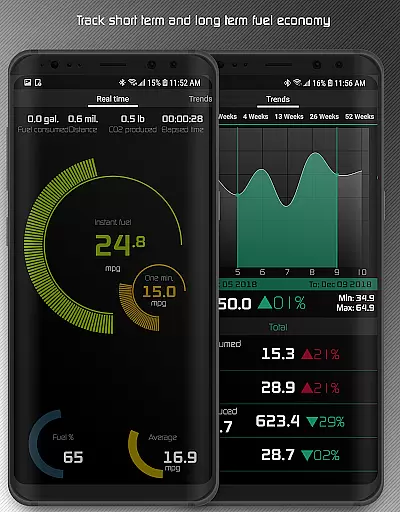
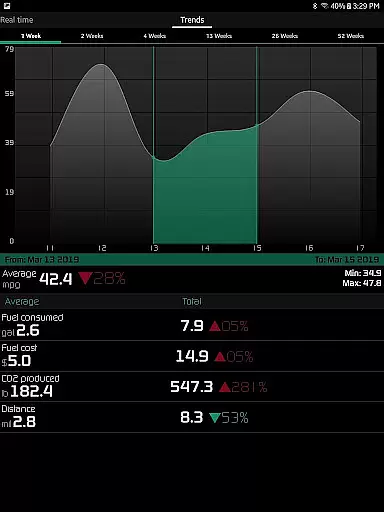
Additional highlights include long-term fuel economy tracking with interactive graphs, HUD gauges for night driving, and video recording with embedded telemetry. These features collectively make Hondata an indispensable tool for optimizing vehicle performance and diagnosing issues efficiently.
The Hondata app excels in providing precise and effective core functions that are essential for any car enthusiast or Honda vehicle owner. With the ability to monitor over 80 real-time sensors, it offers an in-depth look into your vehicle's performance. This includes critical data such as fuel economy, boost pressure, battery voltage, and even G force measurements.
One of the key features is its customizable gauge system which allows users to track every available sensor simultaneously. The interactive graphing tool plots sensor data, enabling recording and analysis of up to four sensors at once. This functionality not only empowers users with knowledge about their car's current state but also helps them troubleshoot issues by accessing onboard ECU diagnostics.
Additionally, the app supports both metric and imperial units, catering to a global audience. Users can save recorded data in CSV format for further scrutiny, ensuring they have all necessary information at hand when consulting with mechanics or tuning their vehicles. These capabilities make Hondata an indispensable tool for maintaining optimal vehicle health and enhancing overall driving experience.
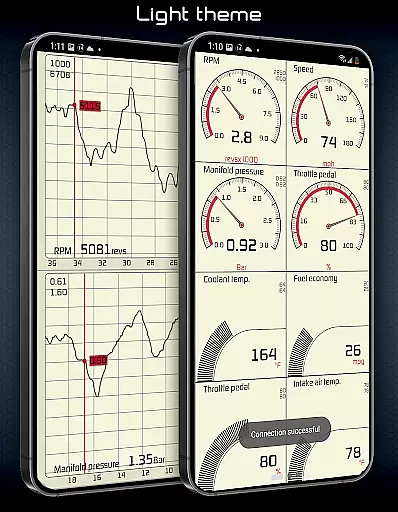
Hondata stands out by offering an interface that balances simplicity with advanced functionality, making it accessible even to those who may not be tech-savvy. The app provides two themes to choose from, allowing users to select a visual style that best suits their preferences while maintaining clarity and ease of use.
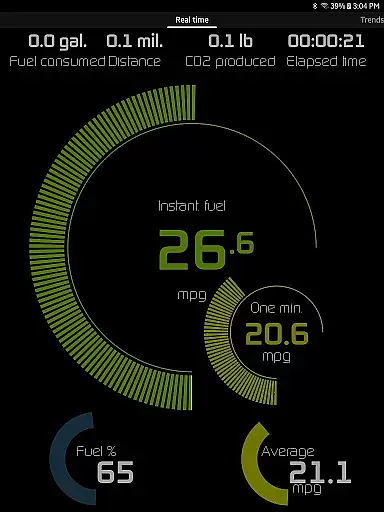
For drivers focused on efficiency, the app includes an intuitive fuel economy tracker that operates across three time intervals. It displays instantaneous and average consumption in multiple units like mpg, km/l, l/100 km, and Imperial mpg. Notifications via visual cues and sounds alert drivers when sensor readings hit user-defined limits, ensuring immediate awareness of potential issues without overwhelming complexity.
Moreover, features such as speed limit warnings and HUD gauges for night driving enhance safety without complicating the user experience. By integrating these practical tools within a straightforward layout, Hondata ensures users can easily navigate through various views, whether in portrait or landscape mode, thus delivering both power and simplicity in one package.
Comprehensive sensor tracking
Advanced diagnostic tools
Racetrack performance metrics
Fuel economy optimization
Customizable user interface
No Android Auto support
Limited head unit compatibility
Requires specific hardware
Complex for beginners
Premium pricing model

Quickly switch to an encrypted DNS server on Android TV
 4.50
4.50
Unit and currency converter with easy and simple UI.
4.80
Remote for Roku, Fire TV, Samsung TV, LG TV, Android TV, Chromecast and VIZIO TV
4.20
Use your phone as a webcam on your computer over WiFi or USB.
4.40
Detect hidden spy camera with advanced scanning {{ Premium version }}
4.00
A non-root local ADB shell client. READ BELOW!
3.40
Bedrock Together: Join any bedrock server on Xbox/PS
4.80
Quickly check the frequency of the Earth
4.30
The ideal app to be the digital eye of your family
3.40
Connect wirelessly to your computer to watch movies, browse the web, play games
5.00
Extremely fast, secure, and protects your privacy
4.80
Fast Video Downloader, Movie Downloader, Torrent Downloader & Adblock Browser
4.70 4.50
4.50
With videos, electrical calculators, and built-in ebook, Ugly’s has your answer.
4.50
The Ultimate Bluetooth Keyboard & Mouse. Securely control your PC, Mac, and more
4.50
Button mapper, mouse toggle, sleep timer and a lot of another features
4.50
Quickly & easily calculate the spacing of handrail balusters
4.20
Signal Strength, Mobile, Wifi, Speed Test, Bad Signals, Cellular, 5G, LTE, 4G
4.20
Transfer Files, APK from Phone to Watch & Install.
4.3


User Reviews