
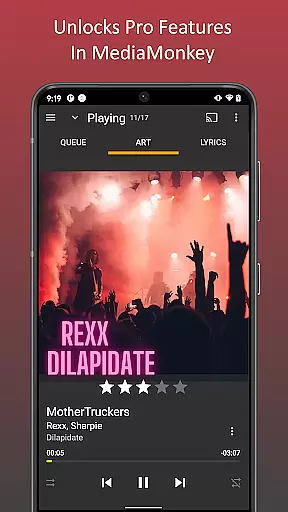
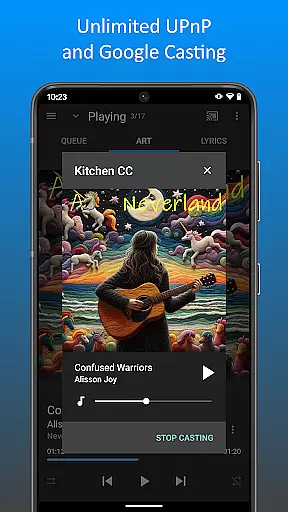
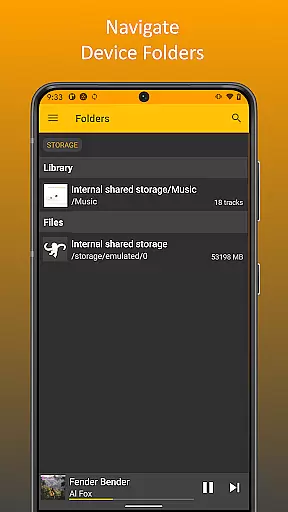
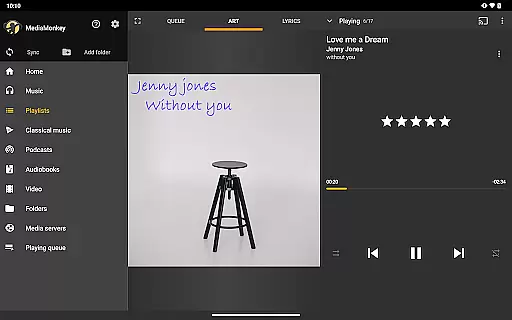
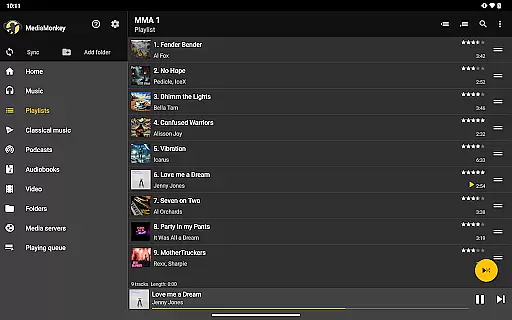
MediaMonkey Pro is a premium music management application designed for serious music collectors who require advanced features and seamless synchronization capabilities. This app serves as an unlock key for the free version of MediaMonkey, enabling users to access exclusive functionalities such as Wi-Fi Sync, UPnP/DLNA support, folder browsing, and a customizable home screen.
The app is particularly beneficial for those with extensive digital music libraries, allowing wireless synchronization with Windows PCs and providing access to content from UPnP/DLNA servers. By upgrading to MediaMonkey Pro, users can enjoy a more personalized and efficient music management experience on their mobile devices.
MediaMonkey Pro offers a comprehensive suite of advanced features tailored for music enthusiasts. One of its standout capabilities is Wi-Fi Sync, which allows users to wirelessly synchronize their device's music library, including metadata such as ratings, play history, and volume levels, with a Windows PC. This feature streamlines the process of maintaining an up-to-date music collection across multiple devices.
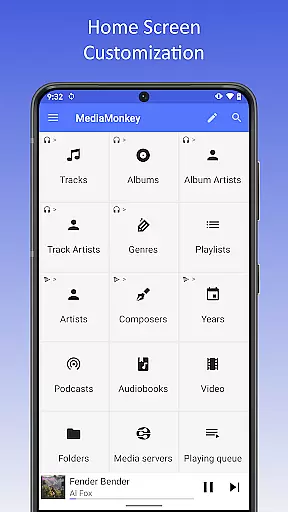
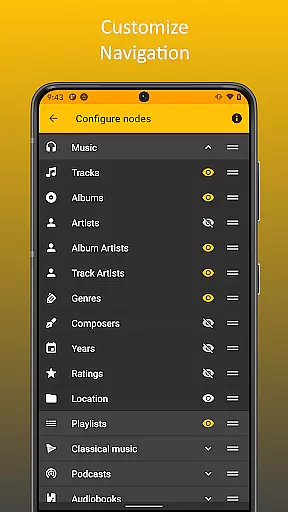
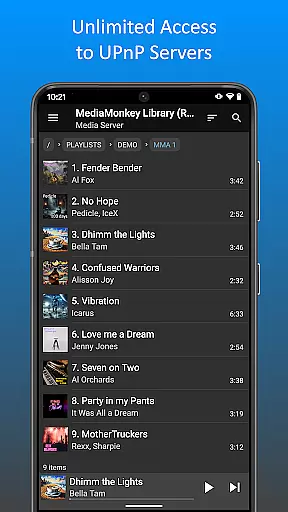
In addition to synchronization, the app supports UPnP/DLNA, enabling users to stream or download content from compatible servers. Folder browsing provides another layer of accessibility by allowing users to navigate their music library using the device's physical file hierarchy. Furthermore, the configurable home screen empowers users to customize their interface, displaying the content that matters most to them. These features collectively enhance the overall user experience, making music management both intuitive and enjoyable.
MediaMonkey Pro offers an extensive music library that caters to serious music collectors who demand variety and authenticity. The application allows users to manage large collections with ease, ensuring that all content is properly organized and categorized.
The app supports Wi-Fi Sync, which enables users to wirelessly synchronize their music libraries, including metadata such as ratings and play history, with a Windows PC. This feature ensures that your library remains up-to-date across all devices, enhancing accessibility and convenience.
Additionally, MediaMonkey Pro provides access to UPnP/DLNA servers, allowing users to play or download content directly. This expands the available music library exponentially, offering users a vast selection of tracks while maintaining copyright integrity through legitimate channels.
With the ability to navigate the library using the device's physical file hierarchy, users can be confident in the authenticity and legal status of their music collection. Folder browsing ensures that users have control over their files and can verify the source of their music, providing peace of mind regarding copyright compliance.
For audiophiles and casual listeners alike, MediaMonkey Pro delivers superior audio quality options that enhance the listening experience. The app includes features that allow for high-fidelity playback, ensuring that every note and nuance is captured faithfully.
One of the standout features is the configurable home screen, which lets users customize what content appears for quick access. This personalization extends to audio settings, where users can adjust parameters to suit their preferences, whether they prioritize bass, treble, or overall clarity.
Moreover, the app supports various audio formats, catering to different needs and devices. Users can enjoy lossless audio formats for studio-quality sound or opt for compressed formats when storage space is a concern. This flexibility ensures that audio quality is never compromised.
By unlocking these advanced features, MediaMonkey Pro not only enhances the richness of the audio but also empowers users to tailor their experience according to their specific audio quality requirements, making it an indispensable tool for managing digital music libraries.
Advanced sync options
UPnP/DLNA support
Customizable interface
Efficient library management
Ideal for large collections
Requires free version
No standalone use
Windows-centric sync
Premium price tag
Limited mobile features

Make music anywhere. Turn your device into an instrument.
 4.5
4.5
Visualize the guitar fretboard, master scales & play through changes like a pro!
4.50
Next generation modular control surface
4.10
Super Sound Editor, Song Maker & Mixer, Vocal Remover, Voice Recorder & Changer!
4.60
Learn to play the piano using falling notes!
3.80
Listen radio AM / FM Stations. Live AM / FM Radio App Station. Radio Com.
4.70
Play your hearts out on TouchTunes jukeboxes & connect with fellow music lovers.
4.80
Manage your Sonos system directly from your home-screen!
4.40
Uninterrupted Tunes, Unmatched Vibes
3.90
Performance-Synthesizer & Multi-Track-Sequencer, polyphonic + multi timbral!
4.70
Ultimate Sonos Controller
4.70
The best music and audio player, with beautiful UI, music search and equalizer.
4.60
AI Music Maker: Generate And Compose AI Tunes & AI Songs & AI Music & AI Melody!
4.60
Help you quickly get started with Shokz headphones
4.40
Ringtone Maker is free app create ringtone from music files or your recording.
4.40
Powerful 10-Band equalizer pro with sound booster improves Android audio quality
4.30
Time Trainer: accurate metronome w tools to help you develop your internal time!
4.20
A sleek, no-frills player designed for true music lovers.
4.20
The iconic iOS metronome app is now on Android.
3.70


User Reviews