
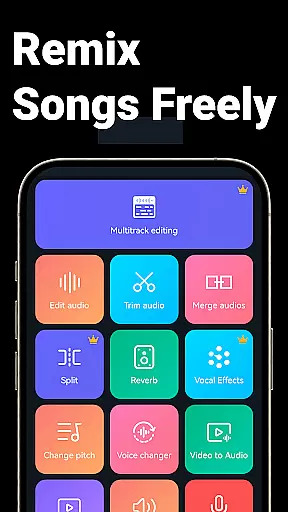
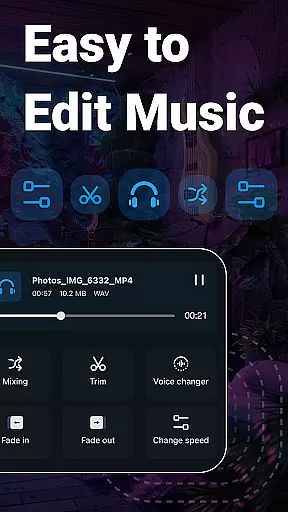
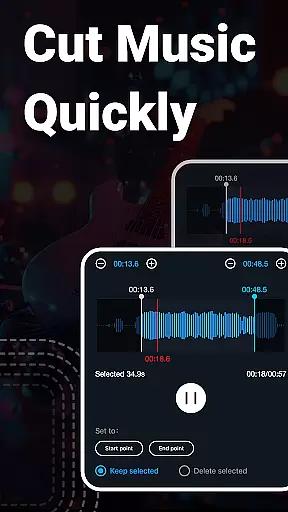
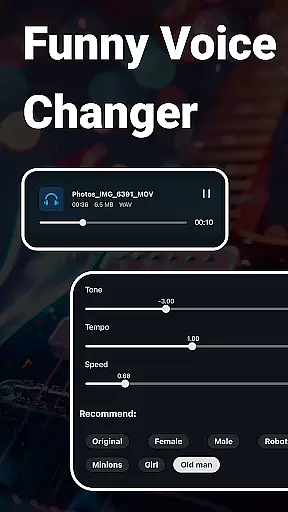
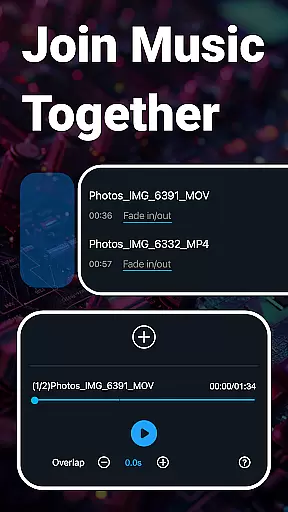
Music Audio Editor, MP3 Cutter is a comprehensive audio editing tool designed for both casual users and professionals. This app allows you to cut, splice, mix, and convert audio files with precision and ease. Whether you're looking to create custom ringtones, adjust sound levels, or experiment with voice changers, this app provides the necessary tools.
The application supports various audio formats including MP3, AAC, WAV, FLAC, and more. It also offers advanced features such as vocal removal, pitch adjustment, and video-to-audio conversion. With its user-friendly interface, you can quickly start editing your audio files and explore a multitude of functions that cater to most audio editing needs.
Perfect for musicians, podcasters, and content creators, Music Audio Editor, MP3 Cutter enhances productivity by providing an all-in-one solution for audio manipulation. Its powerful capabilities ensure that you can achieve professional-grade results without the need for expensive studio equipment.
One of the standout features of Music Audio Editor, MP3 Cutter is its ability to handle complex audio editing tasks with simplicity. The app allows precise cutting of audio in milliseconds, enabling users to trim and save their work efficiently. Additionally, it supports multi-track editing, allowing you to mix multiple audio tracks seamlessly.
Beyond basic editing, the app includes creative tools like fade-in and fade-out effects, tempo and pitch adjustments, and a robust equalizer. These features enable users to enhance their audio projects with professional touches. Moreover, the app's vocal remover and voice changer functionalities open up new possibilities for creating unique audio content.
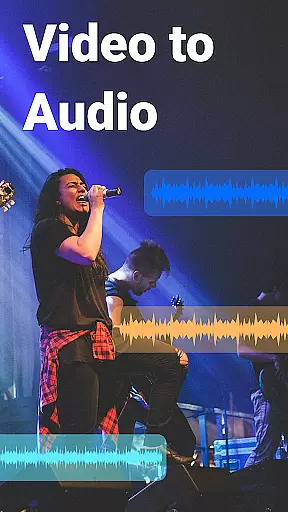
For those who require format flexibility, Music Audio Editor, MP3 Cutter offers extensive format support and conversion options. You can easily convert between different audio formats or even extract audio from video files. This versatility makes the app suitable for a wide range of audio processing tasks, ensuring that users can meet their specific project requirements.
When it comes to music editing applications, the size and authenticity of the music library are crucial factors. Music Audio Editor, MP3 Cutter offers an extensive library with over 2000 royalty-free tracks available for download and use. This vast collection ensures that users have a wide variety of music genres and styles at their fingertips, ready to enhance their audio projects.
The app guarantees copyright authenticity by providing only legally distributable tracks. This is particularly important for creators who wish to publish or monetize their work without facing legal issues related to unauthorized use of copyrighted material. By using this app, users can be confident that all the music they access complies with copyright laws and licensing agreements.
Moreover, the integration of these tracks within the application streamlines the workflow for users. They can easily search, preview, and incorporate professional-quality music into their projects without leaving the app environment. This seamless experience not only saves time but also enhances creativity by offering high-quality resources readily available for use.
Audio quality is paramount when editing and producing music or audio files. Music Audio Editor, MP3 Cutter excels in providing diverse audio quality options to cater to different user needs and preferences. The app supports multiple audio formats such as MP3, AAC, WAV, FLAC, M4A, and AMR, allowing users to choose the format that best suits their project requirements.
In addition to format variety, the app enables users to adjust specific parameters like sound channels, sample rate, and bit rate during audio conversion. These features ensure that the output file maintains the desired level of quality and compatibility across various devices and platforms. Whether you're preparing a file for web streaming or high-fidelity playback, these options provide the control needed to achieve optimal results.
Furthermore, advanced functions such as audio compression help manage file sizes without compromising too much on quality. Users can compress their audio files to facilitate easier sharing or uploading while retaining acceptable sound fidelity. With these comprehensive audio quality options, Music Audio Editor, MP3 Cutter empowers users to produce professional-grade audio content tailored precisely to their specifications.
User-friendly interface
Extensive format support
Advanced editing tools
Vocal removal feature
Batch processing capability
Occasional bugs reported
Ads in free version
Complex for beginners
Limited customer support
High system requirements

Equalizer, Bass Booster and Volume Booster (Eq & Bass) improve sound quality
 4.30
4.30
DJ Music Mixer - DJ Remix: remix songs, make beat music & record mix of DJ.
4.40
Bass Booster & Volume Equalizer Pro improves your music and video sound quality
4.60
Unleash your creativity! Turn simple prompts into full fledged songs.
4.70
A complete sound package for the sound engineer or enthusiast
4.60
Powerful 10-Band equalizer pro with sound booster improves Android audio quality
4.30
The iconic iOS metronome app is now on Android.
3.70
Uninterrupted Tunes, Unmatched Vibes
3.90
One-tap booster for max volume - enjoy powerful sound with this audio booster
4.50
JBL PartyBox APP works with 110/310/710/120/320/520/Encore/Encore 2/Encore Ess 2
4.80
Offline Music Player&MP3 Player with themes, equalizer, lyrics, music play mode
4.60
A synth that really lets you shape your sounds!
4.50
Save hundreds of dollars for a physical strobe tuner and instead use this app.
4.50
Ringtone Maker is free app create ringtone from music files or your recording.
4.40
Time Guru will strengthen your internal sense of musical time via random muting.
4.30
Bass Booster Pro takes auto-equalizing to the next level!
4.30
A High-Precision Audio Spectrum Analysis App
4.20
The official Sonos app
4.10
Background pads for your band
3.80


User Reviews