
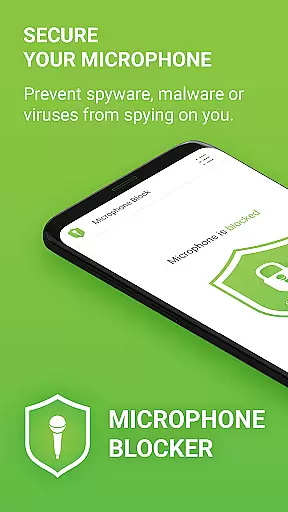

Microphone Blocker is a privacy-focused application designed to secure and block access to your device's microphone, ensuring that no apps can secretly listen or record you. The app operates without requiring root access while maintaining uninterrupted phone call functionality. With over 6,000 five-star ratings, it has gained significant trust among users who prioritize digital security.
The core functionality revolves around its one-click operation, allowing users to instantly disable microphone access. This feature protects against spyware, malware, and other malicious software that might attempt to exploit microphone permissions. Additionally, the app offers monitoring tools to track which applications have access to your microphone, along with advanced options like automatic blocking schedules and a built-in microphone detector for enhanced protection.
This app is particularly useful in environments where privacy is paramount, such as during confidential business calls or personal conversations. By preventing unauthorized recording, Microphone Blocker provides peace of mind and reinforces user control over their device’s audio inputs.
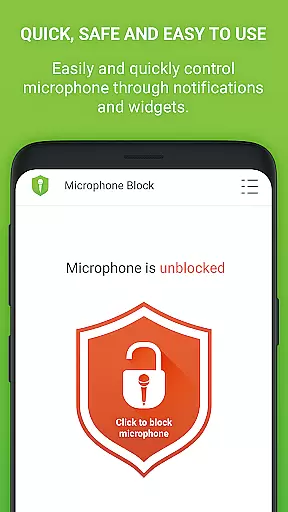
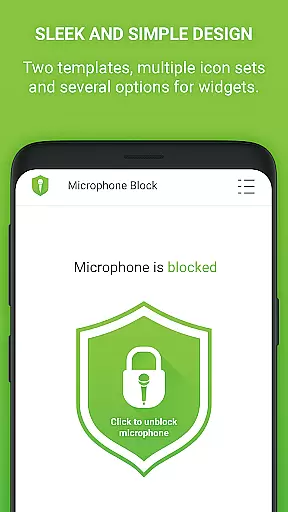
Microphone Blocker stands out with its comprehensive set of features tailored for maximum user privacy. One of its key characteristics is the simplicity of use—just one click disables all microphone access, effectively blocking any potential eavesdropping attempts by malicious apps. This ease of use is complemented by an intuitive interface that includes dark mode and customizable icon sets, catering to various aesthetic preferences.
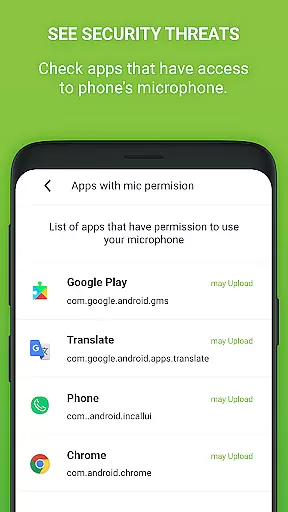
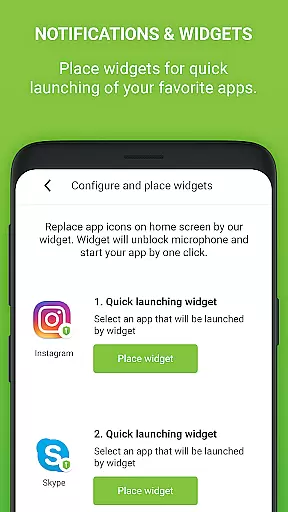
Beyond basic blocking, the app incorporates advanced functionalities such as a microphone guard and detector. These tools continuously monitor apps with microphone permissions and alert users when new apps gain access. Furthermore, users can set specific times for automatic blocking, adding another layer of convenience and control. The inclusion of home screen widgets and notification shortcuts ensures quick access to essential functions.
For those seeking even more robust protection, the PRO version offers unlimited 24-hour protection, removes ads, and eliminates internet access and data collection. This lifetime license underscores the app's commitment to providing long-term value without recurring costs, making it an attractive option for privacy-conscious individuals.
Microphone Blocker offers comprehensive functionality that addresses multiple aspects of microphone security. The app allows users to block access to the microphone with a single click, effectively preventing unauthorized apps from secretly recording or listening to conversations. This feature is crucial for maintaining privacy and protecting against potential spyware, malware, or surveillance apps that may exploit microphone access.
In addition to its core blocking capabilities, the app provides users with tools to monitor which apps have access to their microphone. This transparency empowers users to make informed decisions about their privacy settings. The inclusion of features like automatic blocking times and a microphone detector further enhances the app's protective capabilities, ensuring continuous coverage even when the user is not actively managing their settings.
The app also includes a tutorial that educates users on Android permissions and offers guidance on removing apps that have unnecessary microphone access. By combining these educational resources with robust security features, Microphone Blocker ensures that users are well-equipped to protect their privacy in a variety of scenarios.
Microphone Blocker excels in usability by offering a simple and intuitive interface that makes it easy for users to manage their microphone security. With just one click, users can disable microphone access, making the app accessible even to those who may not be tech-savvy. The straightforward design includes clear options for blocking and monitoring microphone access, ensuring that users can quickly understand and utilize the app's features without a steep learning curve.
The app also supports operational smoothness through additional features like a home screen widget and notifications, providing quick access to essential functions. These elements enhance the overall user experience by allowing for immediate action without navigating deep into the app's menus. Furthermore, the availability of dark mode and several icon sets caters to user preferences, contributing to a more personalized and comfortable interaction with the app.
For users seeking an uninterrupted experience, the PRO version offers unlimited 24-hour protection, removing any time restrictions present in the free version. This upgrade ensures that the app remains active and vigilant at all times, reinforcing its role as a reliable tool for safeguarding personal privacy. The absence of ads and private data collection in the PRO version further streamlines the user experience, focusing solely on delivering smooth and secure operations.
Easy-to-use interface
Effective privacy protection
No root access required
Automatic blocking schedules
Real-time monitoring alerts
Limited free version
Occasional false positives
PRO version is paid
Requires manual updates
Some features need configuration

Enjoy Minecraft Mod Scary Neighbor Granny for Minecraft PE.
 4.30
4.30
Use your Phone as Drone Controller.
3.70
Sad ringtones full of feeling, sad music ringtones
3.90
Connect your phone to any endoscope camera, USB camera, or borescope with ease.
3.70
Identify securely online
3.10
use your smartphone as Remote control drones .
4.20
charging your phone by other phone easly
4.00
a wireless controller that provides a seamless and gaming experience for players
3.80
Explore The Holy Quran Majeed for Muslim. Listen to MP3 Quran & Al Quran Kareem.
4.80
Study Bible King James Version: the correct way to learn the Bible with audio
4.80
Manage apps & elevate your gaming experience with Game Launcher: Gaming Hub app.
4.30
You can remote control and play much easier.
4.10
With Endoscope Camera Connector you can connect your phone with endoscope cam
3.70
Simulator of real black light
3.50
Experience virtual reality on your smartphone with Cardboard.
3.50
Endoscope camera an app to connect with endoscope cam or any device
3.30
A great tool help you to format Micro SD memory Card
3.10
Zlink Carplay Android a mirror link app with a Carplay interface style
4.1
Mirror Link Car Display to share your screen with car dashboard wirelessly
4.4


User Reviews