
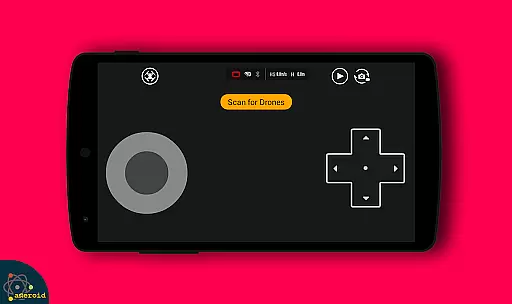
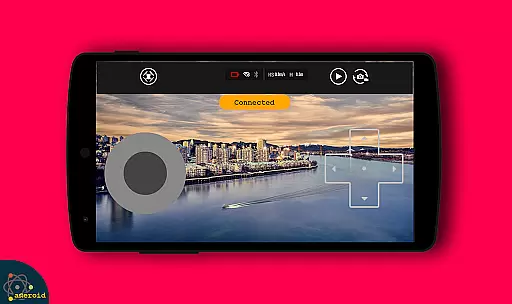
Drone Remote Control is an innovative application that transforms your Android smartphone into a powerful remote control for drones. Designed for drone enthusiasts, this app allows users to seamlessly control various drone models with ease. The interface mirrors traditional RC controllers, ensuring a familiar experience while offering advanced features.
The app supports key functionalities such as live First Person View (FPV) streaming, automated flight planning, and camera controls. Users can take advantage of features like one-tap disabling of auto-flight modes and uninterrupted mapping of large areas. With compatibility for the latest drone models, Drone Remote Control delivers a comprehensive solution for both recreational and professional drone pilots.
Whether you're looking to control your own drone or even manage a friend's device, this app provides the tools needed for an optimal drone flying experience. Its intuitive design and robust feature set make it an essential utility for modern drone operations.
Drone Remote Control stands out with its rich feature set tailored for drone enthusiasts. One of its core capabilities is the ability to create detailed flight plans directly on your mobile device. This includes automated takeoff, flight path execution, image capture scheduling, and precise landing procedures.
The app excels in providing real-time FPV streaming, giving pilots a live view from the drone's perspective. It also offers instant control resumption with a single tap, allowing users to override automated functions when needed. Additional features include integrated camera controls for capturing photos and recording videos, as well as WiFi camera connectivity for enhanced media management.
What sets this application apart is its universal compatibility with various drone models and its ability to replace traditional physical remotes. The intuitive interface combined with advanced automation features makes it an indispensable tool for both amateur and professional drone operators.
Functionality completeness in a drone remote control app refers to the range of features that allow users to fully operate and manage their drones. Drone Remote Control offers an extensive set of tools that cover various aspects of drone operation.
The application provides capabilities such as creating flight plans on any device, automating the stages of flight from takeoff to landing, and live streaming a first-person view (FPV). These features ensure that users have comprehensive control over their drone's activities.
Moreover, the app allows for video recording and capture, which is essential for users interested in aerial photography or videography. With the ability to connect to a WiFi camera device, it extends its functionality to not just controlling the drone but also manipulating the attached camera equipment.
By offering these complete functionalities, Drone Remote Control ensures that users can enjoy an uninterrupted flying experience while mapping large areas, capturing high-quality images and videos, and maintaining full control over their drone's operations.
Usability and operational smoothness are critical factors for a drone remote control application, determining how easily users can operate their drones without facing technical glitches. Drone Remote Control excels in providing a user-friendly interface that simplifies the complex task of drone piloting.
With intuitive controls and easy configuration, this app mirrors the ease of use found in traditional RC drones. Users can swiftly disable auto-flight modes and resume manual control with a single tap, ensuring they can react quickly to changing flight conditions or creative inspirations.
Furthermore, the app's compatibility with the latest drones showcases its dedication to smooth operation. While it may not support some older hardware, this limitation is offset by its cutting-edge features designed for modern drone models, enhancing the overall user experience.
Drone enthusiasts will appreciate the seamless integration of advanced functions like FPV live streaming and automated flight processes, making every drone flight an enjoyable and hassle-free adventure.
User-friendly interface
Advanced FPV streaming
Automated flight planning
Wide drone compatibility
Free to use
Not compatible with older hardware
Limited offline functionality
Requires stable internet
Occasional connection issues
No physical controller backup

Record with Double Camera Video Recording using Dual Camera Front and Back Video
 3.00
3.00
Enjoy Minecraft Mod Scary Neighbor Granny for Minecraft PE.
4.30
A great tool help you to format Micro SD memory Card
3.10
Study Bible King James Version: the correct way to learn the Bible with audio
4.80
Turn your phone into a wireless Xbox controller – play, stream & control anytime
4.3
Barcode scanning made simple!
4.40
DamonSx2 is the open Source LGPL Emulator
3.20
Manage apps & elevate your gaming experience with Game Launcher: Gaming Hub app.
4.30
Experience virtual reality on your smartphone with Cardboard.
3.50
Block and secure the microphone and protect from secret listening and recording.
4.50
Game booster GFX may reduce interruptions and improve gaming experience.
4.50
Game Booster GFX for smoother gaming experience. Enjoy 120 FPS and 4x Game Space
4.20
Connect your phone to any endoscope camera, USB camera, or borescope with ease.
3.70
Collection of Maps and Mods for Dmod
3.30
Connect and Find your smart tag via our app.our app is compatible with smarttag.
3.30
Looking to connect your phone to your car screen? Mirror Link is the solution.
3.20
If you are looking for melon playground mod that fun you deffinitely try our app
2.70
Read Quran pak offline & listen online mp3 Quran in Al Quran Majeed app
4.1
Zlink Carplay Android a mirror link app with a Carplay interface style
4.0


User Reviews