
Network Analyzer Pro is a comprehensive network diagnostic tool designed to help users troubleshoot various issues related to their Wi-Fi networks and Internet connectivity. The app provides an extensive suite of utilities that allow users to identify problems in their local network setup, test remote server accessibility, and optimize their wireless router's performance. With support for both IPv4 and IPv6 protocols, this application ensures compatibility across different network configurations.
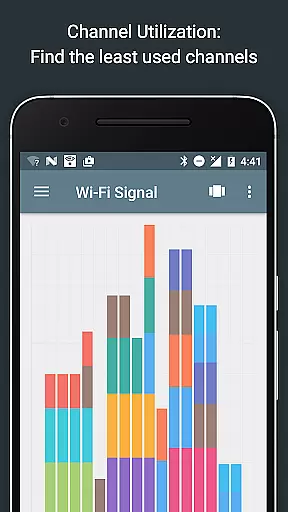
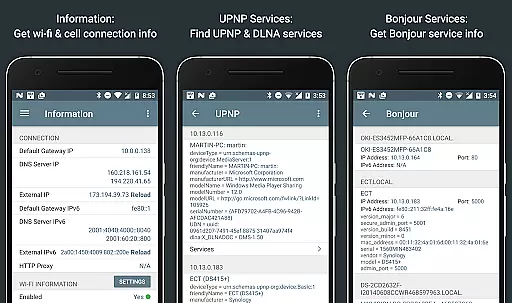
The app stands out with its fast Wi-Fi device discovery feature, which not only lists all connected devices but also details the services they offer through Bonjour/DLNA. Network Analyzer Pro includes essential diagnostic tools such as ping, traceroute, port scanning, DNS lookup, whois queries, and speed tests. Additionally, it offers insights into neighboring Wi-Fi networks, helping users choose the best channel for their routers based on signal strength and congestion data. This makes it particularly useful for network administrators and tech-savvy individuals looking to maintain optimal network health.
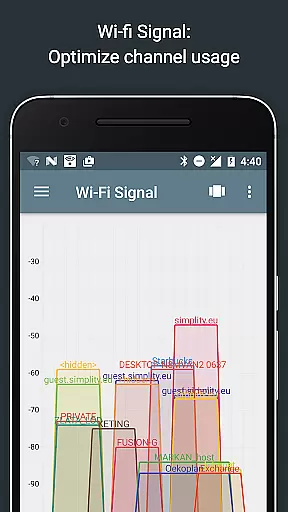
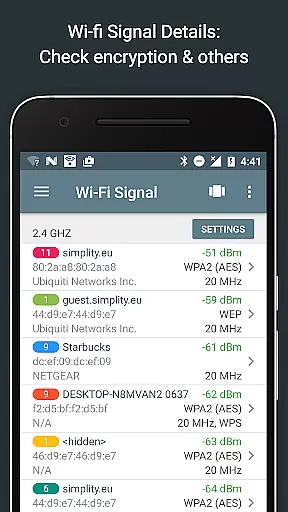
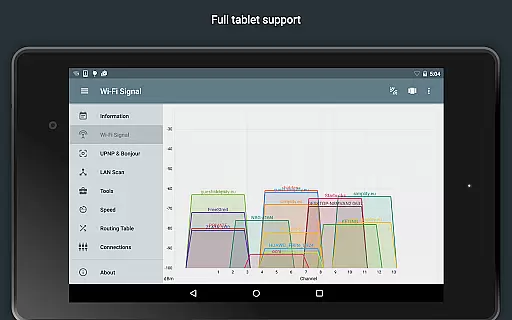
Network Analyzer Pro boasts a wide array of features tailored for network diagnostics and optimization. One of its key functionalities is the Wi-Fi signal meter, which provides both graphical and textual representations of network channels and signal strengths. Users can view channel usage graphs, detect Wi-Fi network types (WEP, WPA, WPA2), encryption methods (AES, TKIP), and even gather details like BSSID, manufacturer information, and bandwidth specifics. These capabilities enable users to make informed decisions about their network settings.
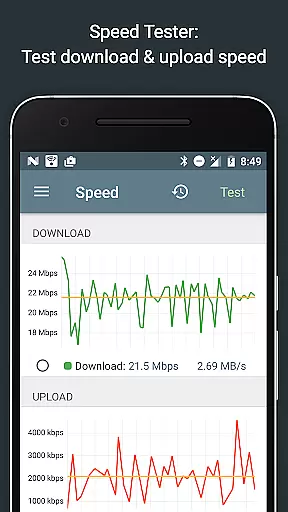
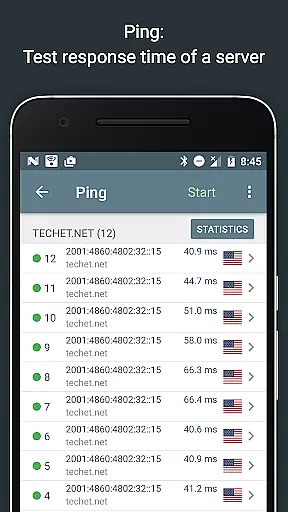
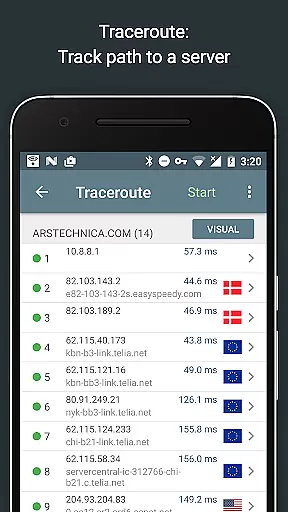
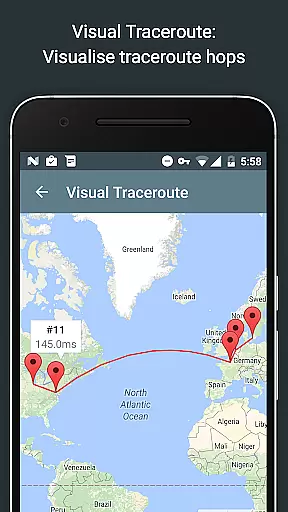
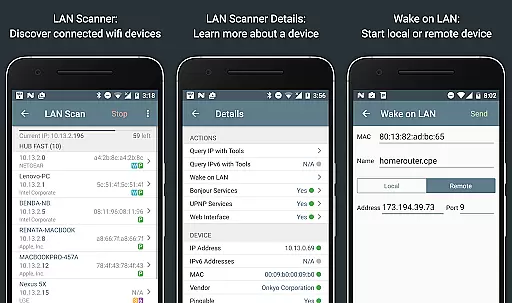
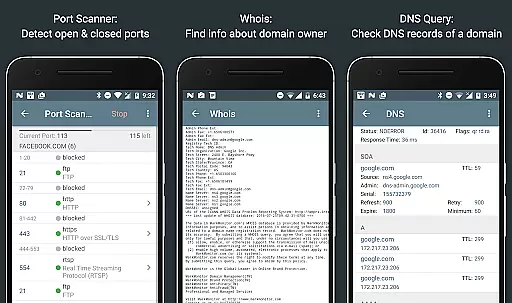
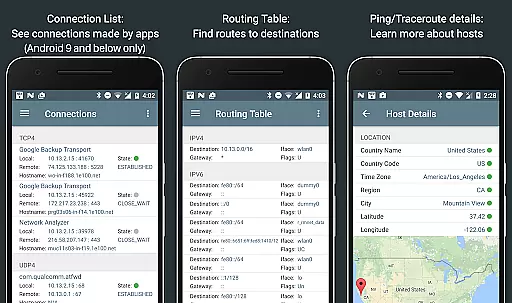
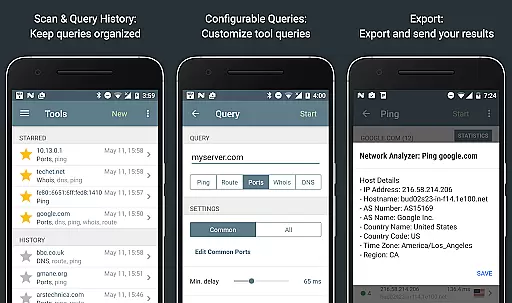
In addition to the Wi-Fi analysis tools, the app includes a robust LAN scanner that quickly identifies all networked devices, providing IP addresses, NetBIOS names, and more. The routing table feature displays detailed information about network routes, while the ping and traceroute functions offer geolocation data and visual trace route maps. The port scanner uses an adaptive algorithm to check common ports or custom ranges, detecting open, closed, or firewalled ports. Furthermore, the app supports Whois queries, DNS lookups, and internet speed tests, making it a versatile tool for any network-related task.
Network Analyzer Pro excels in delivering accurate and effective network diagnostic tools that are essential for both home users and IT professionals. The app provides a comprehensive suite of utilities including ping, traceroute, port scanner, DNS lookup, and whois queries, all working seamlessly with both IPv4 and IPv6 protocols.
The application's wifi signal meter offers detailed insights into network channels and signal strengths through graphical and textual representations. It also detects wifi network types, encryption methods, router manufacturers, and bandwidth details, ensuring users can optimize their wireless setup for the best performance.
With its fast and reliable LAN scanner, Network Analyzer Pro identifies all devices on the local network, providing IP addresses, device names, and service information. This feature empowers users to manage their network security and troubleshoot connectivity issues efficiently.
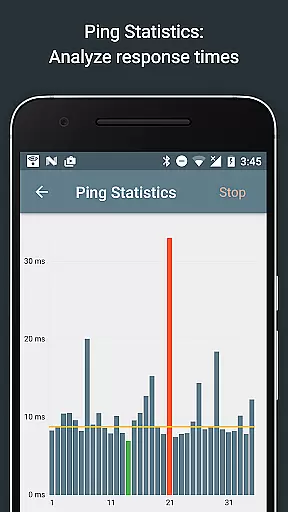
Furthermore, the port scanner employs an adaptive algorithm to quickly detect open, closed, or firewalled ports. Coupled with geolocation data and real-time statistics visualization, these tools collectively ensure that Network Analyzer Pro stands out as a robust solution for diagnosing and resolving network problems.
A user-friendly interface is crucial for effectively utilizing complex network diagnostic tools, and Network Analyzer Pro delivers an intuitive experience without compromising functionality. The layout is thoughtfully designed, presenting all necessary features within easy reach while maintaining clarity and simplicity.
Each tool in the app is accompanied by clear instructions and detailed help sections, making it accessible even for less experienced users. Whether performing a traceroute or scanning for open ports, the process is straightforward, allowing users to focus on resolving network issues rather than navigating complicated menus.
Visual aids such as graphs and maps enhance understanding of network diagnostics. For instance, the traceroute visualization displays complete routes on a map, offering immediate insight into network paths and potential bottlenecks.
Additionally, Network Analyzer Pro supports exporting results via email or other means, streamlining collaboration and record-keeping. With regular updates and responsive support, the app ensures that its interface remains current with user needs and technological advancements.
Comprehensive network diagnostics
Supports both IPv4 and IPv6
User-friendly interface
Fast device discovery
Detailed network insights
Paid version required for full features
Advanced knowledge needed
Occasional bugs reported
Limited customer support
Interface could be outdated

Just one-tap to easy translate in any language after calls within seconds.
 4.20
4.20
FV File Manager Pro, Fast and powerful file manager for Android
4.60
Unit and currency converter with easy and simple UI.
4.80
App that Recover your pictures, videos or files after you delete them.
4.20
eXtended Permission Manager - a small app to manage permissions and AppOps
4.50
Amateur Radio app for APRS: Track friends, exchange messages, get tactical info.
3.90
Excellent scientific calculator with symbolic algebra, integrals, derivatives
4.80
Monitor car performance in real time and troubleshoot malfunctions.
4.80
Your personal health butler
3.60
Powerful collection of electronics tools and reference.A must for any enthusiast
4.90
Extremely fast, secure, and protects your privacy
4.80
Creation, Learning, Entertainment & More — The All-in-One AI Search Engine
4.70
HD Video player and downloader for all formats, fast & smooth 4K video playback.
4.60
Screen Mirroring for Roku Sticks, Roku TCL TV and Roku Hisense TV
4.50
Universal TV remote control all TVs, Roku, LG, Samsung, Fire, Vizio, Sony, TCL.
4.40
MS-DOS in your pocket. Play old DOS games anywhere you are ;)
4.10
Introducing Smart Printer, your ultimate destination for printing solutions!
4.00
Family Locator, Share location, StayConnect with your family in real time
3.90
Transfer Files, APK from Phone to Watch & Install.
4.2


User Reviews