
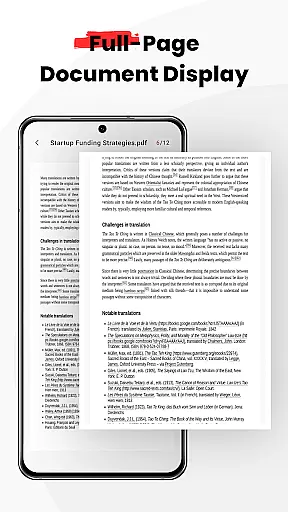
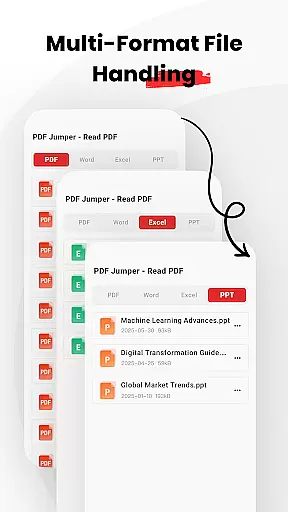
PDF Jumper is a versatile document management solution designed for seamless PDF reading and sharing across all devices. This business-oriented app allows users to instantly access and read PDFs stored on their device, offering support for multiple formats including PDF, DOC, PPT, and Excel files.
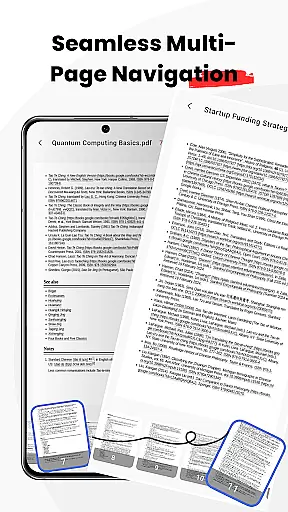
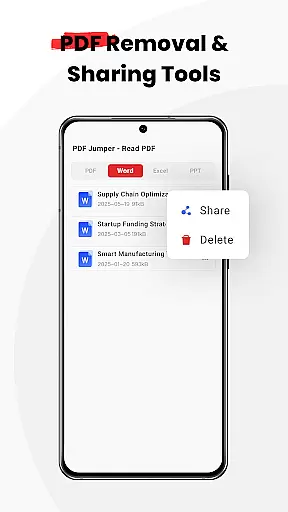
The app stands out with its smooth navigation features, enabling users to effortlessly flip through pages using intuitive swipe controls. Additionally, it provides smart sharing options, allowing users to quickly send documents in various supported formats. With full file management capabilities, PDF Jumper empowers users to organize, share, or delete documents directly within the app, making it an essential tool for professionals who need efficient document handling.
PDF Jumper offers a comprehensive set of features tailored for business users. Its instant access functionality lets users open and read PDFs within seconds, while universal compatibility ensures support for multiple document formats such as PDF, DOC, PPT, and Excel.
One of the standout features is its smooth navigation system, which utilizes intuitive swipe controls for effortless page flipping. The app also includes smart sharing capabilities, enabling users to send documents to colleagues or friends in any supported format. Furthermore, PDF Jumper provides robust file management tools that allow users to organize, share, or delete documents directly from the app interface, streamlining document handling for enhanced productivity.
In today's fast-paced business environment, seamless collaboration is key to productivity. PDF Jumper offers robust features that enable teams to work together efficiently, no matter where they are located. With the ability to open, read, and share PDFs across all devices, team members can access important documents anytime, anywhere.
The app supports multiple formats including PDF, DOC, PPT, and Excel, ensuring that all team members can view and collaborate on various document types without compatibility issues. Its smart sharing feature allows users to quickly send documents to colleagues or friends in any supported format, streamlining communication and project workflows.
PDF Jumper also provides full file management capabilities within the app, allowing users to organize, share, or delete documents as needed. This ensures that all team members have access to the most up-to-date information and can manage files effectively, enhancing overall team efficiency and collaboration.
Effective task management is crucial for staying organized and meeting deadlines in a business setting. PDF Jumper enhances task management by offering instant access to PDFs stored on your device, enabling you to open and read important documents in seconds. This rapid access helps users stay on top of their tasks without wasting time searching for files.
With smooth navigation features, users can effortlessly flip through pages using intuitive swipe controls. This ease of use ensures that managing and reviewing documents is a hassle-free experience, allowing users to focus more on their tasks and less on the mechanics of document handling.
Additionally, the app's universal compatibility with multiple formats such as PDF, DOC, PPT, and Excel means that users can handle diverse document types within a single platform. This versatility simplifies task management by consolidating document viewing and editing needs into one efficient tool, making PDF Jumper an invaluable asset for busy professionals.
User-friendly interface
Multi-format support
Effortless navigation
Smart sharing options
Comprehensive file management
Requires many permissions
Limited advanced editing
No cloud integration
Premium features locked
Occasional bugs reported

Completed Course Lectures on how to use IBM Maximo in Maintenance issues
 4.0
4.0
Quickly open and manage PDF files on your device.
3.80
BuildCalc - the easiest AND the most advanced construction calculator app.
4.80
Manage Your Shop
4.70
Find work, shifts and gigs near you. Jobs lasting a few hours to a few months.
4.30
Drive and earn extra money
4.50
USPS Mobile®Access USPS.com’s most popular tools on-the-go.
4.70
Collaborate seamlessly with Google Chat, part of Google Workspace
4.50
Permission Guard is a security app that helps you manage app permissions.
4.80
GoTo Mobile is a simple & secure calling, messaging & meetings solution
4.80
Access to Paylocity, empowering employees with information they need 24/7.
4.70
Ask Accio anything about business. Alibaba-backed, built by experts, not just AI
4.60
Earn money with the driver & delivery partner app for Uber, UberEats & Postmates
4.60
The app that lets you deliver with Amazon.
4.50
ADP Mobile Solutions is an employee self service app
4.50
Formerly Facebook Ads Manager. Manage and create ads on the go.
4.20
Windows App allows you to connect to remote PCs and virtual apps.
3.70
Find part-time earning opportunities near you that pay within days.
3.20
We are a dynamic team of creatives people of design, marketing, web & apps
3.00


User Reviews