
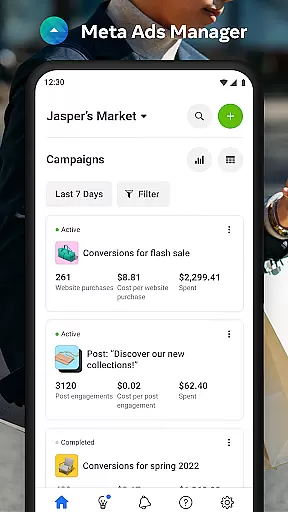

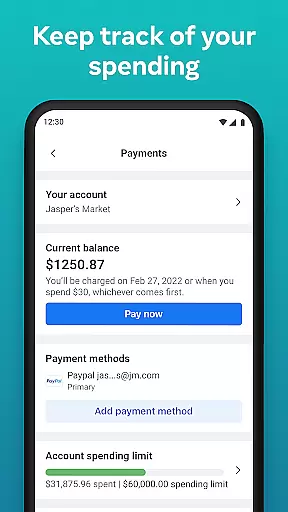
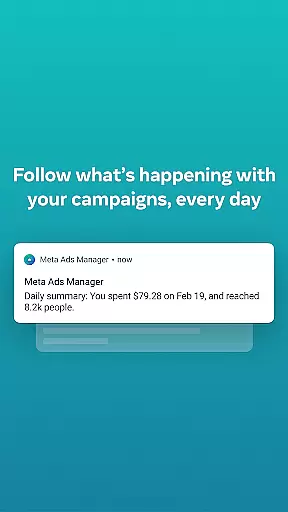
Meta Ads Manager is a comprehensive business tool designed to help marketers manage their advertising campaigns across Meta's suite of platforms, including Facebook, Instagram, Messenger, and WhatsApp. The app enables users to create and edit ad campaigns, access real-time performance insights, and control campaign statuses directly from their mobile devices. With its robust functionality, advertisers can efficiently monitor their marketing efforts and make data-driven decisions on the go.
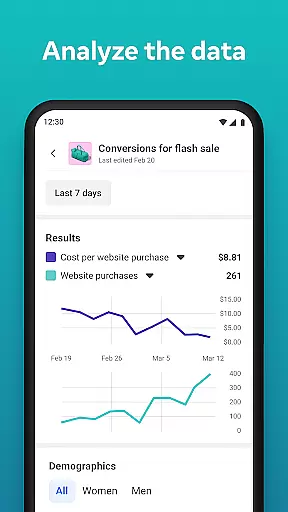
A key feature of Meta Ads Manager is its ability to provide detailed analytics and reporting. Users can view comprehensive metrics for all their campaigns, compare performance across different ad sets, and receive instant notifications about important changes or issues. This makes it an essential tool for businesses that need to stay agile in their marketing strategies while maintaining full visibility into their ad performance.
The app is particularly useful for digital marketing teams who require remote access to their advertising accounts. Whether you're a small business owner managing your own campaigns or part of a larger marketing team, Meta Ads Manager offers the flexibility and control needed to optimize your ad spend and maximize ROI from anywhere in the world.
Meta Ads Manager stands out with its extensive feature set tailored for modern digital marketers. One of its core capabilities is the ability to create, edit, and manage ad campaigns across multiple Meta platforms seamlessly. This includes Facebook, Instagram, Messenger, and WhatsApp, allowing for a unified approach to cross-platform advertising.
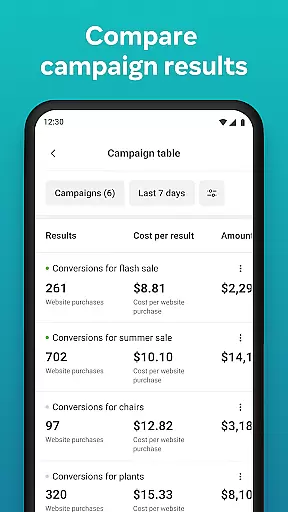
The app provides advanced analytical tools that deliver real-time insights into campaign performance. Marketers can view detailed metrics, track key performance indicators, and compare different ad sets using intuitive side-by-side views. These features enable users to quickly identify trends, spot potential issues, and make informed optimization decisions without delay.
Additional notable features include the ability to toggle campaigns on and off instantly, receive quick alerts about ad performance, and switch between different Pages and ad accounts effortlessly. These functionalities ensure that marketing teams can maintain complete control over their advertising efforts while responding promptly to changing market conditions or campaign needs.
In today's fast-paced business environment, the ability to collaborate effectively is crucial for success. Meta Ads Manager excels in providing robust collaborative work features that enable marketing teams to work together seamlessly across different Meta technologies.
The application allows multiple team members to access and manage ad campaigns simultaneously. This real-time collaboration ensures that all stakeholders are on the same page, whether they're working on Facebook, Instagram, Messenger, or WhatsApp ads. The ability to view detailed real-time insights from all campaigns provides teams with the necessary information to make informed decisions quickly.
Moreover, the side-by-side campaign comparison feature facilitates collaborative analysis and optimization. Team members can easily discuss performance metrics and strategize on improvements, leading to more effective ad campaigns and better ROI.
Effective task management is at the core of successful advertising campaigns. Meta Ads Manager offers comprehensive task management capabilities that help users stay organized and in control of their advertising efforts across Meta's platforms.
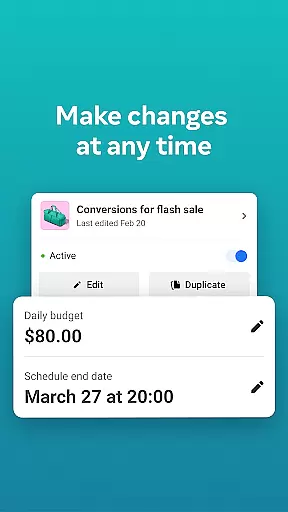
Users can create, edit, and manage their ad campaigns directly from the app. The ability to turn campaigns on and off provides unparalleled flexibility in managing advertising budgets and strategies. Quick alerts keep users informed about important events and changes in their ad performance, enabling timely interventions.
Additionally, the app's intuitive interface makes it easy to switch between different Pages and ad accounts, streamlining the management process. This feature is particularly beneficial for agencies handling multiple clients or large companies managing various product lines, ensuring that no critical tasks fall through the cracks.
User-friendly interface
Real-time analytics
Cross-platform management
Instant campaign control
Detailed performance reports
Limited third-party integrations
Occasional syncing issues
Advanced features require learning
Notifications can be overwhelming
Some features are account-specific

Earn crypto with secure cloud mining. Monitor, track & withdraw easily
 4.40
4.40
Manage Your Shop
4.70
Simple, Fast & Lightweight
3.90
Use Generative Summary to understand your rental or insurance docs in seconds.
4.70
Grow your business and connect with more people with Meta Business Suite.
4.60
USPS Mobile®Access USPS.com’s most popular tools on-the-go.
4.70
Access to Paylocity, empowering employees with information they need 24/7.
4.70
Job search app that finds jobs for you! Takes the work out of looking for a job!
4.90
Collaborate seamlessly with Google Chat, part of Google Workspace
4.50
Recover what matters — quickly and easily.
4.70
AI-powered document scanner with auto enhance for perfect PDFs.
4.60
Ask Accio anything about business. Alibaba-backed, built by experts, not just AI
4.60
Ship, Track, Find a Location or Get a Quote with UPS. Anytime. Anywhere.
4.60
Chat, meet, and collaborate to achieve more together, all in one place on Teams
4.60
Amazon A to Z is the place to manage your work-life at Amazon.
4.50
Find work, shifts and gigs near you. Jobs lasting a few hours to a few months.
4.30
The All-in-One File Manager for Phone, TV, Watch, Cars, XR / VR, Chromebook
4.10
Take the stress out of storage with the all-in-one app to manage your space.
3.70
viewing and sharing PDFs and other files—anytime, anywhere!
4.0


User Reviews