
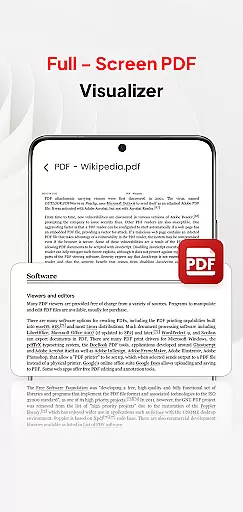
PDF Pro-View PDF is a comprehensive business application designed to streamline your PDF management tasks. This app offers instant access to PDF files with a single click, ensuring a seamless reading experience without any waiting time. Its sleek and intuitive interface allows users to easily view, manage, and share PDF documents from one centralized location.
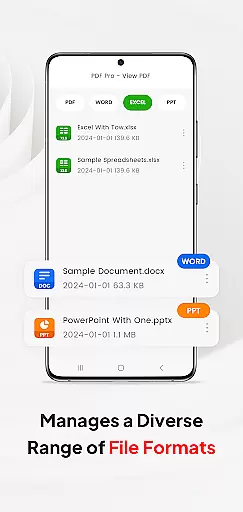
Beyond basic PDF viewing, the app supports multiple document formats including Doc, PPT, and Excel files. This versatility makes it an essential tool for professionals who need to handle various file types in their daily workflow. Whether you're working on important business reports or reviewing contracts, PDF Pro-View PDF provides smooth page navigation and reliable performance across all your devices.
The app's standout feature is its ability to facilitate seamless sharing of PDF files with colleagues and clients. With support for Android 11+ and the MANAGE_EXTERNAL_STORAGE permission, it ensures full file access while maintaining essential security protocols. This makes PDF Pro-View PDF particularly valuable for business users who require consistent access to their documents regardless of location.
PDF Pro-View PDF distinguishes itself through several key features that enhance document management capabilities. The app's instant PDF access functionality allows users to open files with just one click, eliminating frustrating loading times. This feature is particularly beneficial for busy professionals who need quick access to important documents during meetings or presentations.
A significant advantage of this application is its complete file accessibility system. All PDF files stored on your device are neatly organized in one place, saving users from searching through multiple directories. The app also supports various document types beyond PDFs, including Word documents, PowerPoint presentations, and Excel spreadsheets. This multi-format compatibility streamlines workflow by consolidating different file types within a single application.
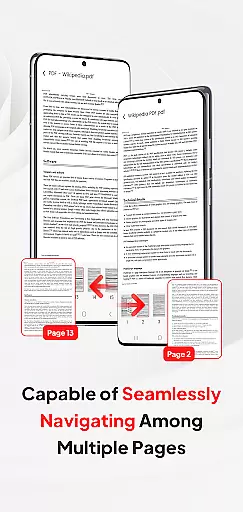
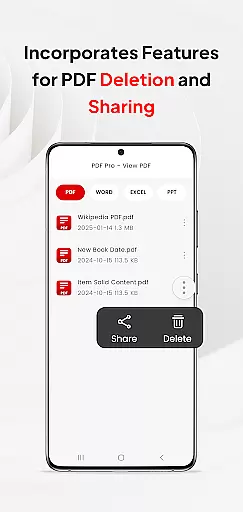
For enhanced reading experiences, the app offers smooth page navigation that enables rapid flipping through pages. The inclusion of essential file management operations such as sharing and deleting across different formats makes this app a versatile tool for business professionals. Additionally, the required MANAGE_EXTERNAL_STORAGE permission for Android 11+ ensures reliable offline and background management, supporting automated folder operations and direct SD card editing.
In today's interconnected work environments, the ability to collaborate effectively is paramount. PDF Pro-View PDF addresses this need by integrating collaborative work features that streamline document sharing and management across teams.
The application allows users to access all their PDF files in one centralized location, eliminating the hassle of navigating through multiple directories. This consolidation facilitates easier file sharing among team members, ensuring everyone has the necessary documents at their fingertips.
Moreover, compatibility with various document types including Doc, PPT, and Excel means that team collaboration isn't limited to just PDFs. Users can share and manage different file formats within the same app, promoting a seamless exchange of information.
With these collaborative features, PDF Pro-View PDF not only enhances productivity but also ensures that teams can work together efficiently regardless of their physical location.
Effective task management is crucial for maintaining productivity and meeting deadlines. PDF Pro-View PDF offers robust task management capabilities tailored to optimize document handling processes.
One standout feature is the instant access to PDF files, allowing users to begin reading with just a single click. This immediacy reduces downtime and helps users stay on top of their tasks without unnecessary delays.
Additionally, the app provides smooth page navigation, enabling rapid flipping through pages. Such functionality is vital for users who need to quickly locate specific sections within lengthy documents, thereby improving overall task efficiency.
By incorporating these task management features, PDF Pro-View PDF empowers users to handle their documents more effectively, ultimately leading to enhanced productivity and better time management.
User-friendly interface
Multi-format support
Instant file access
Seamless sharing options
Reliable offline access
Requires special permissions
Limited advanced editing
Premium features locked
Occasional loading delays
Storage-intensive

Scan Business Cards & Conference Badges - Capture Leads at Events & Tradeshows
 4.20
4.20
Earn crypto with secure cloud mining. Monitor, track & withdraw easily
4.40
The MyWalmart App is available for all associates in stores.
4.70
Your employer must have UKG Ready software configured for Mobile.
4.60
Employee Management Made Easy
4.80
Finance, Investing, Stocks, Trading and Stock news
4.60
Drive and earn extra money
4.50
Build a store in minutes with our full suite of AI tools. Start for free!
4.20
Make invoices, bills, receipts & estimates on the go with Invoice Generator.
4.70
Start earning fast. Apply Today.
4.80
Ship, Track, Find a Location or Get a Quote with UPS. Anytime. Anywhere.
4.60
Chat, meet, and collaborate to achieve more together, all in one place on Teams
4.60
Find jobs near you and temp work in minutes, from your phone.
4.50
The app that lets you deliver with Amazon.
4.50
The revolutionary flexible staffing platform
4.40
All Your Gig Work. One App.
4.30
All-in-one Mobile solutions for employees & managers to succeed at work
4.30
The All-in-One File Manager for Phone, TV, Watch, Cars, XR / VR, Chromebook
4.10
Windows App allows you to connect to remote PCs and virtual apps.
3.70


User Reviews