
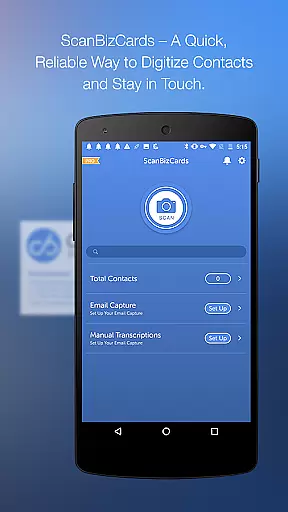
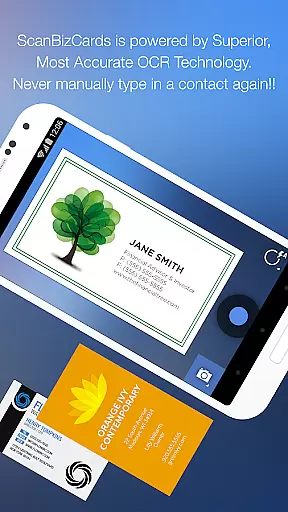
ScanBizCards Premium is a versatile business card management solution for Android users. This app allows professionals to digitize and organize their physical business cards by simply taking photos of them. The app offers advanced OCR technology that ensures accurate scanning, making it 5x faster than its previous version. Users can also batch scan multiple cards, which is particularly useful after networking events.
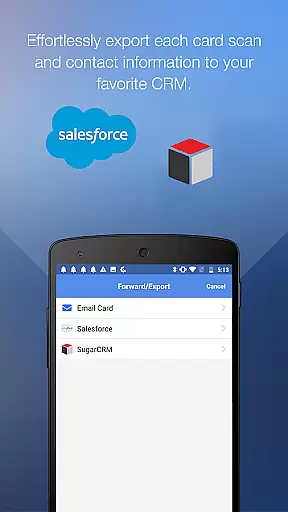
In addition to the scanning capabilities, ScanBizCards Premium provides seamless integration with popular CRM platforms like Salesforce and SugarCRM. This feature enables sales professionals to export scanned contacts directly into their CRM systems, streamlining their workflow. With the latest update, US users can now connect their email accounts to capture signatures and automatically save or update contacts from email signatures directly to their address book or CRM.
The app supports 22 languages and includes features such as double-sided card scanning, personal notes, custom folder organization, and human transcription services for 100% accuracy. These robust functionalities make ScanBizCards Premium an ideal tool for anyone looking to efficiently manage their professional network.
ScanBizCards Premium stands out with its comprehensive feature set tailored for business professionals. One of its key highlights is the advanced OCR engine, which significantly improves scan results and speeds up the scanning process by 5x compared to earlier versions. The introduction of batch scanning allows users to process multiple business cards quickly, making it highly efficient for those who attend conferences and trade shows.
Another notable feature is the ability to export business cards directly to various CRM systems, including Salesforce and SugarCRM. This functionality is crucial for salespeople who rely on CRM software to manage their leads and contacts. The premium version offers unlimited exports to Salesforce, ensuring that users can keep their CRM databases up-to-date without any restrictions.
Additional features include the option to edit contact information side-by-side with the business card image, create personal notes, and organize cards using custom folder names. Users can also submit cards for human transcription, guaranteeing 100% accuracy. The app's support for 22 languages and its capability to scan conference badges further enhance its utility, making it a powerful tool for international business operations.
ScanBizCards Premium offers robust collaborative work features that are essential for modern business environments. The app allows users to connect their email accounts for signature capture, automatically finding new contacts and updating existing ones. This feature ensures that teams can maintain an up-to-date address book without manual input, streamlining the process of contact management.
The app's integration with CRM platforms like Salesforce and SugarCRM enhances team collaboration by enabling the export of scanned business cards directly into these systems. With the latest update, users can now export unlimited cards to Salesforce, a significant improvement from the previous limit of seven cards per month. This facilitates seamless information sharing across departments, ensuring everyone has access to the most current contact details.
Additionally, ScanBizCards supports batch scanning, allowing users to scan multiple business cards at once and export them in bulk. This is particularly useful during conferences and trade shows where numerous contacts are made. By converting new business cards into leads within 30 seconds, teams can quickly follow up on potential opportunities, enhancing productivity and collaboration.
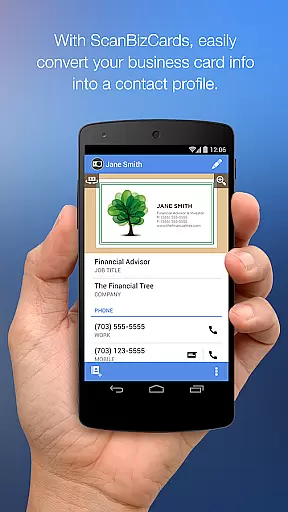
Effective task management is crucial for maximizing productivity, and ScanBizCards Premium excels in this area. The app provides a comprehensive solution for managing business contacts through its intuitive interface and powerful features. Users can snap or import photos of business cards, scan them, review and edit the results alongside the card image, and add the information to their address book or merge it with existing contacts.
One standout feature is the ability to organize cards using custom folder names, making it easy to categorize and retrieve contacts. This organizational capability extends to creating personal notes for each card, which can be invaluable for remembering specific details about a contact or interaction. Furthermore, the appu2019s support for double-sided business card scanning ensures all pertinent information is captured, reducing the risk of missing critical data.
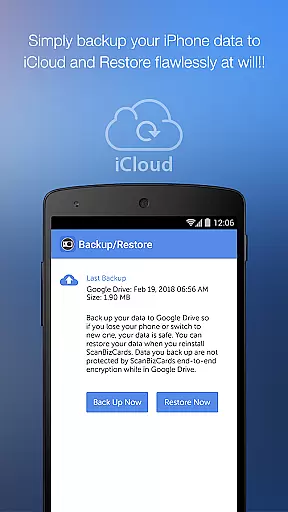
For those who frequently attend conferences and trade shows, ScanBizCards acts as both a business card reader and a conference badge scanner. This dual functionality not only saves time but also helps in efficiently managing leads. By backing up and restoring data to Google Drive, users can ensure their contact information is always secure and accessible, further enhancing their task management capabilities.
User-friendly interface
Advanced OCR technology
Seamless CRM integration
Batch scanning capability
Multi-language support
Premium features require subscription
Occasional OCR inaccuracies
Limited free exports to CRM
Email signature capture needs improvement
Human transcription service costs extra

GoTo Mobile is a simple & secure calling, messaging & meetings solution
 4.80
4.80
Employee Management Made Easy
4.80
Delivery Track App - Tracking with Fedex, USPS, UPS, DHL. Monitor your Orders.
3.20
Master crypto trading with real-time simulations and exciting challenges!
4.50
Find jobs near you and temp work in minutes, from your phone.
4.50
Access to Paylocity, empowering employees with information they need 24/7.
4.70
Smarter career moves start here. AI job alerts, insights & the right tools.
4.20
Roadie connects people with stuff to send with drivers already going that way.
3.50
No more passwords, easier sign-in, and greater protection for your accounts.
4.60
TurboScan turns your phone into a full-featured PDF document scanner.
4.80
Use Generative Summary to understand your rental or insurance docs in seconds.
4.70
Make invoices, bills, receipts & estimates on the go with Invoice Generator.
4.70
Find jobs and make money fast with JobStack.
4.60
Measure distances, surfaces and draw plans in seconds with CamToPlan!
4.40
All-in-one Mobile solutions for employees & managers to succeed at work
4.30
Make money as a delivery driver with DoorDash and work when you want as a Dasher
4.30
Formerly Facebook Ads Manager. Manage and create ads on the go.
4.20
Completed Course Lectures on how to use IBM Maximo in Maintenance issues
4.5
Convert Your Lovable.dev Website into a Mobile App Instantly!
4.1


User Reviews