
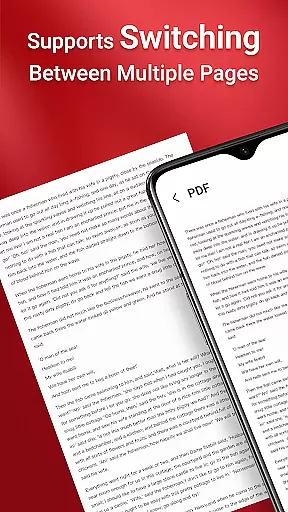
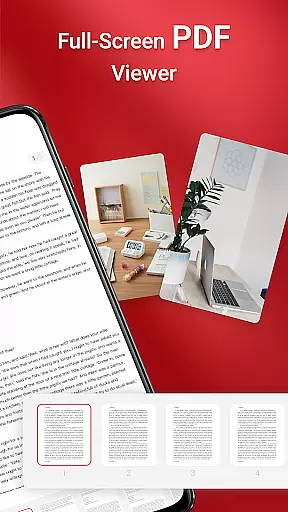
PDF Reader is a versatile business application designed to streamline document management for professionals on the go. This app allows users to view, manage, and share PDF files with ease, making it an essential tool for anyone dealing with digital documents in a professional setting.
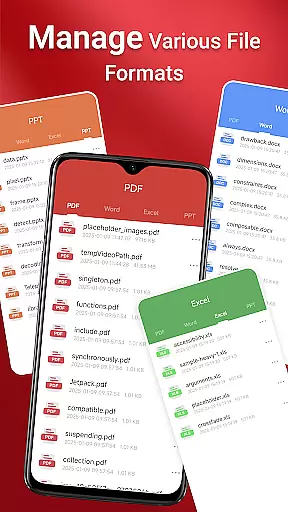
The app features a sleek and intuitive interface that simplifies navigation and enhances productivity. Whether you're accessing files stored locally or managing various document types such as Doc, PDF, PPT, and Excel, this app ensures quick access and seamless sharing capabilities. Its one-click reading and quick page navigation make reviewing documents efficient, while integrated support for multiple formats ensures compatibility across different file types.
For businesses operating in dynamic environments, having reliable access to important documents is crucial. PDF Reader meets this need by providing robust functionality that works across folders, SD cards, and non-standard locations, even when offline. This makes it particularly valuable for users who require constant access to their files without being tethered to a desktop computer.
PDF Reader stands out with its comprehensive feature set tailored for business users. The app offers one-click PDF reading, enabling users to open and review documents instantly without complicated setup processes. It also provides access to all PDF files stored on the device, ensuring that important business documents are always within reach.
One of the standout features is its integrated support for various document types, including Doc, PDF, PPT, and Excel files. This versatility allows users to handle multiple file formats in a single application, streamlining workflows and reducing the need for additional software. Quick page navigation further enhances the reading experience, allowing users to move through lengthy documents with ease.
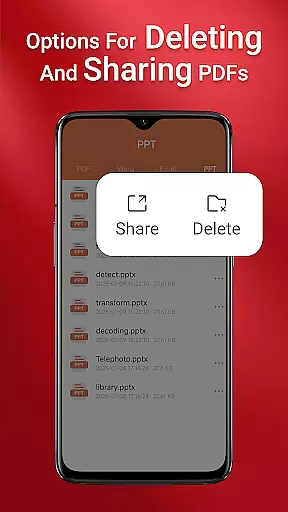
In addition to viewing and managing files, PDF Reader enables seamless sharing of documents with colleagues and clients. The app requires MANAGE_EXTERNAL_STORAGE permission on Android 11 and later to ensure full access to files across different storage locations. This permission supports essential operations like file preview, multi-file merging, and persistent access to stored documents, making it an indispensable tool for modern business professionals.
In today's interconnected world, collaborative work features are essential for any business application. PDF Reader excels in this area by offering seamless integration with various document types, including Doc, PDF, PPT, and Excel files. This ensures that teams can work together efficiently regardless of the file format they are using.
The app allows users to access all PDF files on their device quickly, making it easy to share documents with team members. Whether you're in a meeting or working remotely, you can send and receive PDFs effortlessly, ensuring everyone is on the same page.
Moreover, the quick page navigation feature enhances the collaborative experience by allowing users to find specific sections of a document swiftly. This saves time and improves productivity, as team members can focus on the content rather than struggling with cumbersome navigation.
Effective task management is crucial for maintaining productivity, and PDF Reader offers several features to help users stay organized. The app's one-click PDF reading capability ensures that users can open and review documents without delay, streamlining their workflow.
With the ability to manage and view various document types, users can keep all their important files in one place. This consolidation simplifies task management, as users no longer need to switch between multiple apps to access different file formats.
Additionally, the app's request for MANAGE_EXTERNAL_STORAGE permission on Android 11 and later enables reliable background operations. This means users can count on consistent access to their documents, whether they are stored on an SD card or in non-standard locations, thus ensuring that task management remains uninterrupted.
User-friendly interface
Multi-format support
Quick navigation
Offline access
Seamless sharing
Permission requirements
Limited free features
Occasional bugs
Storage-intensive
Ads in free version

The revolutionary flexible staffing platform
 4.40
4.40
Measure distances, surfaces and draw plans in seconds with CamToPlan!
4.40
The Penny Puss app with DG penny finder
4.10
Your employer must have UKG Ready software configured for Mobile.
4.60
Manage work life on the go
4.50
Find the right fit, faster.
4.70
Build a store in minutes with our full suite of AI tools. Start for free!
4.20
Find jobs near you and temp work in minutes, from your phone.
4.50
Access to Paylocity, empowering employees with information they need 24/7.
4.70
Job search app that finds jobs for you! Takes the work out of looking for a job!
4.90
We help people get jobs
4.70
AI-powered document scanner with auto enhance for perfect PDFs.
4.60
Ask Accio anything about business. Alibaba-backed, built by experts, not just AI
4.60
ANDROID'S TOP MOBILE OFFICE - Word, Excel, PowerPoint and PDF at your fingertips
4.50
The app that lets you deliver with Amazon.
4.50
Make money as a delivery driver with DoorDash and work when you want as a Dasher
4.30
Formerly Facebook Ads Manager. Manage and create ads on the go.
4.20
enjoy effortless PDF reading anytime, anywhere
3.90
Completed Course Lectures on how to use IBM Maximo in Maintenance issues
4.2


User Reviews