



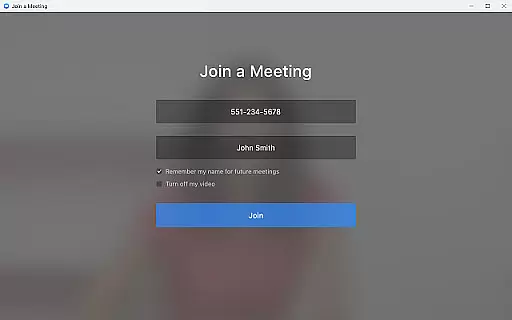

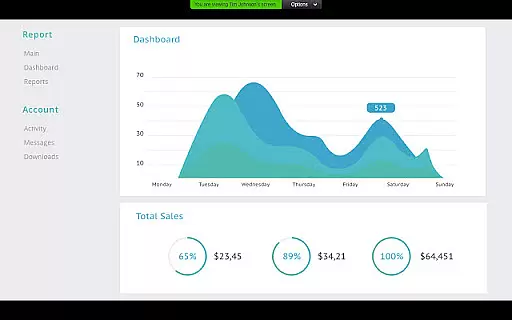
Zoom for Chromebook is a comprehensive business communication tool that combines team chat, video meetings, phone capabilities, and virtual whiteboard functionalities into a single web application. Designed specifically for Chromebook users, this app allows professionals to work seamlessly from anywhere.
The application's key features include one-tap meeting scheduling and joining, AI-powered meeting summaries through AI Companion, and integrated communication channels for both internal and external contacts. Users can also make phone calls, send SMS messages, and collaborate on virtual whiteboards. With automatic updates and remote installation options for administrators, Zoom ensures both convenience and security.
This app is particularly beneficial for remote teams and businesses that require frequent virtual collaboration. By providing a centralized platform for various communication needs, Zoom for Chromebook streamlines workflows and enhances productivity, making it an essential tool for modern business environments.
Zoom for Chromebook offers a rich set of features designed to enhance business communication. One of its standout capabilities is the ability to schedule or join video meetings with a single tap, significantly reducing the time and effort required to connect with team members.
The app includes AI Companion, which automatically generates meeting summaries, allowing users to quickly review key discussion points and action items. The integrated team chat supports both public and private channels, facilitating flexible communication with colleagues and external partners. Additionally, the app provides phone functionality, enabling users to place calls and send SMS messages directly from their Chromebook.
For creative brainstorming sessions, the virtual whiteboard feature offers an interactive space to share ideas visually. Users can also enhance their professional appearance during video calls by using virtual backgrounds. Automatic updates ensure that all users have access to the latest features and security enhancements, while remote installation options give administrators greater control over deployment and configuration.
Collaborative work features are essential for modern business applications, enabling teams to work together efficiently regardless of location. Zoom for Chromebook excels in this area by integrating multiple communication tools into a single platform.
The application allows users to schedule or join video meetings with a single tap, streamlining the collaboration process. Its team chat functionality supports communication in both public and private channels, ensuring that important discussions can happen securely and conveniently.
One standout feature is the virtual whiteboard, which provides a shared space for brainstorming sessions. This tool allows team members to collaborate in real-time, drawing diagrams or jotting down ideas as if they were in the same room.
These collaborative features significantly enhance productivity by reducing the friction often associated with remote teamwork, making Zoom for Chromebook an invaluable asset for businesses looking to maintain effective communication across distributed teams.
Effective task management is crucial for maintaining productivity and meeting deadlines in a business environment. Zoom for Chromebook addresses this need through its integrated scheduling system and automated meeting summaries powered by AI Companion.
Users can easily schedule meetings directly within the app, ensuring that important tasks and appointments are organized and visible to all relevant team members. The AI Companion feature takes task management a step further by providing automated meeting summaries, allowing participants to quickly review key points and action items.
The application also supports SMS text messaging and phone call functionality, enabling users to follow up on tasks and communicate urgent matters without switching between different apps. This consolidation of communication tools helps streamline task management processes.
By combining these features, Zoom for Chromebook creates a comprehensive task management solution that keeps teams aligned and ensures that important information is never lost or overlooked, ultimately contributing to more efficient business operations.
Seamless integration
User-friendly interface
Comprehensive features
Automatic updates
Remote admin options
Paid features required
Limited AI availability
Chrome OS dependency
Internet connection needed
Subscription costs

Earn free swag, G-Cards & food • Enter sweepstakes • Find stores • So much more.
 4.70
4.70
Manage Your Shop
4.70
Find work, shifts and gigs near you. Jobs lasting a few hours to a few months.
4.30
All document reader, pdf viewer app, read docs & excel files
3.80
Start earning fast. Apply Today.
4.80
Find part-time earning opportunities near you that pay within days.
3.20
The app that lets you deliver with Amazon.
4.50
Chat, meet, and collaborate to achieve more together, all in one place on Teams
4.60
We help people get jobs
4.70
Job search app that finds jobs for you! Takes the work out of looking for a job!
4.90
BuildCalc - the easiest AND the most advanced construction calculator app.
4.80
AI-powered document scanner with auto enhance for perfect PDFs.
4.60
Earn money with the driver & delivery partner app for Uber, UberEats & Postmates
4.60
Measure distances, surfaces and draw plans in seconds with CamToPlan!
4.40
All Your Gig Work. One App.
4.30
Deliver and earn money
4.30
Quickly open and manage PDF files on your device.
3.80
Completed Course Lectures on how to use IBM Maximo in Maintenance issues
4.5
Convert Your Lovable.dev Website into a Mobile App Instantly!
4.3


User Reviews