
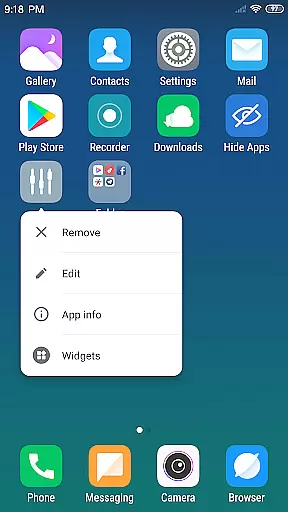
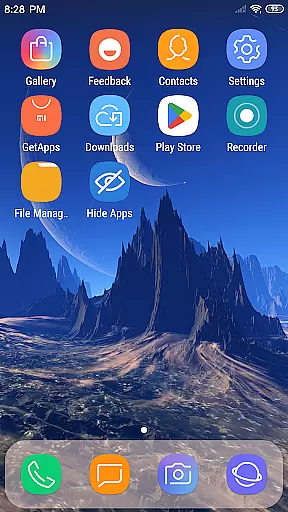
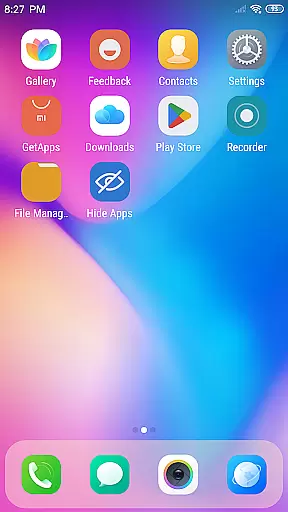
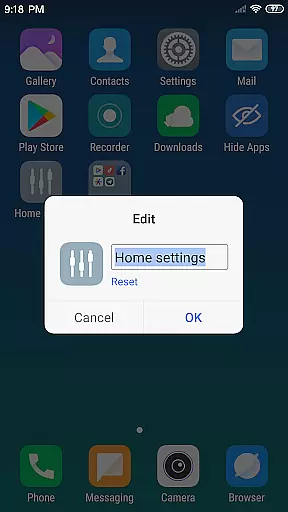
X Launcher Pro is a premium launcher app designed for Android users who appreciate minimalist flat design and customization freedom. This application transforms the entire appearance and operational experience of your smartphone, offering a clutter-free interface with no ads to ensure uninterrupted usage.
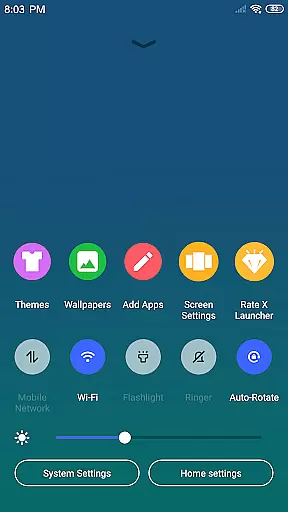
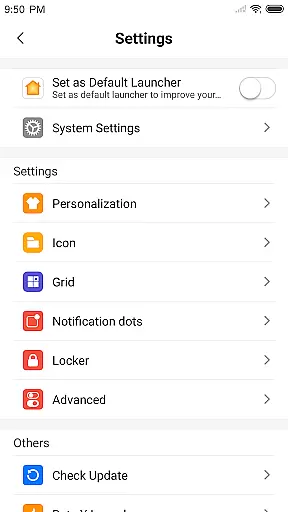
The launcher provides advanced features like App Manager for organizing local apps, Control Center for quick device settings adjustment, and customizable themes that adapt to user preferences. With options to modify app icons, change grid layouts, and hide specific apps, it delivers complete personalization control. The rich collection of wallpapers and icons further enhances the visual appeal, making it ideal for users seeking both functionality and aesthetics in their mobile experience.
X Launcher Pro stands out with its comprehensive feature set tailored for power users. The App Manager function allows users to quickly organize and access local applications by simply swiping up, while the Control Center provides instant access to essential device settings through a simple downward swipe.
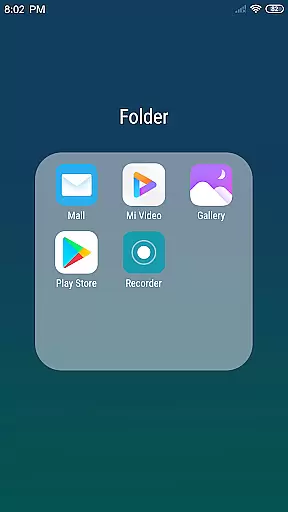
One of the key highlights is the extensive Theme Store containing various professionally designed themes that automatically adapt to selected settings. Users can further personalize their experience by modifying app icons using local images, adjusting desktop grid sizes, and creating flat-style folders by dragging one app onto another. The ability to hide unwanted apps adds an extra layer of customization while maintaining a clean home screen aesthetic.
The launcher also includes practical features such as storage permission management for downloading themes and wallpapers, ensuring smooth performance without compromising device security. These features collectively create a seamless and visually appealing user experience that combines both form and function in mobile interface customization.
In the realm of Art & Design, X Launcher Pro stands out with its comprehensive suite of creative tools. The application offers a rich library of icons and the latest wallpapers, ensuring that users have everything they need to personalize their device's appearance.
With features like App Manager and customizable app icons and names, users can modify and manage their apps' aesthetics effortlessly. This level of customization extends to the launcheru2019s layout, where users can change the number of rows and columns to suit their preference.
The inclusion of a Theme Store elevates the experience by providing various themes that adapt seamlessly to user selections. This ensures a smooth and visually cohesive experience across the device.
Moreover, the ability to use local images as app icons adds another layer of personalization, allowing users to truly make their device their own. These robust creative tools empower users to express their individuality through design.
X Launcher Pro excels in canvas and format flexibility, offering users unprecedented control over their device's visual presentation. Users can choose from a variety of themes and wallpapers, each adaptable to different formats and screen sizes.
The application allows for modifications to the launcher layout, including altering the number of rows and columns. This malleability ensures that users can tailor their home screens to fit their unique style and usability needs.
Additionally, the feature to crop local images for use as app icons showcases the app's commitment to flexible design options. This functionality provides a seamless way to integrate personal photos into the deviceu2019s interface.
Overall, X Launcher Prou2019s dedication to format flexibility and adaptive theming makes it an invaluable tool for those looking to enhance their digital canvas with personalized art and design.
Completely Ad-Free Experience
Extensive Customization Options
Intuitive App Management System
Versatile Theme and Wallpaper Selection
Advanced Privacy Control Features
Paid Premium Version Required
Occasional Compatibility Issues
Steeper Learning Curve
Higher Storage Requirements
Limited Default Icon Choices

Transform photos into amazing monochrome dither art with professional algorithms
 4.0
4.0
Create trending AI photos & videos with powerful effects and 3D styles.
3.20
Design your dream room with AI. Get decor ideas & plan home interiors
3.90
Sketch, plan, take notes and illustrate on an infinite canvas.
4.20
Easy 3D drawing design maker & creator. Model designing, Sculpting. Create&paint
4.00
Logo Generator powered by AI: Create stunning logos effortlessly!
4.70
Minecraft & Roblox Clothes
4.70
Art of Combination Wear OS Watch Faces
3.30
Experience next-gen icons with a modern liquid glass look.
3.60
Photo editor for art, avatars, filters & fun transformations.
4.60
AI generated images & photos, turn your words into drawing, painting & pictures.
4.30
Bring One UI 8.5 Icons to life -elegant dark icons with a modern, premium touch.
4.30
Custom Character Creator & PFP Maker!
4.20
Create Logos, Tattoos, AI Art & more with our AI Photo Generator & Design Editor
4.20
AI Art Generator transforms your words into AI generated art & paintings.
3.70
Create sweet, cool and unique couple avatars easily, in just a few steps!
3.40
Vidu is an AI video generator made for creators and aspiring makers.
3.30
Sketch, trace and master AR drawing with awesome anime art!
3.30
Meet the magic aı 3d photo generator and smart AI video generator app.
3.20


User Reviews