
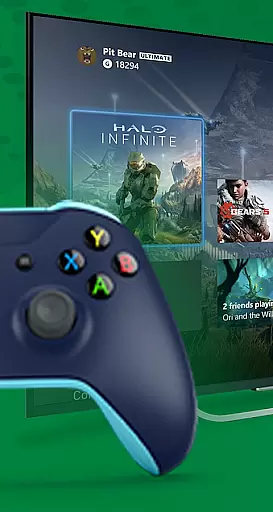
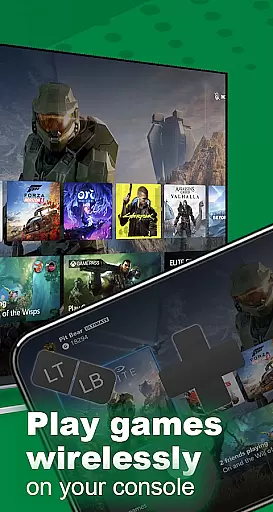
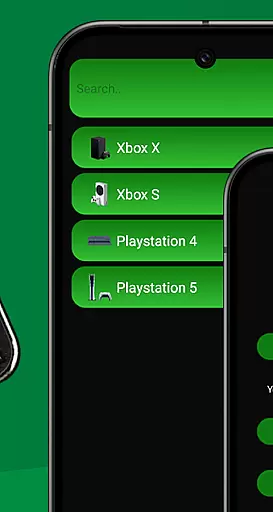
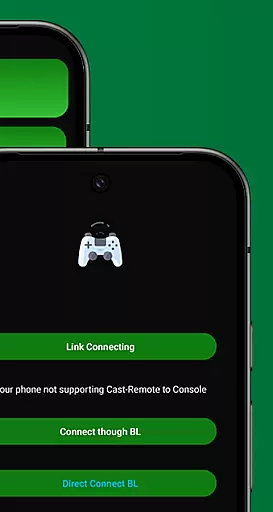
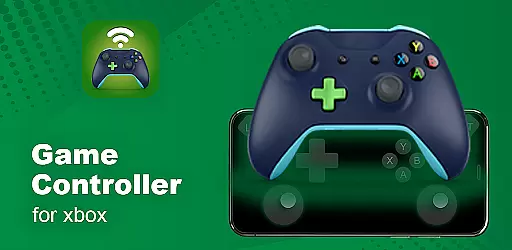
XB Game Controller is a powerful mobile application that transforms your smartphone into a versatile wireless Xbox remote. Designed for gamers who demand flexibility and performance, this app allows you to play, stream, and navigate your Xbox Series X/S or Xbox One directly from your phone. With support for both Wi-Fi and mobile data, it delivers ultra-low latency gameplay, making remote gaming seamless and enjoyable.
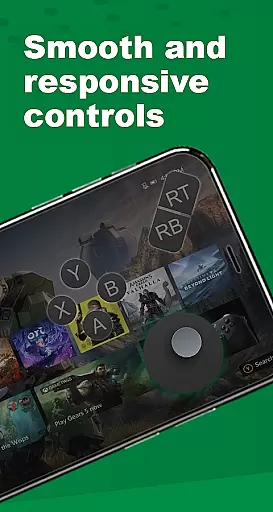
The app offers two distinct modes: Remote Play and Gamepad Mode. In Remote Play, users can stream their Xbox games in real-time with smooth 1080p quality. Gamepad Mode maps your phone's touchscreen to replicate the original Xbox controller layout, ensuring precision and familiarity. Additionally, features like multiplayer support, voice chat integration, and customizable buttons make XB Game Controller an essential tool for modern gaming enthusiasts.
XB Game Controller stands out with its innovative features tailored for convenience and performance. The app supports high-quality 1080p streaming with minimal latency, ensuring an immersive gaming experience even when away from your console. Its intuitive gamepad interface mirrors the physical Xbox controller, providing tactile feedback through customizable button layouts.
Another highlight is the multiplayer functionality, which allows friends to join gaming sessions using their own phones as controllers. This feature is ideal for local co-op or party games. Furthermore, the app integrates seamlessly with Bluetooth keyboards and headsets, enhancing accessibility and usability. Whether you're navigating menus or engaging in intense gameplay, XB Game Controller combines speed, simplicity, and reliability to elevate your gaming experience.
Functionality completeness refers to how thoroughly an application delivers on its promised features and capabilities. For XB Game Controller, this means providing a seamless experience for users who want to turn their smartphones into wireless Xbox controllers. The app covers essential functionalities such as streaming games in real time, offering a responsive gamepad mode, and supporting multiplayer gaming sessions.
The app ensures that every button, trigger, and joystick is accurately mapped, just like on an original Xbox controller. This comprehensive functionality allows users to enjoy both single-player and multiplayer games without the need for a physical controller. Additionally, it supports voice chat and in-game audio control, enhancing the overall gaming experience.
Users benefit from this wide coverage of features as they can navigate their Xbox consoles, play games, and control various settings directly from their phones. Whether at home or on the go, the app's extensive feature set ensures that gamers have everything they need at their fingertips.
Usability and operational smoothness are critical factors that determine how easily users can interact with an application and how smoothly it performs its tasks. For XB Game Controller, usability is enhanced through its intuitive design and straightforward setup process. Users simply connect their Xbox and phone to the same Wi-Fi network, launch the app, log in to their Xbox account, and start streaming or switch to gamepad mode.
Operational smoothness is evident in the app's ability to deliver ultra-low latency and high-quality 1080p streaming. This ensures that gameplay remains fluid and responsive, which is crucial for maintaining an immersive gaming experience. Furthermore, the app supports seamless device switching and works well with Bluetooth keyboards and headsets, adding to its operational efficiency.
By focusing on these aspects, XB Game Controller provides a user-friendly interface that simplifies complex tasks, making it accessible even to those who may not be tech-savvy. This ease of use, combined with reliable performance, significantly enhances the overall satisfaction and engagement of its users.
User-friendly interface
Low-latency streaming
Customizable controls
Multiplayer support
Voice chat integration
Requires stable Wi-Fi
Limited offline use
Dependent on Xbox model
No official affiliation
Potential compatibility issues

Read Holy Quran Feel Like Real Quran & Listen Al Quran Mp3 Audio Online Offline.
 4.70
4.70
Wireless reverse charging using phone now is possible
4.30
Connect your phone to any endoscope camera, USB camera, or borescope with ease.
3.70
charging your phone by other phone easly
4.00
Enjoy hours of entertainment with our Roblox mobile games app
4.5
Study Bible King James Version: the correct way to learn the Bible with audio
4.80
Mobs maker Minecraft help MCPE creators make their own mob by using Blockbench
3.50
MirrorLink for connecting your Android phone to your car’s infotainment screen.
4.50
A Pydroid Quick Install repository provider.
4.00
Demo for Key Attestation feature of the Android system.
4.80
TV USB connector app provides you a seamless cast option from your phone to tv.
4.70
Expo is a free & open source platform to build apps using JavaScript and React.
4.70
An essential GFX utility developed for specific FPS mobile games
4.50
Enjoy Minecraft Mod Scary Neighbor Granny for Minecraft PE.
4.30
Manage apps & elevate your gaming experience with Game Launcher: Gaming Hub app.
4.30
Game Booster GFX for smoother gaming experience. Enjoy 120 FPS and 4x Game Space
4.20
Ps2 plugins for 64 bit artitechture
3.70
Simulator of real black light
3.50
Collection of high-quality, trendy skins and outfits!
4.2


User Reviews