
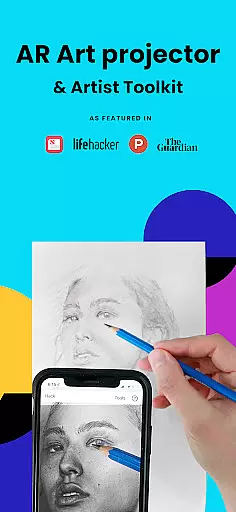
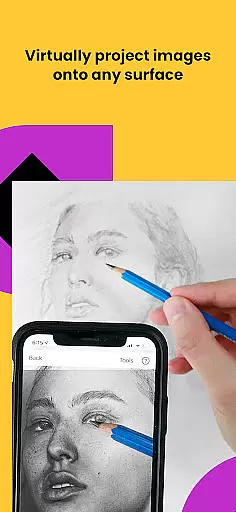
Da Vinci Eye's AR Art Projector is a revolutionary tool designed to enhance drawing and sketching skills using augmented reality technology. This app allows users to project any image onto their canvas, enabling precise tracing and detailed artwork creation. With features like the strobe function for hyper-realistic drawings and color layer separation, it caters to artists of all levels.
Beyond basic tracing, the app offers comprehensive learning tools including video tutorials and step-by-step drawing lessons. The supportive artist community and fast customer support make it an essential app for creatives worldwide. Whether you're a professional illustrator or hobbyist, Da Vinci Eye adapts to your skill level and artistic needs.
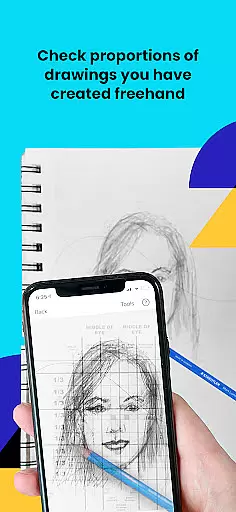
The app's versatility extends to various art forms such as digital painting, makeup design, and even cake decoration. By helping artists master proportions and shading techniques, this tool significantly improves drawing efficiency while maintaining creative freedom.
Da Vinci Eye stands out with its unique combination of AR technology and traditional drawing methods. The app's Camera Lucida-inspired system lets users view both reference images and their canvas simultaneously, creating a virtual art projector experience. Its advanced features include time-lapse recording, micro-detail zoom, and color value layer separation.
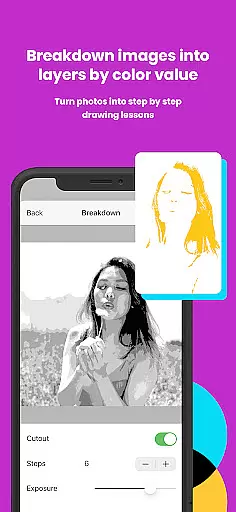
The app's patent-pending learning method transforms any photo into a step-by-step drawing lesson. Users can break down complex images into manageable parts while receiving guidance through video tutorials. The AR tracing mode's ability to anchor images to real-world objects provides unmatched precision and flexibility during drawing sessions.
Both AR and Classic modes cater to different artistic preferences, while the device compatibility ensures smooth performance on high-end devices. These features collectively create an optimal environment for artistic growth and development.
In the realm of digital art, having access to comprehensive creative tools is paramount. AR Art Projector offers an extensive suite of features that cater to artists of all levels. The app includes a unique AR tracing tool, which functions as a modern Camera Lucida, allowing users to project images onto any surface for precise sketching and drawing.
Moreover, the application provides advanced functionalities such as color value layer separation, enabling artists to break down complex images into manageable parts. This feature assists in accurately placing lights, shadows, and mid-tones, thus elevating the quality of artwork. Additionally, users can zoom in to capture minute details, ensuring every aspect of their creation is perfected.
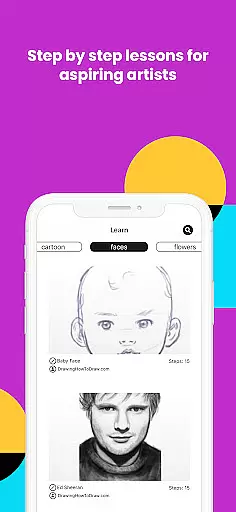
Beyond basic drawing, AR Art Projector enriches the artistic process with video tutorials and step-by-step lessons. These educational resources employ a patent-pending learning method, making it easier for users to grasp essential drawing techniques. Whether you're a professional illustrator or a hobbyist, these tools collectively ensure that your creative vision can be fully realized within the app.
Flexibility in canvas and format options is crucial for artists seeking to express their creativity without constraints. AR Art Projector excels in this area by offering versatile solutions that adapt to various artistic needs. Users can draw on any surface using either AR tracing mode or classic drawing mode, providing unparalleled freedom in how and where they create their art.
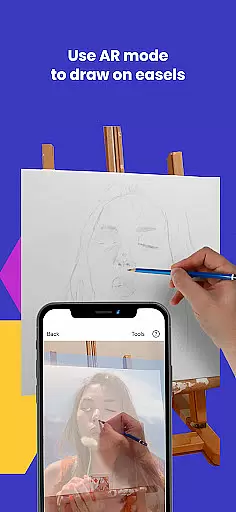
The AR tracing mode anchors images to real-world objects, allowing artists to move their canvas or device while maintaining alignment. This feature is particularly beneficial when working on easels or in environments where mobility is necessary. Meanwhile, classic mode mimics traditional art projectors, catering to those who prefer conventional methods but still desire digital enhancement.
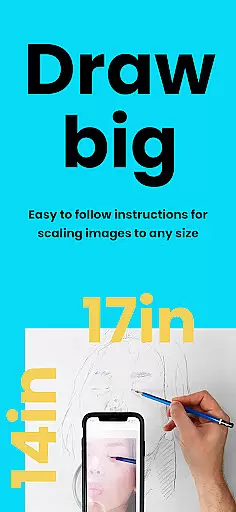
Furthermore, the app supports different image formats and enables users to record time-lapse videos of their creative process. This not only preserves the journey of each piece but also allows artists to share their work with a broader audience. With such adaptable canvas and format options, AR Art Projector empowers creators to push the boundaries of their artistic expression.
User-friendly interface
Comprehensive learning tools
Versatile application across art forms
Active artist community
Excellent customer support
Requires compatible device
Premium features may be costly
Steep learning curve for beginners
Occasional rendering issues
Limited offline functionality

Floor Plan Creator lets you create, edit and share floor plans.
 4.00
4.00
Trace, draw, and create art with AR - from memes to masterpieces!
4.30
Art of Combination Wear OS Watch Faces
4.3
Design unique, funny and adorable cat stickers that reflect your own style!
3.80
Painting, drawing, & sketching
4.50
Minecraft & Roblox Clothes
4.70
Experience next-gen icons with a modern liquid glass look.
3.60
Video AI: Revolutionize Your Content Creation with Advanced Video Generation
4.50
Kling AI is an image and video generation and editing studio powered by AI.
4.50
Learn how to draw with step-by-step tutorials, fun lessons & multiplayer drawing
4.70
Logo Generator powered by AI: Create stunning logos effortlessly!
4.70
Draw beautiful mandala's very easily
4.60
Castle is social media for creating and playing games!
4.60
Everything you need to create hand drawn animation, anywhere you go!
4.40
Just trace a projected picture on paper and color! Draw & Paint with AR drawing
4.40
800+ Drawing, Painting Lessons App to Practice, Sketch & Paint Art.
4.30
OneUI 8.5 icons ✨ Smooth, modern & based on the latest Play Store design ??
4.10
Download now for a stylish and functional timepiece
4.5
Your Essential Color Theory Guide: Red, Yellow, Blue (RYB)
4.0


User Reviews