
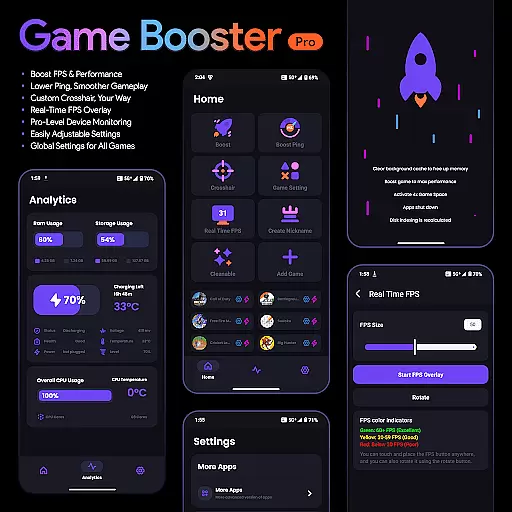
Game Booster Pro is a powerful mobile application designed to enhance gaming performance on Android devices. The app focuses on optimizing frame rates, reducing lag, and providing real-time monitoring of device statistics. With its specialized features, gamers can enjoy smoother gameplay and improved responsiveness during intensive gaming sessions.
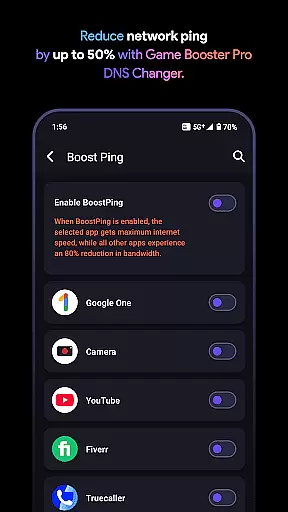
A standout feature of Game Booster Pro is its ability to create a local-only VPN connection that prioritizes network traffic for selected games. This ensures minimal latency and reduced ping, making it ideal for competitive online gaming. Additionally, the app offers customizable crosshair options and an FPS overlay, allowing users to tailor their gaming experience to their specific preferences.
The application's user-friendly interface makes it accessible to both casual and professional gamers. Whether you're looking to boost your FPS, monitor device performance, or customize your gaming setup, Game Booster Pro provides a comprehensive solution for elevating your mobile gaming experience.
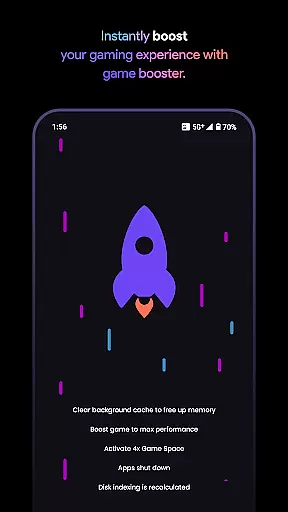
Game Booster Pro stands out with its diverse range of features tailored specifically for mobile gamers. One of its core functionalities is the ability to boost FPS and enhance overall gaming performance. By optimizing device settings, the app ensures smoother gameplay with reduced lag, which is crucial for fast-paced games.
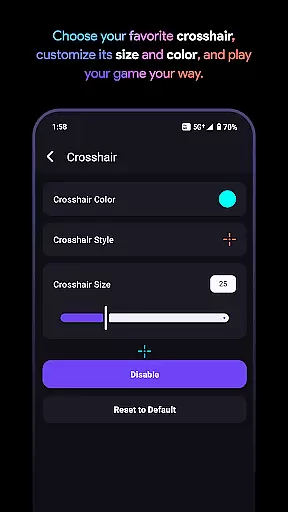
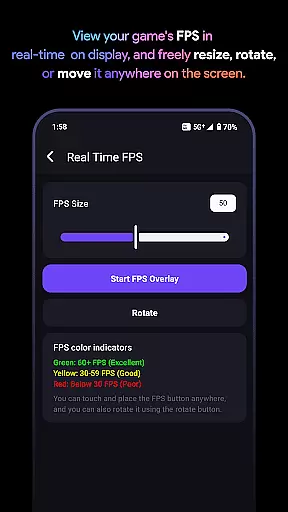
In addition to performance optimization, the app includes a custom crosshair feature. This allows users to design and implement their preferred crosshair style across different games, giving them a competitive edge in shooting and FPS games. The real-time FPS overlay is another valuable tool, enabling players to monitor their frame rates without exiting the game.
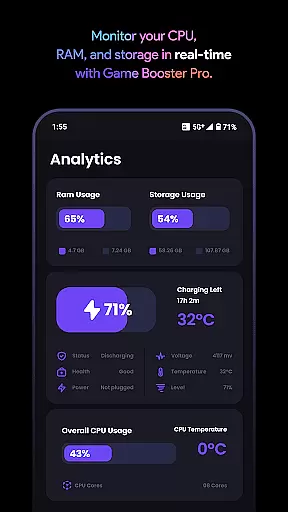
Device monitoring is equally important, and Game Booster Pro excels in this area. It provides detailed insights into device performance, including CPU and memory usage. The app also uses VpnService to optimize network traffic, ensuring lower ping and reduced network congestion during gaming sessions. These features collectively contribute to a superior mobile gaming experience.
Game Booster Pro delivers exceptional core functionality by focusing on the key aspects that matter most to gamers. The app's primary feature is its ability to boost FPS and enhance overall gaming performance through optimized settings tailored for each user's device. This ensures a smoother and more responsive gameplay experience, which is critical in fast-paced games where every millisecond counts.
The effectiveness of Game Booster Pro extends beyond just improving frame rates. It also reduces lag and network latency using its unique VpnService feature. By creating a Local-Only VPN connection, the app prioritizes network traffic for selected games, ensuring minimal ping and reduced network congestion. This seamless optimization allows players to enjoy uninterrupted gaming sessions without worrying about sudden lag spikes or connectivity issues.
Another crucial aspect of the app's functionality is its real-time monitoring system. Gamers can track their device's performance metrics directly on-screen with the FPS overlay feature. This allows users to monitor vital stats such as frame rate, CPU usage, and memory consumption without leaving the game. The combination of these accurate and effective features makes Game Booster Pro an indispensable tool for both casual and professional gamers looking to elevate their gaming experience.
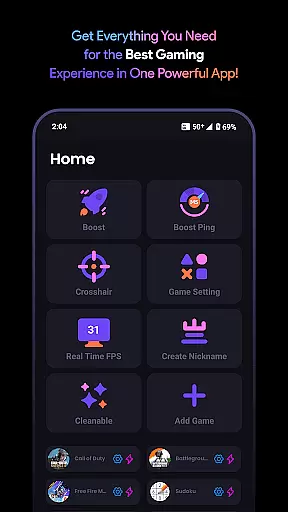
Game Booster Pro stands out not only for its powerful features but also for its remarkably simple and intuitive interface. The developers have carefully designed the user experience to ensure that even novice users can easily navigate and utilize all the app's functionalities without any learning curve. Upon launching the app, users are greeted with a clean and organized layout that presents all essential features within a few taps.
The app's interface follows a logical structure where each feature is categorized into distinct sections. For instance, the FPS boosting options are readily accessible from the main screen, allowing users to quickly adjust settings before jumping into their favorite games. Similarly, the crosshair customization tool provides an easy-to-use slider interface that lets players fine-tune their aiming reticle preferences with precision.
Moreover, the real-time monitoring dashboard showcases device statistics in a clear and visually appealing manner. Important metrics like frame rate, temperature, and resource usage are displayed using simple graphical elements that are easy to interpret at a glance. This thoughtful design approach ensures that users can focus on what matters most - enjoying their games - without getting bogged down by complex settings or confusing menus. The result is an app that combines powerful functionality with an elegant, user-friendly interface that enhances rather than complicates the gaming experience.
Boosts FPS effectively
Reduces lag significantly
User-friendly interface
Customizable crosshair
Real-time performance stats
Premium version costly
Limited to Android
VPN feature may concern
Not all games supported
Occasional bugs reported

Complete kernel toolbox with features to manage and tweak your rooted device
 4.30
4.30
Family Locator, Share location, StayConnect with your family in real time
3.90
Canon PRINT is a companion app for your Canon printer.
4.60
Create your own live wallpaper or check out thousands already made presets
3.90
PC precision for mobile gaming: dominate with keyboard and mouse!
4.30
Making emulation easy for everyone!
4.30
Quickly check the frequency of the Earth
4.30
Download any file easily and quickly with Downloader
4.2
Pro Emulator is an easy to use game console emulator for a range of consoles.
4.40
Navigate with Ease and Style
4.90
Unit and currency converter with easy and simple UI.
4.80
The Ultimate Flex Drivers Utility App - Convenient Tapping & Block Filters
4.70 4.50
4.50 4.50
4.50
Quickly switch to an encrypted DNS server on Android TV
4.50
Game Booster, GFX Tool is now compatible with newer game update
4.50
Safely recover deleted photos, videos, and files with a single easy tap.
3.70
Clean the junk files on your device
3.40
Save any video in HD - paste the link, download fast and watch offline.
4.1


User Reviews