
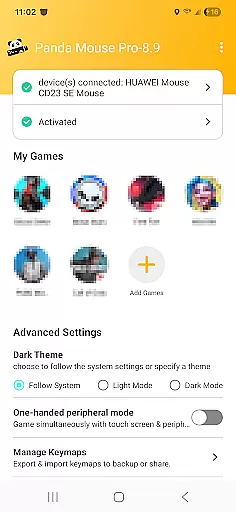
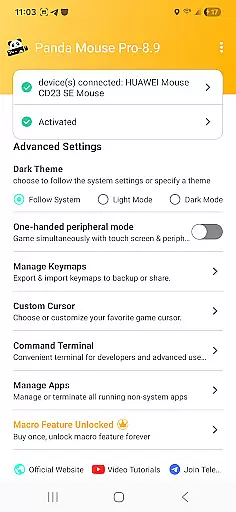
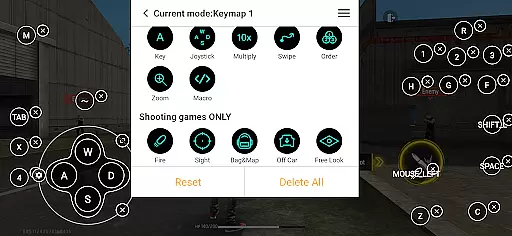
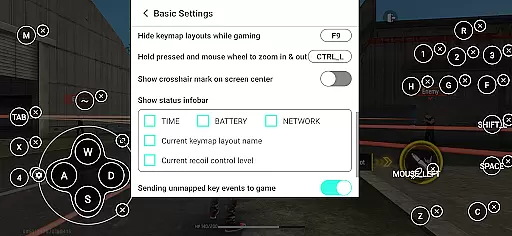
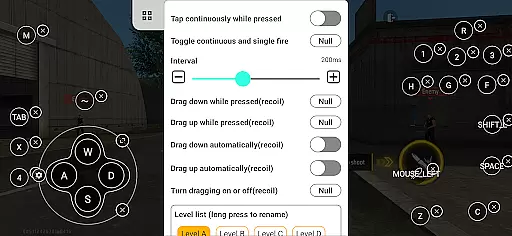
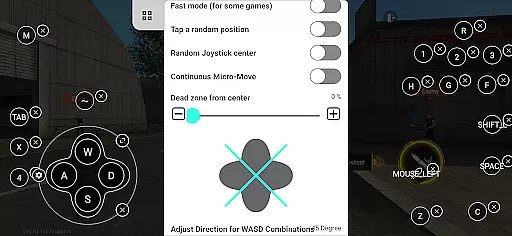
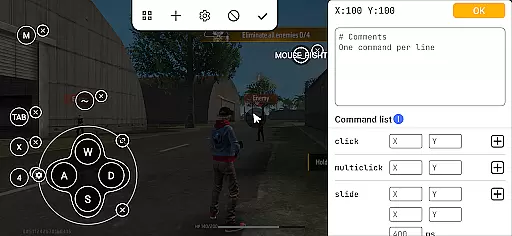
Panda Mouse Pro is a powerful keymapper tool that revolutionizes mobile gaming by allowing players to use their keyboard and mouse for enhanced control. Designed for gamers who demand precision, this app supports virtually all keyboard and mouse brands and works seamlessly with Android devices. Whether you're playing shooters, MOBAs, or sports games, Panda Mouse Pro provides pinpoint accuracy and faster reaction times compared to traditional touch controls.
One of the standout features of Panda Mouse Pro is its ability to launch games directly without requiring cloning, while also ensuring secure Google Play logins. It's compatible with Android 11 and above, with easy activation methods for different device configurations. This makes it an ideal solution for competitive gamers looking to elevate their gameplay experience on mobile platforms.
Panda Mouse Pro offers several innovative features that set it apart from other keymapping tools. First, its direct game launch functionality eliminates the need for cloning apps, allowing users to jump straight into their favorite games. The app also incorporates ban-proof technology, ensuring that users can play without worrying about account restrictions commonly associated with duplication running.
Another notable feature is its universal compatibility with almost all keyboard and mouse brands, making it highly versatile for various gaming setups. Additionally, Panda Mouse Pro supports extensive game genres, including shooting games, MOBAs, and sports titles. With tailored activation methods for different Android versions and rooted devices, the app ensures a smooth setup process regardless of the user's device configuration.
The inclusion of video tutorials and detailed activation guides further enhances the user experience, providing helpful resources for both beginners and advanced users. These educational materials ensure that even those new to keymapping can quickly learn how to maximize the app's potential.
Panda Mouse Pro excels in delivering precise and effective functionality, particularly for mobile gamers who demand high performance. The app's core feature is its ability to map keyboard and mouse inputs directly to touch controls on mobile games, providing an unprecedented level of accuracy that touchscreens simply cannot match.
What sets this tool apart is its seamless compatibility with virtually all keyboard and mouse brands, ensuring that users can utilize their preferred peripherals without concern for compatibility issues. This universality enhances the overall user experience, allowing gamers to focus on what truly mattersu2014dominating the competition.
The direct game launch feature eliminates unnecessary steps, letting players dive straight into action without delay. This streamlined process not only saves time but also reduces potential technical hiccups, contributing to a smoother gaming session. With Panda Mouse Pro, every click and keystroke translates into immediate in-game actions, giving users the competitive edge they need.
Achieving a balance between powerful features and user-friendly design, Panda Mouse Pro offers an interface that is both simple and intuitive. Gamers can easily navigate through the appu2019s settings to customize their key mappings according to personal preferences, ensuring a tailored experience that meets individual needs.
The activation process is straightforward, varying slightly depending on the Android version or whether the device is rooted. For modern devices running Android 11 and above, activation occurs directly on the device itself, streamlining setup. Meanwhile, older versions require quick activation via PC or Mac, which still remains hassle-free thanks to comprehensive guides provided by the developers.
Moreover, Panda Mouse Pro includes video tutorials and support resources, such as those found at https://www.youtube.com/@0xgary, further enhancing the ease of use. These materials help new users quickly get up to speed, ensuring that even those unfamiliar with keymapping tools can efficiently harness the full power of Panda Mouse Pro.
Enhanced precision
Ban-proof technology
Universal compatibility
Direct game launch
Extensive game support
Requires initial setup
Premium pricing
Device compatibility issues
Limited touchscreen use
Learning curve for beginners

Change your GPS location instantly. Simulate routes anywhere in the world.
 4.90
4.90
HD Camera captures every special moment.
4.60
Just swipe the edge to do something!
4.40
Head tracking for PC sim games such as MSFS 2024 or Elite:Dangerous. No headset!
4.50
Fluid navigation gestures for all of us!
4.30
App that Recover your pictures, videos or files after you delete them.
4.20
Detect hidden spy camera with advanced scanning {{ Premium version }}
4.00
A clean app.
4.50
Fast VPN USA for any country. Super secure VPN for calls, streaming, games, TV.
4.40
Navigate with Ease and Style
4.90
Unit and currency converter with easy and simple UI.
4.80
Excellent scientific calculator with symbolic algebra, integrals, derivatives
4.80
Bedrock Together: Join any bedrock server on Xbox/PS
4.80
Canon PRINT is a companion app for your Canon printer.
4.60
Mirror your screen to Chromecast and Android TV - Super fast and simple
4.60
Quickly check the frequency of the Earth
4.30
Just one-tap to easy translate in any language after calls within seconds.
4.20
1-Click close all background apps on Android TV
3.90
Create your own custom widget with endless possibilities
3.90


User Reviews