
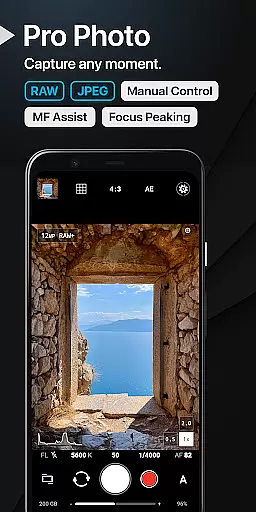
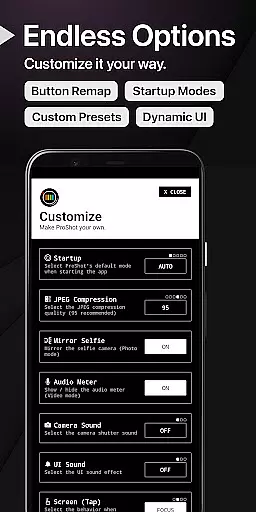
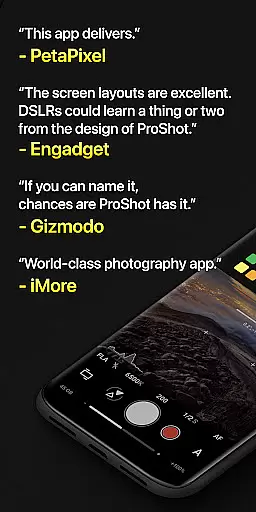
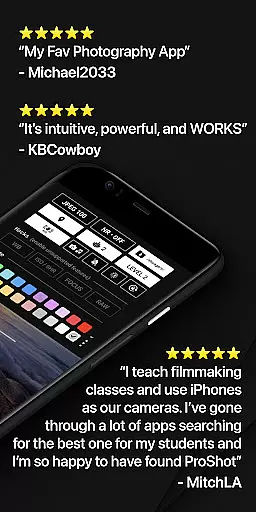
ProShot is a professional-grade photography and filmmaking application designed for Android users who demand full creative control over their mobile photography experience. This app offers an extensive range of manual controls akin to those found in DSLR cameras, including ISO, shutter speed, white balance adjustments, and more, all powered by the camera2 API. With its intuitive interface and Dual Dial system, ProShot makes it easy to switch between different modes such as Auto, Program, Manual, and two Custom settings, ensuring that you can capture the perfect shot no matter the situation.
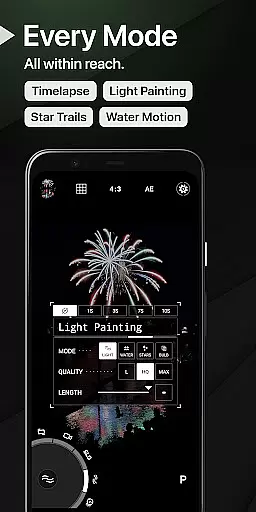
Beyond its core functionality, ProShot also provides advanced features like RAW (DNG) and JPEG shooting options, HEIC support, Light Painting modes for capturing star trails and water movement, Bulb mode, Timelapse capabilities, and much more. The app caters not only to seasoned photographers but also to beginners eager to learn and experiment with various photographic techniques. Its privacy-conscious design ensures that no personal data is collected or transmitted, giving users peace of mind while they focus on their craft.
ProShot stands out due to its comprehensive feature set tailored specifically for both amateur and professional photographers alike. One of the key highlights is its ability to offer full manual control over camera settings, allowing users to adjust exposure, flash, focus, ISO, shutter speed, and white balance just like they would on a traditional DSLR. Additionally, the app supports multiple shooting formats including RAW (DNG), JPEG, and even HEIC on compatible devices, providing flexibility in post-processing workflows.
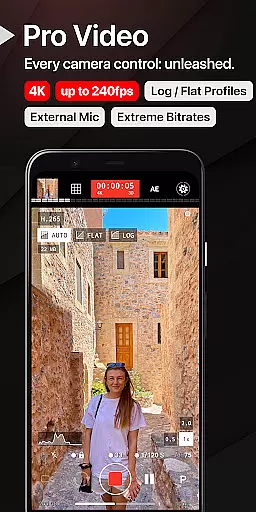
The innovative Dual Dial system enables quick navigation through camera settings, making it possible to seamlessly transition between different modes without missing a beat. For videographers, ProShot doesn't disappoint either; it includes robust video recording capabilities up to 8K resolution with extreme bitrate options, LOG/FLAT color profiles for enhanced dynamic range, H.264/H.265 codec support, and real-time monitoring of audio levels and file sizes. Whether capturing stills or motion pictures, ProShot empowers creators to push the boundaries of mobile photography and videography.
Real-time capture and preview functionality is essential for photographers who need precision and control over their shots. ProShot offers a seamless experience by leveraging the camera2 API, ensuring that what you see on the screen is exactly what you get in your final image.
The app provides manual controls that allow users to adjust exposure, ISO, shutter speed, and white balance with real-time feedback. This immediate visual response enables photographers to fine-tune settings like focus peaking and histogram adjustments without guesswork, ensuring optimal image quality before capturing the shot.
With features such as zero-lag bracket exposure and up to 10x zoom using just one finger, ProShot empowers users to capture perfect moments effortlessly. The ability to shoot in RAW or JPEG formats further enhances flexibility, catering to both professional workflows and casual photography enthusiasts.
While ProShot does not emphasize AI beauty enhancements, it focuses on delivering natural and authentic photographic results through its advanced manual controls. Users can adjust noise reduction, tone mapping, sharpness, and other parameters to enhance their photos organically without relying on artificial intelligence.
The app's dedication to privacy ensures that no personal data is collected or transmitted, maintaining the integrity of your images. Instead of automated enhancements, ProShot offers tools like customizable accent colors and dual dial systems for quick setting changes, allowing users to create unique aesthetics tailored to their style.
For videography, ProShot supports high bitrate options up to 8K resolution with LOG and FLAT color profiles, providing increased dynamic range for post-production. These professional-grade features ensure that every frame captured retains its natural beauty while offering extensive creative possibilities during editing.
User-friendly interface
Extensive manual controls
Privacy-focused design
Advanced photo editing tools
High-quality video recording
Steep learning curve
Limited free features
Requires high-end device
No cloud backup
Premium price tag

Photo editor: AI filters, photo enhancer, pic collage maker, AI art generator.
 4.80
4.80
Be your best in every shot! Fix, edit and retouch your face in selfies & photos.
3.70
Take videos and pictures with the popular TikTok TIME WARP SCAN filter.
4.60
Create Business Headshots, Polaroid Filter, Retake Photos,Profile Pics,AI Photos
4.50
Superimpose one photo on top of another using the original Superimpose app!
3.20
GCamera allows all GCam features on all phone models! Better photos with GCamera
3.30
Smart, light, and fast photo and video gallery
4.30
Easily view, share, delete photos with Gallery.
4.70
PhotoSync Bundle Add-On License. Enables all features and services in PhotoSync.
4.60
Create funny photos and videos with the popular Time Warp Scan filter.
4.90
Photo prints, cards, & gifts at Walgreens. Easy ordering & fast local pickup !
4.80
Amazing Photo Effects - The most fun you can have with your photos!
4.70
Viewfinder, Light meter, Reciprocity failure time, DOF & Bellows Extension
4.60
Enhance, retouch & create your story - Share the moment with Photoshop Express.
4.60
Create collages easily! Nice pic collage maker & background eraser for Instagram
4.50
HD Camera Pro with HD Video shooting, Panorama, Photo editor , Beauty Camera.
4.50
Photo editor & gallery. Crop pictures & edit photos offline, no wifi!
4.50
AI photo enhancer with Sora 2! Enhance, descratch, and colorize your old photos.
4.50
Create amazing frames with up to five photos. Rounded corners, effects and more!
3.60


User Reviews