
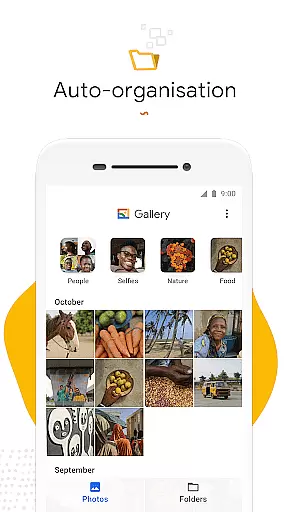
Gallery is a smart and efficient photo management application developed by Google. This app helps users organize their photos and videos automatically, making it easier to find specific images without endless scrolling. The key feature of automatic organization groups photos into categories like People, Selfies, Nature, Animals, Documents, Videos, and Movies, streamlining the search process.
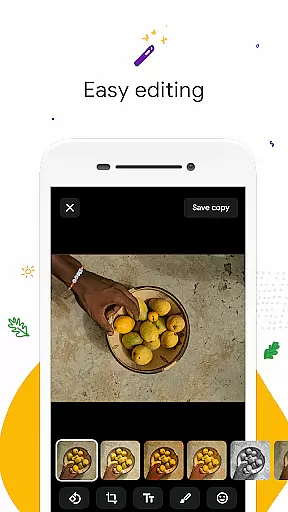
In addition to its organizational capabilities, Gallery offers powerful editing tools such as auto-enhance, which allows users to improve their photos with just one tap. Designed for performance, this app has a small file size and works seamlessly offline, ensuring that users can manage their media without consuming excessive data or device memory. Whether you're looking to optimize your photo library or enhance your images quickly, Gallery provides an intuitive solution tailored for both casual users and photography enthusiasts.
Gallery stands out with its robust set of features designed to simplify photo management. One of its core functionalities is automatic organization, which intelligently categorizes photos every night. This feature saves time and effort by grouping images into intuitive categories such as People, Selfies, Nature, and more, allowing users to locate specific photos effortlessly.
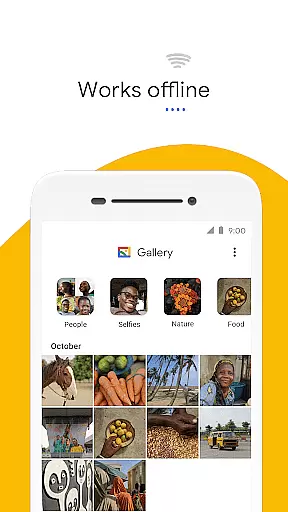
The app also includes user-friendly editing tools like auto-enhance, which improves photo quality with minimal effort. Additionally, Gallery supports folder creation and SD card integration, enabling users to customize their storage preferences while maintaining easy access to files. Its lightweight design ensures smooth performance even on devices with limited resources, offering a seamless experience without compromising speed or functionality. With offline support, Gallery ensures users can manage their media anytime, anywhere, without worrying about data usage.
Real-time capture and preview functionality is essential for ensuring that users can take photos with confidence. Gallery by Google offers a seamless experience where what you see in the viewfinder is what you get in your final image.
The app ensures that the preview accurately reflects the lighting, color, and framing of the shot before capturing it. This immediate feedback allows users to make necessary adjustments on the fly, ensuring every photo taken meets their expectations.
With real-time filters and effects, users can apply creative touches instantly, seeing the results in the preview window without any lag. This empowers users to experiment with different styles and aesthetics, enhancing their photography skills while capturing life's moments.
By providing a responsive and accurate capture experience, Gallery ensures that users never miss a moment, allowing them to focus on the content rather than the camera settings.
AI beauty and enhancement features are increasingly important in modern photography apps, aiming to improve images naturally without over-processing. Gallery incorporates sophisticated AI algorithms that automatically enhance photos with a single tap, making subjects look their best while preserving authenticity.
The auto-enhance tool intelligently adjusts brightness, contrast, and saturation levels, smoothing skin tones and sharpening details without creating an artificial appearance. This approach respects the original essence of the photo, delivering polished yet genuine-looking results.
Users benefit from consistent enhancements across all their photos, saving time on manual edits while still achieving professional-quality outcomes. The natural effect produced by Gallery's AI ensures that memories are preserved as they were meant to be remembered.
This balance between enhancement and realism sets Gallery apart, offering users a reliable way to elevate their photos while maintaining the integrity of their cherished moments.
User-friendly interface
Automatic photo organization
One-tap photo enhancement
Offline functionality
Small app size
Limited face grouping availability
Fewer editing tools compared to premium apps
No cloud backup option
Basic video editing features
Performance may vary on older devices

Photo editor: face & body editor, beauty cam, filters and quality enhancer.
 4.00
4.00
Perfect photos with body shaping, BG changer and object remover.
3.70
What celebrity do you look like? Celebs will find your celebrity match!
4.10
Over 800 film simulation recipes for Fujifilm. Black Friday Offer!
4.2
Raw Image Viewer. Gallery with support of raw images (.cr3, .cr2, .nef, .raf).
2.00
Professional photography on your mobile phone
4.20
Fit multiple photos on one post. Create carousels & scroll layouts for Instagram
4.50
Use AI Video Generator to turn your words to ai generated videos.
4.50
Unlock the full potential of your DJI drone with Litchi
4.50
Pro version: AR sun/moon tracker for any date. Tool for photographers & planners
4.90
The original Rarevision VHS look seen everywhere!
4.70
Viewfinder, Light meter, Reciprocity failure time, DOF & Bellows Extension
4.60
Natural Beauty, Selfie Retouch
4.30
All-in-One Editor & AI Photo Enhancer, Collage, Cartoonify, Funny Stickers & BGS
4.10
Professional quality photo edits with the new Snapseed.
4.00
Astrophotography with your smartphone, photo live stacking and much more!
3.90
Hair color changer, AI haircut app, fun hair editor and buzz cut filter for all!
3.80
Create amazing frames with up to five photos. Rounded corners, effects and more!
3.60
An interval timer to automate photo taking process for timelapse
2.90


User Reviews