

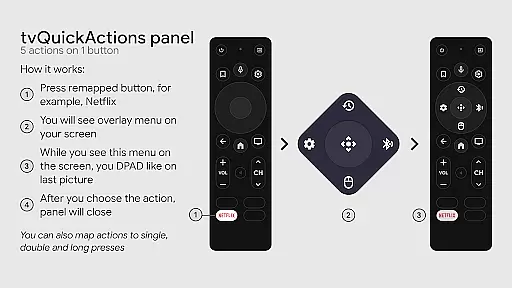
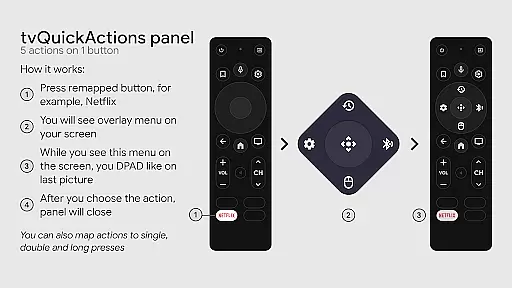
tvQuickActions Pro is an advanced button/key mapper specifically designed for TV devices, compatible with Android TV, Google TV, and AOSP on most devices. One of its standout features allows users to assign up to five actions to a single remote button, significantly enhancing the functionality of their TV devices.
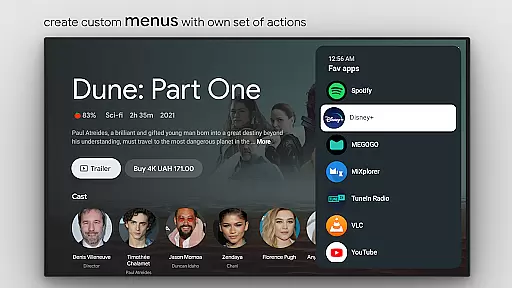
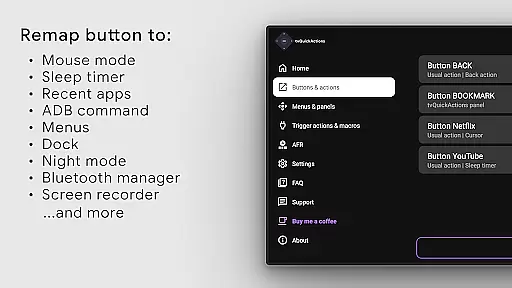
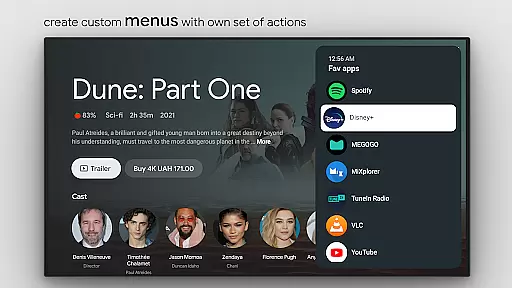
In addition to button remapping, the app offers a variety of useful functions such as creating custom menus, executing ADB commands, toggling mouse mode, setting sleep timers, accessing a dialpad, recording the screen, enabling night mode, managing Bluetooth devices, controlling media playback, and more. These features make it one of the most versatile tools available for TV device customization.
This app is particularly beneficial for users who want to maximize the potential of their TV remotes and streamline their device interactions. Whether you're looking to optimize your home entertainment setup or need advanced control options for your TV, tvQuickActions Pro provides the tools necessary to enhance your experience.
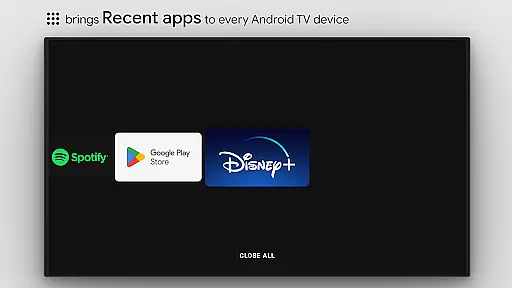
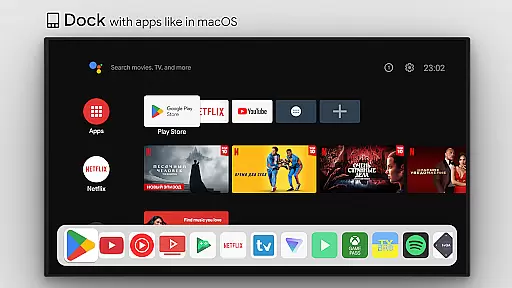
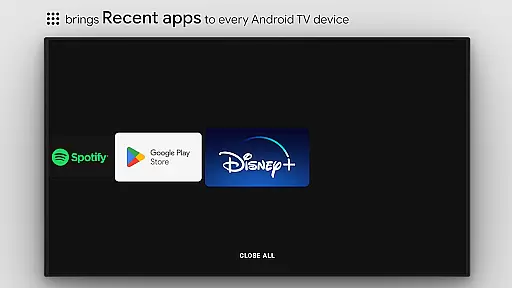
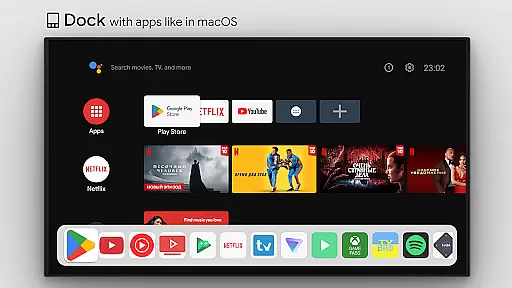
tvQuickActions Pro boasts an impressive array of features that cater to power users and casual viewers alike. The app's ability to create docks similar to macOS/iPadOS allows for quick access to frequently used apps, while the recent apps function helps manage multitasking efficiently, even offering the option to kill all running apps.
Customization is at the heart of tvQuickActions Pro, with options to design personalized menus and channels for the Android TV home screen. Users can also lock apps to prevent unauthorized access. Advanced functionalities include support for remapping Netflix buttons on specific devices like Xiaomi and TiVo Stream 4K, as well as remapping app buttons on Xiaomi Mi Stick 4K and others.
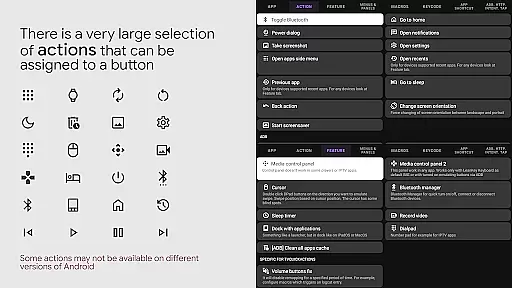
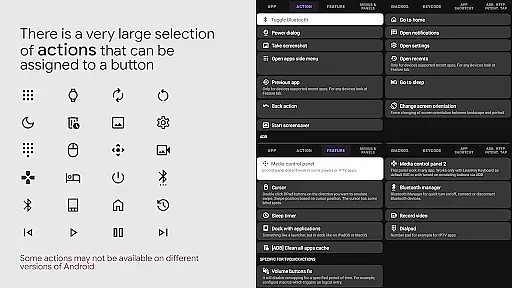
The app supports a wide range of actions, from opening apps and executing shortcuts to controlling media playback and toggling system settings like WiFi and Bluetooth. It leverages the AccessibilityService API to remap buttons effectively and includes an AutoFrameRate feature for Amlogic devices running Android 9-11, ensuring optimal performance across different setups.
tvQuickActions Pro stands out as a highly accurate and effective button/key mapper specifically designed for TV devices, including Android TV, Google TV, and AOSP on most devices. The app's core functionality allows users to assign up to five actions to a single button on their remote control, significantly enhancing the utility of their device.
This tool supports an extensive range of actions from opening apps, executing shortcuts and intents, sending keycodes, toggling WiFi or Bluetooth, controlling media playback, taking screenshots, and even opening URLs or settings. Such versatility ensures that users can customize their TV experience precisely according to their preferences and needs.
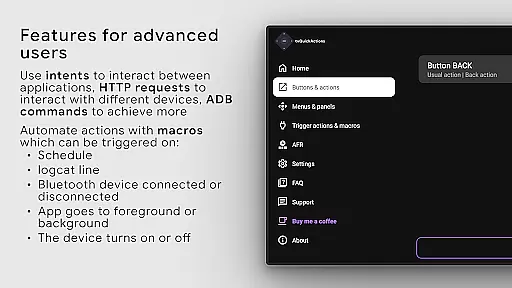
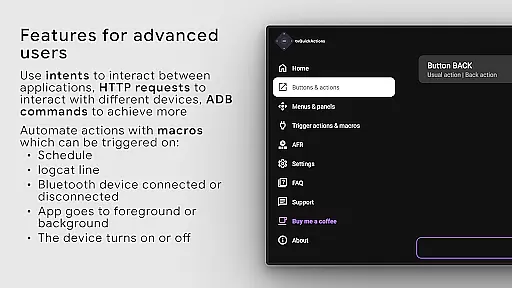
The precision in mapping buttons not only simplifies navigation but also introduces advanced functionalities like recent apps management, custom menus creation, and user ADB commands execution. These features collectively contribute to a more streamlined and personalized user interface, making daily operations more efficient and enjoyable.
By leveraging AccessibilityService API, tvQuickActions Pro guarantees reliable performance in remapping buttons and automating tasks such as mode selection through AutoFrameRate feature. This robust foundation ensures that the app delivers consistent and dependable service across various devices and firmware versions.
Despite its powerful capabilities, tvQuickActions Pro maintains an interface that is both simple and intuitive, ensuring users can easily navigate and utilize its features without a steep learning curve. The design philosophy focuses on delivering a seamless user experience by organizing complex functionalities into manageable and accessible options.
One of the standout aspects is the dock system similar to macOS/iPadOS, which provides quick access to frequently used apps. Additionally, the ability to create custom channels for Android TV home from menus and lock apps adds another layer of personalization while maintaining clarity and ease of use.
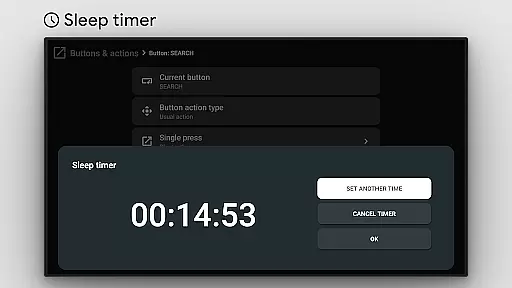
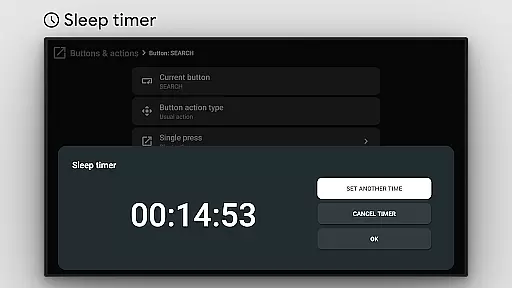
The app also includes practical tools like a sleep timer, dialpad, screen recording, night mode for screen dimming, and a Bluetooth manager, all integrated within an intuitive layout. Users can effortlessly toggle these features on or off, adjust settings, and manage their device with minimal effort.
Overall, tvQuickActions Pro strikes a perfect balance between offering advanced customization options and maintaining an approachable interface. This ensures that both novice and experienced users can harness the full potential of their TV devices without feeling overwhelmed by complexity.
Highly customizable
Wide device compatibility
Extensive action options
User-friendly interface
Advanced automation features
Some features may not work on all devices
Requires technical knowledge for full utilization
Premium version needed for all features
Occasional bugs reported
Dependent on AccessibilityService API

 4.10
4.10 4.50
4.50
eXtended Permission Manager - a small app to manage permissions and AppOps
4.50
An easy-to-use calculator designed to save time calculating and bending conduit
4.30
Undelete and recover your lost or deleted files with DiskDigger!
3.40
Fast Video Downloader, Movie Downloader, Torrent Downloader & Adblock Browser
4.70
Screen Mirroring for Roku Sticks, Roku TCL TV and Roku Hisense TV
4.50
Mobile Security with Scam Protection | Malware & Virus Cleaner | Safe Browser
4.70
A clean app.
4.50
Enjoy smooth gameplay with Game Booster
4.90
Connect instantly to a fast, encrypted VPN with one tap
4.60
FV File Manager Pro, Fast and powerful file manager for Android
4.60
App to pay for FUTO Keyboard
4.60
Universal TV remote control all TVs, Roku, LG, Samsung, Fire, Vizio, Sony, TCL.
4.40
Just one-tap to easy translate in any language after calls within seconds.
4.20
Remote for Roku, Fire TV, Samsung TV, LG TV, Android TV, Chromecast and VIZIO TV
4.20
Introducing Smart Printer, your ultimate destination for printing solutions!
4.00
This app unlocks the Pro features of the Central for DayZ app
3.60
Clean the junk files on your device
3.40


User Reviews