
WiFi Pro FTP Server transforms your Android device into a fully functional FTP server, enabling seamless file transfers between your phone or tablet and other devices. With support for FTP over TLS/SSL (FTPS), this app ensures secure data exchanges while offering advanced configuration options such as anonymous access, home folder settings, and user authentication.
This tool is particularly useful for users who want to avoid cumbersome USB cables and prefer wireless file management. Whether you're transferring photos, movies, songs, or documents, the app works efficiently over both standard WiFi connections and WiFi tethering (hotspot) mode. Its flexibility makes it ideal for professionals and casual users alike who need reliable file-sharing capabilities without compromising security.
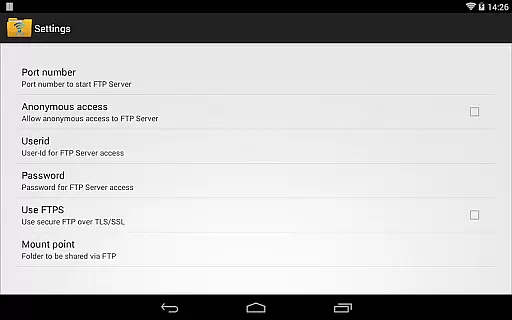
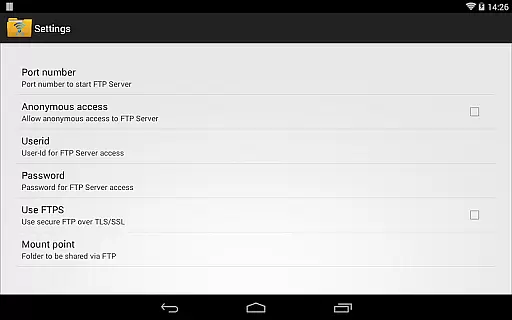
One of the standout features of WiFi Pro FTP Server is its comprehensive configurability. Users can customize port numbers, set up specific home directories, and configure username/password combinations for enhanced security. The inclusion of FTPS ensures encrypted file transfers, protecting sensitive data during transit.
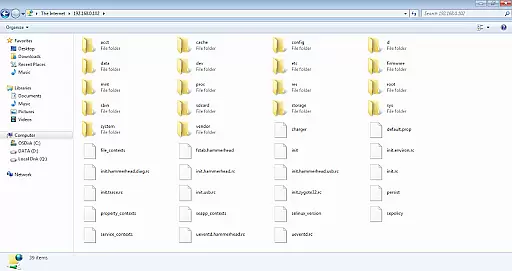
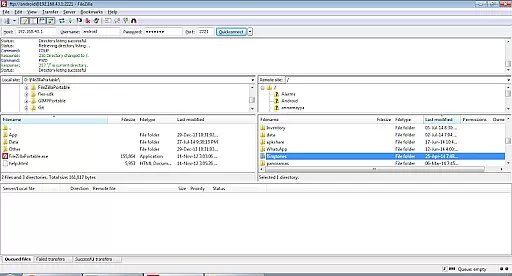
The app also supports anonymous access, though it's disabled by default for safety reasons. Additionally, the avoidance of USB cables simplifies the process of backing up or sharing files. Compatibility with popular FTP clients like FileZilla further enhances usability, while the ability to connect via Windows File Explorer adds convenience for those working in multi-platform environments.
For power users, the app provides detailed instructions on how to enable FTPS and optimize settings based on individual needs. These robust features make WiFi Pro FTP Server an indispensable tool for anyone seeking efficient and secure file management solutions.
WiFi Pro FTP Server excels in providing a reliable and efficient file transfer solution. The app transforms Android devices into fully functional FTP servers, enabling seamless file sharing over Wi-Fi networks.
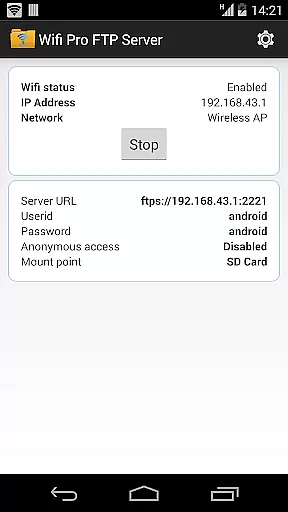
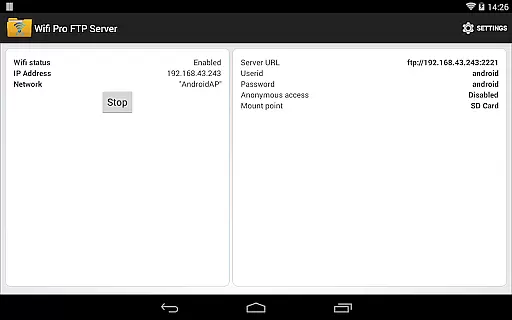
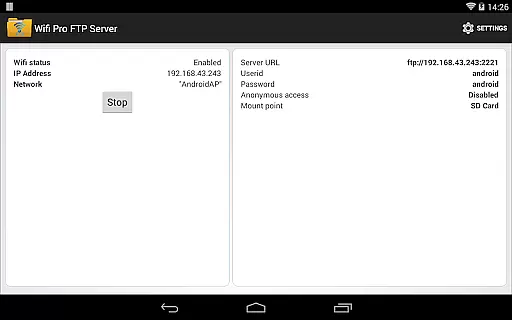
With support for FTP over TLS/SSL (FTPS), users can securely transfer files, photos, movies, and songs to and from their devices. The configurable port number, home folder, username, and password ensure that the server setup aligns perfectly with individual preferences and security requirements.
The avoidance of USB cables for file transfers simplifies the process significantly. Whether operating in standard Wi-Fi mode or Wi-Fi tethering mode (hotspot mode), the app maintains consistent performance, making it an ideal choice for both personal and professional use.
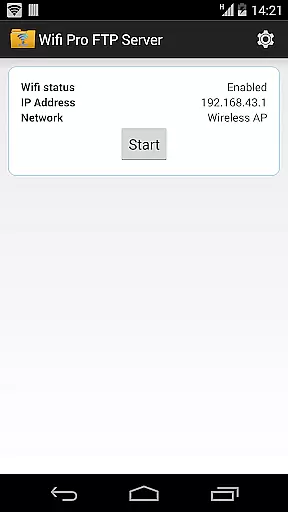
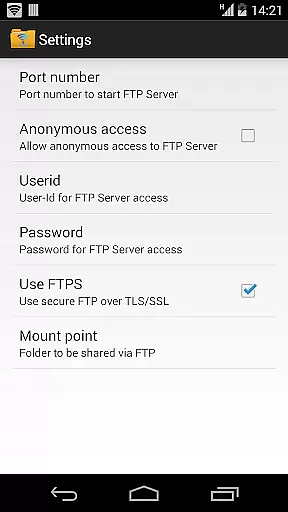
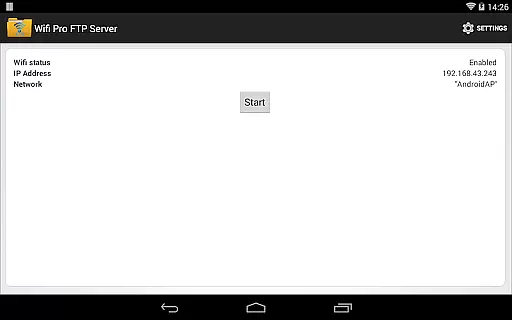
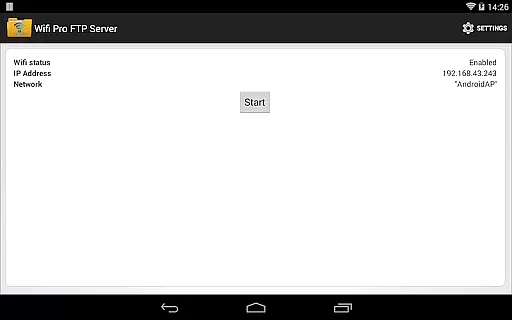
The interface of WiFi Pro FTP Server is designed to be user-friendly while offering advanced configuration options. Users can easily navigate through settings to customize their FTP server according to specific needs.
Key features such as anonymous access and home folder configurations are readily accessible, ensuring that even novice users can set up their FTP server without hassle. For those requiring enhanced security, enabling FTPS is straightforward, with clear instructions provided within the app.
Additionally, the app offers guidance on accessing the FTP server using various clients like FileZilla or Windows File Explorer, further enhancing its accessibility. This combination of simplicity and powerful functionality makes WiFi Pro FTP Server a top choice for managing file transfers efficiently.
Secure FTPS support
Customizable settings
Wireless convenience
User-friendly interface
Cross-platform compatibility
No SFTP support yet
Limited low-port binding
Default security restrictions
Paid version required
Requires WiFi connection

1-Click close all background apps on Android TV
 3.90
3.90
Enjoy smooth gameplay with Game Booster
4.90
Keep track of your Palia friendships, tasks, and inventory with Palia Notebook
4.60
card-reader app
2.20
VESC Tool can monitor and configure VESC-compatible devices over BLE and Wifi
4.20
Smart and comfortable browsing experience.
3.80
Powerful collection of electronics tools and reference.A must for any enthusiast
4.90
Play your X-Box games remotely in 1080p with any controller and zero latency
4.60
Introducing Smart Printer, your ultimate destination for printing solutions!
4.00
Connect wirelessly to your computer to watch movies, browse the web, play games
5.00
ADB support Android 4.X-Android 13(Support wireless pair mode).No root required!
4.70
The one-and-only remote control for PC, Mac, and Linux
4.70
Connect instantly to a fast, encrypted VPN with one tap
4.60
Canon PRINT is a companion app for your Canon printer.
4.60
With videos, electrical calculators, and built-in ebook, Ugly’s has your answer.
4.50
Pro Emulator is an easy to use game console emulator for a range of consoles.
4.40
Effortlessly run ADB commands directly on your device without a PC.
4.20
Detect hidden spy camera with advanced scanning {{ Premium version }}
4.00
Fun lie-detection pranks for friends and parties.
3.80


User Reviews