
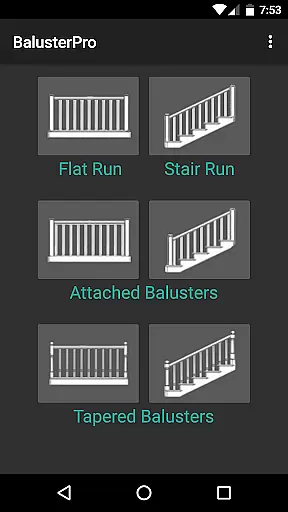
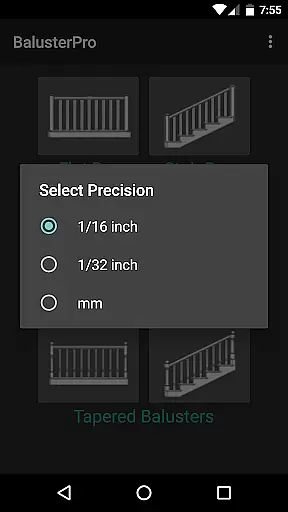
BalusterPro is a specialized tool designed for carpenters, woodworkers, and DIY enthusiasts. This app simplifies the task of calculating spacing between handrail balusters, making it an essential companion for both professionals and homeowners. With its ability to handle flat and stair runs, tapered balusters, and support both inch and metric measurements, BalusterPro offers versatile solutions for various woodworking projects.
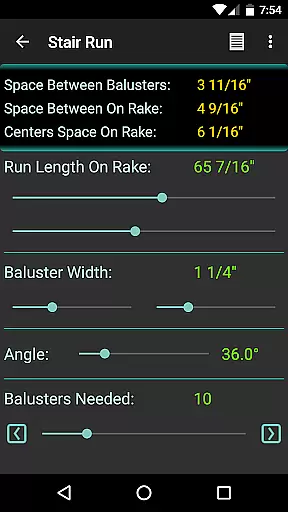
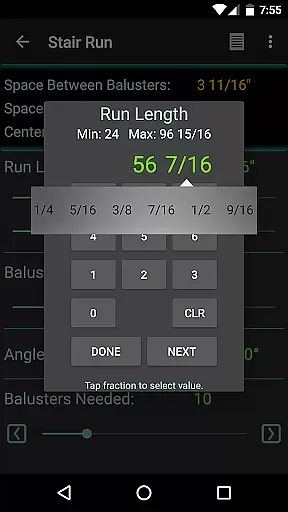
The app's intuitive interface allows users to input run length and baluster width, then adjust the 'Balusters Needed' slider to achieve the desired spacing. Whether you're working on picket fences, bench backs, or decking, BalusterPro ensures accurate calculations that meet code requirements. Its portability enables use at your desk, on the job site, or wherever your phone goes, providing convenience and efficiency in every project.
BalusterPro stands out with its unique features tailored for woodworking projects. The app provides precise calculations for baluster spacing, accommodating both flat and stair runs as well as tapered balusters. Users can switch between inch and metric units, catering to different measurement standards worldwide. This flexibility makes the app suitable for a wide range of tasks, from staircase construction to deck building.
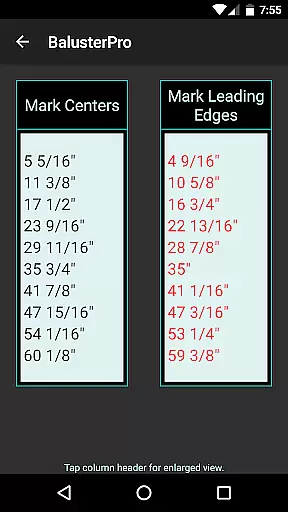
One of the key features is the interactive slider that displays the number of balusters needed and the spacing between them in real-time. This functionality saves users from tedious manual calculations and ensures compliance with building codes. Additionally, the app's customizable preferences allow users to set minimum and maximum values according to their specific project requirements, enhancing its adaptability across various applications.
BalusterPro excels in delivering precise calculations for baluster spacing, ensuring carpenters and woodworkers can achieve accurate results every time. The app simplifies complex calculations into an easy-to-use interface where users input run length and baluster width.
By adjusting the 'Balusters Needed' slider, users can quickly find the optimal spacing that meets their requirements, whether they are adhering to specific code standards or personal preferences. This functionality eliminates tedious manual calculations, saving valuable time on-site or during the planning phase.
The app's ability to handle both flat and stair runs, along with tapered balusters, showcases its versatility. Whether you're working on picket fences, bench backs, or column flutes, BalusterPro adapts to various project needs with ease.
Ultimately, this tool empowers users to focus more on craftsmanship and less on math, enhancing productivity and precision in their projects. Its effectiveness is proven by endorsements from industry experts who recognize its value in professional settings.
The user interface of BalusterPro is designed with simplicity and intuitiveness at its core, making it accessible for both professionals and DIY enthusiasts. Upon opening the app, users are greeted with a straightforward layout that guides them through entering necessary measurements without any confusion.
Key features such as sliders allow for dynamic adjustments, providing immediate feedback on how changes affect baluster spacing. This interactive element ensures that even those unfamiliar with technical jargon can easily navigate and utilize the appu2019s capabilities.
Additionally, options like switching between inch and metric systems demonstrate attention to global usability, accommodating diverse user preferences. Preferences for slider values further enhance customization, allowing individuals to set defaults that suit their typical workflow.
Overall, BalusterPro combines essential tools with an intuitive design, resulting in an application that feels natural to use right from the start. Such thoughtful design choices contribute significantly to a seamless user experience across different scenarios.
User-friendly interface
Accurate calculations
Versatile unit support
Real-time slider feedback
Customizable preferences
Limited to baluster projects
No 3D visualization
Basic design layout
Occasional bugs reported
Small feature set

Transfer Files, APK from Phone to Watch & Install.
 4.5
4.5
Complete kernel toolbox with features to manage and tweak your rooted device
4.30
This app unlocks the Pro features of the Central for DayZ app
3.60
VESC Tool can monitor and configure VESC-compatible devices over BLE and Wifi
4.20
Smart and comfortable browsing experience.
3.80
MS-DOS in your pocket. Play old DOS games anywhere you are ;)
4.10
Play your X-Box games remotely in 1080p with any controller and zero latency
4.60
Creation, Learning, Entertainment & More — The All-in-One AI Search Engine
4.70
Your personal health butler
3.60
Connect wirelessly to your computer to watch movies, browse the web, play games
5.00
Powerful collection of electronics tools and reference.A must for any enthusiast
4.90
Change your GPS location instantly. Simulate routes anywhere in the world.
4.90
NFC Tools can read and write NFC tags.
4.70
Canon PRINT is a companion app for your Canon printer.
4.60
Planner and Tracker for Stardew Valley
4.60
Quickly switch to an encrypted DNS server on Android TV
4.50
Mirror your screen to Fire TV - Super fast and simple
4.40
Signal Strength, Mobile, Wifi, Speed Test, Bad Signals, Cellular, 5G, LTE, 4G
4.20
A simple app to back up and restore SMS & MMS messages and call logs.
4.10


User Reviews