
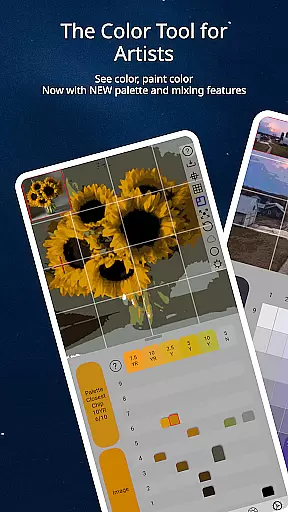
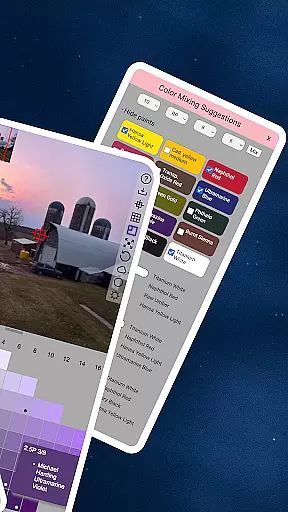
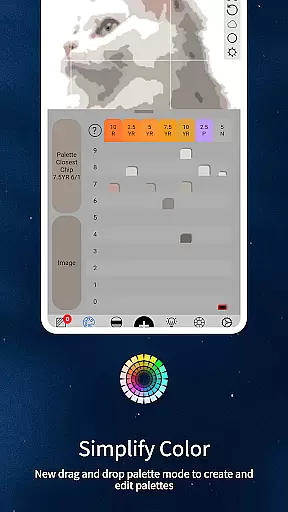
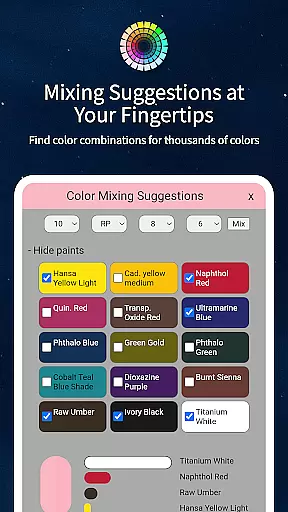
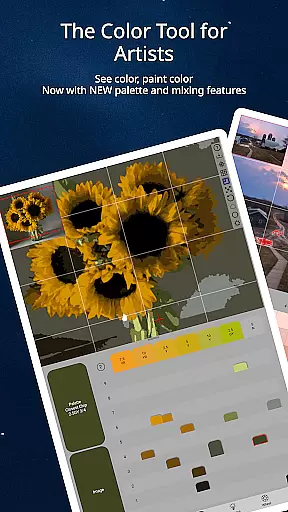
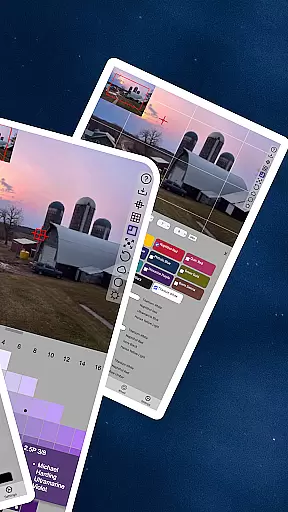
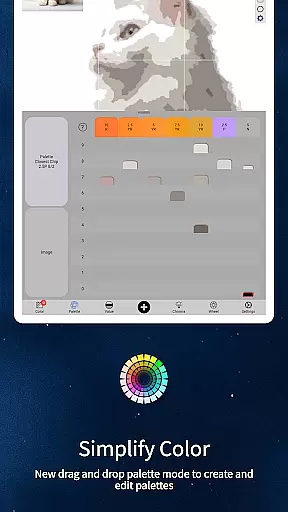
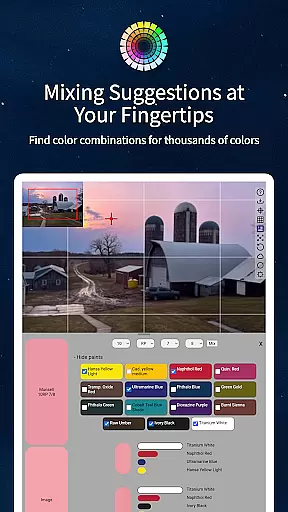
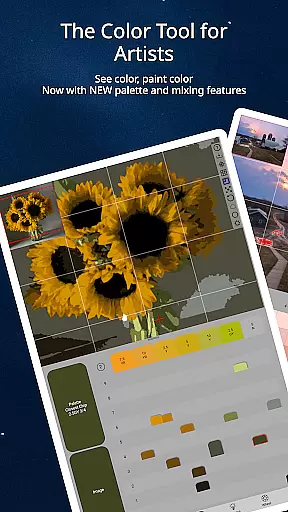
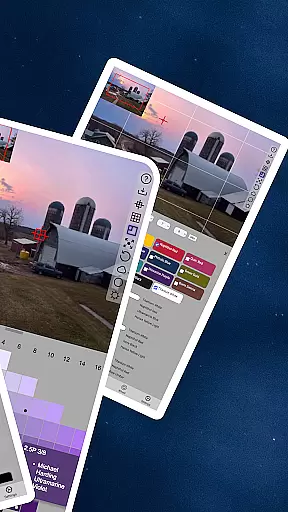
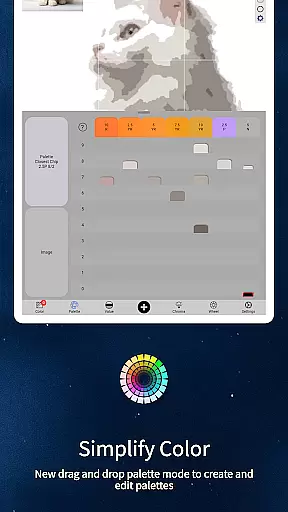
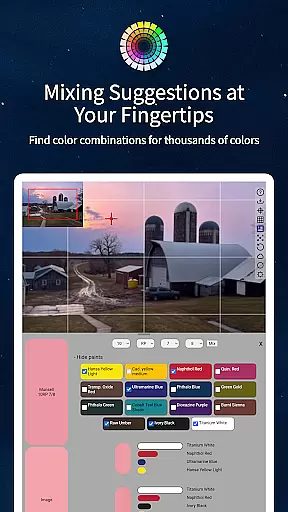
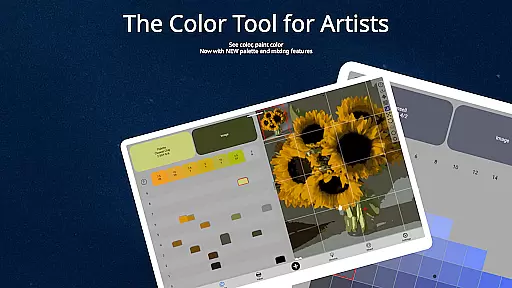
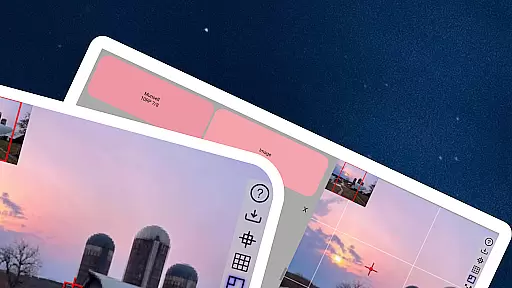
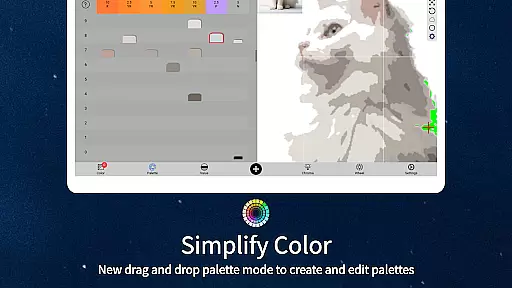
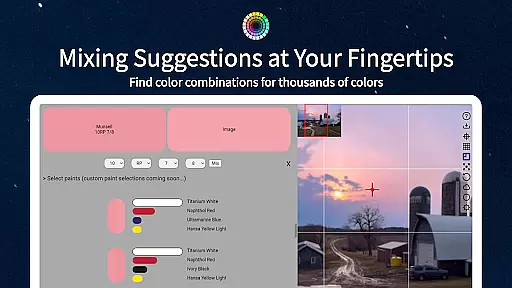
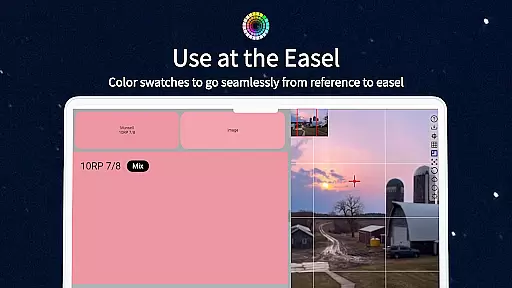
ChromaMagic is an innovative color analysis tool designed specifically for artists. This application allows users to load any photo or reference image and instantly identify the exact color properties using the Munsell color system. The app provides detailed breakdowns of hue, value, and chroma, enabling artists to accurately translate what they see into their artwork.
Beyond basic color identification, ChromaMagic offers advanced features including multiple viewing modes that help artists understand color relationships and distributions. The application works seamlessly across devices, from desktop computers to Android tablets, making it perfect for both studio work and plein air painting sessions.
This tool proves invaluable when working on complex paintings where precise color matching is crucial. By helping artists truly see and understand colors as they are, ChromaMagic eliminates years of trial-and-error in color mixing, significantly improving painting quality and artistic confidence.
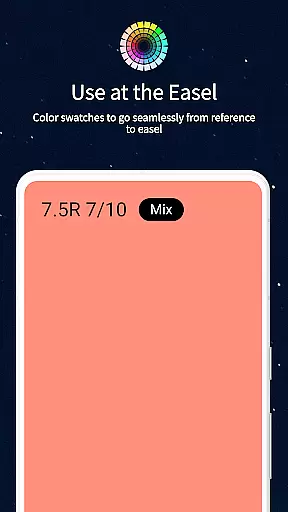
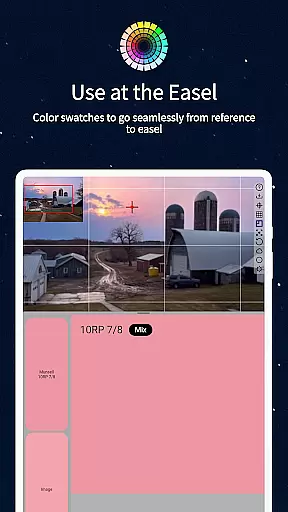
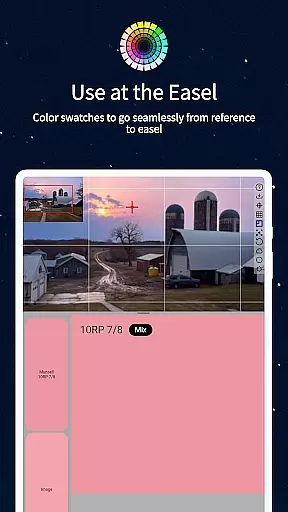
ChromaMagic stands out with its comprehensive set of professional-grade features. The core functionality revolves around the Munsell color system, providing accurate color readings that include hue, value, and chroma measurements. This scientific approach to color analysis gives artists a clear understanding of the colors they're working with.
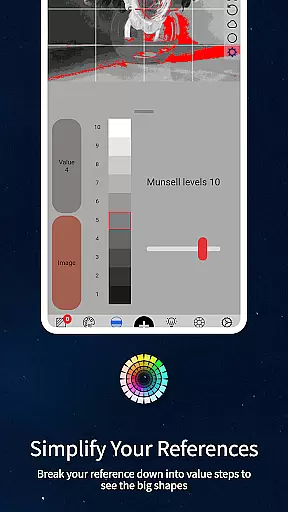
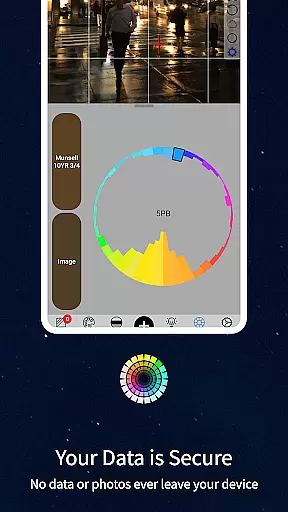
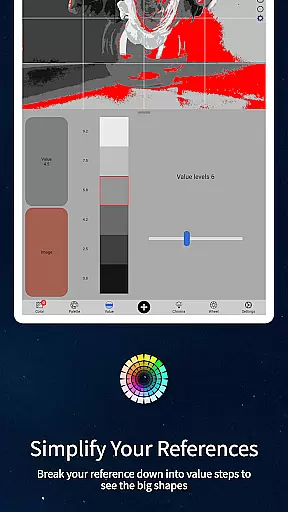
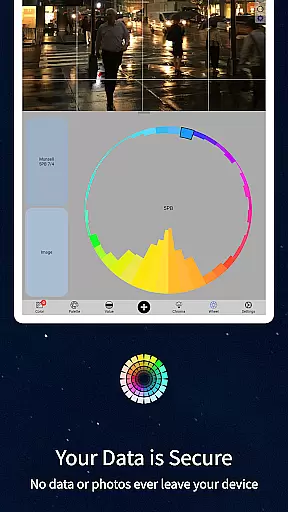
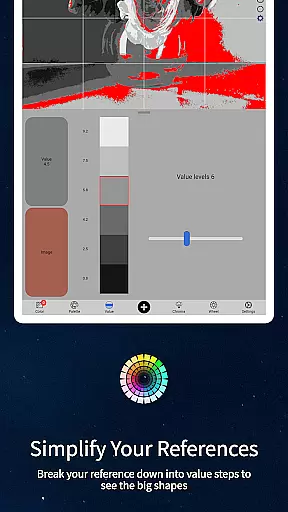
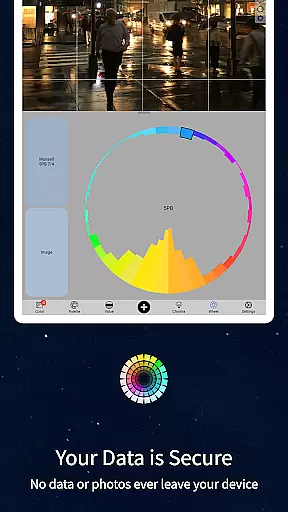
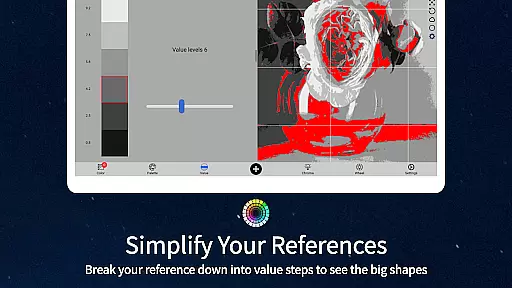
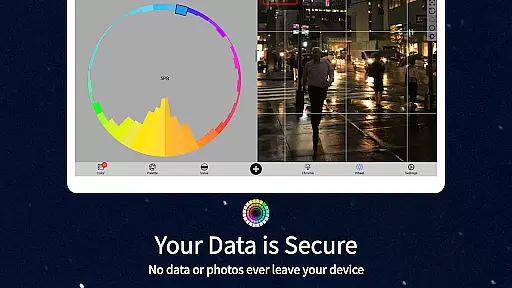
The application includes five distinct viewing modes: Munsell color mode for precise color identification, Value mode for analyzing major value shapes, Grayscale mode for fine-tuned value studies, Chroma mode for saturation analysis, and Color Wheel mode for visualizing color relationships. Each mode serves a specific purpose in helping artists dissect and understand their reference materials.
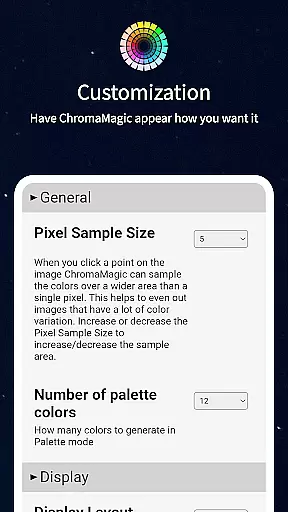
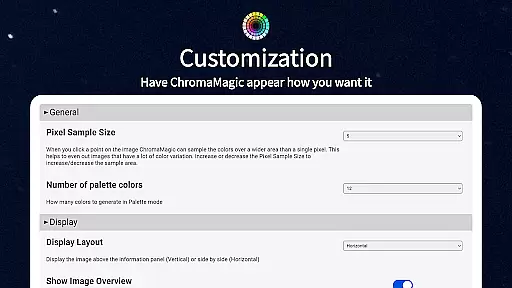
Additional features include a buttery-smooth zoomable interface, offline functionality for field work, multi-pixel averaging for complex references, paint brand compatibility information, and drag-and-drop functionality for desktop users. These thoughtful additions make ChromaMagic an indispensable tool for artists at all skill levels.
In the realm of digital artistry, having a comprehensive set of creative tools is paramount. ChromaMagic stands out by offering artists an extensive palette of functionalities that cater to various aspects of color analysis and application. The app includes multiple modes such as Munsell color mode for precise hue, value, and chroma identification, alongside value and grayscale modes that aid in understanding tonal ranges.
Furthermore, ChromaMagic provides features for color distribution visualization on the color wheel and options to average colors over pixels, which simplifies complex images into workable palettes. These capabilities ensure that whether you're working with subtle shades or vibrant hues, ChromaMagic equips you with everything needed to translate what you see into your artwork accurately.
The inclusion of links to high-quality oil paints within the app also bridges the gap between digital and traditional mediums, allowing artists to find real-world equivalents to their digital explorations. This holistic approach not only enhances the painting process but also supports artists in making informed decisions about color choices both on-screen and in physical media.
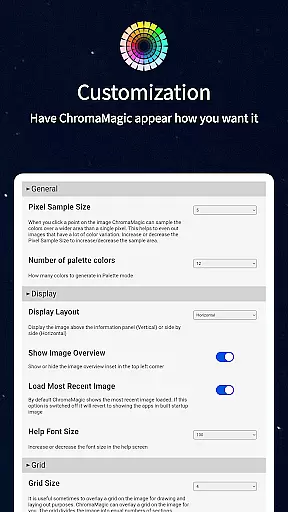
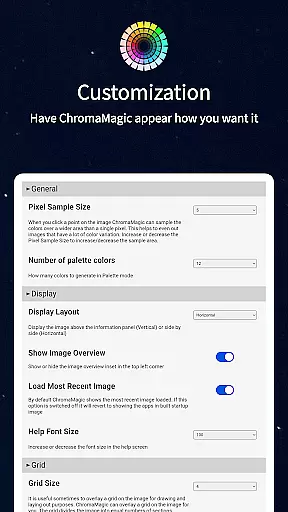
Flexibility in canvas and format options is crucial for artists who need to adapt their work across different mediums and sizes. ChromaMagic addresses this need by providing a versatile interface that supports zoomable, pannable images, making it easy to work with detailed areas of large artworks or references without losing sight of the bigger picture.
Moreover, the ability to use ChromaMagic on various devicesu2014from desktops to tabletsu2014ensures that artists can seamlessly transition from studio work to on-the-go creativity. Whether you're at home, commuting, or even painting en plein air, the app's cross-device compatibility means your color tools are always within reach.
Additionally, ChromaMagic's drag-and-drop functionality streamlines the workflow by allowing quick file imports, while its offline capabilities mean you won't be constrained by internet access. This level of flexibility empowers artists to focus on their creative process without technical hindrances, ensuring that every artistic endeavor is met with the right tools and settings.
Accurate color readings
Multiple viewing modes
Offline functionality
Device versatility
User-friendly interface
Steep learning curve
Premium price point
Advanced features overload
Limited beginner guidance
Resource intensive

Text to Image, Image to Video & AI Chat
 4.20
4.20
Remove Background, Magic Eraser, Photo Enhancer, Story Templates, Collage Maker
4.30
Your Essential Color Theory Guide: Red, Yellow, Blue (RYB)
4.2
Convert image to JPG PNG HEIC PDF, support almost all kinds of image formats
4.70
Draw beautiful mandala's very easily
4.60
2D animation studio for Android tablets - unlimited layers, infinite timeline
4.70
Bring One UI 8.5 Icons to life -elegant dark icons with a modern, premium touch.
4.30
Video AI: Revolutionize Your Content Creation with Advanced Video Generation
4.50
Draw, make movies & animate cartoons easily with our 2D animation maker app
4.40
Learn how to draw with step-by-step tutorials, fun lessons & multiplayer drawing
4.70
Photo editor for art, avatars, filters & fun transformations.
4.60
Create neon drawing with magic doodle and fun doodle art effects!
4.50
Painting, drawing, & sketching
4.50
Create Logos, Tattoos, AI Art & more with our AI Photo Generator & Design Editor
4.20
Unleash the artist in you with our AR drawing and tracing tool for photo drawing
4.10
Get creative and make art with your Sesame Friends!
4.00
AI Art Generator transforms your words into AI generated art & paintings.
3.70
Create cute cat emojis & PFPs! Fun, custom avatars for cat lovers.
3.70
Premium version of Shimeji-ee app with no ads & no limit active shimeji
4.5


User Reviews