
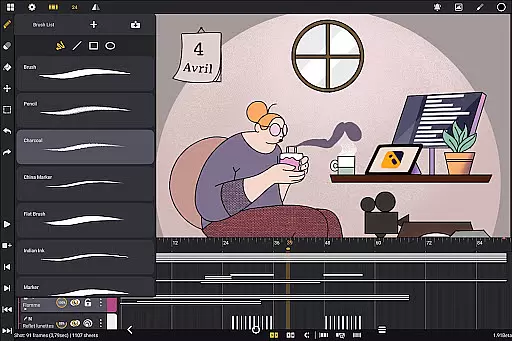
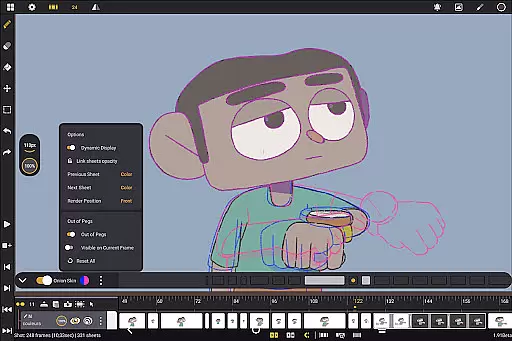
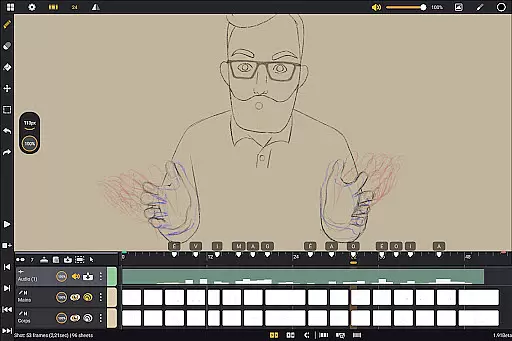
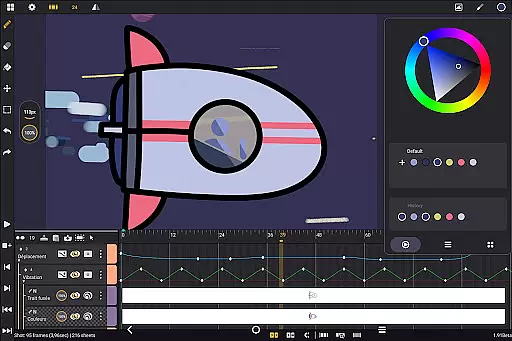
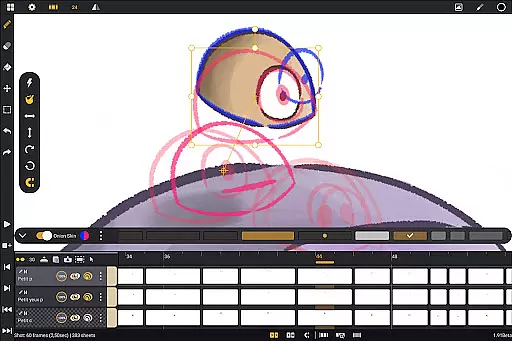
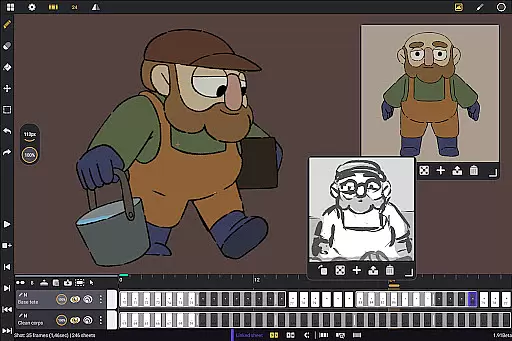
Callipeg is a professional-grade 2D hand-drawn animation application tailored for both seasoned animators and beginners. It transforms Android devices into portable animation studios by offering essential tools for frame-by-frame animation, storyboarding, and complete shot production. The app supports stylus input and is optimized for tablets, ensuring an intuitive and natural drawing experience.
With features like studio-like organization, adjustable frame rates up to 60fps, and canvas sizes reaching 4K resolution, Callipeg meets industry standards. Animators can work with unlimited layers, comprehensive drawing tools, and advanced onion skinning capabilities. The customizable workspace and flexible import/export options in multiple formats make it a versatile choice for various animation needs.
Whether creating feature-quality animations or simple sketches, Callipeg provides the necessary tools to streamline workflows. Its one-time purchase model, active development with regular updates, and supportive community resources make it an attractive option for professionals and hobbyists alike.
Callipeg stands out with its robust set of features designed to support every stage of the animation process. The app's studio-like organization allows users to manage shots, scenes, and folders efficiently using drag-and-drop functionality, color tags, and filters. This organizational structure, combined with an integrated search function, ensures that assets are always easy to locate and manage.
The app offers unparalleled flexibility with adjustable frame rates ranging from 12 to 60 frames per second and canvas sizes up to 4K resolution. Unlimited layer support accommodates various media types including drawing, video, transformation, audio, and group layers. These features, along with comprehensive drawing tools such as customizable brushes and advanced color management, provide animators with everything needed for detailed and expressive work.
Additional tools like onion skinning with adjustable opacity, gesture-based playback controls, and a fully customizable workspace enhance productivity. Users can tailor the interface for left- or right-handed use, position sidebars as preferred, and import reference images. Flexible export options in multiple formats (.mp4, .gif, .png, etc.) ensure compatibility with industry-standard software, while learning resources and community support help users maximize their creative potential.
In the realm of digital art and animation, having a comprehensive set of creative tools is essential for bringing ideas to life. Callipeg stands out by offering a full suite of features that cater to both professional animators and beginners alike. The app provides an extensive range of drawing instruments including pencils, charcoal, and ink brushes, each customizable with settings for smoothing, tip shape, and texture.
Moreover, Callipeg supports unlimited layers of various types such as drawing, video, transformation, audio, or group layers. This flexibility allows artists to import images, video clips, and audio files, facilitating techniques like rotoscopy or lip-syncing. With support for high frame rates and canvas sizes up to 4K, creators can work on projects that meet industry standards without compromise.
The inclusion of studio-like organization features further enhances the creative process. Users can arrange shots through drag-and-drop actions, organize them into scenes and folders, and apply color tags and filters for efficient asset management. Such meticulous attention to workflow optimization ensures that artists can focus on their craft without being hindered by disorganization.
Flexibility in canvas size and format compatibility is crucial for accommodating diverse artistic visions and technical requirements. Callipeg addresses this need by providing a large canvas option that supports resolutions up to 4K, catering to professionals who demand high-quality outputs. Artists can adjust frame rates to their preference, choosing from standard options like 12, 24, 25, 30, or even 60 frames per second, ensuring smooth animations tailored to specific project needs.
Beyond resolution and frame rate settings, Callipeg excels in format versatility. The app enables exporting animations in multiple formats including .mp4, .gif, .png, .tga, .psd, and .peg. Additionally, it facilitates importing and exporting project files in widely recognized formats such as .json, .xdts, and .oca, preserving timing and layer structures across different software platforms used within the industry.
This adaptability extends to the user interface as well. Creators can customize their workspace by switching between right- and left-handed modes, positioning sidebars according to personal preference, and importing unlimited reference images. These features collectively empower users to tailor their digital environment to best suit their unique working styles and project demands.
Professional-grade tools
No subscription model
Active feature updates
Stylus support
Industry-wide trust
Android-only platform
Complex for beginners
Limited language support
High system requirements
Occasional bugs

Customizable Outlined Fonts. Watch Face Format. Battery friendly Digital Clock.
 4.20
4.20
Create sweet, cool and unique couple avatars easily, in just a few steps!
3.40
Art of Combination Wear OS Watch Faces
4.1
Convert image to JPG PNG HEIC PDF, support almost all kinds of image formats
4.70
Make your phone cooler and have a fantastic experience
4.80
Nano Banana AI Image Generator, Anime Filter, AI Portrait, AI Photo Generator
4.30
Novices can also easily complete diamond painting masters
4.70
Resize photos and print photos in exact size with our powerful photo printer!
3.80
Everything you need to create hand drawn animation, anywhere you go!
4.40
Get an overview over all your embroidery threads, projects and more.
4.60
Create color palette from Image, RGB & RYB Color wheel harmonies, Color Scheme
4.50
The perfect place to start sketching! Use Sketchbook to draw and paint sketches.
4.50
Kling AI is an image and video generation and editing studio powered by AI.
4.50
Stylish letters, Stylish Keyboard, Symbols, Emojis, Cool nickname
4.40
Draw, make movies & animate cartoons easily with our 2D animation maker app
4.40
OneUI 8.5 icons ✨ Smooth, modern & based on the latest Play Store design ??
4.10
Experience next-gen icons with a modern liquid glass look.
3.60
Premium version of Shimeji-ee app with no ads & no limit active shimeji
4.3
Your Essential Color Theory Guide: Red, Yellow, Blue (RYB)
4.3


User Reviews