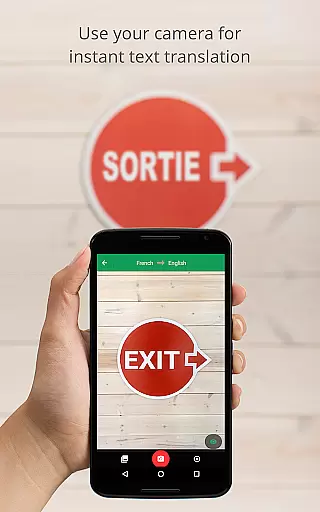
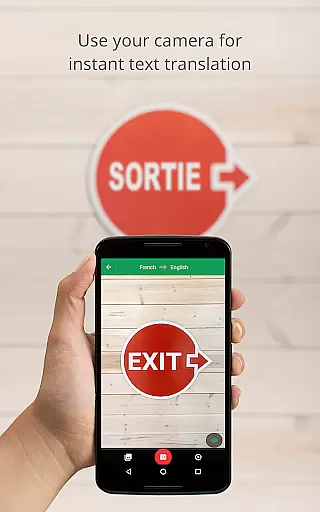
Google Translate is a versatile translation tool that supports text translation between 108 languages. The app offers multiple ways to translate, including typing, tapping to translate copied text, and translating offline in 59 languages. With its instant camera translation feature, users can point their device's camera at text to get real-time translations in 94 languages.
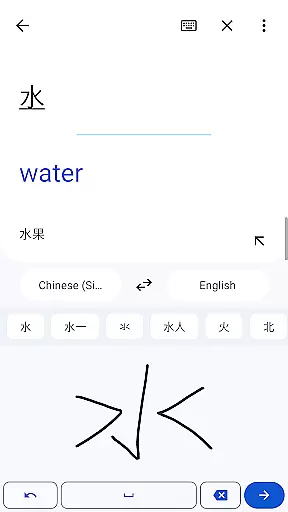
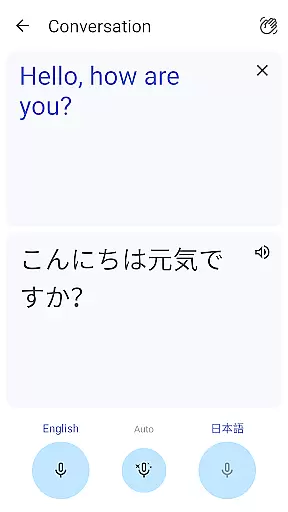
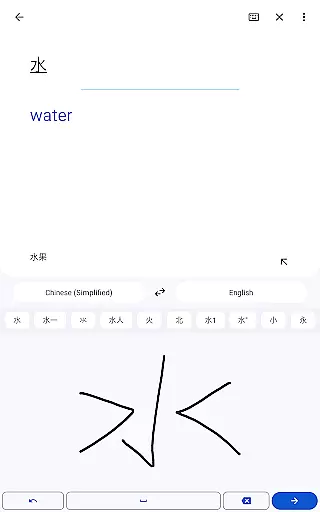
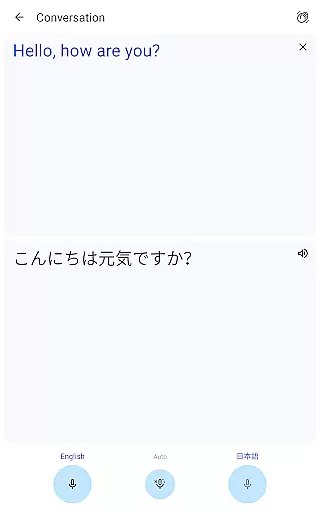
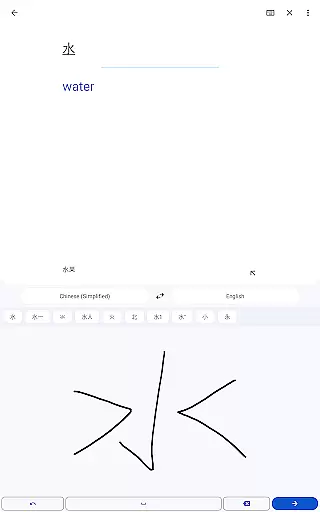
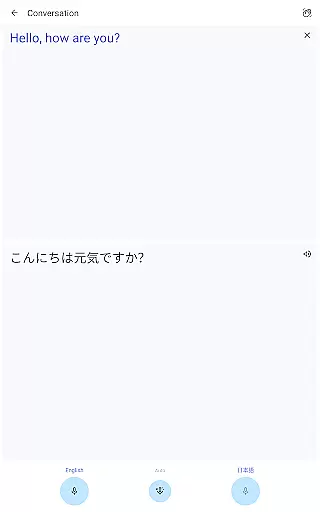
In addition to text-based features, Google Translate also provides photo translation for higher quality results, bilingual conversation translation in 70 languages, and handwriting recognition in 96 languages. The phrasebook feature allows users to save frequently used translations, while cross-device syncing ensures seamless access across devices. The app even includes a transcription feature for near real-time spoken language translation in 8 languages.
This application is particularly useful for travelers, international business professionals, and anyone communicating across language barriers. By providing quick and accurate translations through various input methods, Google Translate helps users overcome language obstacles in their daily lives.
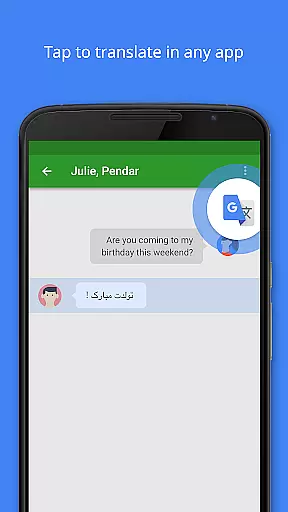
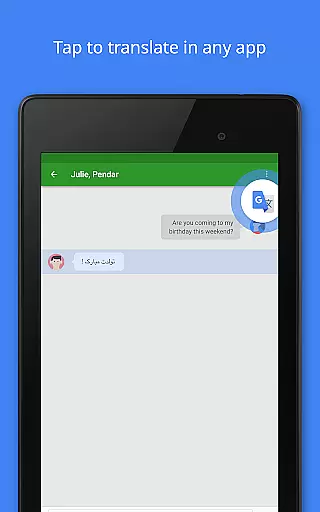
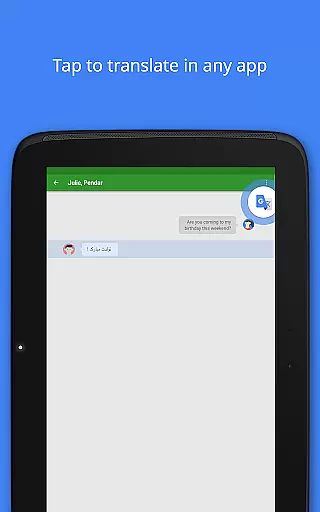
One of Google Translate's standout features is its multi-modal translation capabilities. Users can choose from several input methods including keyboard typing, handwriting recognition, and voice input. The Tap to Translate function allows seamless translation of copied text from any app, making it easy to understand foreign language content on the go.
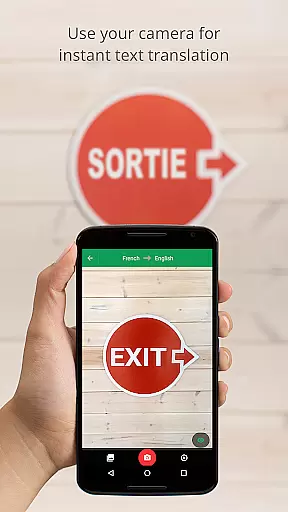
The app's offline functionality is another key advantage, enabling translations in 59 languages without an internet connection. This is particularly valuable when traveling or in areas with limited connectivity. The instant camera translation feature uses advanced optical character recognition to provide real-time translations of text in images, supporting 94 languages.
For more complex translation needs, the app offers conversation mode for real-time bilingual communication, a phrasebook for saving favorite translations, and a transcription feature for spoken language translation. These features work together to create a comprehensive translation solution that adapts to various user scenarios and preferences.
Google Translate's core functionality lies in its ability to deliver accurate translations across 108 languages. This is achieved through Google's advanced machine learning algorithms, which continuously improve based on user interactions and feedback.
The app offers multiple translation methods including text input, camera-based instant translation, and even transcription of spoken language. Each method is optimized for precision, ensuring users receive reliable translations whether they're typing, speaking, or capturing text via the camera.
Offline translation capabilities further enhance the app's effectiveness, allowing users to access translations in 59 languages without an internet connection. This feature is particularly valuable for travelers and individuals in areas with limited connectivity.
With specialized features like bilingual conversation mode and handwriting recognition, the app caters to diverse user needs while maintaining consistently high translation quality across different use cases.
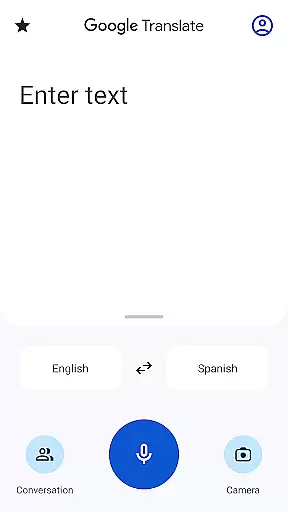
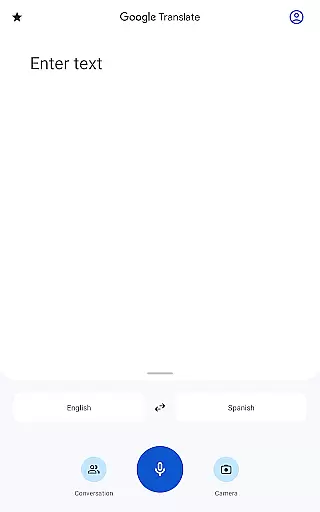
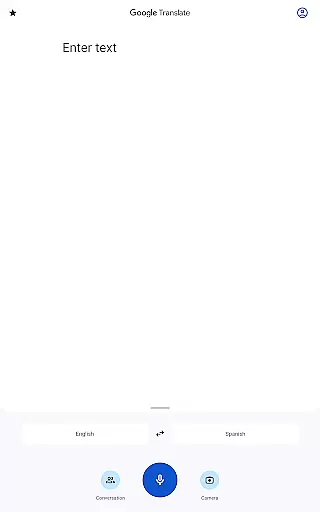
The interface of Google Translate has been carefully designed to provide a seamless user experience. The main translation screen presents a clean layout with clear language selection menus and a prominent input area, making it easy for users to initiate translations quickly.
Tap to Translate functionality demonstrates the app's commitment to intuitive design. Users can copy text in any application, and a simple tap on the translate icon provides immediate results without switching between apps.
Additional features such as the phrasebook and offline mode are accessible through straightforward navigation paths. The app maintains consistency in its design language across different sections, helping users understand and utilize various functions without extensive learning.
Despite offering complex translation capabilities, the app successfully hides much of this complexity behind simple, approachable interfaces that cater to both casual users and those requiring more advanced translation services.
Wide language support
Offline functionality
Real-time camera translation
Accurate speech recognition
User-friendly interface
Limited offline languages
Occasional translation errors
Requires storage space
Some features need internet
Voice translation delay

 4.50
4.50
Transfer Files, APK from Phone to Watch & Install.
4.1
Use your phone as a webcam on your computer over WiFi or USB.
4.40
Forza Tuning Calculator App for Forza Horizon 5, Motorsport and Earlier Titles
4.40
An easy-to-use calculator designed to save time calculating and bending conduit
4.30
Undelete and recover your lost or deleted files with DiskDigger!
3.40
Support Fossify apps with a warm thank you!
5.00
Play your X-Box games remotely in 1080p with any controller and zero latency
4.60
Clean up your phone, find files, play media, and share files offline
4.50
Remote Play with FSR upscaling, low latency & full controller support
4.80
Extremely fast, secure, and protects your privacy
4.80
NFC Tools can read and write NFC tags.
4.70
Planner and Tracker for Stardew Valley
4.60
Game Booster, GFX Tool is now compatible with newer game update
4.50
Clean up large files and similar photos, fast and easy to use
4.40
Family Locator, Share location, StayConnect with your family in real time
3.90
Smart and comfortable browsing experience.
3.80
This app unlocks the Pro features of the Central for DayZ app
3.60
Unlock your Essential Key. Create custom shortcuts to your favorite apps!
4.2


User Reviews