
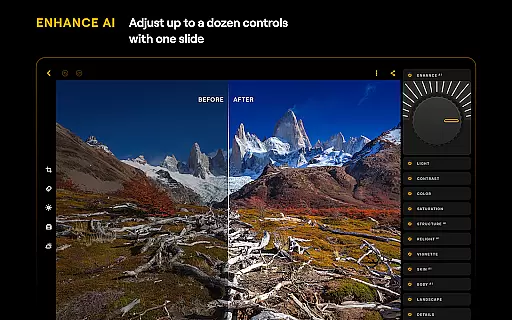
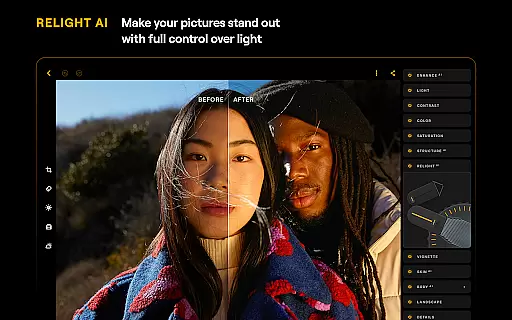
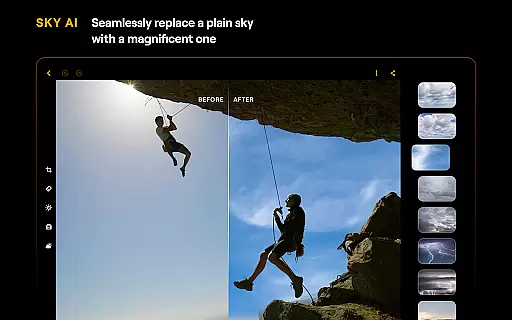
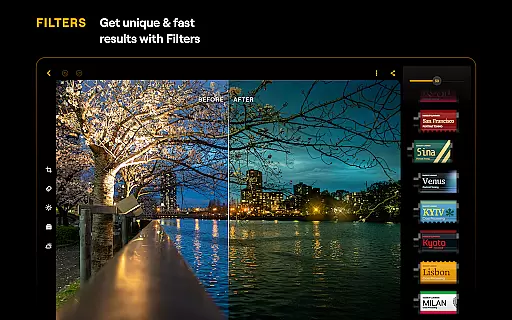
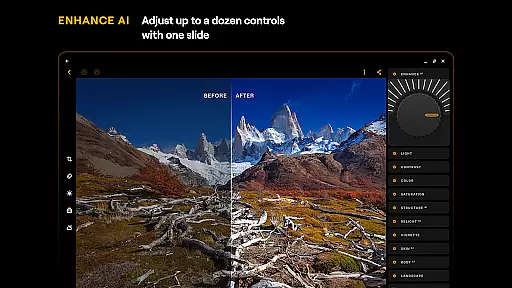
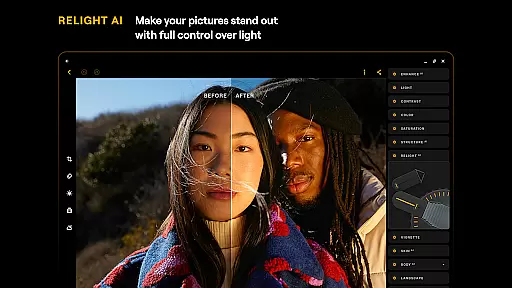
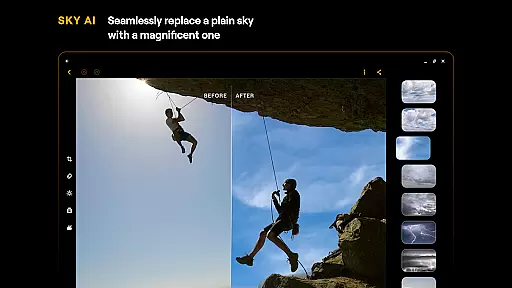
Luminar: Photo Editor is a comprehensive mobile photo editing application designed for both Android and ChromeOS users. This app combines powerful AI-driven tools with an intuitive, interactive interface that responds to touch gestures, providing a seamless editing experience. The streamlined design features smoothly gliding sliders and spinning dials that make photo editing more engaging and less complicated.
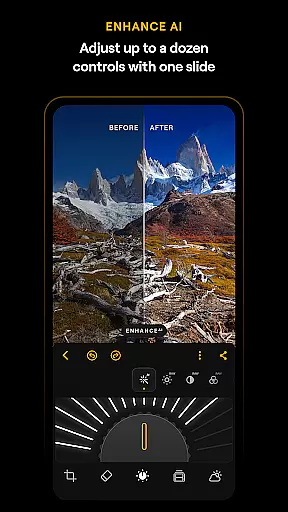
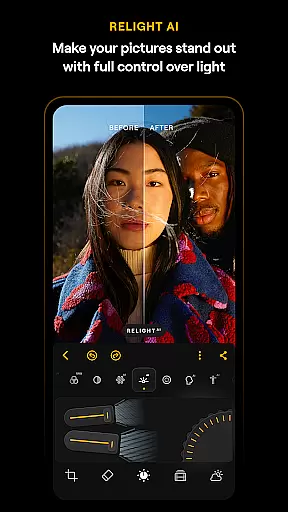
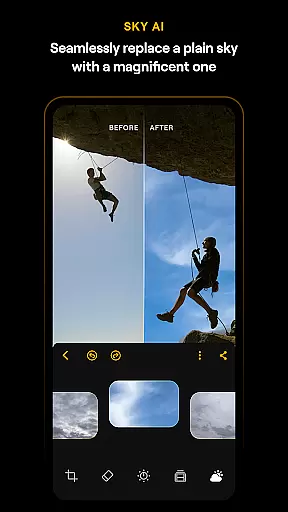
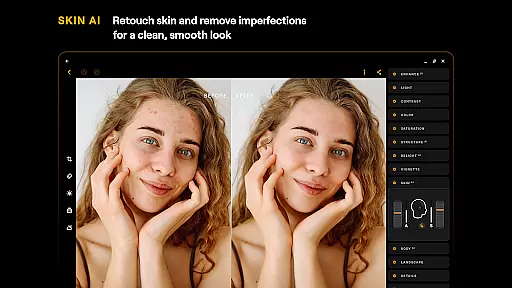
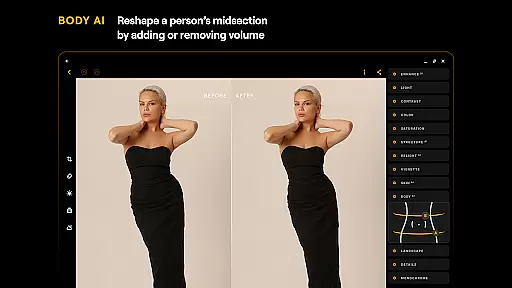
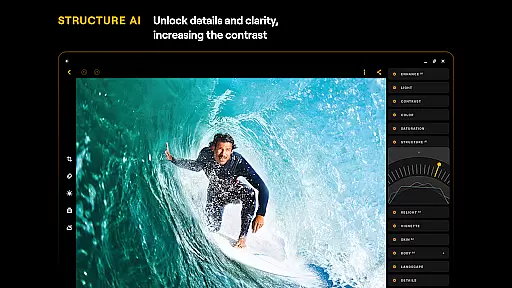
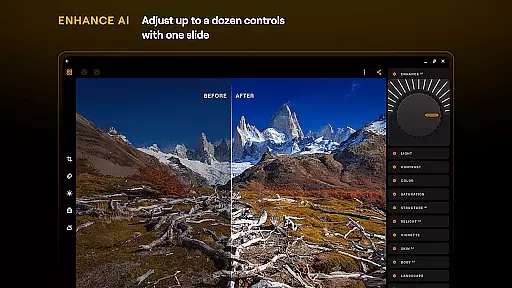
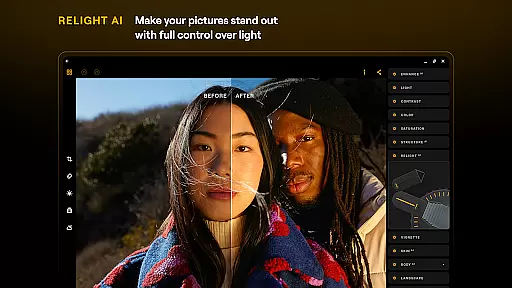
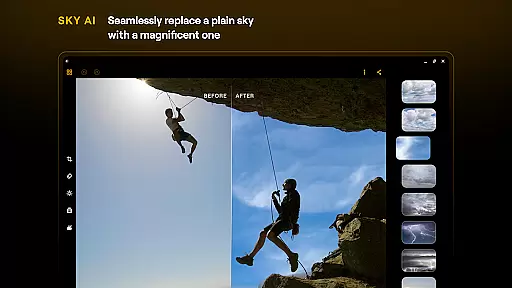
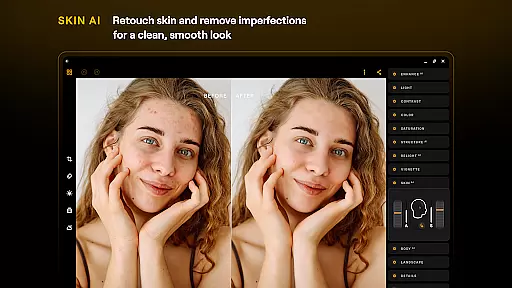
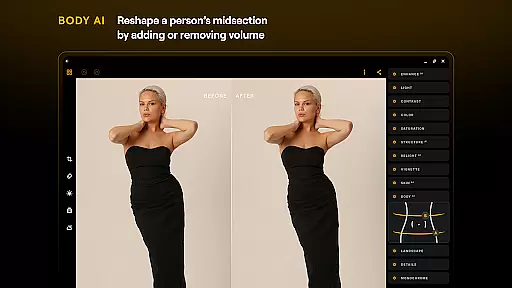
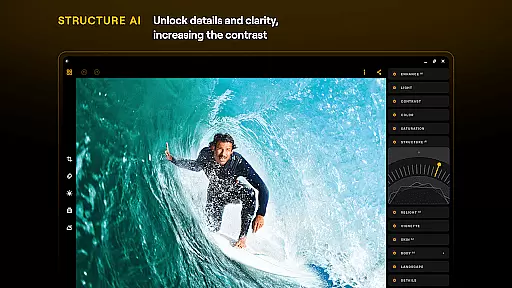
With its smart AI enhancements, Luminar offers several innovative features such as SkyAI, EnhanceAI, StructureAI, RelightAI, SkinAI, and BodyAI. These tools allow users to replace skies, enhance photo quality, unlock hidden details, control exposure, retouch skin, and shape subjects' midsections realistically. Additionally, the app includes advanced editing options like Curves, Details, Crop, Landscape, Monochrome, Erase, and Photo Filters, making it an all-in-one powerhouse for photo editing needs.
The app supports RAW file editing and is optimized for devices running on ChromeOS and Android 11 or newer. Whether you're a beginner or a professional photographer, Luminar: Photo Editor provides a range of features including detail enhancement, color adjustment, and photo retouching. Its compatibility with various devices ensures a smooth and responsive interface, enhancing your creative workflow wherever you go.
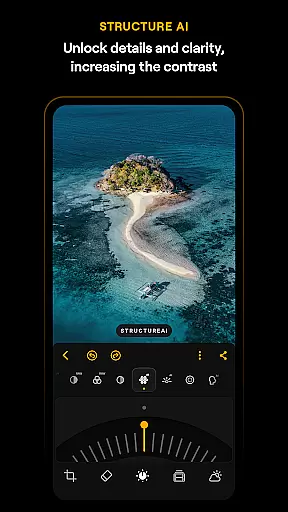
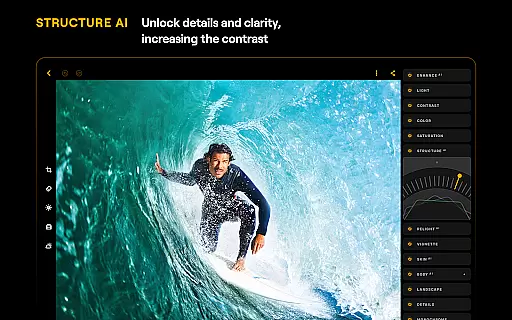
Luminar: Photo Editor stands out with its array of sophisticated features tailored to meet diverse photo editing needs. One of the key highlights is its AI-driven tools, which include SkyAI for sky replacement, EnhanceAI for quick quality adjustments, StructureAI for detail enhancement, RelightAI for dynamic lighting control, SkinAI for automatic skin retouching, and BodyAI for realistic body shaping. These AI features ensure professional results with minimal effort, allowing users to achieve impressive edits in seconds.
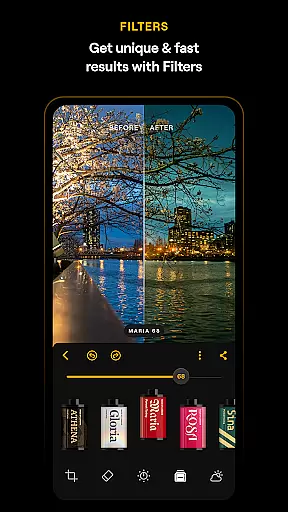
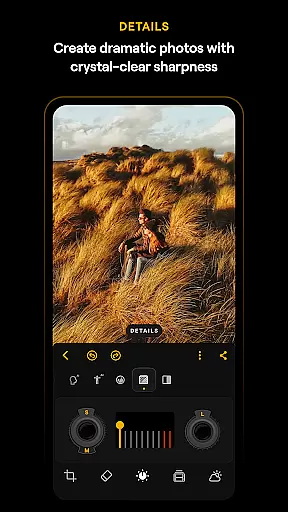
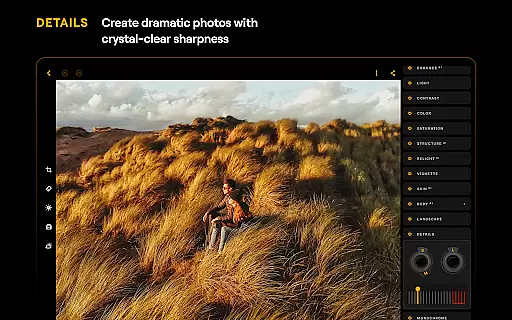
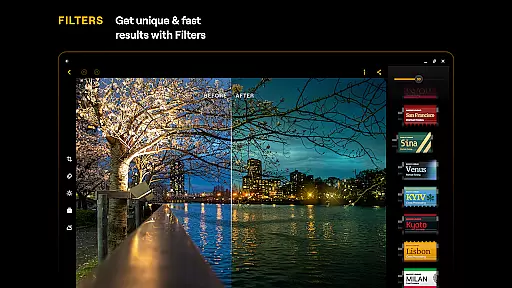
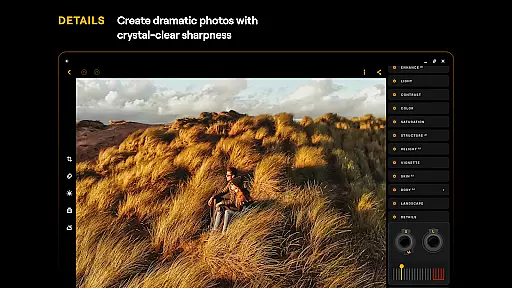
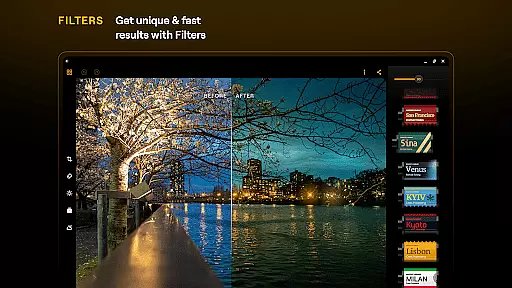
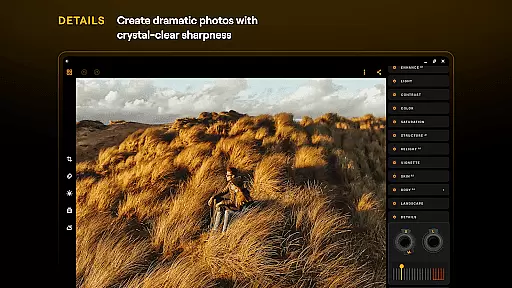
In addition to AI tools, Luminar offers precise manual controls such as Curves for color and tone adjustments, Details for clarity enhancement, and Crop for perfect composition. Users can also transform landscapes, convert images to monochrome, and remove unwanted elements with ease. The inclusion of a diverse collection of photo filters adds unique styles to shots, while RAW file support enables high-quality post-processing directly on mobile devices.
Designed specifically for Android and ChromeOS, Luminar ensures seamless integration and a smooth user experience. The app's responsive interface and motion-responsive controls provide unparalleled precision and creativity. Whether editing on a phone or Chromebook, users benefit from a streamlined workflow that enhances productivity and fosters artistic expression.
Real-time capture and preview functionality is essential for ensuring that photographers can accurately frame and adjust their shots on the go. Luminar: Photo Editor offers a seamless experience by providing users with an interactive interface that responds to touch, allowing for intuitive photo editing directly on Android and ChromeOS devices.
The application's design emphasizes smooth operation, featuring responsive sliders and dials that react realistically to user input. This tactile feedback, combined with sound effects, creates an engaging editing process that feels natural and precise. Photographers can make instant adjustments to their images, seeing changes reflected immediately in the preview window.
With compatibility across devices running Android 11 or later, as well as ChromeOS with Android Runtime support, Luminar ensures that users have access to powerful editing tools regardless of their hardware. The real-time capabilities enable creatives to work efficiently, making it possible to edit high-quality photos anytime, anywhere.
This immediate visual feedback not only enhances the creative workflow but also allows users to experiment more freely with their edits. By delivering professional results quickly, Luminar empowers both amateur and professional photographers to produce stunning images without the need for extensive post-processing knowledge.
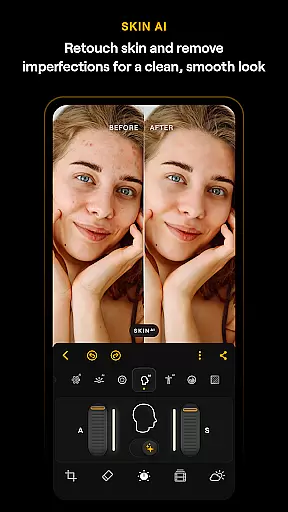
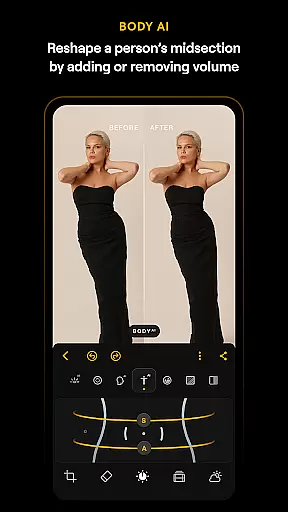
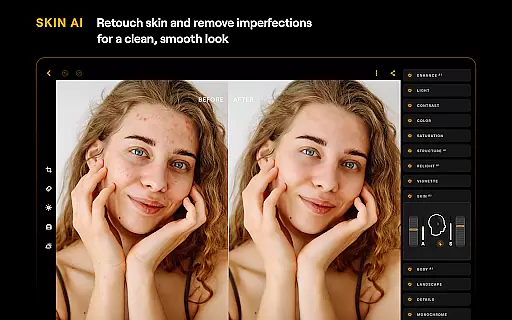
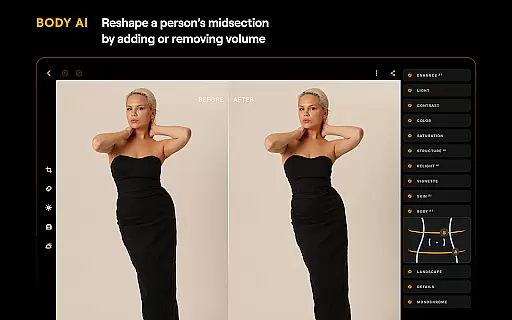
AI-driven beauty and enhancement features are revolutionizing mobile photo editing by offering natural-looking improvements without compromising the authenticity of the original image. Luminar: Photo Editor incorporates advanced AI tools like SkinAI and BodyAI, which automatically retouch skin imperfections and adjust body proportions in a realistic manner.
These smart enhancements go beyond basic filters, providing users with precise control over various aspects of their photos. For instance, SkinAI removes blemishes while maintaining the texture and character of the subject's skin, resulting in a clean yet genuine appearance. Similarly, BodyAI allows for subtle reshaping of a subjectu2019s midsection, ensuring that edits look natural and proportional.
Luminaru2019s AI technologies are designed to be intuitive, enabling even beginners to achieve professional-grade results with minimal effort. By simply adjusting sliders, users can enhance color, tone, and clarity, transforming ordinary snapshots into captivating images. This ease of use democratizes high-quality photo editing, making it accessible to everyone.
Ultimately, these AI-powered enhancements preserve the integrity of the original photograph while elevating its aesthetic appeal. Users can confidently share their edited photos, knowing that the modifications enhance rather than distort the reality captured in each shot.
User-friendly interface
Advanced AI tools
Comprehensive editing options
Supports RAW files
Cross-platform compatibility
Paid subscription required
Auto-renewal by default
Limited free features
High system requirements
Occasional performance issues

Shooting photos and records video easily and efficient with professional Camera
 4.30
4.30
Safe & smart flight with Go Fly drone controller for 40+ drone camera, zone map
4.50
The #1 app for B&W film developing featuring an advanced darkroom timer.
4.10
Gallery Slideshow is slideshow maker app for slideshow from your gallery photos.
3.90
Future baby face generator: AI kids generator, kid face! What my baby look like?
4.40
AI photo enhancer with Sora 2! Enhance, descratch, and colorize your old photos.
4.50
Use AI Video Generator to turn your words to ai generated videos.
4.50
Remote control the phone camera shutter from your smartwatch and take a picture
1.60
Discover & download millions of art for The Frame TV or Hisense CanvasTV
4.60
Take videos and pictures with the popular TikTok TIME WARP SCAN filter.
4.60
Light-weight Media Gallery app for Android made with Jetpack Compose
4.60
Transform photos into videos! Create realistic or anime-style images easily!
4.50
Edit like a pro with Hypic. Apply filters, AI effects, & magic touch.
4.40
AI portrait generator and polaroid AI selfie, fun AI generated AI photo creator!
4.30
Turn your phone into a professional camera - full DSLR manual photography
4.30
Virtual makeup, hair filters & body tuner—edit from face to full body!
4.20
A light meter for true photographers.
4.20
Pet Camera
3.70
Create amazing frames with up to five photos. Rounded corners, effects and more!
3.60


User Reviews