


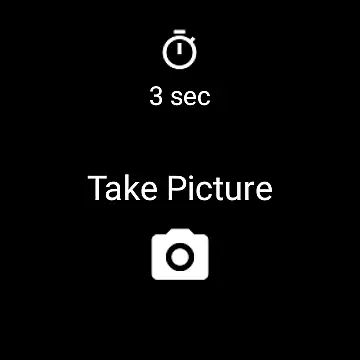
Camera Remote Watch is a smart photography app designed to enhance your mobile photography experience. This application allows users to remotely control their phone's camera shutter directly from a smartwatch, eliminating the need to physically touch the phone. By simply tapping the Camera button on the watch app, users can capture photos that are automatically saved in the phone's gallery while also being previewed on the watch itself.
The app supports both Android and Wear OS smartwatches, making it versatile for various devices. It offers practical solutions such as ensuring proper connectivity between devices and managing display issues during photo downloads. With its intuitive interface and seamless integration, Camera Remote Watch provides an innovative way to take pictures, especially in situations where stability or distance from the phone is required.
One of the standout features of Camera Remote Watch is its ability to trigger the phone's camera shutter remotely via a smartwatch app. This functionality is particularly useful for taking steady shots or group photos without needing to hold the phone. The app ensures that every photo taken is automatically stored in the phone’s gallery, accessible through the Android Gallery app, while also providing an immediate preview on the smartwatch.
Another notable feature is its compatibility with Wear OS smartwatches, broadening its usability across different platforms. Users can adjust the camera settings on their phone before capturing images, ensuring optimal photo quality. Additionally, the app includes helpful resources like video tutorials and FAQs available on its official website, http://www.cameraremotewatch.com/, which guide users through setup and troubleshooting steps.
While using the app, users should ensure their devices remain connected and be patient during photo transfers, as the process may take time depending on the watch's speed. These features collectively make Camera Remote Watch a powerful tool for photographers seeking convenience and flexibility in their photography workflow.
Real-time capture and preview functionality is essential for ensuring that every photo taken meets the user's expectations without delay. Camera Remote Watch excels in this area by allowing users to remotely control their phone's camera from a smartwatch, providing instant feedback on the shot taken.
This application facilitates seamless interaction between your watch and phone, enabling you to adjust the camera view directly from your phone before taking a picture. Once ready, simply tap the Camera button on your watch to trigger the phoneu2019s camera shutter, capturing the moment instantly.
The captured image is promptly displayed on both the phone's gallery and the watch itself, offering immediate visual confirmation. This dual-display feature ensures that users can quickly verify if the photo meets their standards or if another attempt is necessary, enhancing the overall photography experience.
By integrating with Wear OS smartwatches, Camera Remote Watch guarantees compatibility and performance across various devices. This makes it an invaluable tool for photographers who demand precision and immediacy in their work, ensuring they never miss a crucial moment due to device limitations.
While Camera Remote Watch does not explicitly market itself as an AI beauty enhancement tool, its ability to provide natural-looking photos cannot be overlooked. The app focuses on delivering authentic captures by maintaining the original quality of images, thus preserving the natural essence of subjects within the frame.
Users benefit from the straightforward approach of the application, which avoids over-processing images. Instead, it emphasizes real-time capture and accurate representation, ensuring that each photograph reflects genuine moments without artificial alterations.
For those seeking subtle enhancements while retaining authenticity, the app offers practical solutions through its simple yet effective interface. By focusing on core functionalities like remote shutter control and instant previews, it allows users to concentrate on composition rather than post-processing effects.
Moreover, the integration with Androidu2019s Gallery app ensures that all photos are stored efficiently, allowing easy access for further editing if desired. Thus, Camera Remote Watch stands out by prioritizing natural beauty and true-to-life imagery over excessive digital manipulation, catering to purists who appreciate unaltered memories.
Remote shutter control
Instant photo preview
Wide device compatibility
User-friendly interface
Helpful online resources
Slow photo transfer
Limited unsupported phones
Requires stable connection
No advanced editing tools
Watch screen limitations

Remote control of the phone camera from your Wear OS smartwatch
 3.70
3.70
Photo Album Watch Face shows your favorite pictures as a Watchface.
1.90
Safe & smart flight with Go Fly drone controller for 40+ drone camera, zone map
4.50
Application for remote controlling DSLR
3.00
All-in-One Editor & AI Photo Enhancer, Collage, Cartoonify, Funny Stickers & BGS
4.10
Collage your moments in one tap: 1000+ layouts, filters, stickers, and texts.
4.90
Easily view, share, delete photos with Gallery.
4.70
Use AI Video Generator to turn your words to ai generated videos.
4.50
Effortlessly make high-quality GIFs from images & videos without any watermarks.
4.70
Automatically backup your photos and videos to computer, NAS and Cloud services
4.60
A must-have app for landscape photographers
4.60
Easily create custom gifts, cards, photo books & more on the Shutterfly app!
4.60
Discover & download millions of art for The Frame TV or Hisense CanvasTV
4.60
Create AI photos & videos with Enhancer; restore, fix, beautify, enhance photos
4.50
Trendy TikTok time warp scan funny filter app brings you unique photos & videos.
4.40
Hair color changer, AI haircut app, fun hair editor and buzz cut filter for all!
3.80
Perfect photos with body shaping, BG changer and object remover.
3.70
Professional video recording application with manual controls for filmmakers!
2.80
Raw Image Viewer. Gallery with support of raw images (.cr3, .cr2, .nef, .raf).
2.00


User Reviews