
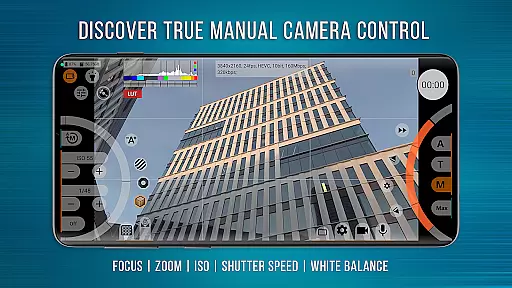
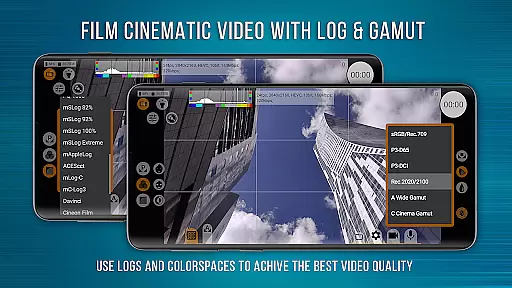
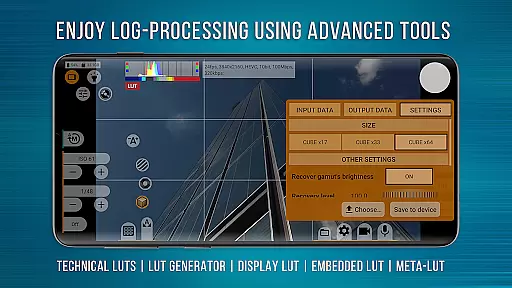
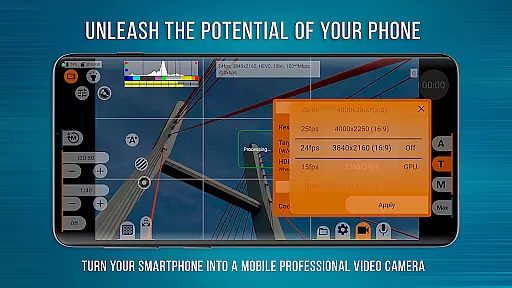
mcpro24fps Manual Video Camera is a professional-grade video camera app designed exclusively for Android devices. It offers advanced cinematic capabilities that were previously only available in professional camcorders. With features like 10-bit shooting, Log recording without GPU activation, and programmable focus and zoom controls, this app opens up new creative possibilities for videographers.
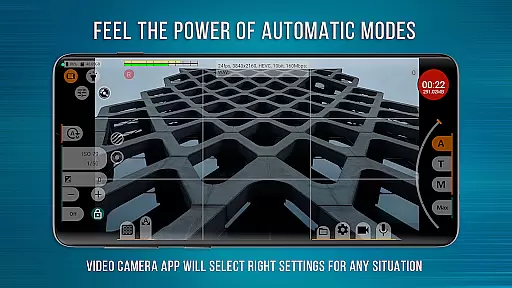
The application supports a wide range of professional tools including technical LUTs, on-screen LUT for precise framing, and spectral and zebra exposure controls. Videographers can also enjoy advanced audio settings, responsive interface design, and reliable automatic modes alongside convenient manual controls. mcpro24fps transforms your smartphone into a powerful cinema camera, ideal for creating festival films, music videos, live reports, commercials, and more.
This app is particularly suited for professional videographers who require extensive control over their filming process. By leveraging the technical capabilities of modern Android smartphones, mcpro24fps enables users to produce high-quality cinematic content directly from their mobile devices.
One of the standout features of mcpro24fps is its ability to shoot in 10-bit color depth, supporting HLG/HDR10 HDR video on compatible devices. This allows videographers to capture footage with greater color accuracy and dynamic range. Additionally, the app provides numerous Log modes tailored for various shooting scenarios, ensuring optimal image quality during post-production.
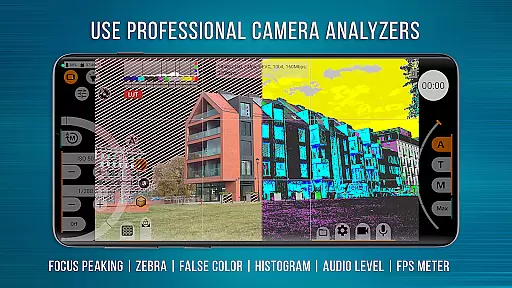
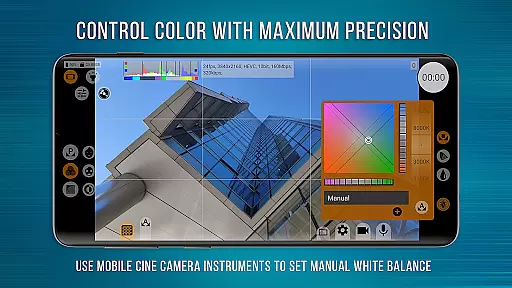
The app includes advanced functionalities such as focus peaking and expo peaking for complete frame control, along with spectral and zebra tools for effortless exposure management. Users can adjust white balance settings in Kelvins and work extensively with metadata. The integration of GPU resources enhances performance by enabling additional noise reduction and image adjustments through tone curves and filters.
Moreover, mcpro24fps offers flexible sound options, including support for different sampling rates and formats like AAC and WAV. Its responsive interface ensures smooth operation even when utilizing complex features, making it an indispensable tool for professional video production on mobile platforms.
Real-time capture and preview functionality is essential for professional videographers who need precise control over their shots. mcpro24fps offers an advanced real-time video processing system that ensures every frame is captured exactly as intended.
The application supports multiple cameras, allowing users to switch between lenses seamlessly while maintaining separate settings for each camera. This flexibility enables videographers to adapt quickly to different shooting scenarios without losing their customized configurations.
With support for high frame rates including 24 fps, 25 fps, 30 fps, and up to 60 fps, the app provides smooth motion capture suitable for cinematic projects. The ability to record in Log profiles through a tone curve further enhances dynamic range, giving creators more flexibility during post-production.
Additionally, features like Focus Peaking and Expo Peaking provide complete frame control, ensuring accurate focus and exposure adjustments. These tools empower users to achieve professional-grade results directly from their smartphones.
While primarily designed for professional video capture, mcpro24fps also incorporates sophisticated enhancement features that maintain natural aesthetics. Unlike typical AI beauty filters, this app focuses on authentic image quality improvements that preserve the original character of the footage.
The application utilizes GPU resources extensively to process technical LUTs (Look-Up Tables) for seamless interpretation of Log footage in post-production. These LUTs help transform flat Log profiles into vibrant images without introducing artificial elements or distortions.
Furthermore, mcpro24fps includes advanced noise reduction algorithms that work both through hardware and additional GPU processing. This dual approach ensures clean visuals while retaining important details, resulting in enhanced but natural-looking footage.
Additional features like Spectral and Zebra tools allow easy exposure control, helping videographers achieve perfectly balanced shots. By combining these professional tools with responsive interface design, mcpro24fps delivers enhanced yet authentic video capture capabilities.
Advanced cinematic tools
Professional Log modes
Extensive manual controls
High-quality audio settings
Responsive user interface
Complex for beginners
Device compatibility issues
High system requirements
Limited free version
No iOS support

Shooting photos and records video easily and efficient with professional Camera
 4.30
4.30
Create funny photos and videos with the popular Time Warp Scan filter.
4.90
The #1 app for B&W film developing featuring an advanced darkroom timer.
4.10
A must-have app for landscape photographers
4.60
Add a dreamy vibe to your selfies and videos with soft style filters
4.3
Create AI photos & videos with Enhancer; restore, fix, beautify, enhance photos
4.50
Turn photos into cartoons & avatars! - Photo Editor, Cartoon Face!
3.90
Astrophotography with your smartphone, photo live stacking and much more!
3.90
Professional camera app that brings DSLR manual photography controls to Android.
4.20
Collage your moments in one tap: 1000+ layouts, filters, stickers, and texts.
4.90
Cartoon and artistic effects for your photos and videos
4.70
Enhance, upscale, and transform your images — on your device, without limits
4.70
Easily stitch panoramas from multiple photos or video.
4.40
AI portrait generator and polaroid AI selfie, fun AI generated AI photo creator!
4.30
Professional photography on your mobile phone
4.20
Luminar: Photo Editor - easy picture editing with AI
4.20
AI-powered video creator by MiniMax - Where ideas meet cinema
4.20
A light meter for true photographers.
4.20
Gallery Slideshow is slideshow maker app for slideshow from your gallery photos.
3.90


User Reviews