





PicsLeap is an advanced AI-powered photo editing application that offers a comprehensive suite of tools for enhancing, transforming, and personalizing your images. With features ranging from one-tap enhancements to complex double exposure effects, PicsLeap caters to both amateur photographers and seasoned professionals. The app's intuitive interface allows users to effortlessly apply over 100 filters and effects, including retro, film, and black-and-white styles, as well as experiment with light effects and textures.
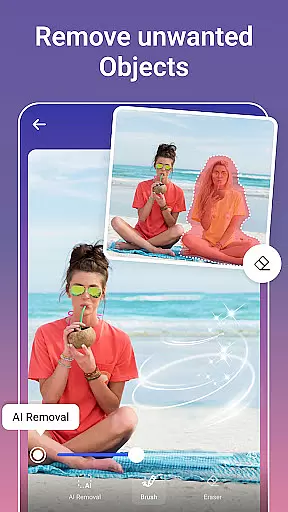
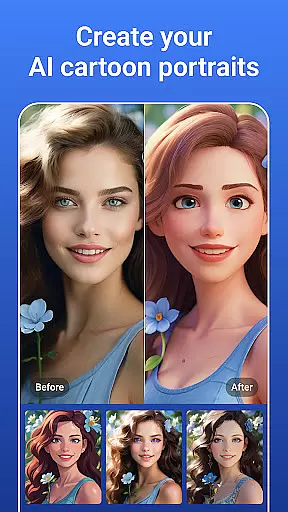
One of the standout capabilities of PicsLeap is its powerful AI-driven tools such as Magic Eraser, AI Face Swap, and AI Cartoon Filters. These innovative features enable users to remove unwanted objects, swap faces between photos, and transform images into cartoon-style artwork with minimal effort. Additionally, PicsLeap provides essential editing tools like HSL, Curve, and Split Tone adjustments, allowing for precise color correction and enhancement.
Whether you're looking to restore old photographs, create stunning collages, or produce professional-quality social media content, PicsLeap delivers the tools necessary to bring your creative vision to life. Its ability to produce watermark-free, high-resolution images makes it an ideal choice for sharing your work on platforms like Instagram and Facebook.
PicsLeap distinguishes itself through a rich array of sophisticated yet user-friendly features. At the core of its offering is the AI-powered enhancement toolset, which includes One-Tap Enhance, AI Remove Background, and AI Face Swap functionalities. These tools leverage cutting-edge artificial intelligence to simplify complex editing tasks, enabling users to achieve professional-grade results with just a few taps.
The app also excels in creative expression, providing over 100 filters and effects that span various artistic styles, from vintage and retro to modern cinematic looks. Users can further customize their images with unique light effects, double exposure overlays, and background blur options. For those seeking more advanced control, PicsLeap offers precise color adjustment tools such as HSL, Curve, and Split Tone, allowing editors to fine-tune every aspect of their photos' color balance.
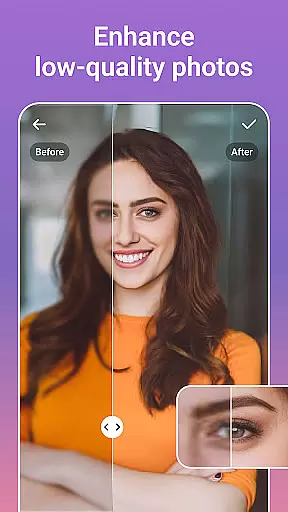
Beyond basic editing, PicsLeap supports comprehensive photo restoration and enhancement capabilities. The app can boost resolution, clean up pixelation, and revive old or damaged photographs while maintaining exceptional quality. Its intelligent object removal feature automatically fills in deleted areas, ensuring seamless edits. Meanwhile, the built-in collage maker and sticker creator provide endless opportunities for creative composition and personalization.
Real-time capture and preview functionality is essential for any photography app, allowing users to see exactly what their final image will look like before taking the shot. PicsLeap offers a seamless experience with its advanced AI-powered real-time effects that can be applied instantly to the camera feed.
The app's sophisticated algorithms ensure that all filters and adjustments are rendered smoothly and accurately on the preview screen. This means that whether you're applying complex double exposure effects or simple color corrections, what you see in the preview is precisely what you get in the final photo.
For users, this feature translates into greater creative control and efficiency. There's no need for trial and error; each adjustment can be made confidently, knowing that it will reflect accurately in the captured image. This saves time and enhances the overall quality of photos as users can fine-tune settings until they achieve their desired outcome.
Ultimately, PicsLeap's real-time capture and preview capabilities empower photographers of all skill levels to produce professional-grade images effortlessly. By providing an intuitive interface coupled with powerful editing tools, PicsLeap ensures that every snapshot is a true representation of the useru2019s artistic vision.
AI beauty and enhancement features have become a staple in modern photo editing, offering users the ability to refine and perfect their images with minimal effort. PicsLeap stands out by delivering natural-looking enhancements that preserve the authenticity of the original photo while elevating its aesthetic appeal.
The app employs cutting-edge AI technology to intelligently enhance facial features, skin texture, and overall image quality without creating an over-processed look. Tools like One-Tap Enhance and Magic Eraser work harmoniously to remove unwanted elements and highlight the subject's best attributes in a subtle, realistic manner.
Users benefit from these enhancements through improved photo quality that looks genuine rather than artificial. Whether reviving old photos or perfecting new ones, PicsLeap ensures that every edit enhances the natural beauty of the image, maintaining its emotional impact and storytelling essence.
By focusing on naturalness, PicsLeap provides a superior editing experience that respects the integrity of the original photograph. This approach not only boosts user satisfaction but also encourages creative exploration, allowing users to experiment with different styles and effects confidently, knowing their edits will remain lifelike and engaging.
User-friendly interface
Advanced AI tools
Extensive filter library
Professional-grade results
Creative customization options
Occasional processing delays
Limited advanced features in free version
High storage requirements
Subscription fees for premium tools
Learning curve for complex functions

Remote control of the phone camera from your Wear OS smartwatch
 3.70
3.70
Photo editor: face & body editor, beauty cam, filters and quality enhancer.
4.00
What celebrity do you look like? Celebs will find your celebrity match!
4.10
Photo editor: AI filters, photo enhancer, pic collage maker, AI art generator.
4.80
A reflected light meter with spot metering and incident light metering.
4.40
Easily create custom gifts, cards, photo books & more on the Shutterfly app!
4.60
Astrophotography with your smartphone, photo live stacking and much more!
3.90
Snap photos remotely using your Garmin watch as the camera trigger
4.3
Your Family Calendar + Photos. Manage your Skylight Calendar and Skylight Frame.
4.40
A collection of tools and reference tables for DPs, ACs, DITs and Operators.
4.70
Transform photos into videos! Create realistic or anime-style images easily!
4.50
Photo Exif Editor allows to view, add and modify EXIF data of multiple photos
4.50
Movie camera, supports pro recording settings for filming. Try it and be amazed!
4.50
Edit like a pro with Hypic. Apply filters, AI effects, & magic touch.
4.40
Virtual makeup, hair filters & body tuner—edit from face to full body!
4.20
A light meter for true photographers.
4.20
Photobooth mini FULL app will allow you to add more fun to your parties
4.00
Long exposure camera with computational photography
2.60
Raw Image Viewer. Gallery with support of raw images (.cr3, .cr2, .nef, .raf).
2.00


User Reviews