
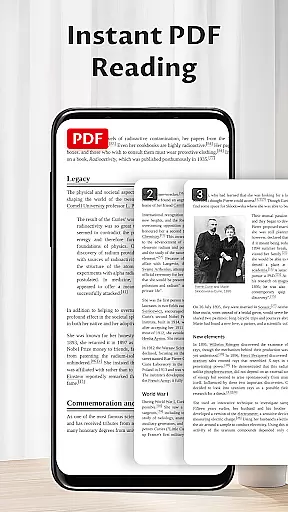
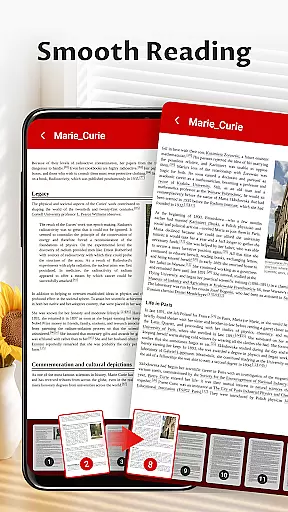
Pocket PDF is a streamlined PDF reader tailored for everyday use, offering users the ability to open, view, and manage PDF documents with remarkable ease. Its minimalist interface ensures a distraction-free experience, making it ideal for those who appreciate simplicity without compromising on functionality.
Designed for efficiency, Pocket PDF supports quick access to local files while enabling easy sharing and deletion of documents. Whether you're a student reviewing lecture notes or a professional managing reports, this app provides a reliable solution for all your PDF needs.
The app's thoughtful design extends to its permission requirements—on Android 11+ devices, Pocket PDF requests only essential permissions to ensure smooth document operations. This commitment to user privacy and performance makes Pocket PDF an excellent choice for anyone seeking a no-fuss PDF reading experience.
Pocket PDF stands out with its clean and efficient design, focusing on delivering core functionalities without unnecessary distractions. The app allows users to quickly open local PDFs stored on their device, ensuring instant access to important documents whenever needed.
One of the key highlights is its minimalist interface, which removes clutter and lets users focus solely on their content. Additionally, Pocket PDF offers convenient features like easy sharing and deletion of files directly from the app, enhancing productivity by simplifying common tasks.
For users on Android 11+ devices, Pocket PDF requires MANAGE_EXTERNAL_STORAGE permission to handle file operations effectively. This permission is used responsibly, ensuring that users can manage their documents securely and efficiently. With these features, Pocket PDF delivers a seamless blend of usability and practicality.
Collaborative work features are essential for modern business applications, enabling teams to work together efficiently regardless of location. Pocket PDF supports this by allowing users to share PDF documents effortlessly within their network.
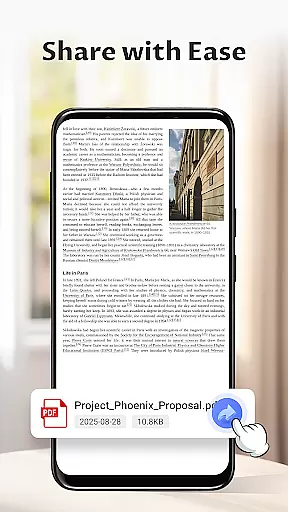
The app's easy sharing functionality ensures that files can be distributed quickly via various methods, including email or cloud services. This makes it simple for team members to collaborate on projects without the need for complex workflows.
Additionally, Pocket PDF maintains document integrity during sharing, ensuring that all collaborators access the same version of the file. This consistency is crucial for maintaining accuracy in collaborative environments.
While the app focuses on simplicity, its sharing capabilities provide a solid foundation for basic collaboration needs, making it a reliable tool for small to medium-sized teams.
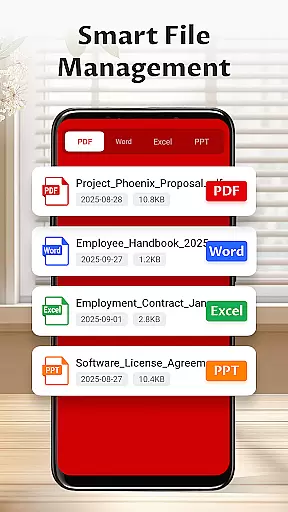
Effective task management is vital for productivity, and Pocket PDF offers features that contribute to organizing and handling document-related tasks efficiently. The app allows users to manage their PDF files with straightforward tools for accessing, deleting, and organizing documents.
With its minimalist interface, Pocket PDF helps users focus on their tasks without distractions. The intuitive design ensures that even those unfamiliar with advanced PDF tools can navigate and manage their files with ease.
The ability to delete unnecessary files directly from the app contributes to better organization, freeing up space and reducing clutter. This feature is particularly useful for maintaining an orderly digital workspace.
While Pocket PDF may not offer advanced project management features, its simplicity and efficiency in handling essential document tasks make it a valuable asset for individuals seeking to streamline their workflow.
User-friendly interface
Quick file access
Efficient sharing options
Minimalist design
Secure permission handling
Limited advanced features
No cloud integration
Basic customization
Restricted format support
Offline-only functionality

Zoom built for Chrome OS
 3.90
3.90
The revolutionary flexible staffing platform
4.40
FX Plus adds media, networking, and cloud capabilities to FX File Explorer.
4.10
Scan Business Cards & Conference Badges - Capture Leads at Events & Tradeshows
4.20
TurboScan turns your phone into a full-featured PDF document scanner.
4.80
Find work, shifts and gigs near you. Jobs lasting a few hours to a few months.
4.30
view, manage, and share every PDF file you have
3.60
Access to Paylocity, empowering employees with information they need 24/7.
4.70
Chat, meet, and collaborate to achieve more together, all in one place on Teams
4.60
Manage Your Shop
4.70
Your employer must have UKG Ready software configured for Mobile.
4.60
Paychex Flex - Save Time and Stay Connected
4.60
Deliver and earn money
4.30
Formerly Facebook Ads Manager. Manage and create ads on the go.
4.20
Smarter career moves start here. AI job alerts, insights & the right tools.
4.20
The All-in-One File Manager for Phone, TV, Watch, Cars, XR / VR, Chromebook
4.10
Windows App allows you to connect to remote PCs and virtual apps.
3.70
Find part-time earning opportunities near you that pay within days.
3.20
We are a dynamic team of creatives people of design, marketing, web & apps
3.00


User Reviews