
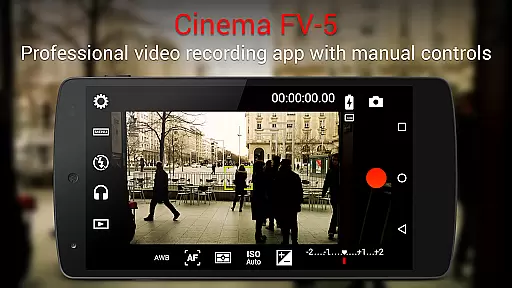
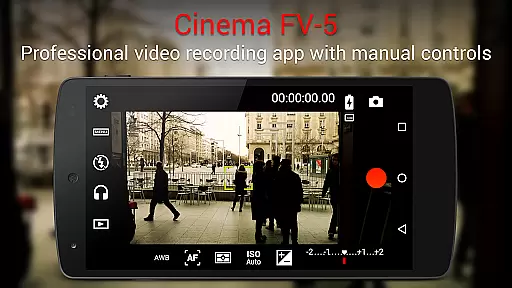
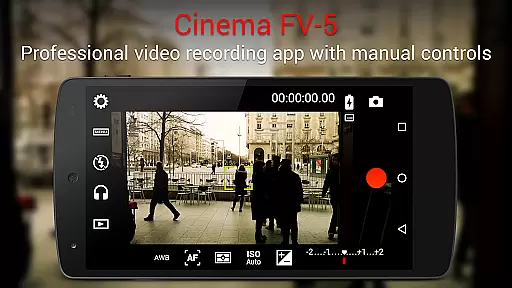
Cinema FV-5 stands as a professional-grade video camera application designed for mobile devices, offering users unparalleled manual controls right at their fingertips. This app is specifically tailored for enthusiast and professional videographers and filmmakers who demand top-of-the-line controls for perfect postproduction purposes. With Cinema FV-5, capturing the best footage becomes an effortless task, limited only by one's imagination and creativity.
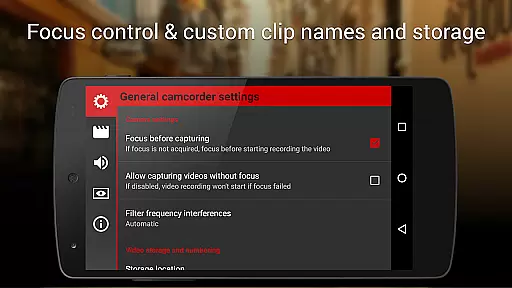
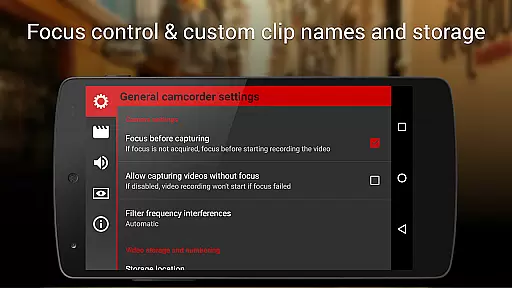
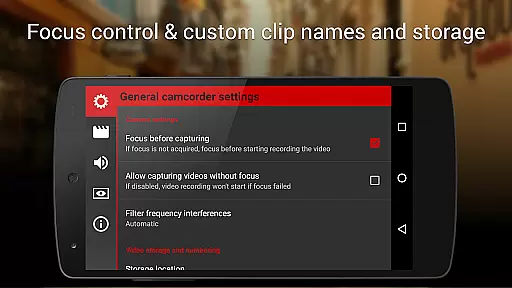
One of the standout features of Cinema FV-5 is its ability to adjust all image sensor parameters, akin to what you would find in pro-videocameras. Users can modify exposure compensation, ISO, light metering modes, focus modes, and white balance. Additionally, it offers professional sound metering options, advanced electronic viewfinder capabilities, and supports recording in 4K UHD on compatible devices. The app also allows for extensive customization of video clips organization and file naming conventions.
This application is ideal for producing high-quality footage for short- to medium-sized productions. It leverages the power of medium- to high-end devices, including Android-based compact cameras, ensuring that the captured footage is easily editable on any non-linear editing (NLE) application. Whether you're shooting a documentary or a short film, Cinema FV-5 provides the tools necessary to capture professional-grade video.
Cinema FV-5 boasts a plethora of features that cater to professional videography needs. One of its core strengths lies in the ability to manually control various image sensor parameters such as exposure compensation, ISO, light metering modes (matrix/center/spot), focus modes, and white balance. These adjustments can be made even during recording, providing unprecedented flexibility and control over the final output.
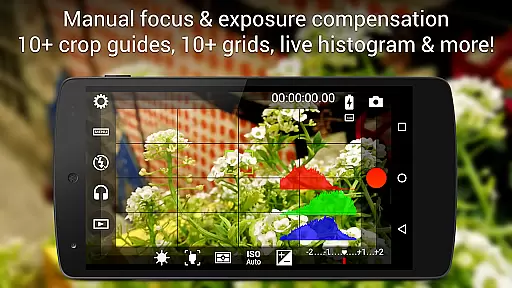
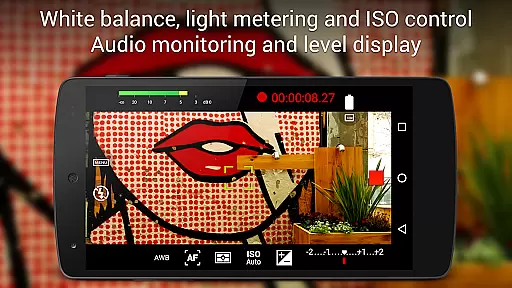
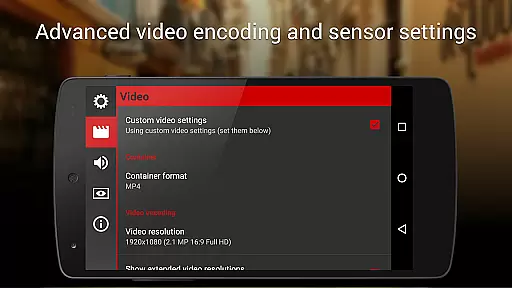
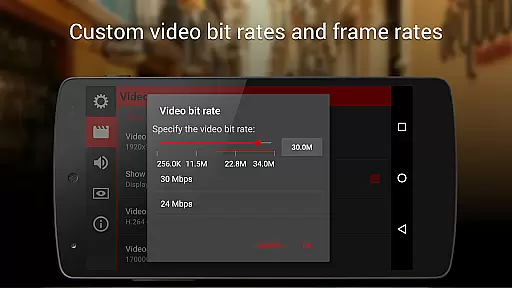
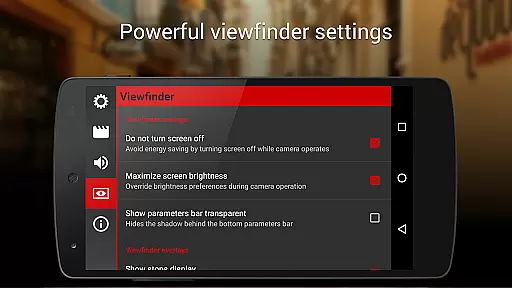
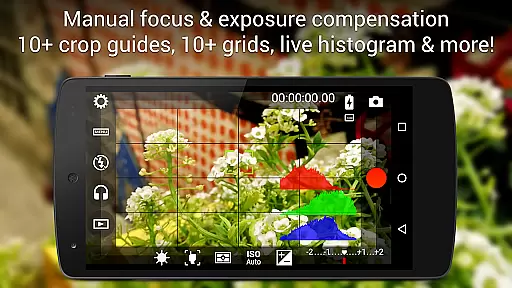
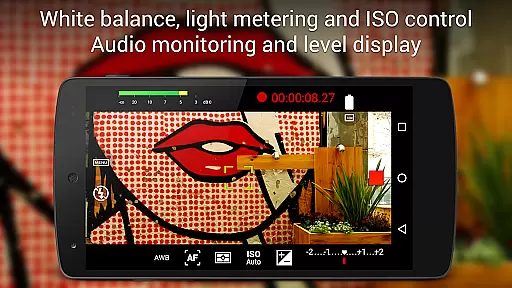
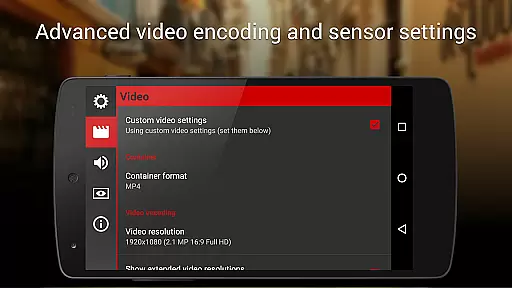
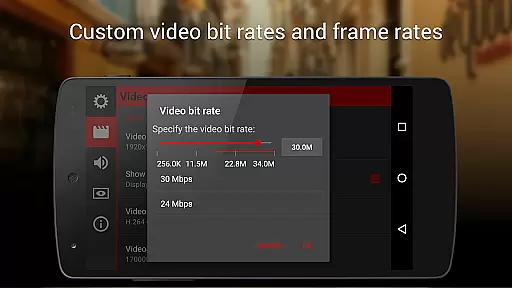
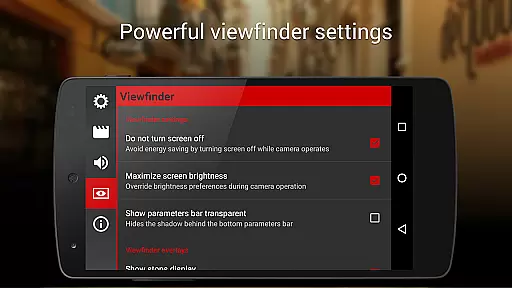
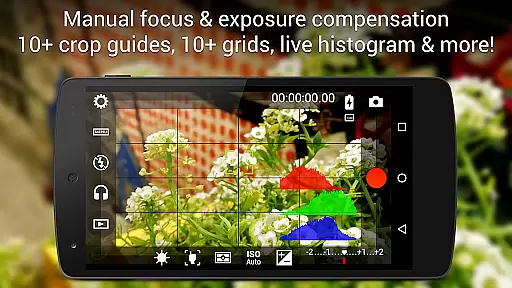
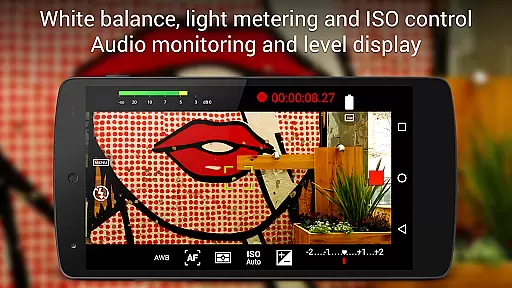
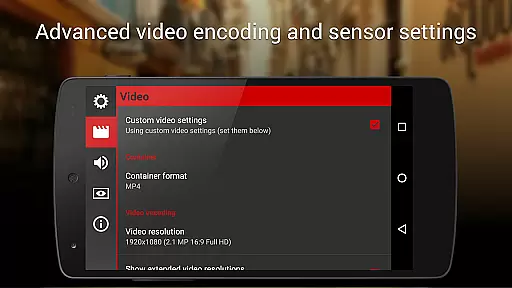
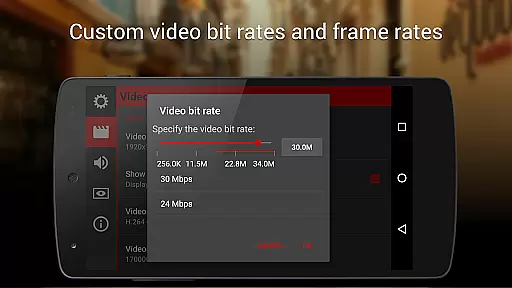
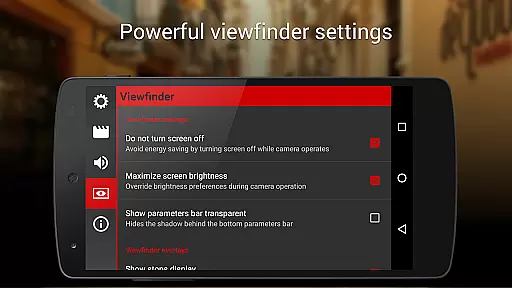
In addition to its robust video capabilities, Cinema FV-5 includes a professional viewfinder with over 10 compositing grids and crop guides, safe area displays, and live RGB and luminance histograms available during recording. The app also supports professional sound metering options, displaying audio peaks and sound clipping warnings. Furthermore, users can choose from various video and audio codecs, adjust bitrates, audio sampling rates, and number of channels, ensuring optimal quality and compatibility.
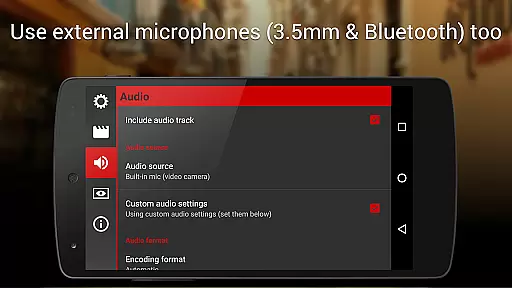
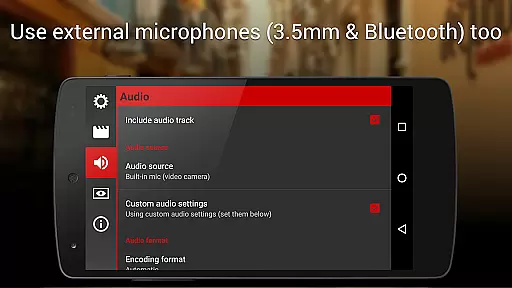
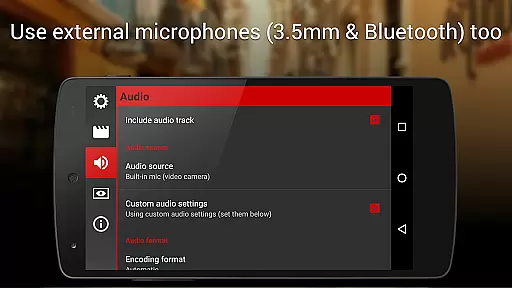
The app's versatility extends to its support for different audio input sources, including built-in microphones, external (wired) microphones, and wireless (Bluetooth) headsets. It also offers powerful video clip organization options, allowing users to customize storage locations and file names extensively. With additional functionalities like video geotagging, autofocus modes, autoexposure locks, and zoom capabilities, Cinema FV-5 ensures that videographers have all the tools they need to produce exceptional content.
Cinema FV-5 excels in real-time capture and preview capabilities, offering videographers precise control over their footage. The application provides professional manual controls that allow users to adjust image sensor parameters such as ISO, exposure compensation, and white balance on the fly.
During recording, videographers can make dynamic adjustments to focus and sensor settings, ensuring that every clip meets high production standards. This flexibility is crucial for capturing complex scenes that require quick adaptability and precision.
The electronic viewfinder enhances the real-time experience by displaying live RGB and luminance histograms. These tools enable videographers to monitor exposure and lighting conditions accurately, resulting in footage that's primed for postproduction.
With support for various audio input sources and video geotagging, Cinema FV-5 ensures that both visual and auditory elements are captured with utmost clarity and context. This comprehensive functionality empowers creators to produce professional-grade content directly from their mobile devices.
While primarily a professional videography tool, Cinema FV-5 also incorporates features that enhance video quality without compromising naturalness. The application supports 4K UHD video recording on compatible devices, delivering crisp and detailed footage that maintains its authenticity.
Advanced sound metering options ensure that audio recordings are clear and free from distortion. By displaying audio peaks and clipping warnings during recording, Cinema FV-5 helps videographers maintain balanced sound levels, contributing to a more natural auditory experience.
The app offers extensive customization for video and audio codecs, bitrates, and sampling rates. These options allow users to tailor their recordings to specific requirements while preserving the natural essence of the captured scenes.
With its focus on professional controls and high-quality output, Cinema FV-5 stands out as a tool that enhances video content naturally and effectively. Videographers can trust that their final products will reflect true-to-life imagery and sound, making it ideal for various professional applications.
Professional manual controls
Advanced electronic viewfinder
4K UHD recording support
Customizable file naming
Extensive audio options
Complex for beginners
High battery consumption
Premium price tag
Limited device compatibility
No automatic mode

[3DSteroid Pro] is a stereoscopic application for Android.
 4.30
4.30
An interval timer to automate photo taking process for timelapse
2.90
Natural Beauty, Selfie Retouch
4.30
Perfect body tune & face app - photo retouch, makeup, slim body & beautify face.
4.80
AI photo editor with hair editor, retouch tools, hair color changer & filters!
4.50
Transform photos into videos! Create realistic or anime-style images easily!
4.50
Cartoon and artistic effects for your photos and videos
4.70
Enhance, upscale, and transform your images — on your device, without limits
4.70
Solocator stamps photos you take with GPS location, Compass Direction, Date/Time
3.80
Create funny photos and videos with the popular Time Warp Scan filter.
4.90
Pro version: AR sun/moon tracker for any date. Tool for photographers & planners
4.90
Android Native system HD camera app. Never been so simple and faster.
4.70
Easily view, share, delete photos with Gallery.
4.70
Enhance, retouch & create your story - Share the moment with Photoshop Express.
4.60
Photo editor & gallery. Crop pictures & edit photos offline, no wifi!
4.50
Future baby face generator: AI kids generator, kid face! What my baby look like?
4.40
Photobooth mini FULL app will allow you to add more fun to your parties
4.00
Remote control the phone camera shutter from your smartwatch and take a picture
1.60
Snap photos remotely using your Garmin watch as the camera trigger
4.1


User Reviews