
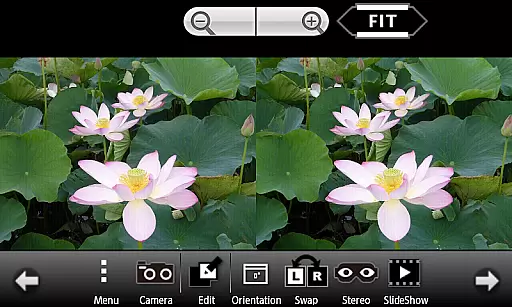
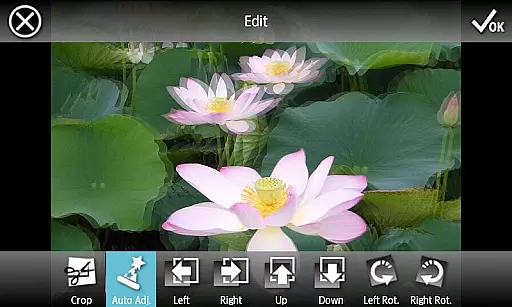
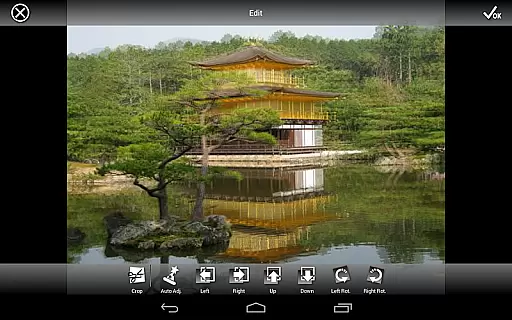
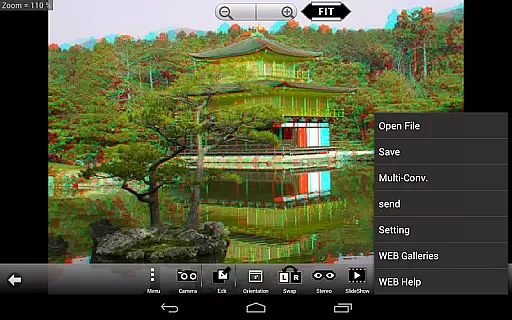
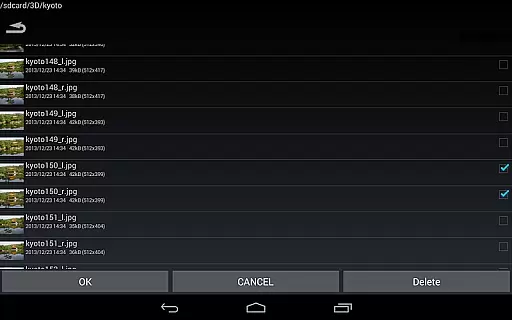
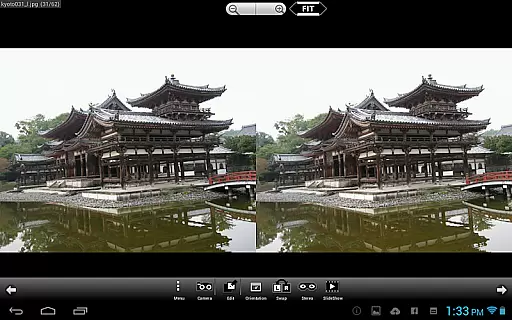
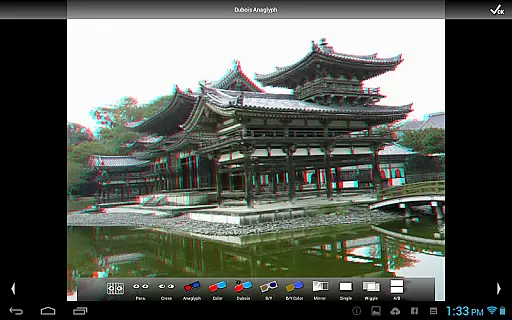
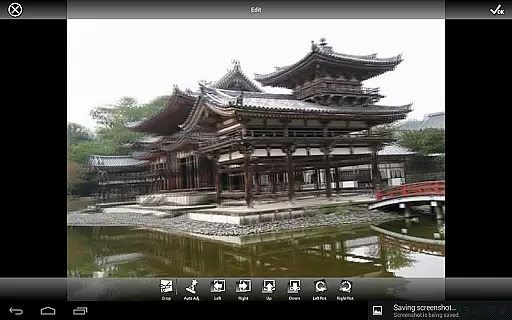
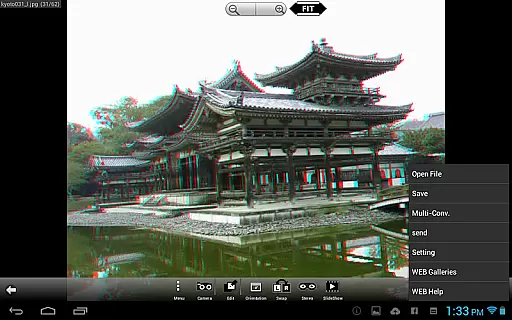
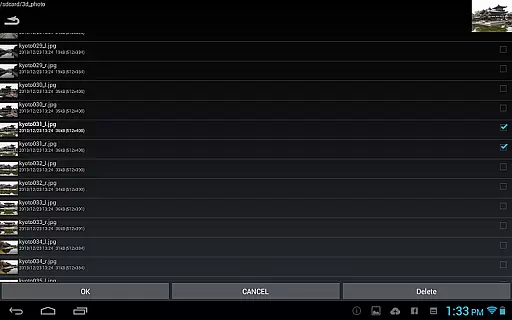
3DSteroid Pro is a premium stereoscopic application designed for Android devices, offering advanced 3D image editing and viewing capabilities. The app specializes in processing various 3D image formats including MPO, SBS (side-by-side), and L/R independent files. With the ability to automatically align left/right images, adjust positions, correct rotation and size errors, it provides users with precise control over their 3D content.
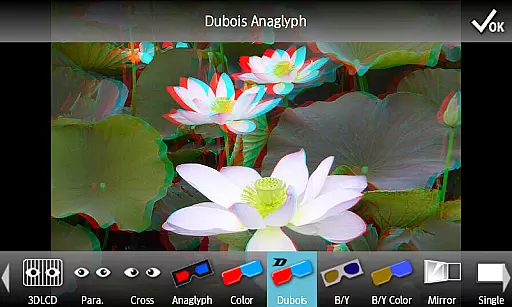
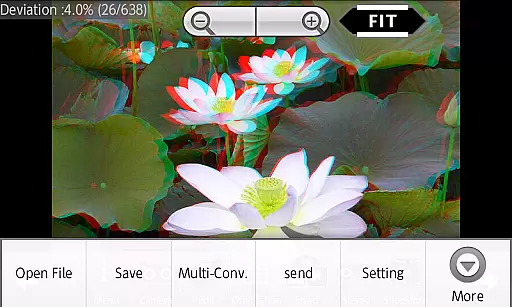
This professional version stands out with its enhanced features such as saving edited images, batch conversion of multiple files, and direct sharing of processed 3D images. The app supports different display methods including 3D LCD, SBS, Mirror, Wiggle, 2D, and Anaglyph modes. Additionally, users can access a web gallery containing over 1,000 stereoscopic images and enjoy slideshow functionality. These features make it an ideal tool for both amateur and professional 3D photography enthusiasts.
While the app offers powerful tools for 3D image manipulation, users should note that certain limitations apply for Android 11 and later versions. Files with specific extensions like MPO cannot be loaded directly, and photo destinations have been standardized to the Picture folder. Despite these restrictions, 3DSteroid Pro remains a valuable solution for creating and managing high-quality stereoscopic content on mobile devices.
3DSteroid Pro distinguishes itself through its comprehensive set of professional-grade features. The application's core strength lies in its advanced image processing capabilities, allowing users to precisely adjust L/R image alignment, correct rotation and size discrepancies, and fine-tune various parameters to achieve optimal 3D effects. Its unique auto-alignment function streamlines the editing process, making professional-quality adjustments accessible even to beginners.
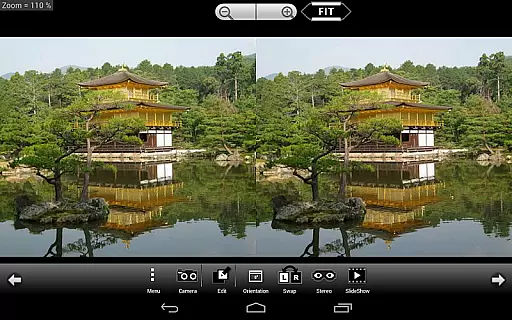
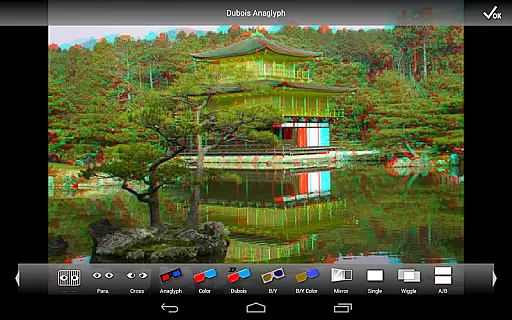
The app's versatility extends to its support for multiple input formats, including L/R independent files, side-by-side (SBS) images, and MPO files. Users can choose from various display methods such as 3D LCD mode compatible with Freevi/PPTV displays, traditional Anaglyph viewing, and modern Wiggle effect presentations. The built-in camera functionality enables capturing stereoscopic images directly within the app, while the slide show feature provides an immersive way to present 3D galleries.
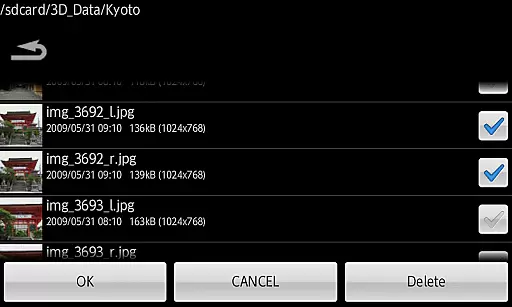
Exclusive to the Pro version are essential features like image saving, batch file conversion, and the ability to send processed files directly from the application. These capabilities, combined with access to a vast web gallery of over 1,000 stereoscopic images, create a complete ecosystem for 3D photography enthusiasts. The app's systematic approach to file management, particularly its adaptation to Android 11's storage policies, ensures smooth operation while maintaining compatibility with modern device security standards.
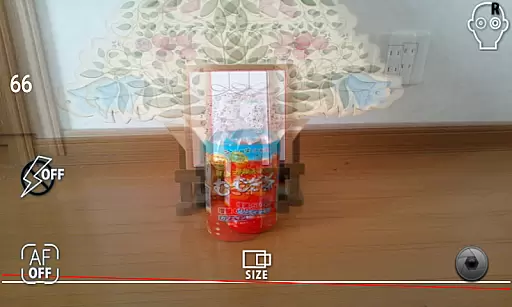
Real-time capture and preview functionality is essential for ensuring that users can immediately see the results of their 3D photography efforts. In 3DSteroid Pro, this feature allows photographers to take left/right (L/R) pictures with the internal camera and instantly view them in 3D format.
The application supports various display methods including 3D LCD, Side-by-Side (SBS), Mirror, Wiggle, 2D, and Anaglyph modes. This versatility ensures that users can preview their images in the format that best suits their needs or the capabilities of their viewing device.
With real-time adjustments available for L/R image positions, rotation error, and size error, users are empowered to fine-tune their captures on-the-fly. This immediate feedback loop enhances the overall user experience by allowing quick corrections and artistic freedom without needing to switch between multiple apps.
While 3DSteroid Pro does not explicitly market itself as having AI beauty and enhancement features, it offers powerful tools that serve a similar purpose in the realm of 3D image editing. The app provides auto-alignment of L/R images which ensures that composite 3D photos appear natural and well-balanced.
Users have access to advanced editing options such as adjusting L/R image positions, correcting rotation and size errors. These functionalities contribute to the natural look of the final stereoscopic image, mimicking some effects that might be associated with AI enhancements in traditional 2D photo editing software.
Although it lacks specific 'beauty' filters, the ability to save edited images and perform batch conversions adds a layer of convenience for users looking to enhance their 3D photographs efficiently. By focusing on maintaining an authentic stereoscopic effect, 3DSteroid Pro delivers enhancements that preserve the realism and depth unique to 3D imagery.
Advanced 3D editing
Batch conversion
Auto-alignment
Multiple display modes
Professional tools
No MPO support
Limited Android 11
Old device issues
Complex interface
Paid version

Safe & smart flight with Go Fly drone controller for 40+ drone camera, zone map
 4.50
4.50
Photobooth mini FULL app will allow you to add more fun to your parties
4.00
Viewfinder, Light meter, Reciprocity failure time, DOF & Bellows Extension
4.60
Create collages easily! Nice pic collage maker & background eraser for Instagram
4.50
Fit multiple photos on one post. Create carousels & scroll layouts for Instagram
4.50
Unblur, enhance & restore photos with powerful AI photo enhancer tools.
4.60
Your personal guide to the sun and moon. Plan ahead, visualize and predict!
4.70
Remote control the phone camera shutter from your smartwatch and take a picture
1.60
A unique animation app. Powerful, easy to use, and lots of fun.
4.30
AI Photo Editor with 100+ Filters, Effects! Remove BG, Retouch & Photo Enhancer.
4.80
Enhance, upscale, and transform your images — on your device, without limits
4.70
Search, tag and rate your way to an organized image gallery
4.40
All-in-One Editor & AI Photo Enhancer, Beautify & Retouch, Collage, Cartoonify
4.20
Create AI Photos, Improve and restore quality of blurry, old or damaged pics.
4.20
A light meter for true photographers.
4.20
Create & Edit with AI: AI Remove, Enhance, Retouch, Filter
4.10
Professional quality photo edits with the new Snapseed.
4.00
Astrophotography with your smartphone, photo live stacking and much more!
3.90
An interval timer to automate photo taking process for timelapse
2.90


User Reviews