
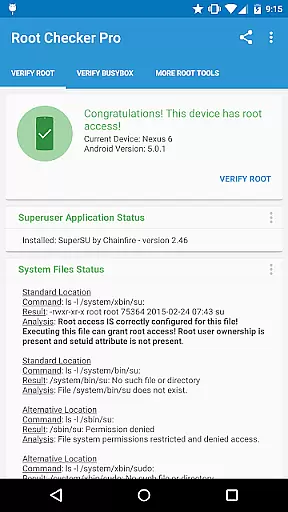
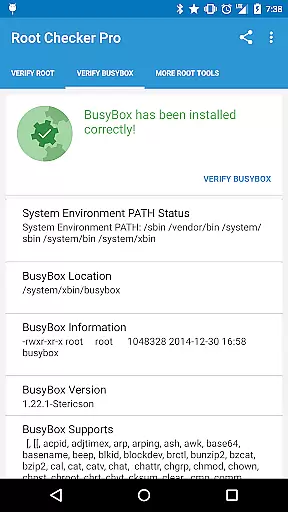
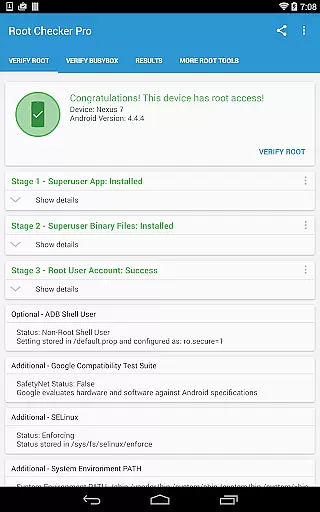
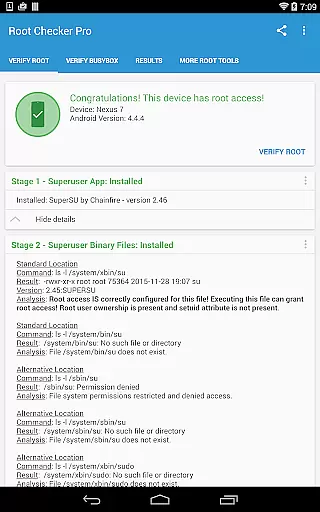
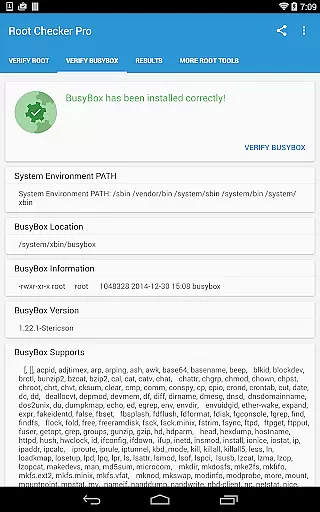
Root Checker Pro is a powerful Android tool designed to verify root access on your device. The app performs comprehensive checks on the su binary, BusyBox installation, and related permissions, providing users with detailed diagnostic information. It caters to both novice and advanced users by presenting key data points in an easy-to-understand format while also offering in-depth technical details for troubleshooting.
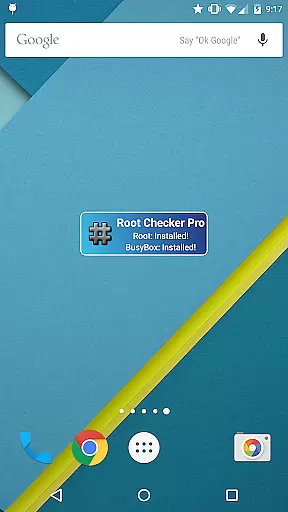
The application goes beyond basic root detection by analyzing SELinux status, Superuser app versions, and system PATH configurations. Its intuitive interface allows users to quickly determine their device's root status and share detailed reports via email or social media platforms. With additional features like a monitoring widget, Root Checker Pro ensures continuous tracking of root and BusyBox statuses, making it an essential tool for rooted Android devices.
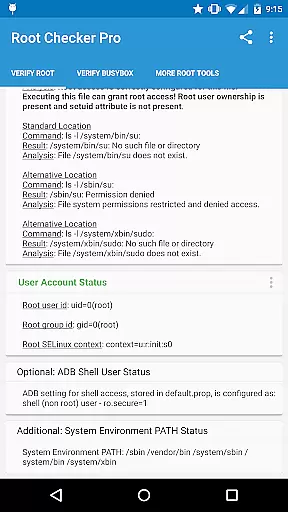
Root Checker Pro stands out with its multi-faceted approach to root verification. The app meticulously examines standard su binary locations, file permissions, and user/group IDs, providing a complete picture of the device's root status. It also evaluates SELinux contexts and ADB shell user modes, giving advanced users the technical insights needed for proper root configuration.
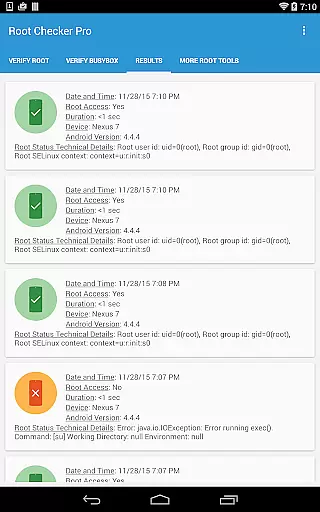
One of the app's key strengths is its detailed reporting system. Users can generate comprehensive diagnostic reports containing all relevant root and BusyBox information. These reports can be easily exported and shared with technical support teams or online communities for collaborative troubleshooting. The inclusion of a customizable widget further enhances usability, allowing users to monitor root status at regular intervals and receive instant notifications about any changes in their device's root configuration.
Root Checker Pro excels in providing accurate and effective core functionality for Android users who need to verify root access on their devices. The application meticulously checks the presence and status of the su binary, which is critical for granting root permissions.
The app's effectiveness lies in its comprehensive verification process. It examines standard su binary locations, file permissions, and user/group IDs, ensuring that all necessary components for root access are correctly installed and configured.
For users, this means they can confidently determine whether their device has proper root access. The app not only confirms the presence of root but also provides detailed information about SELinux contexts and Superuser application installations, empowering users with precise diagnostic data.
This level of detail and accuracy ensures that even those new to Android can reliably check their device's root status. By offering a quick and simple test method, Root Checker Pro delivers essential information without overwhelming the user, making it an indispensable tool for both novice and advanced users.
Root Checker Pro stands out for its simple and intuitive interface, designed to make the process of checking for root access as straightforward as possible. The layout is clean and uncluttered, allowing users to quickly navigate through the app's features without any confusion.
Upon opening the app, users are greeted with clear options for performing root checks and viewing detailed system information. This intuitive design ensures that even those unfamiliar with Android's technical aspects can easily understand the results presented to them.
The app also includes a widget feature, which adds an extra layer of convenience. Users can set up a timer interval to constantly monitor root and BusyBox installation status, receiving notifications directly on their home screen.
By focusing on usability and clarity, Root Checker Pro removes the complexity often associated with root verification tools. Its straightforward approach allows users to export detailed output via email or social media with just one tap, facilitating collaboration and troubleshooting when needed.
User-friendly interface
Detailed diagnostic reports
Comprehensive root checks
Export and sharing functionality
Convenient monitoring widget
No iOS version available
Paid application only
Requires technical knowledge
Limited to Android platform
No automated issue resolution

pdf merge, word to pdf, jpg to pdf, edit pdf, convert to pdf and much more!
 4.20
4.20
Just swipe the edge to do something!
4.40
Safely recover deleted photos, videos, and files with a single easy tap.
3.70
Navigate with Ease and Style
4.90
The Ultimate Bluetooth Keyboard & Mouse. Securely control your PC, Mac, and more
4.50
Quickly check the frequency of the Earth
4.30
The ultimate tool for network analysis, wifi scanning and problem detection.
4.90
Download any file easily and quickly with Downloader
4.0
NFC Tools can read and write NFC tags.
4.70
Powerful collection of electronics tools and reference.A must for any enthusiast
4.90
Best leveling tool for your Android device. Hang paintings like a pro.
4.90
Optimize your WiFi network, turn your phone into Wifi Analyzer
4.70
Quickly switch to an encrypted DNS server on Android TV
4.50
eXtended Permission Manager - a small app to manage permissions and AppOps
4.50
Complete kernel toolbox with features to manage and tweak your rooted device
4.30
Effortlessly run ADB commands directly on your device without a PC.
4.20
A simple app to back up and restore SMS & MMS messages and call logs.
4.10
1-Click close all background apps on Android TV
3.90
card-reader app
2.20


User Reviews