
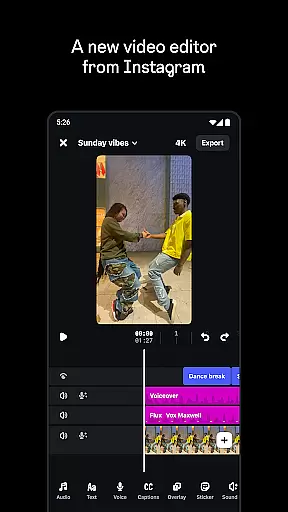
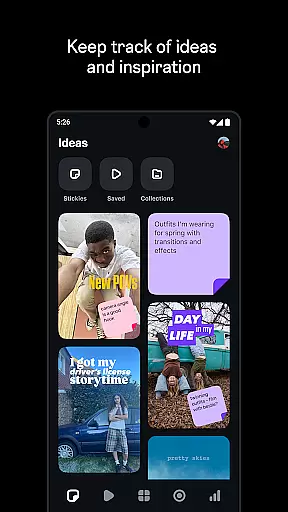
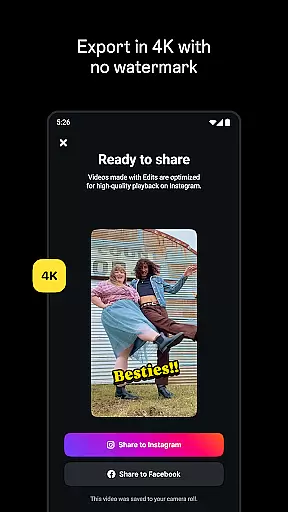
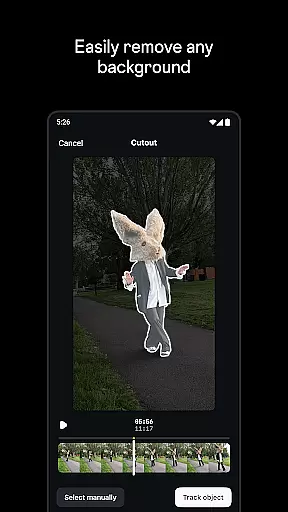
Edits is a powerful mobile video editing application designed specifically for content creators who want to produce professional-quality videos directly from their smartphones. The app offers an all-in-one solution that simplifies the entire creative process, allowing users to capture, edit, and export high-quality 4K videos without watermarks. With its intuitive interface and comprehensive set of tools, Edits makes it easy to manage drafts, apply precise edits, and share creations seamlessly across multiple platforms.
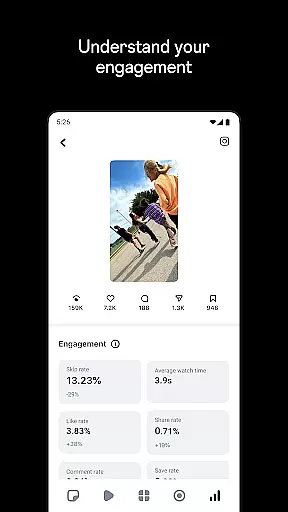
One standout feature of Edits is its ability to enhance creativity through advanced functionalities such as AI animation, green screen effects, and automatic caption generation. Additionally, the app provides detailed insights into video performance via a live dashboard, helping creators refine their strategies based on real-time data. Whether you're a beginner or an experienced creator, Edits empowers you to bring your ideas to life with minimal effort while maintaining full control over every aspect of your project.
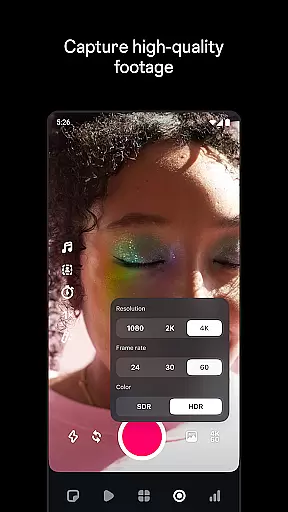
Edits stands out in the crowded field of mobile video editors due to its extensive range of features tailored specifically for modern content creators. At its core, the app allows for single-frame precision editing, giving users unparalleled accuracy when fine-tuning their footage. Advanced camera settings enable adjustments to resolution, frame rate, and dynamic range, ensuring optimal image quality at all times. Furthermore, upgraded flash and zoom controls provide greater flexibility during recording sessions.
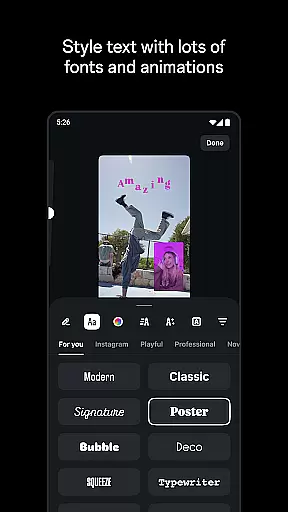
Beyond basic editing capabilities, Edits incorporates innovative technologies like AI animation, which can transform static images into dynamic visuals. Users also have access to a wide array of creative options including customizable fonts, sound effects, video filters, stickers, and overlays. Audio enhancement tools help improve voice clarity and reduce background noise, resulting in polished final products. Finally, the inclusion of a live insights dashboard enables creators to monitor engagement metrics and make informed decisions about future content strategies.
Edits, an Instagram App, offers extensive video format compatibility to cater to a wide range of creator needs. The application supports high-resolution video editing, allowing creators to export their projects in 4K without any watermark, which is essential for maintaining professional quality across different platforms.
The app's compatibility extends to its ability to handle various video parameters such as resolution, frame rate, and dynamic range. This ensures that no matter what the source of the video is, users can import and edit their footage without worrying about format issues or loss of quality.
Moreover, Edits provides advanced features like single-frame precision editing and AI animation, which work seamlessly across supported formats. This means that whether you're animating images or applying complex video overlays, the app maintains the integrity and clarity of your content throughout the editing process.
For creators who need flexibility and power in their video editing tools, Edits delivers a robust solution with its broad video format support and high-quality playback options, making it easier than ever to produce engaging content directly from your phone.
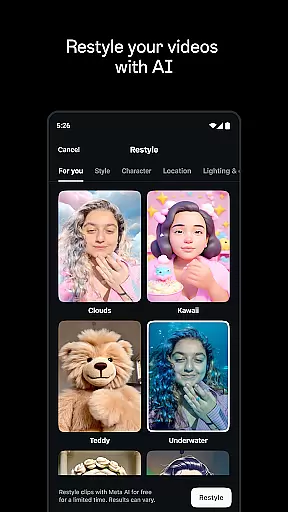
Edits stands out with its AI-powered editing features that revolutionize how creators approach video production on mobile devices. One of the key aspects is the AI animation capability, which brings static images to life through sophisticated algorithms that create smooth transitions and movements.
In addition to animation, the app uses artificial intelligence to enhance audio tracks within videos. It focuses on clarifying voices and eliminating background noise, ensuring that dialogue and narration are crisp and clear. This feature is particularly beneficial for creators who produce voice-over content or conduct interviews.
Another innovative use of AI in Edits is automatic caption generation. By intelligently analyzing audio tracks, the app generates accurate captions and allows for customization in appearance, providing accessibility and engagement benefits for viewers.
These AI-driven functionalities not only streamline the editing process but also open up new creative possibilities, enabling creators to focus more on storytelling and less on technicalities, all while maintaining professional-grade output.
User-friendly interface
Advanced editing tools
High-quality exports
Comprehensive audio options
Real-time analytics
Limited free features
Occasional bugs
Steep learning curve
Requires strong device
Ads in free version

Video player, file manager for all formats, 4K/HD media player supports subtitle
 4.30
4.30
Cast Videos from Web Browser, IPTV to Roku, Chromecast, DLNA, Smart TV +more
4.60
Photo and Music Video Creator into Stunning Videos—Effortlessly
4.40
Watch a large amount of high-definition short drama content
4.60
Fast video downloader & private browser. Save HD clips to watch offline.
4.40
Stream Web Videos to Chromecast, Samsung, LG, Sony, Roku, Fire TV, DLNA + more
4.00
Browser + Remote for Roku to stream webvideos, online movies and livestreams
4.60
Viddo: Generate Action Figure, AI Anime, AI kiss, AI hug Video from image & text
4.40
Create, Publish & Maximize
4.70
Flud is a simple and beautiful BitTorrent client for Android.
4.80
?100% FREE! Download & save videos? safely in this app. All formats supported.
4.60
VLC Remote lets you control your VLC Media Player on Mac, PC or Linux.
4.60
Seamlessly connect and control your smart devices, anytime, anywhere with ease.
4.60
Video Downloader, Multiple Resolution Options, Video Player
4.50
Movie maker & video editing app with AI effects and green screen
4.30
All format media Player, no need video converter any more!
4.00
Connect 2 UVC devices for recording and broadcast video/audio stream
3.90
Connect EasyCap or UVC devices for recording and broadcast video/audio stream
3.60
Download videos easily & play them all in one smart, powerful video manager.
3.40


User Reviews