
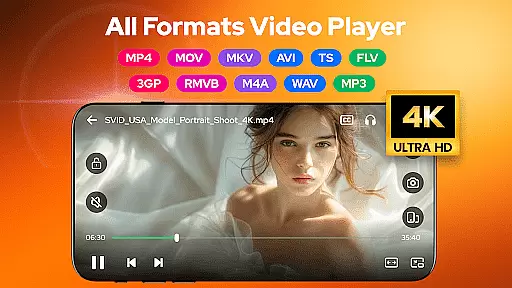
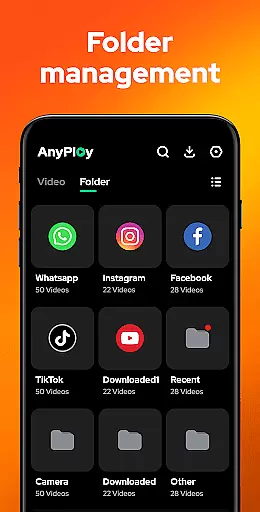
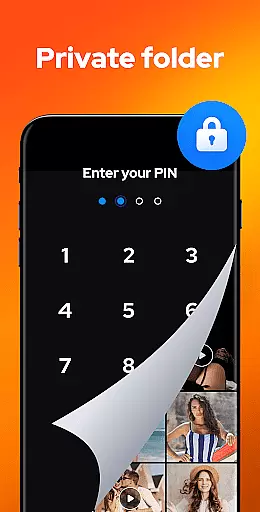

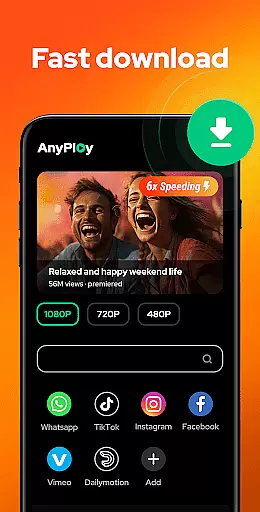
Video Player - AnyPlay is a versatile media solution for Android users, combining an all-in-one video player, file manager, and video downloader. This app supports videos in all formats, ensuring smooth HD playback with customizable subtitles and gesture controls. Its powerful file management system automatically detects and organizes media files on your device, while its privacy features allow you to hide videos in a private folder. Additionally, the built-in browser enables direct HD video downloads from websites and social media platforms.
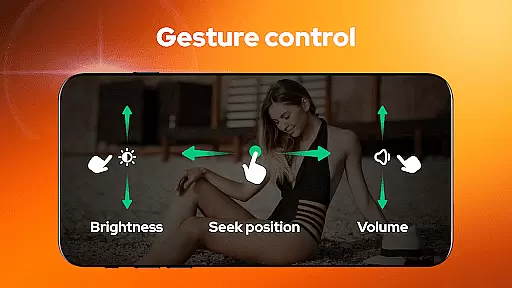
The application's user-friendly interface provides practical solutions for both casual viewers and power users. With features like pop-up playback, background play, and smart gesture controls, AnyPlay enhances the overall viewing experience. Whether you're managing local media files or streaming online content, this app offers a complete package that meets diverse media consumption needs.
AnyPlay is particularly useful for users who require efficient media management and high-quality playback. The app's ability to handle various video formats, coupled with its advanced subtitle support and equalizer settings, makes it an ideal choice for those seeking a professional-grade media player on their Android devices.
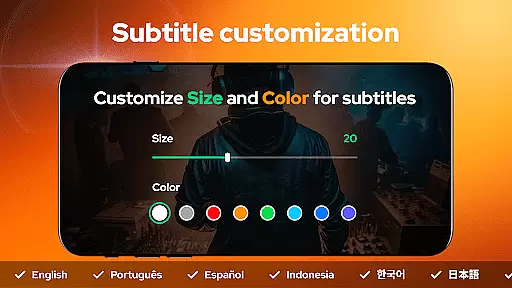
Video Player - AnyPlay stands out with its comprehensive feature set tailored for media enthusiasts. The app's HD video player supports all popular formats and includes advanced functionalities such as customizable subtitles, gesture controls, and multiple decoder options. Users can import local subtitles or download them online, adjusting parameters like color and size to their preference. The built-in equalizer and reverb effects further enhance the audio-visual experience.
Beyond its video capabilities, AnyPlay functions as a powerful file manager. It automatically scans and organizes media files across your device and SD card, presenting them in clear lists or playlists. The app allows sorting by various criteria and includes a private folder feature for discreet storage of sensitive content. Furthermore, its video downloading functionality supports multiple resolutions and works seamlessly with both websites and social media platforms.
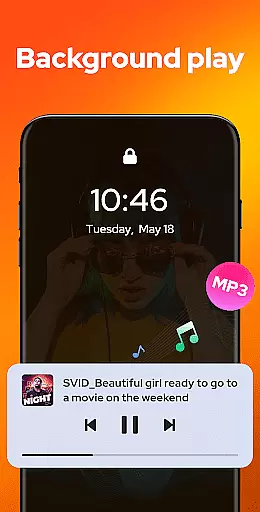
Additional features include pop-up playback for multitasking, background play for audio-focused usage, and a dedicated music player with playlist creation and equalizer presets. These comprehensive tools make AnyPlay not just a video player but a complete media management solution for Android users.
Video Player - AnyPlay stands out with its exceptional video format compatibility, ensuring users can enjoy a seamless playback experience regardless of file type. The application supports an extensive range of formats including MKV, MP4, AVI, and many more, which eliminates the need for additional conversion software.
This comprehensive support is powered by both hardware and software decoding capabilities, allowing for high-quality video playback that maintains the original resolution and audio quality. Users can easily switch between HW and SW decoders based on their device's performance and the specific requirements of the video file.
The inclusion of customizable subtitle options further enhances the viewing experience. With the ability to import local subtitles or download them online, viewers can personalize their interaction with media content, adjusting subtitle size and color to suit individual preferences.
For those who value convenience and versatility in their media player, Video Player - AnyPlay delivers a robust solution that caters to diverse video playback needs without compromising on quality or functionality.
Beyond its core video playback functionalities, Video Player - AnyPlay incorporates AI-powered editing features that elevate the user's ability to manage and modify their media files. These intelligent tools allow for efficient organization and enhancement of video content directly within the app.
One notable feature is the automatic detection and management of all media files on both internal storage and SD cards. This not only simplifies file navigation but also optimizes access to media assets through sorting options such as date, name, length, or size.
Additionally, advanced privacy controls enable users to hide videos in a private folder with a single click, safeguarding personal content from unauthorized access. This level of security is particularly beneficial for individuals concerned about data protection.
By integrating these sophisticated yet user-friendly AI-driven capabilities, Video Player - AnyPlay positions itself as more than just a video playeru2014it's a complete multimedia management solution designed to meet modern digital demands.
User-friendly interface
Comprehensive format support
Advanced subtitle customization
Powerful file management
Integrated video downloader
May drain battery faster
Occasional playback glitches
Privacy concerns with downloads
Interface might overwhelm beginners
Some features require technical knowledge

Online Videos Player
 3.90
3.90
Fast, private downloading, video saving, social media
4.50
Client application for NextPVR software
3.00
Capture images & record videos for USB Camera, Webcam, Microscopes, Endoscopes
3.80
This app was created to edit the metadata of music files.
4.20
IPTV Loader, loads your own Playlist. DOES NOT CONTAIN ANY LIST OR CHANNELS
4.60
The essential companion to your Blue Iris PC software
2.50
Browser for Fire TV to stream webvideos, online movies, livestreams in HD
4.40
VLC for Android is the best open source video and music player, fast and easy!
4.10
#1 Torrent App on Android ** No Ads Ever + Battery Saver **
4.80
GENRAL PRO - General Pro is the best video player that fully supports all formats.
4.70
HD Video player all format, HD Videos, Cast & Subtitle. No annoying ads.
4.60
Snaptubè Video Downloader app allows to download videos and music in Snaptube. .
4.60
Photo and Music Video Creator into Stunning Videos—Effortlessly
4.40
Powerful Video Editor & Photo Editing App —— Quick Edits & Stunning Effects!
4.30
All format media Player, no need video converter any more!
4.00
1)AirPlay/DLNA Mirroring/Streaming, up to 4 connections; 2)Samba/NAS/DMS Player.
4.00
Livestream, news, & gaming content. Watch, chat, and upload. Join Rumble today!
3.80
Video player with powerful streaming playback and various convenient features.
2.10


User Reviews