
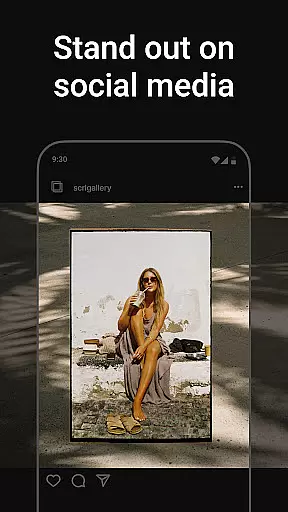
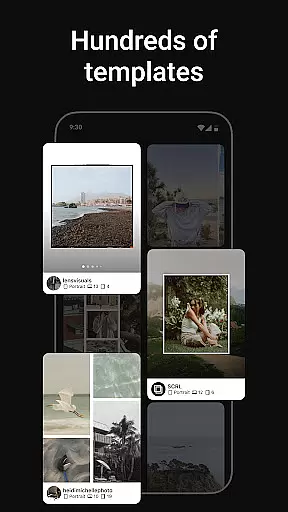
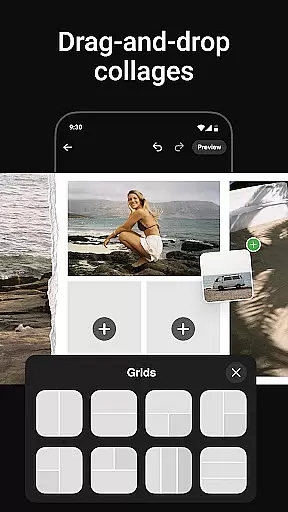
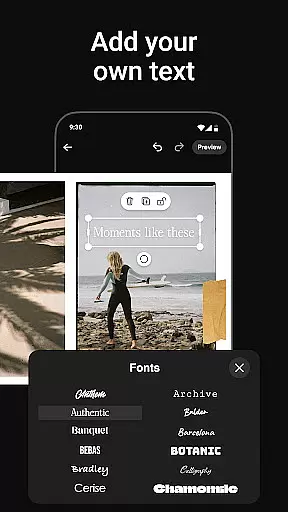
Photo Collage Maker by SCRL is the leading app for creating visually stunning photo collages and seamless Instagram carousel posts. Designed for influencers, artists, and photography enthusiasts, this app offers a robust set of tools to elevate your social media presence. With hundreds of hand-picked templates, users can choose from a variety of styles ranging from minimalist to extravagant designs.
The app also features a freeform canvas that allows ultimate creative freedom. You can zoom in and out, add more than 10 photos to a single post, and utilize an extensive library of stickers and overlays to enhance your designs. Whether you're crafting a travel memory or preparing images for a major event, Photo Collage Maker provides all the necessary features to make your posts stand out.
For those looking to maximize their creative potential, SCRL Premium unlocks additional functionalities like gradient backgrounds and video integration. Trusted by Grammy Award-winning artists and industry leaders, this app ensures professional-quality results every time.
Photo Collage Maker stands out with its intuitive design tools and versatile features. The app includes hundreds of professionally designed collage templates that cater to various occasions and styles. Each template is carefully curated by design experts, ensuring high quality and adaptability for different projects.
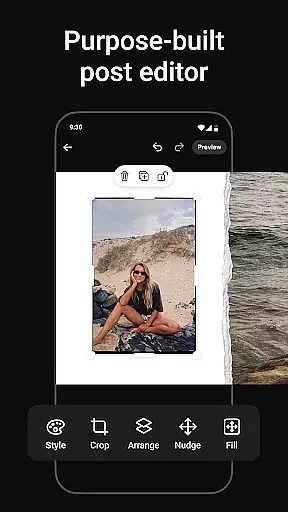
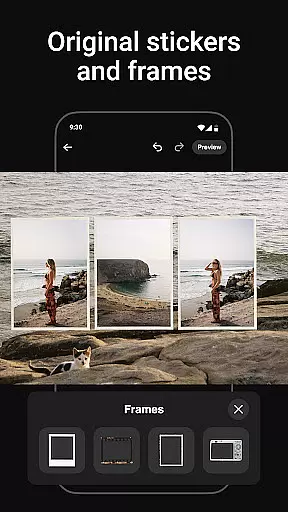
One of the key highlights is the freeform canvas, which allows users to manipulate images with precision. This feature supports zooming in and out, enabling detailed adjustments. Additionally, the app lets you add more than 10 photos into a single post, breaking traditional layout limitations. Users can also access an extensive library of stickers and overlays to personalize their creations further.
For seamless sharing, the app offers instant posting to Instagram, streamlining the process of saving, exporting, and re-uploading. SCRL Premium subscribers gain access to exclusive features such as gradient backgrounds and video integration, making it a comprehensive tool for professional designers and social media influencers.
Real-time capture and preview functionality is essential for ensuring that every photo collage or carousel post created with Photo Collage Maker meets the user's expectations. This feature allows users to see exactly how their designs will look before finalizing them, eliminating guesswork and enhancing creative control.
Photo Collage Maker provides an intuitive interface where users can instantly view changes as they add photos, apply templates, or adjust layouts. The real-time preview updates seamlessly, giving creators confidence in their design choices. Whether you're tweaking a freeform canvas or experimenting with stickers and overlays, what you see is truly what you get.
This immediate feedback loop significantly improves the design process. Users can make precise adjustments to zoom levels, image placements, and text overlays while observing the results in real time. Such responsiveness ensures that even complex designs maintain visual harmony and balance.
Ultimately, this feature empowers users to produce professional-quality collages and carousels efficiently. By offering accurate previews at every step, Photo Collage Maker enables creators to focus on their artistic vision without worrying about unexpected outcomes, resulting in visually stunning posts that captivate audiences on platforms like Instagram.
AI beauty and enhancement features have become increasingly important in photography apps, allowing users to refine their images while maintaining a natural appearance. Photo Collage Maker incorporates advanced AI algorithms that intelligently enhance photos without compromising their authenticity, providing users with polished yet genuine-looking results.
The app's AI-driven tools automatically detect and optimize various elements within photos, such as brightness, contrast, and color balance. Additionally, it offers specialized enhancements like skin smoothing and blemish removal, which are applied subtly to preserve the subject's natural features. These intelligent adjustments ensure that edited images look refined but not over-processed.
Users benefit from customizable enhancement options that cater to individual preferences. Whether aiming for a subtle touch-up or a more pronounced effect, the app delivers flexibility and control. This adaptability makes it suitable for both casual users and professional designers who require high-quality outputs.
By prioritizing naturalness in AI enhancements, Photo Collage Maker helps users create visually appealing collages and carousels that resonate with audiences. The ability to achieve professional-grade edits effortlessly enhances the overall user experience, making it easier than ever to produce captivating social media content.
User-friendly interface
Extensive template library
Freeform canvas for creativity
Instant Instagram posting
Premium features available
Limited free features
Premium subscription required
Occasional bugs reported
High learning curve
Ads in free version

How would you look like with a differently shaped nose, chin or lips?
 3.90
3.90
Trendy TikTok time warp scan funny filter app brings you unique photos & videos.
4.40
Easily stitch panoramas from multiple photos or video.
4.40
Photobooth mini FULL app will allow you to add more fun to your parties
4.00
Transform photos into videos! Create realistic or anime-style images easily!
4.50
GCamera allows all GCam features on all phone models! Better photos with GCamera
3.30
Hair color changer, AI haircut app, fun hair editor and buzz cut filter for all!
3.80
Professional camera app that brings DSLR manual photography controls to Android.
4.20
Solocator stamps photos you take with GPS location, Compass Direction, Date/Time
3.80
AI Photo Editor with 100+ Filters, Effects! Remove BG, Retouch & Photo Enhancer.
4.80
Photo editor: AI filters, photo enhancer, pic collage maker, AI art generator.
4.80
PhotoSync Bundle Add-On License. Enables all features and services in PhotoSync.
4.60
Photo Exif Editor allows to view, add and modify EXIF data of multiple photos
4.50
Edit like a pro with Hypic. Apply filters, AI effects, & magic touch.
4.40
Create AI Photos, Improve and restore quality of blurry, old or damaged pics.
4.20
Gallery Slideshow is slideshow maker app for slideshow from your gallery photos.
3.90
Astrophotography with your smartphone, photo live stacking and much more!
3.90
Be your best in every shot! Fix, edit and retouch your face in selfies & photos.
3.70
Snap photos remotely using your Garmin watch as the camera trigger
4.0


User Reviews