
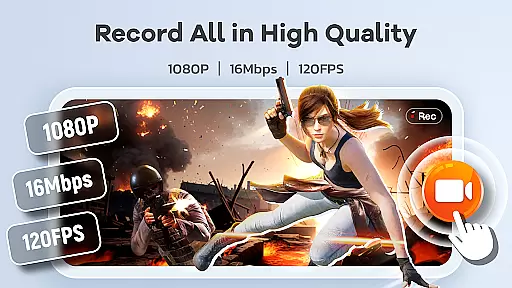
Screen Recorder Video Recorder is a versatile screen recording and video editing tool designed to help users create professional-quality videos directly from their mobile devices. The app offers HD recording capabilities with support for up to 1080P resolution, 16Mbps bitrate, and frame rates as high as 120FPS, ensuring crystal-clear video quality. It also provides options for capturing both internal system audio and external microphone input, making it ideal for creating tutorials, gameplay videos, and video call recordings.
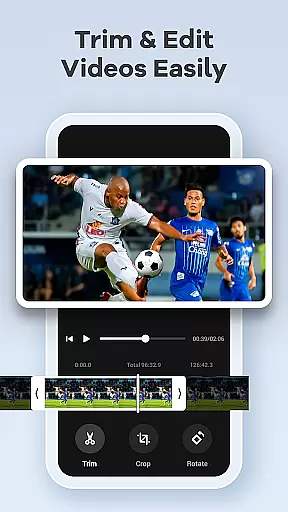
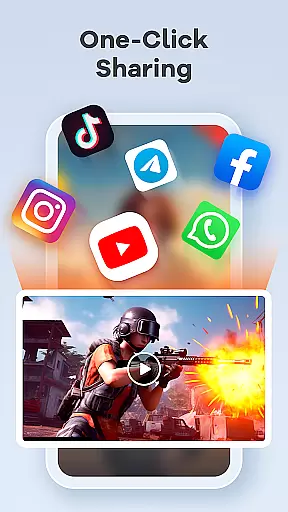
Beyond basic recording, the app includes an intuitive built-in video editor that allows users to trim, crop, and rotate footage effortlessly. Additional features like live drawing tools, facecam integration, and instant video-to-GIF conversion enhance its utility for content creators. With seamless sharing options to platforms such as YouTube and social media, Screen Recorder Video Recorder empowers users to produce engaging content and share it widely with minimal effort.
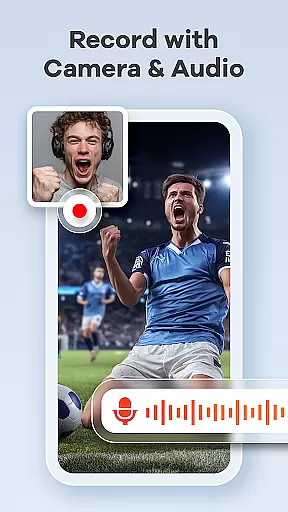
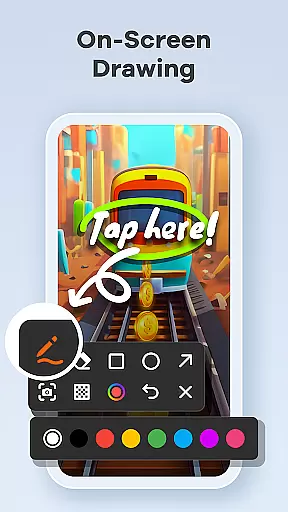
One of the standout aspects of Screen Recorder Video Recorder is its comprehensive feature set tailored for various use cases. For instance, the app's live drawing and annotation tools enable users to explain complex ideas visually by sketching directly onto the screen during recordings. This makes it particularly useful for educational content or technical demonstrations. Additionally, the facecam functionality lets creators add personal reactions or commentary, enhancing viewer engagement.
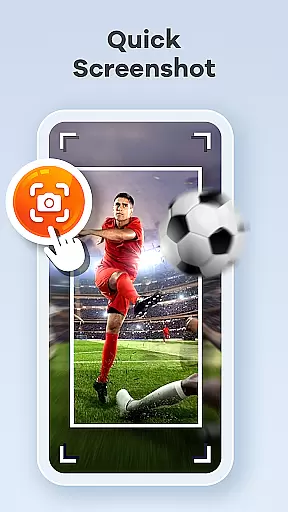
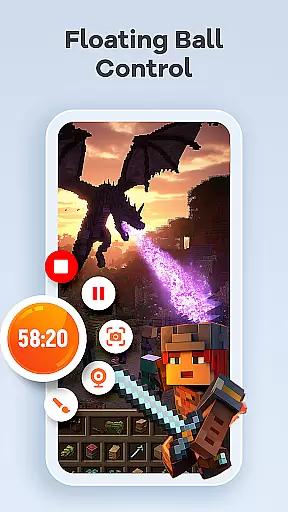
The app also excels in providing user-friendly controls through its one-tap floating ball interface, which allows quick start, pause, resume, and screenshot actions without interrupting the workflow. Customizable gesture controls further streamline the process, while the absence of time limits and watermarks ensures maximum flexibility for long-form projects. These thoughtful design elements make Screen Recorder Video Recorder not just a simple recording tool but a complete pocket video production suite.
Screen Recorder Video Recorder excels in delivering precise and effective core functionalities that cater to a wide range of video recording needs. The app supports HD recording at 1080P, with bitrates up to 16Mbps and frame rates as high as 120FPS, ensuring every detail is captured in stunning clarity.
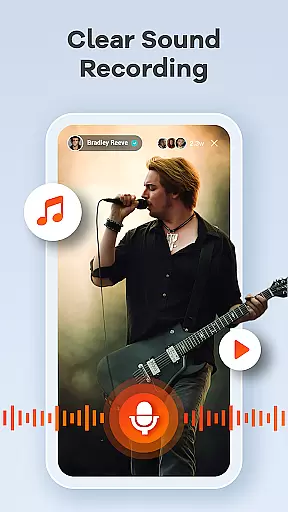
In addition to video quality, the app offers versatile audio recording options, allowing users to capture crisp internal system sounds or clear external audio via the microphone. This dual capability ensures that all auditory elements are preserved accurately, enhancing the overall recording experience.
The built-in video editor further amplifies the app's effectiveness by providing essential editing tools such as trimming, cropping, and rotating features. These functions enable users to refine their recordings into polished, professional-grade content ready for sharing across various platforms.
Moreover, innovative features like live drawing and annotation empower users to explain complex concepts visually, directly on their screen in real-time. This combination of accurate recording and effective supplementary tools makes Screen Recorder Video Recorder an indispensable tool for creating engaging and informative videos.
A standout feature of Screen Recorder Video Recorder is its commitment to interface simplicity and intuitive control, making it accessible even to beginners. The one-tap floating ball is a prime example, offering seamless command over recording operationsu2014start, pause, resume, and screenshotu2014all through a single touch point.
Gestures play a crucial role in streamlining the user experience. Users can customize specific gestures for quick actions, significantly reducing the time and effort required to manage recordings. This level of personalization enhances the app's intuitiveness, catering to individual preferences and workflows.
Furthermore, the absence of recording time limits and watermarks underscores the appu2019s dedication to providing an unfettered, user-friendly environment. Such features ensure that creators can focus on their content without worrying about interruptions or distractions marring their work.
Customizable settings round out the app's intuitive design, allowing users to adjust recording parameters and operational methods according to their unique requirements. This flexibility not only simplifies the recording process but also empowers users to optimize their workflow efficiently within this powerful yet straightforward toolset.
User-friendly interface
High-quality HD recording
Built-in video editing tools
Live drawing and annotation
Seamless sharing options
Limited functionality in some apps
Requires necessary permissions
No advanced editing features
Potential privacy concerns
Basic free version only

PDF Reader - Document Viewer: Read, Manage & Organize Your Documents
 3.10
3.10
Safely recover deleted photos, videos, and files with a single easy tap.
3.70
Canon PRINT is a companion app for your Canon printer.
4.60
eXtended Permission Manager - a small app to manage permissions and AppOps
4.50
card-reader app
2.20
Amateur Radio app for APRS: Track friends, exchange messages, get tactical info.
3.90
Create your own live wallpaper or check out thousands already made presets
3.90
Quickly check the frequency of the Earth
4.30
Fast VPN USA for any country. Super secure VPN for calls, streaming, games, TV.
4.40
The ultimate tool for network analysis, wifi scanning and problem detection.
4.90
Creation, Learning, Entertainment & More — The All-in-One AI Search Engine
4.70
Planner and Tracker for Stardew Valley
4.60
FV File Manager Pro, Fast and powerful file manager for Android
4.60 4.50
4.50
Just swipe the edge to do something!
4.40
App that Recover your pictures, videos or files after you delete them.
4.20
VESC Tool can monitor and configure VESC-compatible devices over BLE and Wifi
4.20
Automate everything from settings to photos, SMS to speech. ADC2 prize winner.
4.10
A recovery soft,it features photo recovery, video recovery, file recovery.
3.40


User Reviews