
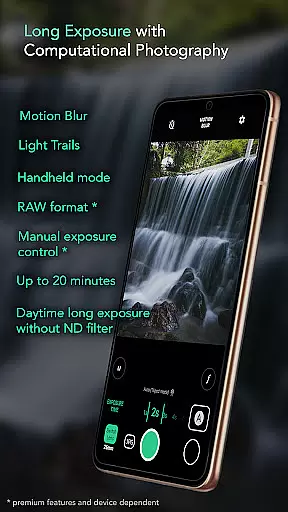
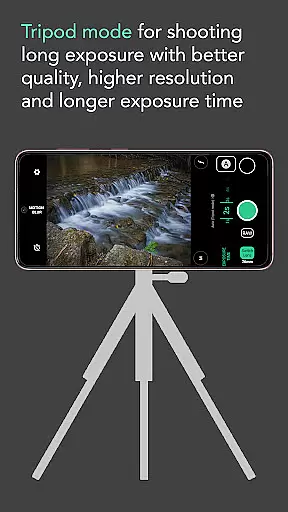
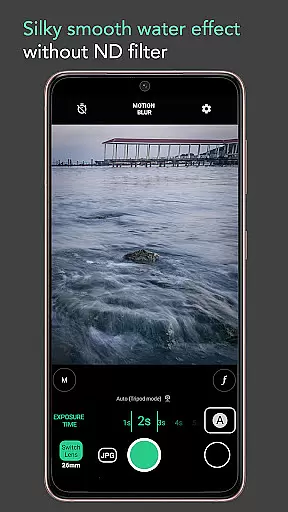
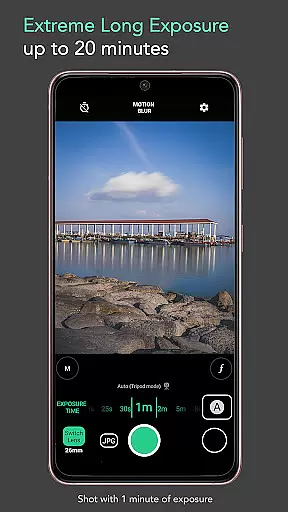
Motion ProCam is a specialized camera application designed for creating stunning long exposure photographs with ease. The app employs advanced computational photography techniques to combine multiple images, producing professional-quality results with motion blur and light trails. Users can capture impressive effects like silky smooth water, light trails, and moving clouds without the need for expensive ND filters or specialized equipment.
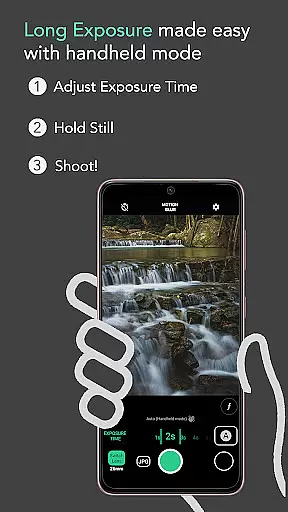
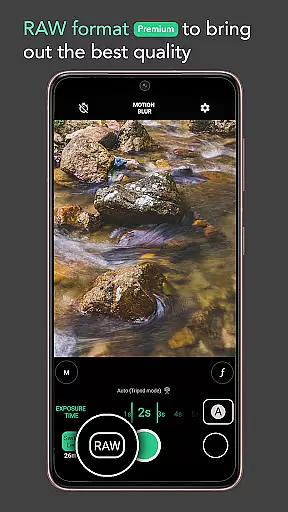
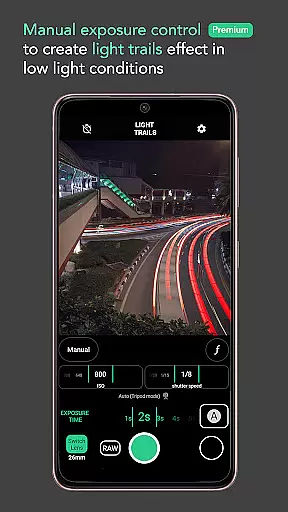
The app's intuitive interface allows users to adjust exposure time from fractions of a second up to 20 minutes, while its auto-stabilization feature ensures sharp images even in handheld mode. Photography enthusiasts will appreciate premium features such as RAW format support and manual exposure control, enabling them to achieve the highest possible image quality. Whether you're capturing waterfalls, seascapes, or urban nightscapes, Motion ProCam delivers professional-grade results directly from your mobile device.
Motion ProCam distinguishes itself through its sophisticated computational photography capabilities. The app intelligently processes tens to hundreds of images, merging them into a single long exposure photograph that showcases beautiful motion effects. Its unique daytime long exposure functionality eliminates the need for neutral density filters, making professional-quality photography accessible to all users.
The application provides photographers with extensive creative control through its premium features. Advanced users can take advantage of RAW format support and precise manual exposure settings to fine-tune their captures. Practical features like volume button shutter trigger and automatic stabilization in handheld mode (up to 5 seconds) enhance usability, while selectable effects including motion blur and light trails offer versatile artistic possibilities. These comprehensive tools enable users to create professional-grade long exposure images across various scenarios, from landscape photography to urban exploration.
Real-time capture and preview functionality is essential for ensuring that users can accurately frame and adjust their shots before capturing the final image. In Long Exposure - Motion ProCam, this feature allows photographers to visualize the potential outcome of their long exposure photography.
The application provides an intuitive interface where users can see changes in exposure settings reflected immediately on the screen. This real-time feedback enables users to fine-tune parameters such as exposure time and effect types without any guesswork, ensuring that the captured image aligns with their creative vision.
By offering a seamless real-time preview experience, the app empowers users to experiment with different settings confidently. Whether shooting silky smooth water effects or light trails, the ability to preview these adjustments live on the screen significantly enhances the overall photographic process.
While Long Exposure - Motion ProCam focuses primarily on long exposure techniques, it also incorporates elements of AI beauty and enhancement to ensure images maintain a natural look despite extensive computational processing. The app uses advanced algorithms to preserve the authenticity of scenes while enhancing key visual aspects.
This balance between enhancement and naturalness is particularly important when creating motion blur or light trail effects. By intelligently analyzing each frame before combining them into a final image, the app ensures details remain sharp and true-to-life, avoiding artificial over-processing.
Users benefit from this careful attention to detail by receiving high-quality images that retain their original essence. From creamy lakes to moving clouds, every element within the composition stays true to its natural form, providing professional-grade results even in challenging lighting conditions.
User-friendly interface
Advanced computational photography
Daytime long exposure capability
Premium RAW support
Manual exposure control
Premium features locked
Limited free options
High processing requirements
Steep learning curve
Battery intensive

All-in-One Editor & AI Photo Enhancer, Beautify & Retouch, Collage, Cartoonify
 4.20
4.20
Create funny photos and videos with the popular Time Warp Scan filter.
4.90
Virtual makeup, hair filters & body tuner—edit from face to full body!
4.20
Edit like a pro with Hypic. Apply filters, AI effects, & magic touch.
4.40
Perfect body tune & face app - photo retouch, makeup, slim body & beautify face.
4.80
Create AI Photos, Improve and restore quality of blurry, old or damaged pics.
4.20
Automatically backup your photos and videos to computer, NAS and Cloud services
4.60
Easily view, share, delete photos with Gallery.
4.70
Turn photos into cartoons & avatars! - Photo Editor, Cartoon Face!
3.90
Collage your moments in one tap: 1000+ layouts, filters, stickers, and texts.
4.90
Find time and duration of different sunlight phases at any location
4.90
See your baby AI baby face generator AI baby maker Face generator babymaker fun!
4.70
The original Rarevision VHS look seen everywhere!
4.70
PhotoSync Bundle Add-On License. Enables all features and services in PhotoSync.
4.60
Photo Exif Editor allows to view, add and modify EXIF data of multiple photos
4.50
Create AI photos & videos with Enhancer; restore, fix, beautify, enhance photos
4.50
Search, tag and rate your way to an organized image gallery
4.40
Create amazing frames with up to five photos. Rounded corners, effects and more!
3.60
Snap photos remotely using your Garmin watch as the camera trigger
4.1


User Reviews