
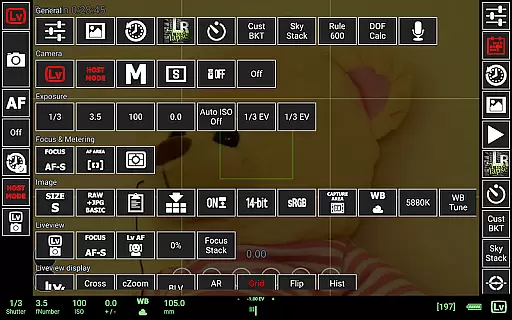
qDslrDashboard is a powerful photography application designed for DSLR camera enthusiasts. This app allows users to control Nikon, Canon DSLR, and Sony mirrorless cameras remotely from their Android devices. With features like remote capture, synchronized shooting, and live view functionality, photographers can enhance their workflow significantly. The app also supports multiple camera connections through portable wireless routers or USB OTG adapters, making it versatile for various shooting environments.
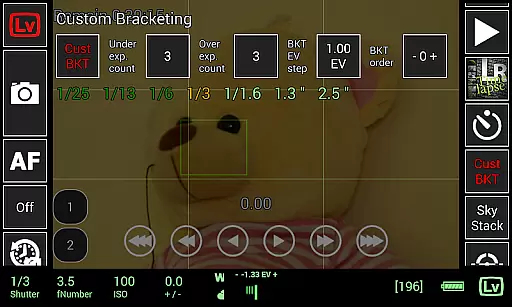
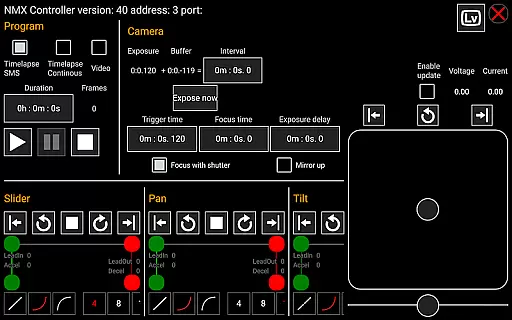
In addition to basic camera control, qDslrDashboard offers advanced functionalities such as custom bracketing, focus stacking, and time-lapse photography with control files. Users can browse and transfer images directly from their cameras to Android devices, preview RAW files, and even adjust manual focus during live view sessions. These capabilities make the app an essential tool for professional photographers who require precise control over their equipment while maintaining mobility in the field.
qDslrDashboard stands out with its comprehensive feature set tailored for professional photography needs. One of its key strengths is the ability to connect to multiple camera models using either a portable wireless router or USB OTG adapter. This flexibility ensures that photographers can work with different setups depending on their specific requirements. The app's synchronized capture function allows users to trigger multiple cameras simultaneously, which is particularly useful for creating 3D images or capturing action sequences from different angles.
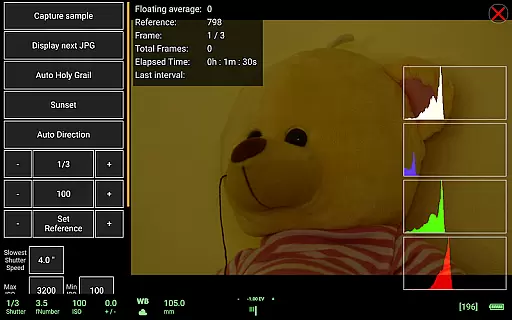
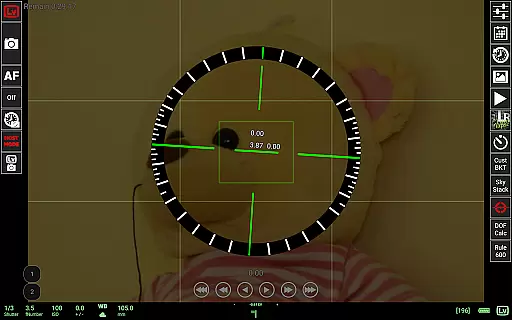
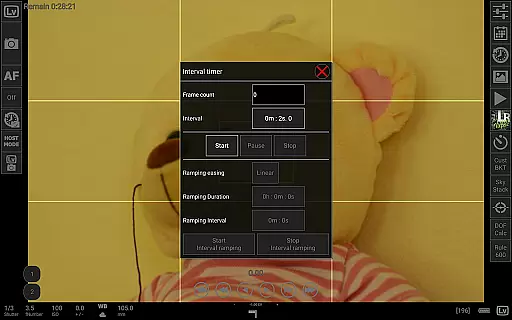
Another notable feature is the advanced time-lapse capability, which includes options for automatic holy grail timelapse and focus movement during intervals. The live view mode provides real-time monitoring with histogram display, enabling precise exposure adjustments. Additionally, the app supports custom profiles, DoF calculator, and Rule600 calculator for astrophotography planning. These specialized tools demonstrate qDslrDashboard's commitment to serving professional photographers' complex needs while maintaining user-friendly interfaces for each function.
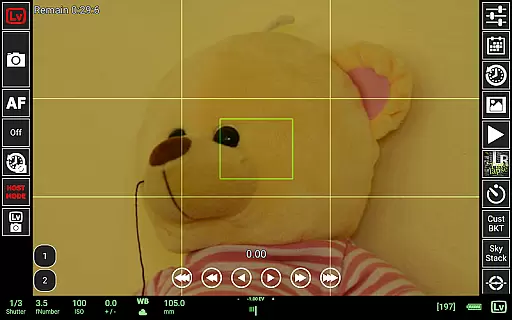
Real-time capture and preview functionality is essential for photographers who need precise control over their shots. qDslrDashboard offers a comprehensive solution that allows users to connect their Nikon, Canon DSLR, or Sony mirrorless camera via USB OTG adapter or wireless network.
The application enables live view with histogram display, providing real-time feedback on exposure and composition. This feature ensures that photographers can make informed decisions before capturing an image, leading to higher quality results.
Additionally, qDslrDashboard supports manual focus movement while in live view, giving users the ability to fine-tune their focus with precision. This level of control is particularly beneficial for macro photography and other scenarios where exact focusing is critical.
With synchronized capture across multiple cameras, qDslrDashboard enhances workflow efficiency, making it an invaluable tool for professional photographers seeking reliable and responsive remote shooting capabilities.
While qDslrDashboard does not focus on AI beauty enhancements typical in mobile photography apps, it excels in delivering natural and authentic image previews. The application's strength lies in its ability to provide accurate representations of images captured with DSLR or mirrorless cameras.
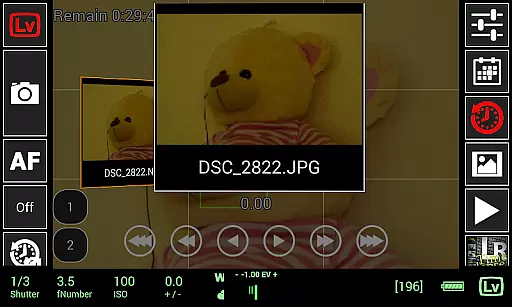
Users can browse and transfer images from their camera to an Android device, allowing for immediate review without compromising the original quality. This process ensures that the natural beauty of the photograph is preserved, maintaining the integrity of the photographer's vision.
Furthermore, qDslrDashboard offers advanced features like custom bracketing and focus stacking, which enhance image quality through precise camera control rather than post-processing effects. These tools empower photographers to create stunning images that remain true to life.
By prioritizing genuine photographic techniques over artificial enhancements, qDslrDashboard caters to professionals who value authenticity and seek to capture moments as they truly are.
Comprehensive camera control
Multiple camera support
Advanced time-lapse features
Live view with histogram
Wireless remote functionality
Requires compatible hardware
Complex setup process
Limited beginner-friendly features
Occasional connection issues
High learning curve

Shooting photos and records video easily and efficient with professional Camera
 4.30
4.30
Perfect photos with body shaping, BG changer and object remover.
3.70
Cut and paste photo editor & eraser to customize photos easy and swap faces fun
4.50
Take videos and pictures with the popular TikTok TIME WARP SCAN filter.
4.60
Cartoon and artistic effects for your photos and videos
4.70
Amazing Photo Effects - The most fun you can have with your photos!
4.70
Transform Photos: Edit, Beautify and Craft Memories & Make Collages!
4.10
PhotoSync Bundle Add-On License. Enables all features and services in PhotoSync.
4.60
The original Rarevision VHS look seen everywhere!
4.70
A collection of tools and reference tables for DPs, ACs, DITs and Operators.
4.70
See your baby AI baby face generator AI baby maker Face generator babymaker fun!
4.70
Viewfinder, Light meter, Reciprocity failure time, DOF & Bellows Extension
4.60
Easily create custom gifts, cards, photo books & more on the Shutterfly app!
4.60
Discover & download millions of art for The Frame TV or Hisense CanvasTV
4.60
Safe & smart flight with Go Fly drone controller for 40+ drone camera, zone map
4.50
Natural Beauty, Selfie Retouch
4.30
Professional photography on your mobile phone
4.20
USB Storage Access for Photos, Videos, Music and Documents
3.80
Pet Camera
3.70


User Reviews