
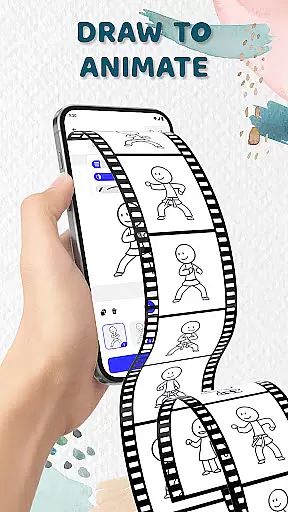
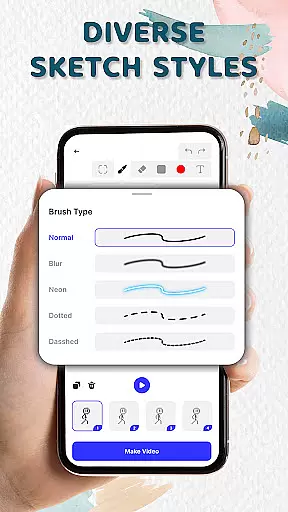
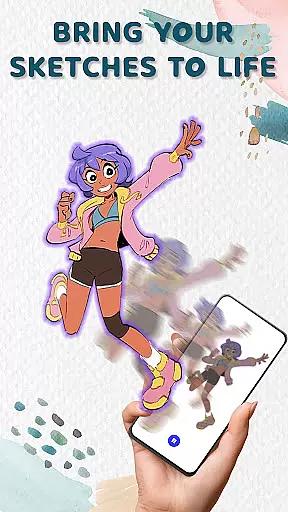
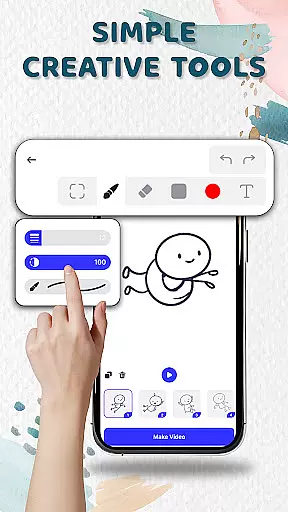
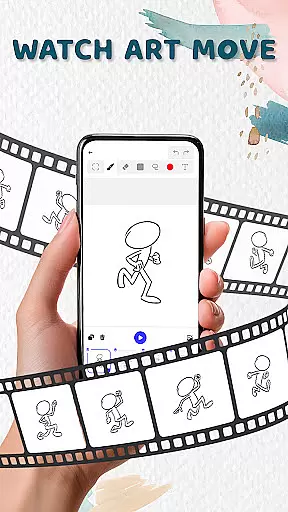
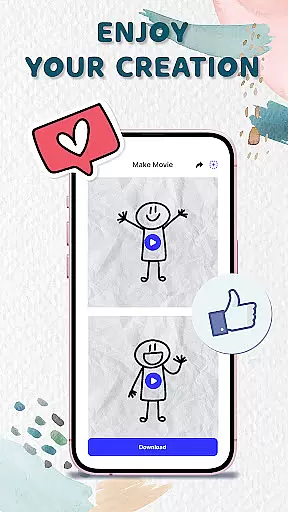
Animation Draw: Flip Maker is a creative app that allows users to transform simple sketches into dynamic animations. Designed for both beginners and enthusiasts, this pocket studio offers intuitive tools like adjustable pen sizes, color options, and onion skinning for smooth motion control. Whether you're crafting stickman adventures or short comics, the app provides endless possibilities for storytelling and self-expression.
The app's flipbook-style animation brings classic techniques to digital format, enabling users to create lively scenes from static sketches. With features supporting frame-by-frame drawing and easy export options in GIF or MP4 formats, Animation Draw makes it simple to save, share, and showcase your animated stories with others.
Perfect for artists, educators, and hobbyists, Animation Draw helps bring imagination to life while offering an enjoyable creative process. From doodles to fully-animated sequences, this app empowers users to explore their artistic potential right from their mobile devices.
Animation Draw stands out with its comprehensive set of creative tools tailored for animators of all skill levels. The app includes essential features such as adjustable pen size, color palettes, and onion skinning, which allows creators to see previous frames as a reference for smoother animations. These tools ensure precision and fluidity in every project.
One of the key highlights is the flipbook-style animation system, which mimics traditional hand-drawn techniques but enhances them through digital capabilities. Users can build movement frame by frame, creating anything from simple gestures to complex animated stories. This approach not only preserves the charm of manual animation but also adds a modern twist.
Beyond its technical features, Animation Draw supports various storytelling formats. Whether you want to create stick figure battles, short comic strips, or playful cartoons, the app adapts to your vision. With easy export options in popular formats like GIF and MP4, sharing your work has never been easier. This combination of flexibility, usability, and powerful functionality makes Animation Draw a top choice for anyone interested in art and design.
In the realm of digital artistry, having a comprehensive suite of creative tools is essential for unleashing one's imagination. Animation Draw: Flip Maker offers an impressive array of features that cater to both budding artists and seasoned creators.
With options to adjust pen size, incorporate vibrant colors, and utilize onion skinning for seamless motion, this app ensures precision and fluidity in every animation you create. These tools are specifically designed to enhance your drawing experience while maintaining ease of use.
The inclusion of intuitive controls allows users to effortlessly bring their sketches to life, transforming static images into dynamic animations. This functionality not only simplifies the animation process but also enriches the storytelling potential within each piece.
Ultimately, Animation Draw empowers artists to experiment with various styles and techniques without limitations, making it a versatile companion for anyone looking to explore the art of animation.
A crucial aspect of any design application is its canvas and format flexibility, enabling artists to customize their workspace according to specific project needs. Animation Draw: Flip Maker excels in providing users with adaptable canvas settings that accommodate diverse artistic visions.
Artists can easily modify dimensions and resolutions, ensuring that their creations are optimized for different platforms and mediums. Whether crafting short comics or elaborate cartoons, the ability to tailor your canvas enhances creative freedom significantly.
Moreover, exporting projects in popular formats such as GIF or MP4 showcases the appu2019s commitment to versatility. By supporting multiple file types, Animation Draw facilitates sharing and publishing across various channels without compromising quality.
This adaptability not only streamlines workflow but also encourages experimentation with unique formats, empowering creators to push boundaries in their artistic endeavors.
User-friendly interface
Versatile drawing tools
Supports multiple formats
Great for beginners
Encourages creativity
Limited advanced tools
No collaborative features
Basic export quality
Few tutorials available
Premium feature costs

The ultimate tool for creating animations
 4.60
4.60
Art of Combination Wear OS Watch faces (for Wear OS 5+ devices)
3.00
Sketch, plan, take notes and illustrate on an infinite canvas.
4.20
Logo Generator powered by AI: Create stunning logos effortlessly!
4.70
Unleash your drawing and painting potential
4.50
Castle is social media for creating and playing games!
4.60
Photo stitcher for automatically screenshot stitching into a long screenshot
4.70
Create Logos, Tattoos, AI Art & more with our AI Photo Generator & Design Editor
4.20
An intuitive, high-performance painting app that lets you focus on creating
4.40
Minecraft & Roblox Clothes
4.70
Image resizer to resize, crop, rotate, flip, change dpi photo or picture in bulk
4.60
Draw, fidget, and spin glow art! Relax and express your creativity with a finger
4.60
Video AI: Revolutionize Your Content Creation with Advanced Video Generation
4.50
Nano Banana AI Image Generator, Anime Filter, AI Portrait, AI Photo Generator
4.30
Unleash Your Creativity with Draw Cartoon - AR Drawing App
4.10
Art of Combination Wear OS Watch faces (for Wear OS 5+ devices)
3.90
AI Art Generator transforms your words into AI generated art & paintings.
3.70
Meet the magic aı 3d photo generator and smart AI video generator app.
3.20
Pose and morph realistic male and female models! 3D poser app
3.00


User Reviews