
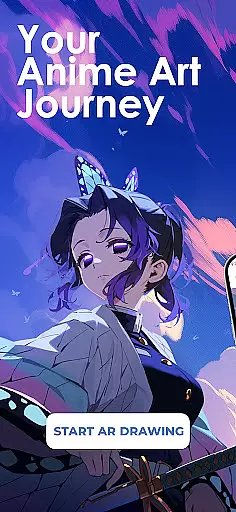
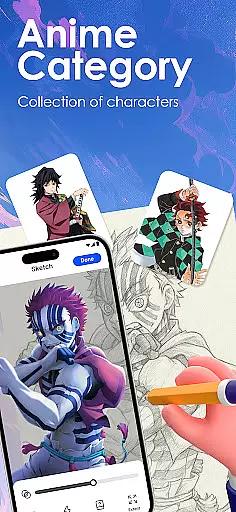
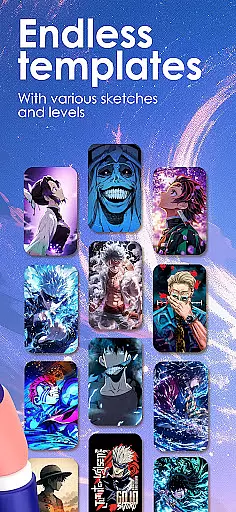
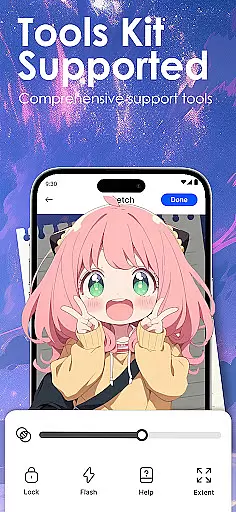
Draw Anime: AR Sketch & Trace is a revolutionary drawing application designed specifically for anime art enthusiasts. This app combines the power of augmented reality (AR) with traditional sketching techniques, allowing users to create stunning anime artwork with ease. Whether you're a beginner or a professional artist, this tool provides comprehensive features that cater to all skill levels.
The core functionality includes AR-guided tracing, where users can project outlines onto paper through their device's camera. The app offers an extensive library of anime templates, including manga and chibi styles, as well as the ability to import personal photos for tracing. With step-by-step tutorials and adjustable drawing settings, artists can refine their skills while exploring new creative possibilities.
This application is particularly useful for aspiring anime artists who want to improve their anatomy and proportion techniques. The app's innovative approach bridges traditional drawing methods with modern technology, making it an invaluable tool for anyone looking to enhance their artistic abilities in the anime genre.
Draw Anime: AR Sketch & Trace stands out with its unique combination of AR technology and anime art creation tools. The app's main feature is its AR guidance system, which projects precise outlines onto physical drawing surfaces. This allows users to trace complex designs with accuracy while maintaining creative control over their work.
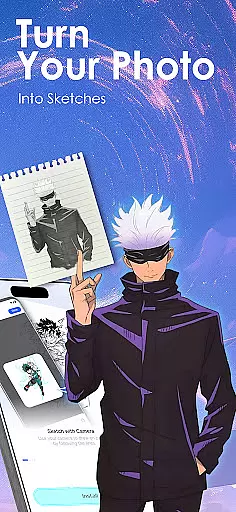
Users can access a vast collection of pre-made templates covering various anime styles, from classic manga to modern chibi characters. The app also includes advanced image processing capabilities that convert photographs into simplified line drawings, making it easier to practice different art styles. Additionally, the adjustable opacity and zoom functions provide precise control over the tracing process.
One of the most valuable aspects of this application is its educational component. The app offers structured learning paths with video tutorials that cover fundamental anime drawing techniques. Users can track their progress, save their work, and even record their drawing sessions for review and sharing with the community.
In the realm of digital artistry, having a comprehensive set of creative tools is paramount. Draw Anime: AR Sketch & Trace offers an extensive suite designed to cater to anime enthusiasts and artists at all levels.
With features like AR Guidance, users can trace anything through their camera, be it anime characters, real objects, or custom designs, with clear outlines projected onto paper for confident sketching. The inclusion of a growing library filled with anime, manga, chibi, fanart, and trending templates ensures that inspiration is never far away.
Moreover, the app allows importing personal photos, turning them into traceable outlines, and adjusting properties such as opacity and zoom. This flexibility empowers creators to explore unlimited possibilities in their artwork while also offering video tutorials tailored for anime lovers.
A canvas in the digital age should offer more than just a space to draw; it needs to adapt to various formats and preferences. Draw Anime: AR Sketch & Trace understands this need and provides remarkable flexibility in its canvas and format options.
Artists can practice with different skill levelsu2014beginner, intermediate, and expertu2014and improve their grasp of anatomy, proportions, and anime art techniques step by step. The ability to adjust the opacity and zoom of their work area adds another layer of customization.
Furthermore, users have the option to record their drawing process, allowing them to track growth over time and share their progress with others. By saving and rewatching videos of their artistic journey, creators can refine their skills and inspire fellow artists within the community.
User-friendly interface
Extensive template library
Advanced AR features
Comprehensive tutorials
Cross-skill level support
Requires compatible device
Subscription fees apply
Internet connection needed
Learning curve present
Limited offline features

Create trending AI photos & videos with powerful effects and 3D styles.
 3.20
3.20
Easy 3D drawing design maker & creator. Model designing, Sculpting. Create&paint
4.00
Apply cartoon, caricature, and portrait effects to make your photos stand out!
3.60
Digital illustration drawing & painting pad app to paint Anime and Manga art
4.50
AI Face Swap, Video Effects Editor, Realtime Morph, Funny Video FX,AI Filters
3.70
Create color palette from Image, RGB & RYB Color wheel harmonies, Color Scheme
4.50
Image resizer to resize, crop, rotate, flip, change dpi photo or picture in bulk
4.60
Kling AI is an image and video generation and editing studio powered by AI.
4.50
Draw, fidget, and spin glow art! Relax and express your creativity with a finger
4.60
See Color, Paint Color
4.90
Make your phone cooler and have a fantastic experience
4.80
Digital, Abstract, Classic - all types of color wheels in one app!
4.60
Custom Character Creator & PFP Maker!
4.20
Unleash Your Creativity with Draw Cartoon - AR Drawing App
4.10
OneUI 8.5 icons ✨ Smooth, modern & based on the latest Play Store design ??
4.10
Sketch and paint on your device with the feel and freedom of drawing on paper
4.00
Art of Combination Wear OS Watch faces (for Wear OS 5+ devices)
3.90
Inky runs Inkscape on Android devices and Chromebooks
2.90
Download now for a stylish and functional timepiece
4.4


User Reviews