

Filmora is an AI-powered video editor tailored for social creators, offering a balance between professional-grade tools and user-friendly functionality. The app enables users to transform basic clips, photos, or scripts into engaging videos optimized for platforms like TikTok, Reels, and YouTube. With no prior editing experience required, Filmora provides powerful AI features that streamline the creative process.
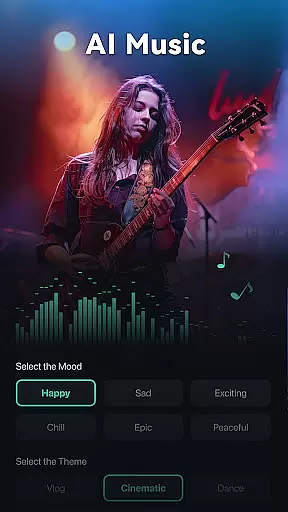
Key functionalities include Image to Video conversion, Dynamic Captions, Text to Video generation, AI Remover, AI Auto Cut, AI Beats, VideoGen, Text to Speech, and AI Music & Sound Effects. These features cater to both beginners and professionals, ensuring high-quality output regardless of skill level. Whether you're looking to create quick social media content or advanced video projects, Filmora delivers the tools needed to produce polished, scroll-stopping videos.
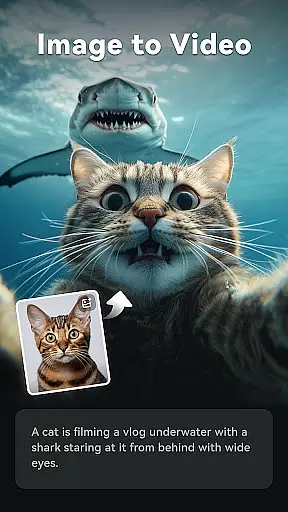
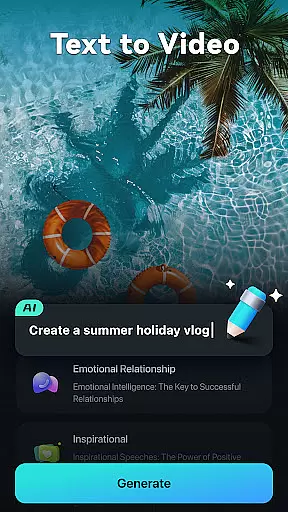
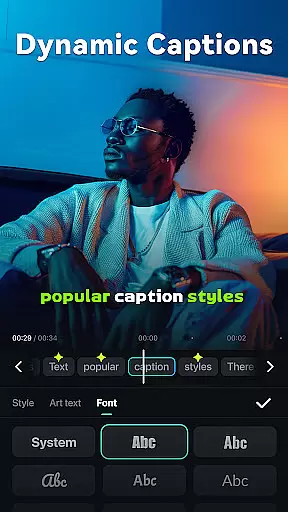
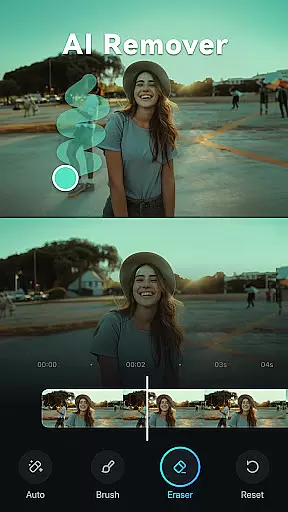
Filmora stands out with its comprehensive suite of AI-powered editing tools designed to enhance video creation. The Image to Video feature uses AI to animate photos based on user input, while Dynamic Captions automatically generate word-by-word subtitles from speech. The Text to Video tool allows users to visualize ideas through simple prompts, and AI Remover effortlessly eliminates unwanted elements from footage.
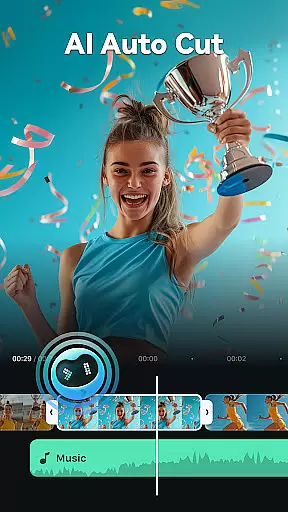
Additional features include AI Auto Cut for creating seamless highlight reels, AI Beats for syncing video highlights to music rhythms, and VideoGen for modifying video elements. The app also offers Text to Speech for generating professional voiceovers. For traditional editing needs, Filmora provides trimming, splitting, merging, and speed adjustment capabilities, along with advanced options like keyframing, masking, and smart tracking for professional users.
Video format compatibility is a crucial feature for any video editor, ensuring that users can work with a wide range of file types without conversion hassles. Filmora supports an extensive array of video formats, allowing creators to import and export videos in their desired resolutions and codecs.
The application's broad format support includes popular standards such as MP4, AVI, MOV, and more, catering to both amateur and professional needs. This versatility means you can start editing right away, regardless of the source of your footage.
For content creators focused on social media platforms like TikTok, Reels, and YouTube, this flexibility ensures that final outputs meet platform specifications. The ability to handle various formats also future-proofs your projects, accommodating new trends in video technology.
Ultimately, Filmora's comprehensive video format compatibility empowers users to focus on creativity rather than technical limitations, streamlining the editing process from start to finish.
Filmora harnesses the power of AI to revolutionize video editing, offering tools that automate complex tasks and enhance creativity. Features like Dynamic Captions and AI Auto Cut transform raw footage into polished content with minimal effort.
Dynamic Captions automatically convert speech to text, creating engaging, word-by-word subtitles. Meanwhile, AI Auto Cut intelligently stitches highlight moments into cohesive narratives, perfect for crafting cinematic stories from lengthy recordings.
Advanced AI functionalities extend to music synchronization and object removal. AI Beats aligns video highlights with rhythmic music, while AI Remover effortlessly eliminates unwanted elements from scenes, saving hours of manual editing.
These AI-powered tools democratize video production, enabling both novices and professionals to produce high-quality content efficiently. By integrating cutting-edge technology, Filmora simplifies the path from concept to captivating visual storytelling.
User-friendly interface
Powerful AI features
Versatile editing tools
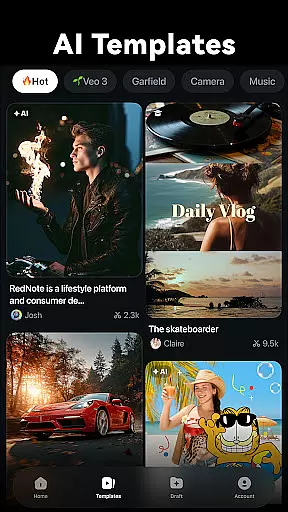
Professional templates
Cross-platform support
Subscription fees apply
Advanced features may overwhelm beginners
Limited free trial period
Occasional performance issues
Watermark on free version

Video player, file manager for all formats, 4K/HD media player supports subtitle
 4.30
4.30
Turn your phone into a wireless camera!
4.20
Seamlessly connect and control your smart devices, anytime, anywhere with ease.
4.60
Movie maker & video editing app with AI effects and green screen
4.30
IPTV Loader, loads your own Playlist. DOES NOT CONTAIN ANY LIST OR CHANNELS
4.60
The essential companion to your Blue Iris PC software
2.50
Flud is a simple and beautiful BitTorrent client for Android.
4.80
Fast private browser with secure, seamless access & supported video downloads!
4.00
Capture the moment and Cut
3.40
Video Trimmer, Video to MP3 Converter. Extract music from video, Easy & Fast.
4.80
Snaptubè Video Downloader app allows to download videos and music in Snaptube. .
4.60
Fast video downloader & private browser. Save HD clips to watch offline.
4.40
Download website videos fast&privacy
4.40
Viddo: Generate Action Figure, AI Anime, AI kiss, AI hug Video from image & text
4.40
Create & edit videos with AI
4.30
Powerful Video Editor & Photo Editing App —— Quick Edits & Stunning Effects!
4.30
Watch full episodes of your favorite Cartoon Network and Cartoonito shows!
3.50
IPTV Player - Watch live TV from m3m & m3u8 playlist, stream IPTV on mobile
3.30
The smartest M3U IPTV Player your playlists have ever seen.
4.2


User Reviews